hahaha so true. Its a f-ing addiction x) I HAVE TO AUTOMATE IT XD
I’m not even sure why. I’m putting so much time into this (automating everything in qubes)…
I am literally hacking around on it rn. Working on sth to make qubes more enduser friendly (think appstore - “install signal”, “install browser” and alike). I have no idea if this will ever reach the masses - though this time its gotten pretty cool I think. The goal is to give it to a linux newby or medium linux person, and then they can just go and use Qubes “reasonably securely” without understanding pretty much anything about it.
Nobody is paying me for it, and nobody ever will (I mean its DESIGNED for endusers, which dont pay), but I just love doing it so much. I can’t stop it x)
I have put SO much time into qubes with zero idea if it really helps. But from all the Linux stuff I ever did, and I’m doing Linux since about 20 years, Qubes is BY FAR the most fun. Thats my reason for doing it
Nah I wrote sth from scratch. I used to build my company on salt so I know a good bit about it (long time ago), but I very deeply hate salt for qubes.
I looked at the ansible for qubes, but I didn’t like it either (my company currently is build pretty much on ansible, so I know it very well too).
The old kuhbs was in bash, which worked well (for my purposes) but it was CLI based ofc, so nothing for endusers. They need a gui.
Now its python. I don’t want to textwall this thread with offtopic stuff. It’ll be ready for AI-audits and then testing soon. I think its the best approach, as it enables pretty much anyone with even a tiny bit of linux knowledge to build her/his own “kuhb” (as in a bit of yml + copy paste from the install doc of the respective tool) while keeping a TON of capabilities you rarely need (like pci assignments, to name one of few features).
No way in hell medium knowledge Linux people can understand qubes salt. This is the reason pretty much nobody is using it. Its to complex.
Thank you for this precise observation that highlights the fundamental differences between the two applications.
First, the primary goal of the method mentioned in the guide is to achieve full Stream Isolation. However, we must distinguish between two applications that operate on completely different mechanisms.
**First: SimpleX Application**
This application works normally without the need for torsocks, as long as the SOCKS settings are manually configured to 127.0.0.1:9050.
However, some advanced settings, such as the “Use .onion hosts” option, do not appear in the interface unless the application detects an active SOCKS proxy. In some Whonix environments, this detection may not happen automatically.
This is where torsocks plays a temporary “key” role: using it once allows the application to see the proxy, making the option appear. Once you enable this option and save it, you can revert to running the application without torsocks, and the setting will remain saved and functional.
**Second: Cwtch Application**
Here, the situation is radically different. Cwtch does not merely route traffic through Tor; it actually hosts a dedicated Onion Service for each profile.
This functionality requires direct communication with the Tor system to control it, which is not supported by merely proxying the connection.
Therefore, running Cwtch via torsocks is not just an option, but a technical necessity to avoid Tor-over-Tor duplication, which could disrupt the hosted services and cause network conflicts.
**Final Summary:**
SimpleX: Works without torsocks, but you might need it temporarily to reveal the .onion option.
Cwtch: torsocks is permanently required to avoid network conflicts and ensure the Onion Service functions correctly.
I invite you to verify this behavior practically in your own environment, as this is the best way to confirm real-world performance.
It looks to me like you’ve updated your script, @abdullah so I’m giving it another test run now.
Configure kernel parameters (dom0 + VMs): Everything ran nominally.
MAC Randomization + Disable IPv6: I noticed it only randomized the MAC for fedora-43-xfce (the default template I picked). What if I install any new templates afterwards (like Kicksecure)? Will I need to run this option again to randomize their MACs?
Create Whonix gateways: Ran fine.
Install Kicksecure + set as default: Had to wait forever but I installed Kicksecure.and everything else. Oh! And I see Kicksecure already gets MAC randomization. Silly me.
Create RAM Pool Scripts: Done.
Create Amnesic Tmpfs script: Applied to default-dvm and that’s it. I plan to run most or all of my AppVMS on the RAM pool anyway.
Enable Live Mode: Done.
Destruction Tools (BusKill + Emergency): Done.
LUKS disk encryption hardening (PBKDF): I chose 4GB Ram to allocate and 10 seconds to unlock the disk.(Out of interest, what values would you recommend @abdullah?) Deleted my old encryption passphrase (is that right?) .Chose to update the boot image.
Set up automatic disk mounting in Whonix: Aaand done!
Afterwards, I changed untrusted-ram-dvm’s template to Kicksecure-18, shut down my computer and called it a day.
@abdullah This is a great guide! One thing I’d really want to highlight is how VPN + Tor don’t necessarily hide your Tor usage from your ISP the way people assume. A VPN (or SSH) doesn’t give you strong guarantees here, because it can still be vulnerable to website-traffic fingerprinting—meaning an attacker could potentially recognize Tor traffic patterns especially with advanced AI these days. Refer to https://gitlab.torproject.org/legacy/trac/-/wikis/doc/TorPlusVPN and Combining Tunnels with Tor for more info on this.
I’m also trying to find open-source projects that can convert/forward traffic so it looks like normal clear-net browsing to an ISP, even if they’re using deep packet inspection. Let me know if somebody knows about it!
Hi @Rootman
Speaking of AI, MullvadVPN has a feature called DAITA (Defence Against AI-Guided Traffic Analysis). Basically does exactly that, protect your online traffic from AI monitoring by adding network noise to make it blend in with regular traffic so yours doesn’t stick out like a sore thumb.
Also, have you heard of ObscuraVPN? It’s obfuscation capabilities blends in your traffic with regular internet traffic so that should do the trick. However, it’s still early in development and, as far as I know, Obscura doesn’t feature Mullvad’s DAITA just yet.
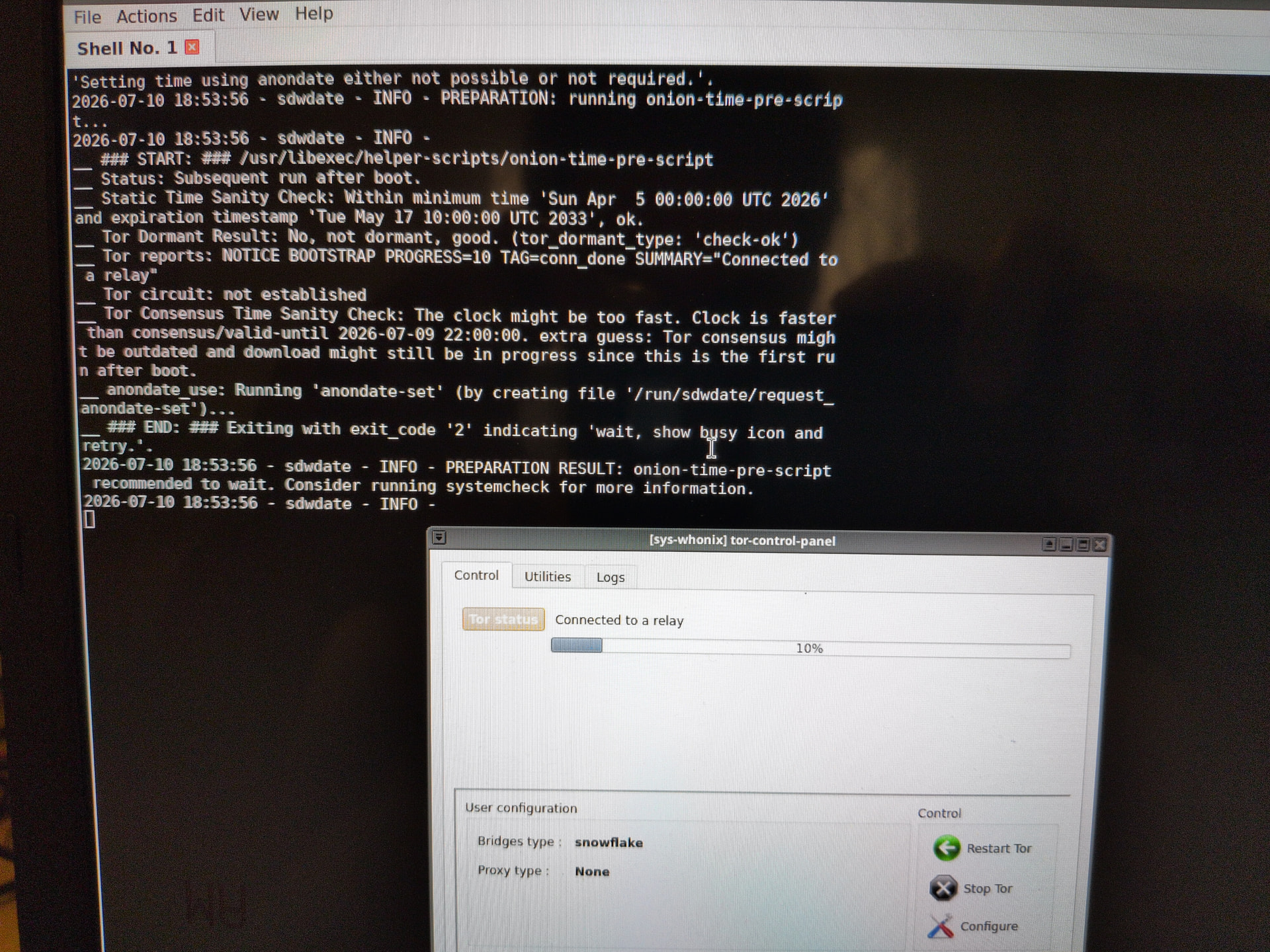
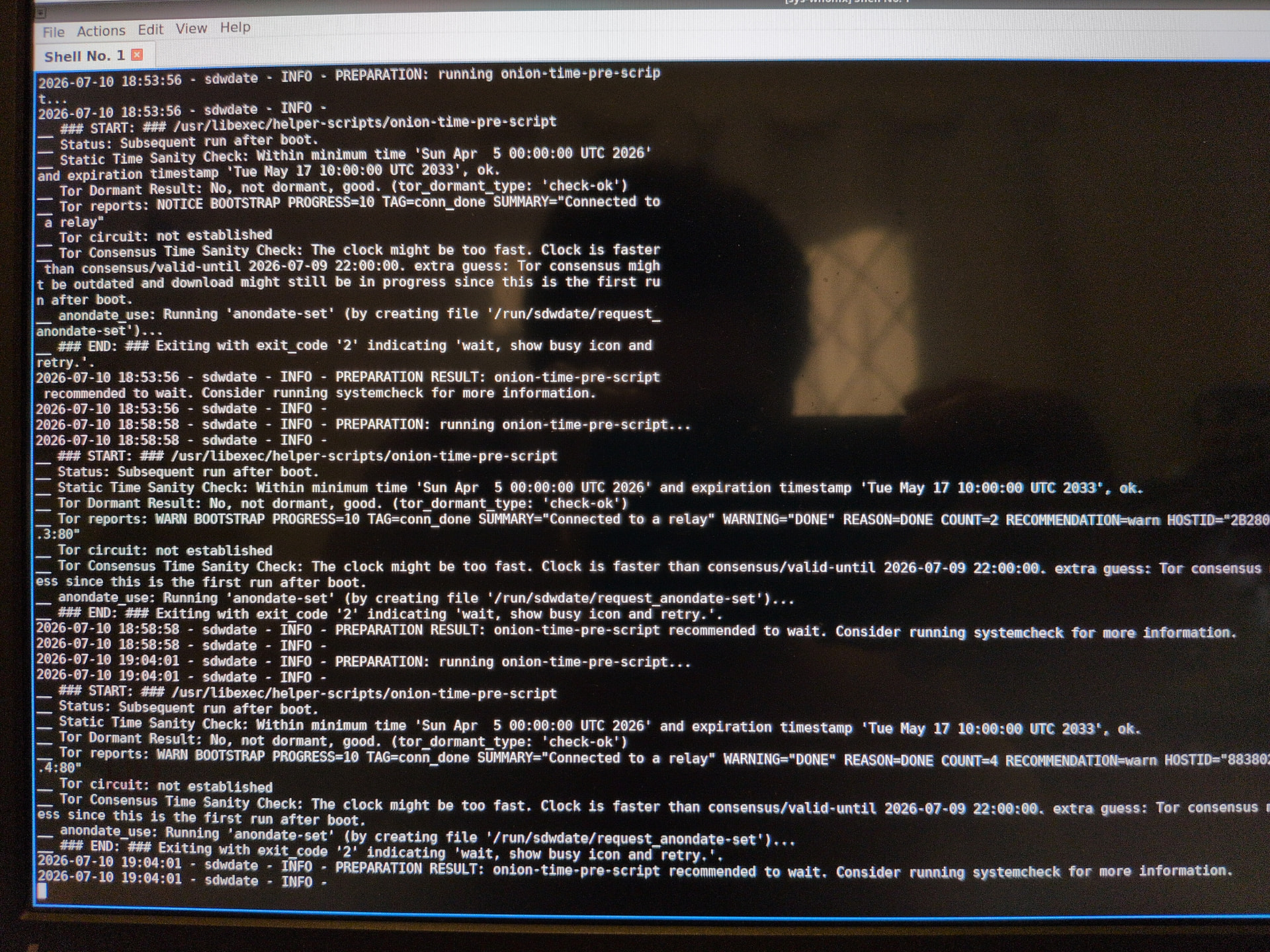
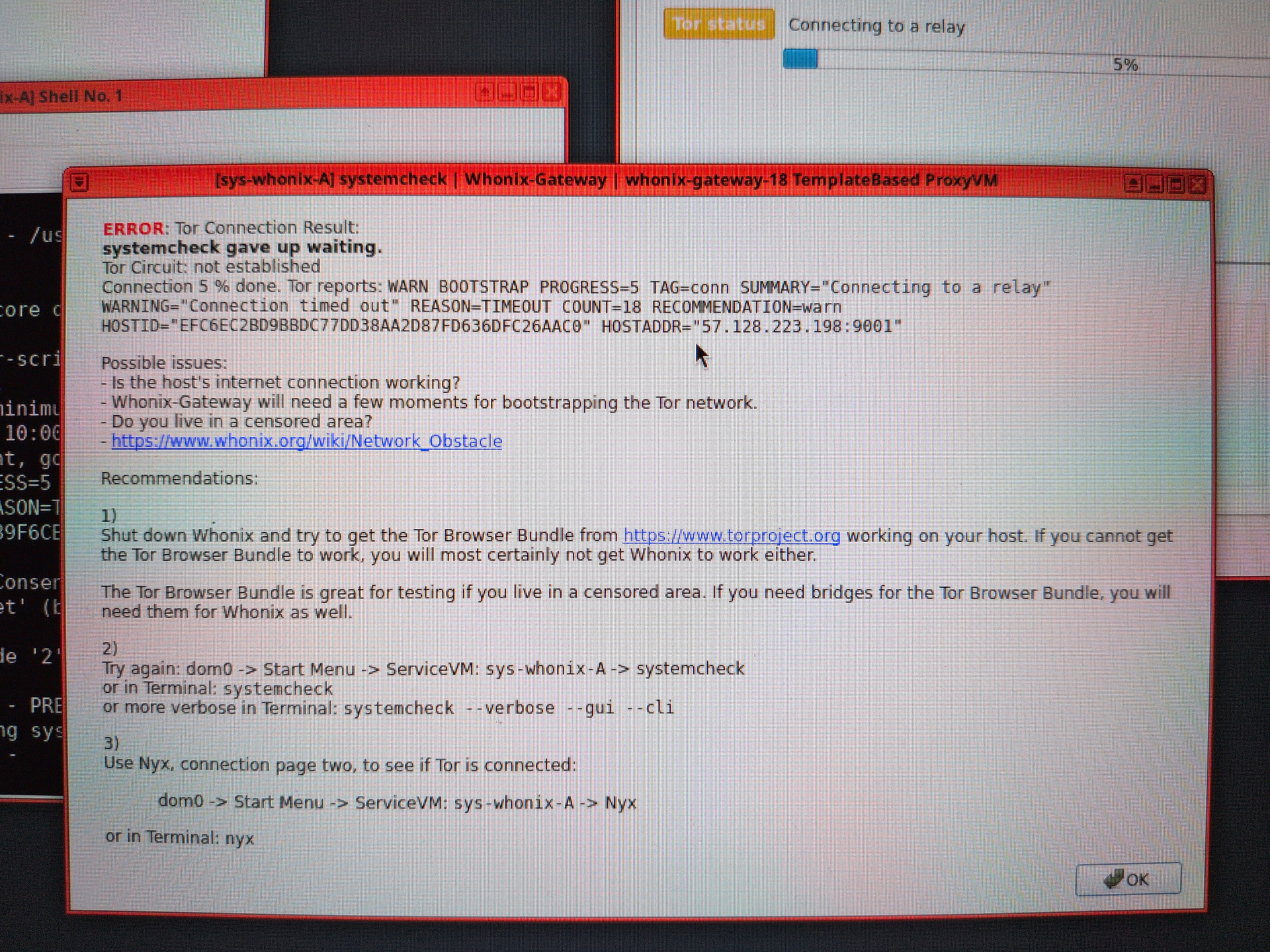
I just booted up my computer after having freshly run @abdullah’s script. I’m on Overlay mode and I notice that Sys-Whonix is taking forever to connect to Tor. The progress bar on the Tor Control Panel is stuck at 5% even as I speak.
I wonder if the script unintentionally tripped something up.
Hey @ledOnion Thanks for the message. I’d heard about Mullvad’s AI feature, but honestly, I couldn’t spot it while I was setting up a qube with the WireGuard file. Need to take another look at that again
Also checked out https://obscura.com/ — looks pretty cool, will dig into it. Appreciate you sharing!
I just booted into Persistent mode and Tor is still stuck at 5% and not fully connected.
Also, I know I switched bridge types when I was on live mode and, now that I’m on Persistent mode, the change is actually there as if I wasn’t really on live mode before.
No, not in my case. Do you use Snowflake? Did you changed the kernelopts of sys-whonix?
Idk, what happens if you remove parameter X when booting up grub (press e)?