Q 4.3 Backup Restore process running out of space, but where/why?

Yesterday I had a failed Qubes update (other topic) that completely took my system down so I started fresh with a new install and was trying to restore from backup. Unfortunately the restore process keeps failing while complaining that something is running out of space. I can’t figure out where the problem is. Using “df -k” in both sys-backup and dom0 show no issues with disk space, so the message the qubes restore program is giving is genuinely not very helpful.

It appears that dom0 is storing stuff in a QubesIncoming directory but that volume has plenty of space for receiving it. Varlibqubes is just 24%, VM-pool 13%/16% and total disk usage is just 13%. sys-backup home is just 1%.

I managed to get just one (the biggest) VMs restored which I am using now to post this report, but It failed just at the very tail end, but it is still usable. Yesterday I restored smaller VM’s Other VM’s first and the big one would not restore, so reinstalled Qubes again, and extracted the big one first. Subsequent VM’s restored after that are not usable. Restoring off of the network file server or a physical disk drive don’t seem to make any difference.

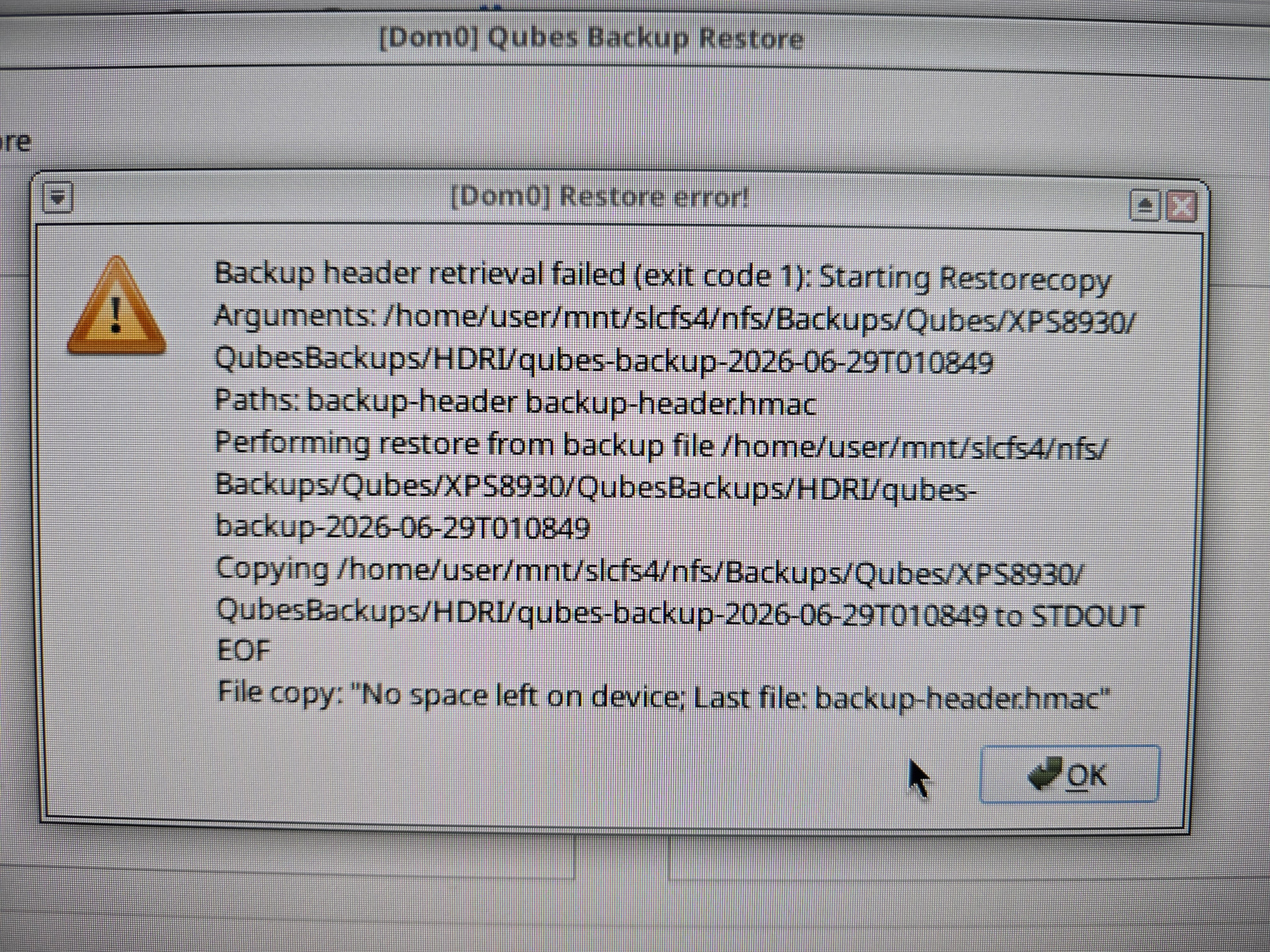
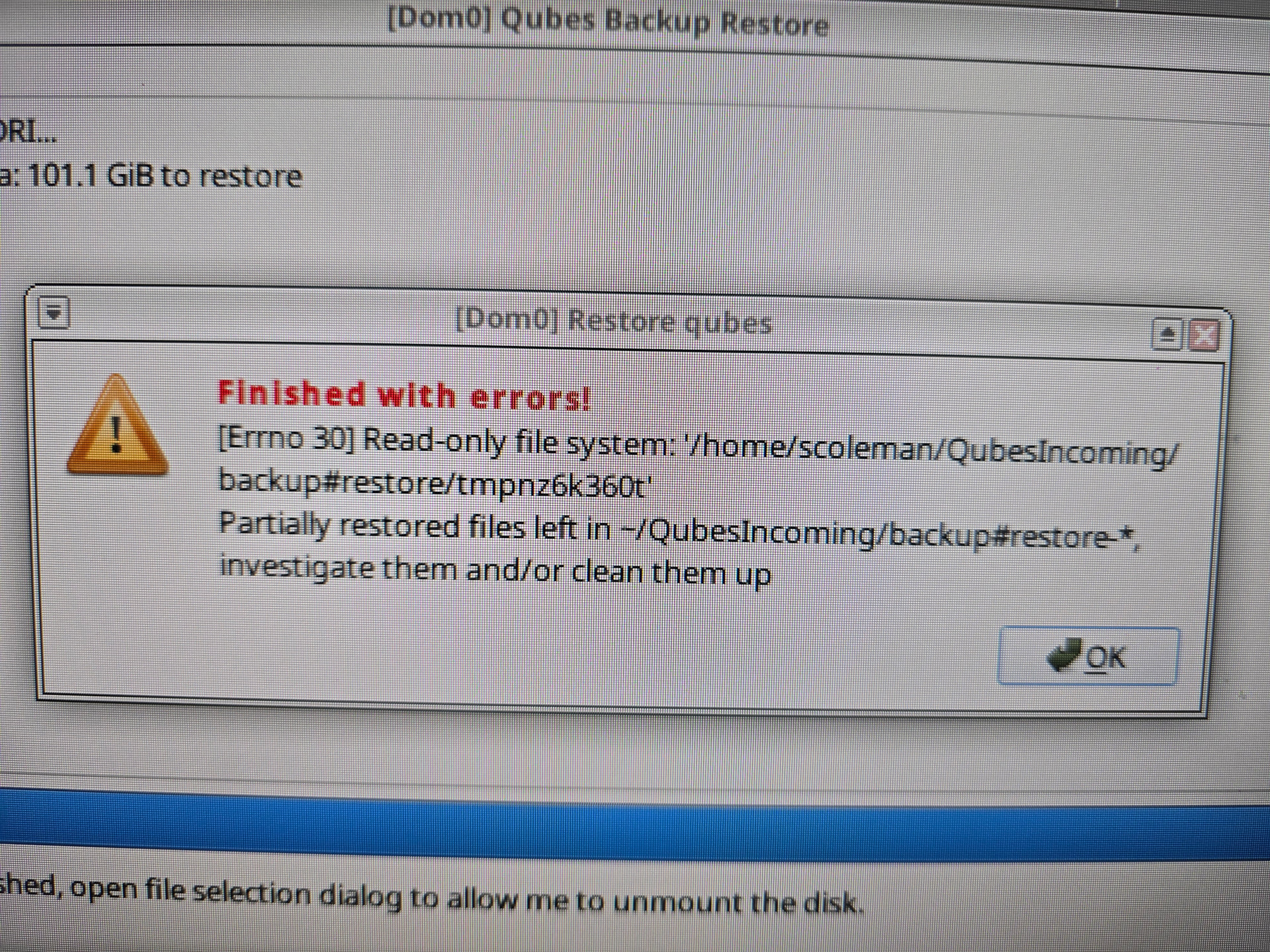
Just before posting this I ran a restore archive verification which gave a slightly different message:

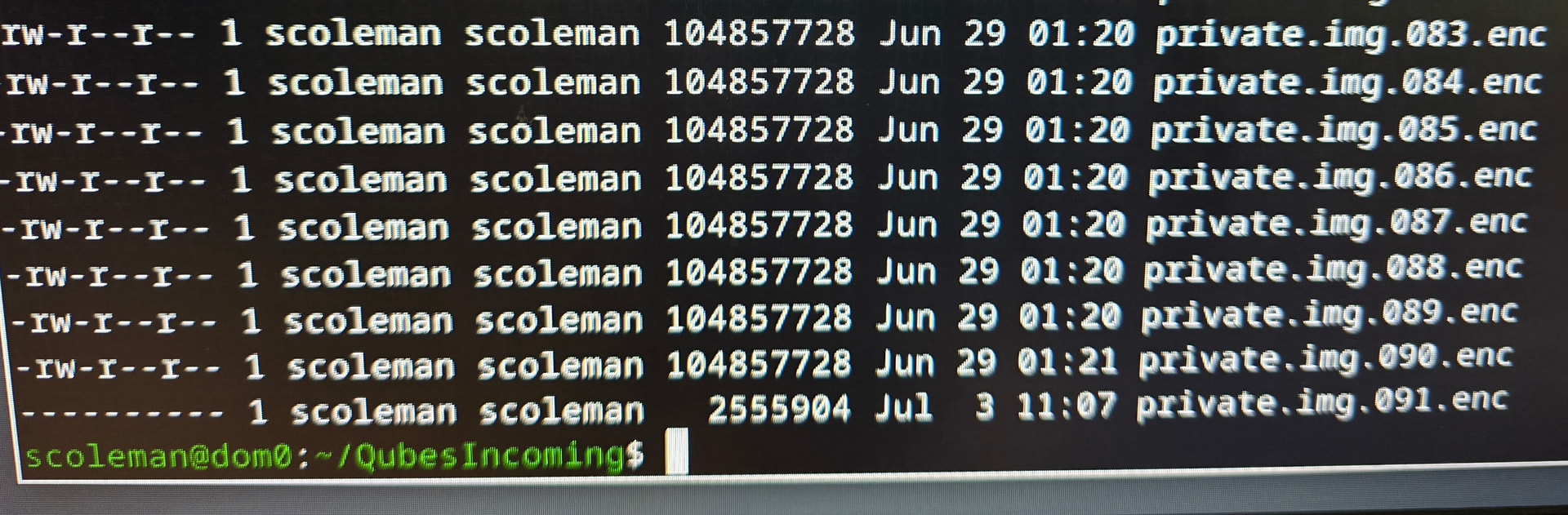
Read only file system? When I looked at the very last data segment it was stored without any read permissions:

Apparently the very last segment is being written into dom0 with no read permissions. But why? Is it chmod’ing after writing each data segment? This would explain why all of them are currently failing while some VM’s yesterday were restoring just fine with no problem that won’t restore today.

I need a clue how this is supposed to work. Can the data be recovered from Dom0 after its dumped here?

Was it, actually? The kernel can automatically remount the filesystem read-only if there are disk problems. Check the dom0 journal’s kernel logs around that time. Never mind, the journal wouldn’t have been able to store those logs as it’s located on the very same filesystem… But maybe you noticed in some other way at the time that the dom0 filesystem was actually read-only?

dmesg tells me EXT4-fs (dm-5): Remounting filesystem read-only

How do I determine what physical drive this is?

It’s gotta be the drive backing your main dom0 filesystem, right? Or /home/scoleman if you partitioned separately for that. If you’re saying the filesystem is backed by multiple drives in a RAID setup, I’d look for earlier dmesg errors pointing out a physical drive. If there aren’t any such earlier errors, the physical drive(s) are probably not what’s causing the problem.

I found the problem. The SSD started to fail during the prior system update and when it made the temproary image device it got marked read only and thus it could not write to it and assumed it was out of space. Device files such as dm-5 were being remounted read only. Any attempt to restore a backup to the newly created system sitting on a bad SSD drive would have pretty random failures on the system. The problem is recognizing when this is happening as SSD’s are not very friendly when this happens. I’m thinking smartmon or gsmartcontrol running on startup in the background might be a good idea.

Ok, The SSD is/was not the actual problem here. I just bought all new SSD’s and reinstalled Q4.3 several times, and I am still unable to restore from backups on this specific machine. The exact same backup archives restore just fine on another machine, but that is not where these VMs need to live.

Each time the restore program says that the archive has an EOF in it, and that it is broken.

RestoreError.log (551 Bytes)

This is false, because I can restore the same archives elsewhere just fine. Each time it appears the thin-pool is running out of space when I have 8TB total on the system, but just 4TB as a part of Qubes OS proper at the moment. There is plenty of disk available, and the SSDs are verified not to be failing.

From journalctl:

Jul 06 17:34:34 dom0 dmeventd[1186]: WARNING: Thin pool qubes_dom0-root–pool-tpool data is now 100.00% full.
Jul 06 17:34:49 dom0 dbus-daemon[16681]: [session uid=1000 pid=16681] Activating service name=‘org.xfce.Xfconf’ requested by ‘:1.71’ (uid=1000 pid=20900 comm=“xfce4-terminal”)
Jul 06 17:35:31 dom0 kernel: device-mapper: thin: 252:3: switching pool to out-of-data-space (error IO) mode
Jul 06 17:35:31 dom0 kernel: EXT4-fs warning (device dm-4): ext4_end_bio:368: I/O error 3 writing to inode 801118 starting block 5588944)
Jul 06 17:35:31 dom0 kernel: EXT4-fs warning (device dm-4): ext4_end_bio:368: I/O error 3 writing to inode 801118 starting block 5588976)
Jul 06 17:35:31 dom0 kernel: EXT4-fs warning (device dm-4): ext4_end_bio:368: I/O error 3 writing to inode 801118 starting block 5589968)
Jul 06 17:35:31 dom0 kernel: EXT4-fs (dm-4): failed to convert unwritten extents to written extents – potential data loss! (inode 801118, error -5)
Jul 06 17:35:31 dom0 kernel: Buffer I/O error on device dm-4, logical block 5588960
Jul 06 17:35:32 dom0 kernel: Buffer I/O error on device dm-4, logical block 5588961
Jul 06 17:35:32 dom0 kernel: Buffer I/O error on device dm-4, logical block 5588962
Jul 06 17:35:32 dom0 kernel: Buffer I/O error on device dm-4, logical block 5588963
Jul 06 17:35:32 dom0 kernel: Buffer I/O error on device dm-4, logical block 5588964
Jul 06 17:35:32 dom0 kernel: EXT4-fs warning (device dm-4): ext4_end_bio:368: I/O error 3 writing to inode 801118 starting block 5591968)
Jul 06 17:35:32 dom0 kernel: Buffer I/O error on device dm-4, logical block 5588965
Jul 06 17:35:32 dom0 kernel: Buffer I/O error on device dm-4, logical block 5588966
Jul 06 17:35:32 dom0 kernel: Buffer I/O error on device dm-4, logical block 5588967
Jul 06 17:35:32 dom0 kernel: Buffer I/O error on device dm-4, logical block 5588968
Jul 06 17:35:32 dom0 kernel: Buffer I/O error on device dm-4, logical block 5588969
Jul 06 17:35:32 dom0 kernel: EXT4-fs warning (device dm-4): ext4_end_bio:368: I/O error 3 writing to inode 801118 starting block 5594048)
Jul 06 17:35:32 dom0 kernel: EXT4-fs warning (device dm-4): ext4_end_bio:368: I/O error 3 writing to inode 801118 starting block 5595840)
Jul 06 17:35:32 dom0 kernel: EXT4-fs warning (device dm-4): ext4_end_bio:368: I/O error 3 writing to inode 801118 starting block 5590784)
Jul 06 17:35:32 dom0 kernel: EXT4-fs warning (device dm-4): ext4_end_bio:368: I/O error 3 writing to inode 801118 starting block 5591024)
Jul 06 17:35:32 dom0 kernel: EXT4-fs warning (device dm-4): ext4_end_bio:368: I/O error 3 writing to inode 801118 starting block 5592928)
Jul 06 17:35:32 dom0 kernel: EXT4-fs warning (device dm-4): ext4_end_bio:368: I/O error 3 writing to inode 801118 starting block 5593072)

Something is broken in the restore process with the handling of some ext4 pool temp space that it is using to process/restore this archive, but I don’t know what I need to do to give it more space. It’s clearly the larger VM archives that have a problem being restored with the largest being 400GB. When I restored that one first, it worked but still with an error, and ran just long enough that I can actually run the VM, but all subsequent VMs now fail to restore.

[ 393.034475] device-mapper: thin: 252:3: reached low water mark for data device: sending event.
[ 393.178296] device-mapper: thin: 252:3: switching pool to out-of-data-space (queue IO) mode
[ 397.855250] device-mapper: thin: 252:3: switching pool to write mode
[ 399.465982] device-mapper: thin: 252:3: switching pool to out-of-data-space (queue IO) mode
[ 461.140413] device-mapper: thin: 252:3: switching pool to out-of-data-space (error IO) mode
[ 461.140486] EXT4-fs warning (device dm-4): ext4_end_bio:368: I/O error 3 writing to inode 801128 starting block 8969824)

dmesg.log (169.3 KB)

If I can’t fix the thin-pool problem I was thinking of trying my luck with reinstalling on Btrfs and see if that makes any difference. I can’t move forward to get back online and I have lots of things I need to get done.
The answer, at least for me, was to ditch the thin-pool stuff all together and reinstall using btrfs. I am loading the very last large VM right now and everything seems to be behaving properly. No more issues with having out of space errors when using any temporary storage pool storage that I’m not creating myself nor able to manage its size. Btrfs just works out of the box with the Qubes restore. I just hope btrfs keeps working with everything else. I’m at least up and running again.

Just fyi, with btrfs I had a large qube take longer and longer to shutdown. I had to defrag the storage frequently to fix this. I ended up going back to lvm. This was a 900gb qube. Only an issue with my large qube.

Regarding your backup issue, is there a reason you are backing up to dom0 ? Sorry if I missed a detail, I glossed over the posts. I always backup to a disp or a purpose created qube

Not that it helps you now, but an alternative on Btrfs for qubes prone to fragmentation is to put them in a secondary pool in a nocow directory (keeping in mind that nocow also disables Btrfs’s data checksums) and with snapshots disabled:

sudo mkdir     /var/lib/pool2
sudo chattr +C /var/lib/pool2
qvm-pool add pool2 file-reflink -o dir_path=/var/lib/pool2 -o revisions_to_keep=-1
qvm-clone -P pool2 myqube myqube-clone && qvm-remove myqube

The directory should be marked nocow with chattr +C while it is still empty. Similarly, it’s easiest to set revisions_to_keep while the pool is still empty (otherwise you have to set it individually on the existing volumes as well).

Thank you, I’ve bookmarked this in case I go back to btrfs. I believe you were the person who helped me figure out the shutdown issue and how to defrag. It just started happening everytime and so I moved back