Audio qube

How to install sys-audio automatically on R4.3 using salt?

I see project: qusal/salt/sys-audio at main · ben-grande/qusal · GitHub

But running the first command sudo qubesctl top.enable sys-audio in dom0 shows a huge 3-screen-size exceptions output, probably telling that sys-audio.top file was not found or something.
I hope this command did not break anything already.

How to do it properly?

Just use the guide.

So, salt approach is dead and unsupported nowadays? I expected it to become official implementation one day.

@ben-grande maybe you can help with this?

I think it can be wrong. I am not sure, that USB devices are possible to attach persistently, because I get error, that only pci and block can be attached persistently. Qubes OS R4.3.
Is this note correct?

If it is not correct, what should be the recommended approach to attach automatically on boot then?

1 Like

It was correct, but now with R4.3 there are better way to do that.

You should open “Qubes Global Config” and use the new “Device assignment” menu → “Device Assignment” → “New rule” and do your thing.

I should update this part of the guide, and find if there is a better cli way to do that.

2 Likes

OK. In R4.3 it is not possible, but previously was possible, I see it in my records.

Also I fixed spaces in policy file (replaced tabs, fixed columns alignment). It is the same as in article except spaces:

admin.Events          *                                          sys-audio     @adminvm                  allow target=dom0
admin.vm.CurrentState *                                          sys-audio     @adminvm                  allow target=dom0
admin.vm.List         *                                          sys-audio     @adminvm                  allow target=dom0

#############
admin.Events          +property-set_audiovm                      sys-audio     @tag:audiovm-sys-audio    allow target=dom0
admin.Events          +property-pre-set_audiovm                  sys-audio     @tag:audiovm-sys-audio    allow target=dom0
admin.Events          +property-pre-reset_audiovm                sys-audio     @tag:audiovm-sys-audio    allow target=dom0
admin.Events          +property-reset_audiovm                    sys-audio     @tag:audiovm-sys-audio    allow target=dom0
admin.Events          +property-reset_is_preload                 sys-audio     @tag:audiovm-sys-audio    allow target=dom0
admin.Events          +property-reset_xid                        sys-audio     @tag:audiovm-sys-audio    allow target=dom0
admin.Events          +property-reset_stubdom_xid                sys-audio     @tag:audiovm-sys-audio    allow target=dom0
admin.Events          +domain-stopped                            sys-audio     @tag:audiovm-sys-audio    allow target=dom0
admin.Events          +domain-shutdown                           sys-audio     @tag:audiovm-sys-audio    allow target=dom0
admin.Events          +domain-spawn                              sys-audio     @tag:audiovm-sys-audio    allow target=dom0
admin.Events          +domain-start                              sys-audio     @tag:audiovm-sys-audio    allow target=dom0
admin.Events          +connection-established                    sys-audio     @tag:audiovm-sys-audio    allow target=dom0

admin.vm.CurrentState *                                          sys-audio     @tag:audiovm-sys-audio    allow target=dom0
admin.vm.List         *                                          sys-audio     @tag:audiovm-sys-audio    allow target=dom0

admin.vm.property.Get               +virt_mode                   sys-audio     @tag:audiovm-sys-audio    allow target=dom0
admin.vm.property.Get               +klass                       sys-audio     @tag:audiovm-sys-audio    allow target=dom0
admin.vm.property.Get               +audiovm                     sys-audio     @tag:audiovm-sys-audio    allow target=dom0
admin.vm.property.Get               +is_preload                  sys-audio     @tag:audiovm-sys-audio    allow target=dom0
admin.vm.property.Get               +xid                         sys-audio     @tag:audiovm-sys-audio    allow target=dom0
admin.vm.property.Get               +stubdom_xid                 sys-audio     @tag:audiovm-sys-audio    allow target=dom0

admin.vm.feature.CheckWithTemplate  +audio                       sys-audio     @tag:audiovm-sys-audio    allow target=dom0
admin.vm.feature.CheckWithTemplate  +audio-model                 sys-audio     @tag:audiovm-sys-audio    allow target=dom0
admin.vm.feature.CheckWithTemplate  +supported-service.pipewire  sys-audio     @tag:audiovm-sys-audio    allow target=dom0
admin.vm.feature.CheckWithTemplate  +audio-low-latency           sys-audio     @tag:audiovm-sys-audio    allow target=dom0

admin.vm.feature.CheckWithTemplate  +gui                         sys-audio     @tag:audiovm-sys-audio    deny notify=no
admin.vm.property.GetAll *                                       sys-audio     @tag:audiovm-sys-audio    deny notify=no
1 Like

is it normal for output devices to be 40% volume by default?

Just in case anyone else was scratching their head about the RPC policies: admin.* API calls actually use different semantics for the columns. From Introducing the Qubes Admin API | Qubes OS :

we would like to say that a given VM can invoke certain Admin API calls only for specific AppVMs and cannot touch other sets of AppVMs.

To make this finer-grained policing possible, we need a simple trick: the destination argument for all Admin API calls should be interpreted on a slightly higher level than the qrexec protocol level

1 Like

I’ve not seen this mentioned anywhere, but it’s a critical step for enabling pulseaudio to use the sound card in sys-audio based on a debian-12-minimal template.

Due to /dev/snd being writable only by the audio group and pulseaudio running with user privileges, the user must be added to the audio group in the sys-audio template:

sudo usermod -aG audio "$USER"

Without this, aplay -l and pacmd list-cards (both without sudo) will report no cards being detected and pavucontrol will only show a Dummy Output; even tho at the same time everything will seem fine in /proc/asound/* and dmesg will report no errors.

I could also find some older forum posts which reported this problem, without a solution; so it’s probably not obvious to many users. @neowutran could you please add this note to your original post?

1 Like

Mic isn’t attached to sys-audio, but sys-audio able to record from it.
How to prevent such behavior?

I haven’t tried yet to use a Debian template to create this audio VM. I would need to try and write all the differences with Fedora. For the moment only Fedora is supported by this guide. But if you write a small paragraph listing the differences between Fedora and Debian I can add it

That is impossible, that is not how it work.
sys-audio handle all the audio processing of the qube configured with the correct audiovm parameter.
If the physical microphone is attached to sys-audio, sys-audio will always have access to the microphone. “dom0:mic” is virtual, not physical, basically it say “audiovm of XXXX, you can send the input stream to XXXX”

If, for some reason, you really want the microphone to be only available in the qube “toto”, you need to assign the physical device to “toto”, and not configuring “toto” as a audiovm. But this guide is not here for that.

2 Likes

Thanks.
Existing implementation of audio qube is much better then handle audio by dom0, I while look how can I improve it according to my needs.

My threat model request that, last week I have look back and investigate offline image of compromised dom0 past installation where journalctl wasn’t wiped - it look like same sophisticated and unclear set of events started by crash of sound service end in RCE activity in dom0.
I don’t have github account to react for your request, but agree that your or team implementation of audiovm should be part of future default QubesOS configuration.

I’ve checked my notes and that is the only difference.

Great guide, thanks for that @neowutran! :tada:

Do you maybe have any idea, how to get the mute and micmuted lights to work on the keyboard in combination with the sys-audio vm? (I’ve managed the volume up/down/mute stuff with wpctl commands in my i3 config, but the muted light stays permanently on, which was different with dom0 as the audiovm.
Thanks for all insight/thoughts on that!

hello, I am having trouble using this audio qube with archlinux

please see my above post for more details

also, what is the purpose of audio-app? why not just configure sys-audio to use the audio-template directly?

In my setup, sys-audio is a disposableVM, and I need an app-vm for that

(TemplateVM → AppVM → DisposableVM ).

And for your issue, have you followed this guide ? what is different in your setup ? maybe audio support package missing in your standalone vm ?

Here is a alternate guide using pre-installed salt states. Note that the audio qube won’be disposable using this method.

  1. Create a template for sys-audio called ‘audio-template’:

    qvm-clone fedora-42-xfce audio-template
    
  2. Create a pillar (configuration) holding the name of this template:

    sudo install -m 644 /dev/stdin /srv/pillar/base/qvm/sys-audio.sls <<EOF
    qvm:
        sys-audio:
            template: audio-template
    EOF
    
  3. Create a file for activating the pillar:

    sudo install -m 644 /dev/stdin /srv/pillar/base/qvm/sys-audio.top <<EOF
    base:
      dom0:
        - match: nodegroup
        - qvm.sys-audio
    EOF
    
  4. Activate the pillar:

    sudo qubesctl top.enable qvm.sys-audio pillar=True
    
  5. Create the sys-audio qube and policies:

    sudo qubesctl state.apply qvm.sys-audio
    
  6. Install the necessary packages in the template:

    sudo qubesctl --skip-dom0 --target=audio-template state.apply qvm.sys-audio-template
    
  7. Make sys-audio the default audio qube:

    qubes-prefs default_audiovm sys-audio
    

NB: this could be further simplified by tweaking the pre-installed salt states, I will submit a PR. Also, pre-installed salt states are missing some policies (cf. Audio qube - #363 by mattmccutchen).

1 Like

It seems that there is a new issue (at least for me) where qubes using the audio qube will rapidly appear and disappear under the playback menu, and no audio can be heard.

I was able to resolve this by simply restoring to a backup of my audio template. So I assume this is a Fedora issue. Hopefully it gets resolved soon.
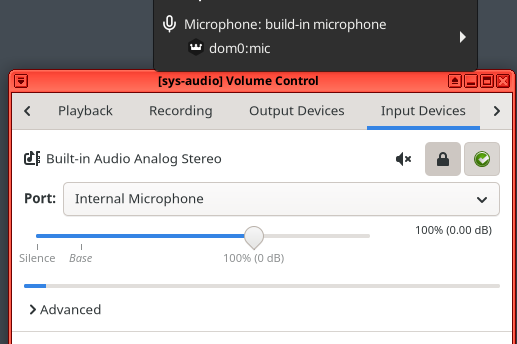
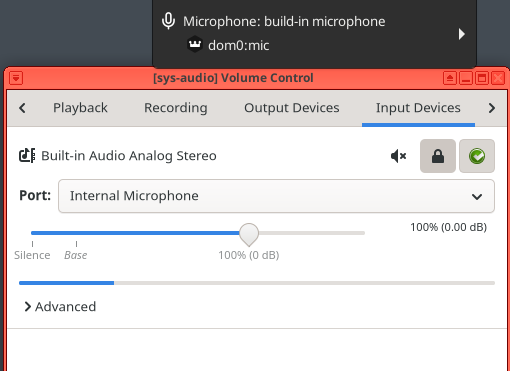
This issue continues to persist for me. Is anyone else experiencing this?