@otter2 how do I fix the double cursor? It really interferes with my work.
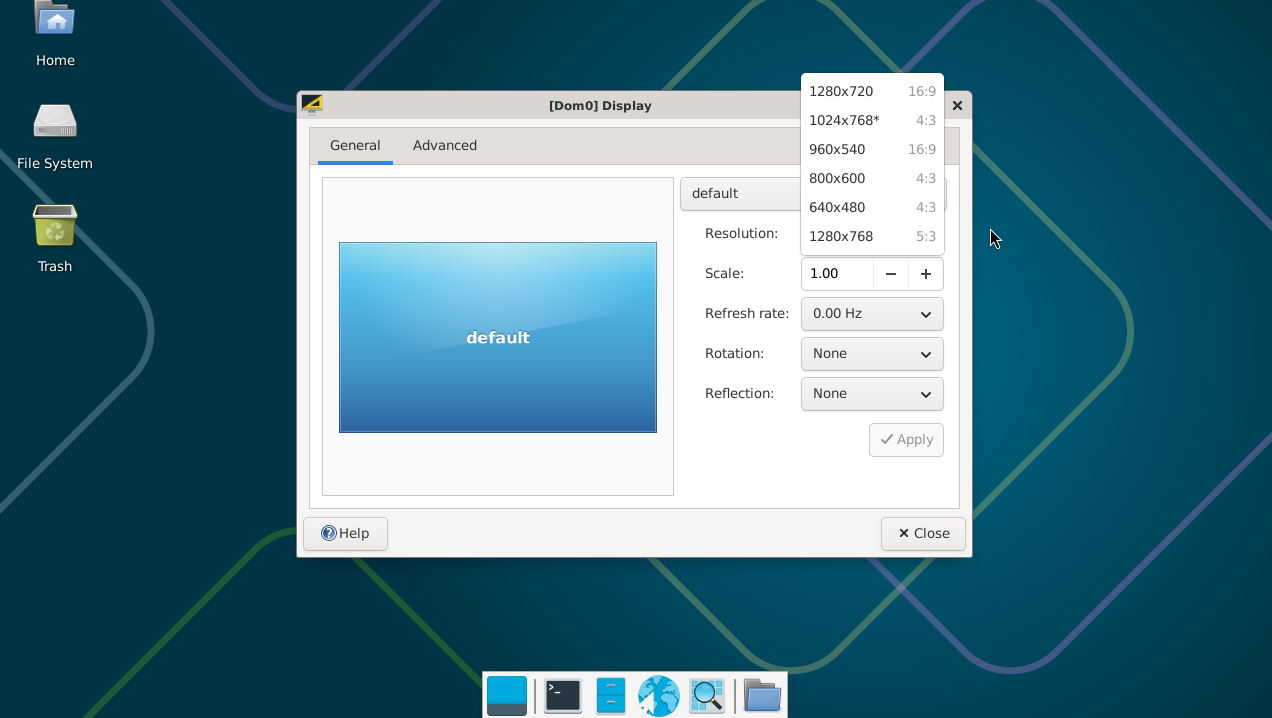
and how to change the resolution (window size) in debian-13-xfce HVM? xrandr shows a maximum of 1280 x 768.
I wanted to check the available resolutions in GNOME (I installed the debian-13 template). But GNOME keeps asking for the user password, even though I’m definitely entering the correct password (I’ve already created HVMs with different passwords 3 times).
Not sure, never tried to do this. You could pass a mouse to the vm and use it there, leaving dom0 cursor out of the loop, or perhaps find a transparent cursor theme? Search the internet, there must be tricks other people use
Again, this is generic linux use at this point, search for an answer and you definitely will find it.
You could try autologin. Are you using lightdm greeter? It should let you through with no issues, especially if you have a password set. Does it return an error when entering password?
These commands don’t work.
It seems like here’s the solution Debian HVM - small screen resolution but right now it’s not working - I repeated this command with my VM’s name and it didn’t help. Possibly, this setting is located in another directory in Qubes 4.3. Try to investigate it - you’re an experienced user. I’m just a beginner. I’d be grateful if you could write the correct command.
@otter2 The available screen resolutions in Debian are very small (see my screenshot). It’s impossible to work with such a screen resolution. Only Fedora has the necessary screen resolution settings. But I’m used to working with Debian. If Debian turns out to be very problematic, I’ll look into Fedora, but I think the setting for Debian isn’t too complicated - I just have little experience solving this kind of problem.
But it not working for fedora. I used your guide for fedora-43-xfce. Fedora HVM work well. But I need Debian HVM with higher screen resolution I won’t be able to solve this problem myself - I’m just a beginner. I don’t even know - do I need to change something in dom0 or in Debian?
There are a couple of typos, but otherwise everything seems to be correct, you should have more resolutions on debian with the following configuration:
@otter2 I’m using version 4.3. I just entered your commands, but it didn’t change the available screen resolutions…
Still, only fedora-43-xfce has large screen resolutions.
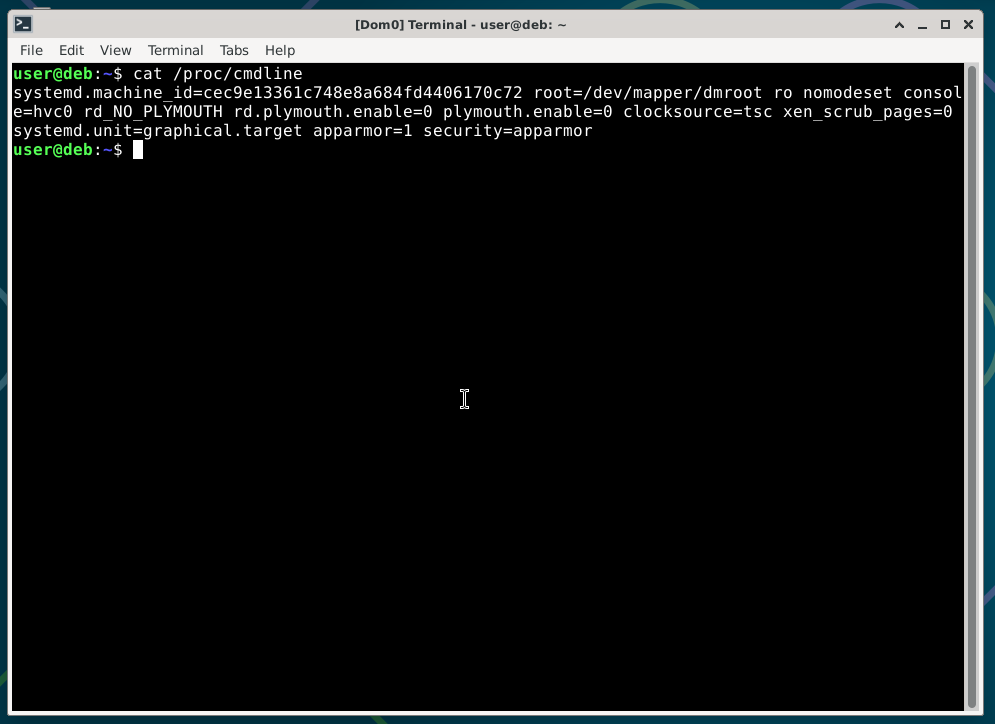
You still have nomodeset there, perhaps you haven’t rebooted the vm after configuring? Or configured nomodeset by other means? Or made a typo at some point?
This feature only works when the kernel is provided by QubesOS, otherwise it will use in-vm configuration, maybe you are running distribution kernel (property kernel set to nothing)?
It is hard to tell which part of your configuration is causing this. I would have started from scratch if I were you, it is just 7 commands after all:
qvm-create --class StandaloneVM --label blue --template debian-13-xfce test
qvm-features test gui-emulated 1
qvm-features test no-nomodeset 1
qvm-prefs test virt_mode hvm
qvm-prefs test memory 1000
qvm-prefs test kernelopts "systemd.unit=graphical.target"
qvm-service test lightdm on
Otherwise just wait or ask in the matrix chat, people there tend to know where unwanted kernelopts might be hiding better than me
I created a new Debian and entered the necessary commands again. And now everything works!
I probably made some mistakes while trying to fix an problem in the old VM. Or perhaps I myself created the problem by carelessly entering some commands.
Sorry for taking up some of your time. I’m very grateful to you for the help and for this topic. Thank you!
I’ll be interested to follow this your topic about HVM
@otter2 The last thing I wanted to ask - is it impossible to share the clipboard between HVM and other VMs? No workarounds will help? This isn’t such an important question - I’m very glad that I can send files from HVM to other VMs.
 I won’t be able to solve this problem myself - I’m just a beginner. I don’t even know - do I need to change something in dom0 or in Debian?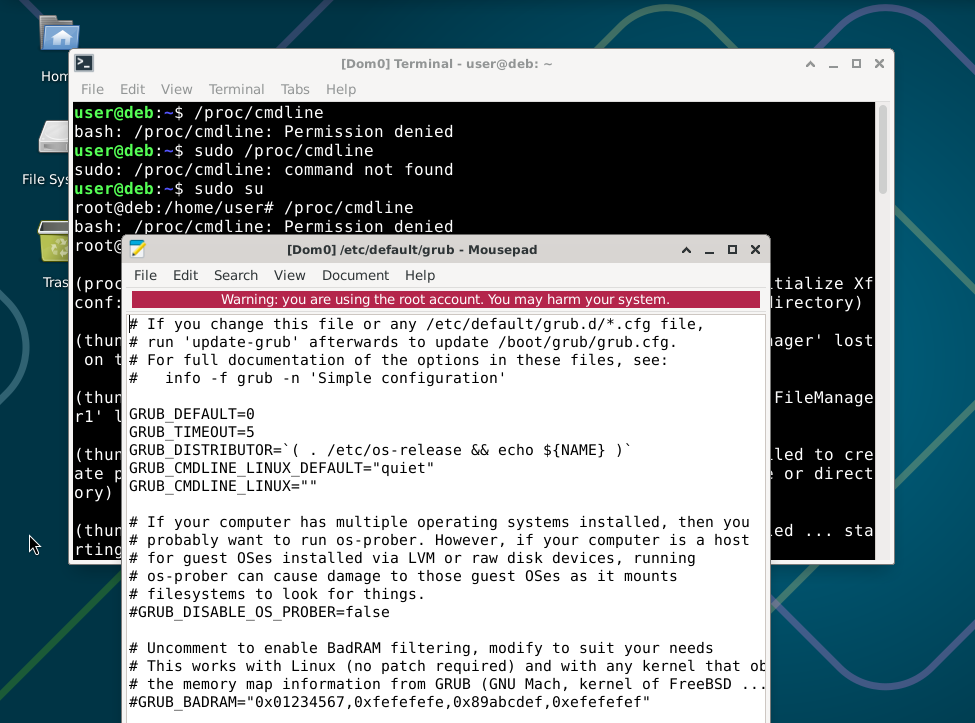
 Do you not have this issue in Debian HVM?