in live modes: all dom0 metadata and dom0 RAM
in default persistent mode: only dom0 RAM
1 Like
Thanks @linuxuser1 and I should only use persistent mode if I want to update my OS, install new software and create new AppVMs. No other way around, right?
Yes. Update dom0, install new software in dom0, create new VMs in persistent mode only. But you can install new software in templates and update templates in live modes. Also you can create backups in live modes.
1 Like
I updated ram-wipe module in the script. These problems should no longer occur. However, it may also be related to a Qubes bug when shutting down dom0 too quickly. I removed the unmounting check, but it will speed up ram poisoning.
1 Like
So what do I do? I just run the new script? Won’t it overwrite or damage anything since I already ran the old script?
And another thing, @linuxuser1…
I want to install new software and permanently configure them in my Ephemeral DVMs.
For example, I want one Ephemeral DVM that’s installed with the LibreWolf browser and set it up with my own filters for uBlock Origin, etc, etc. and make sure it stays set that way everytime I start the VM.
How should I go about that, compared to when doing it with any regular DVM?
Thanks.
no
yes
Install new software in template. then If you need to customize these new DVMs, open file /rw/config/rc.local in DVM, save code in other qube (txt) and remove code in DVM. Then reboot DVM, make your changes, add code back to /rw/config/rc.local and reboot DVM. This code can always be found here. If you need add new shortcuts in qubes app-menu - do it in dom0 persistent mode.
Do everything the same way as with regular old DVMs. The only difference is in the code /rw/config/rc.local - code needs to be removed before adding changes to new DVMs. This code is responsible for the amnesic mode in DVMs.
UwU
This also works great for experiments in Qubes or for beginners who want to learn without fear of breaking anything - all changes disappear after a reboot.
And I still managed to break it! I think that earns some respect, don’t you think so too?
Anyway, let’s be serious: I’m able to boot into overlay and zram mode, but not in persistence anymore. How did that happened please?
If I boot into persistence, either the kernel isn’t available (*1) or for those available, it isn’t able to mount the disk-by-uuid.
My best guess is that I tested updating dom0 (qubes-dom0-update) while in zram mode and after that, persistence was broken. That would at least explain why the grub config changed (*1).
Do you have any ideas how to fix this or would you just recommend using a backup?
@Schnur It’s possible. I hardly ever use zram - only overlay. I’ve updated dom0 in overlay mode in Qubes 4.2, and it didn’t cause any issues.
However, my guide specifies that dom0 should be updated in persistent mode. It also notes that zram is an experimental mode.
So please be careful. I don’t know how to fix this problem without a backup and a fresh installation.
It appears this is only a zram issue. I updated grub and dracut in overlay mode, and these changes didn’t carry over to the persistent mode (however, I still do not recommend doing it in overlay).
1 Like
Okay, fixed it! Issue was that the update in zram overwrote the grub config.
Fix: Get the /etc/fstab UUID from your root and in the grub menu, press e and replace the uuid from the error message with the one from fstab. Choose a kernel actually installed.
Consider warning users of this issue. uwu! Here you go 
Edit: nvm, you already did
2 Likes
@Schnur Wow, that’s awesome! I’m really happy for you! 
But your case inspired me to update the script 
Update: changes to /boot, as well as grub and initramfs / dracut updates, are now blocked in live modes!
This ensures that beginners can’t break anything while experimenting in dom0. You will see it when you try to perform an update
user 👑 dom0 overlay:~
$ sudo dracut --verbose --force
dracut[I]: Executing: /usr/bin/dracut --verbose --force
dracut[F]: No permission to write to /boot.
2 Likes
Hey. A thought occurred.
Isn’t there a way to simply hide the Persistent boot option and only show the live boot ones (and access Persistent boot through some kind of secret option or technique)?
For that matter, is it possible to just have OverlayFS mode only (Why would we want the ZRAM option again?) and disguise it as the regular boot option to trick anyone who somehow has access to the computer with the encryption and login passwords?
1 Like
@ledOnion You can easily implement it.
Delete code in this file /etc/grub.d/40_custom.
Then open /etc/default/grub and add option rootovl in the end of line GRUB_CMDLINE_LINUX=
Also increase dom0_mem=max: size (for example, dom0_mem=max:10240M or dom0_mem=max:20480M)
Then update GRUB
sudo grub2-mkconfig -o /boot/grub2/grub.cfg
Now, the default Qubes boot will launch overlay mode. To start persistent mode, press E in the GRUB menu, remove rootovl and press F10 - it will launch persistent mode for a single session. If you need to run zram mode, replace rootovl → rootzram .
2 Likes
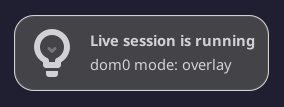
Update. I added a desktop notification when you launch live mode. If this notification is missing - it’s not live mode
2 Likes
Big update:
- Script improvements added for creating ephemeral DVMs. Now, by default, ephemeral-dvm created from kicksecure-18 template (if not installed, then from the default disp template)
- Added creating new RAM-DVM in varlibqubes pool with maximum protection for testing software with root privileges.
- Documentation in the guide has been improved for beginners.
2 Likes
Hey. I just booted up this morning to carry on testing out Qubes Live but, for some reason, the taskbar isn’t showing up at all so I’m going to have to reinstall the OS. It might be some issue caused by the script as far as I can tell. I wonder if anyone else have that problem.
Edit: Actually, last time I booted up, I put a script into /etc/profile.d when, for some reason, the Session and Startup method wasn’t working for some reason. Maybe that was what caused the problem, not the Qubes Live script. Sorry.
How can I know that this script doesn’t create a backdoor?
Has anyone audited the script he posted?
1 Like
@Cubes1 You can send code to all AI models and they will tell what this script does, describing every line of code.
1 Like
Love this for the hardened security and forensics properties. But there’s a lot going on. Could you explain to a novice the exact steps they need to take 1 by 1 to gain all the forensics benefits of this.
Step 1. Copy script to Dom0 and then restart.
Step 2. This is the most confusing to me. I restart, click overlay-live mode. Now what can I expect? Do all my Qubes gain the ephemeral protection by default? Both app vms and standalone qubes? If not, why? And does ephemeral means that any data that was accessed few minuets ago no longer exist if a live system is accessed and forensically examined? How does a user know what data is still forensically obtainable within a live running system and what isn’t at any given moment for super critical data? Is there a way users can be notified if a Qube has ephemeral protection or not in case they mess it up by renaming or never set it up right from the start such as the notification that a live session is running but for ephemeral encryption as well for qubes that have it and if it isn’t there then they know something may be wrong? Also if this is true that not all qubes are protected during live running system from forensics, does that mean all the other qubes a user has are just like using a live usb stick where data is only gone during shutdown/reboot?
Also there seems to be two concepts here. Ephemeral DVMs and ram dvms.
The initial post mentions there are two Ephemeral DVMs. Why are only two Ephemeral DVMs created specifically? And ram dvms are just basic ones that loose data only on reboot and all current qubes a user has are ram dvms by default when launched in live grub modes?
Also I noticed pools. “this pool resides entirely in dom0’s ram”. Why does the pool the live qubes are running in matter? And is it using dom0’s memory? Is that not dangerous to have untrusted live qubes using same memory space as dom0’s?! Are the ephemeral dvms and all current qubes on a users current system before using this script in a different pool?
Also what is this mention of root vs volatile mentioned now and then. If a qube is in live mode, home data does not persist a reboot, correct?
Thank you for making all this and responding to users and refining the post again and again to truly make it better and better. Incredible work.
1 Like
Hi. I just encountered another issue.
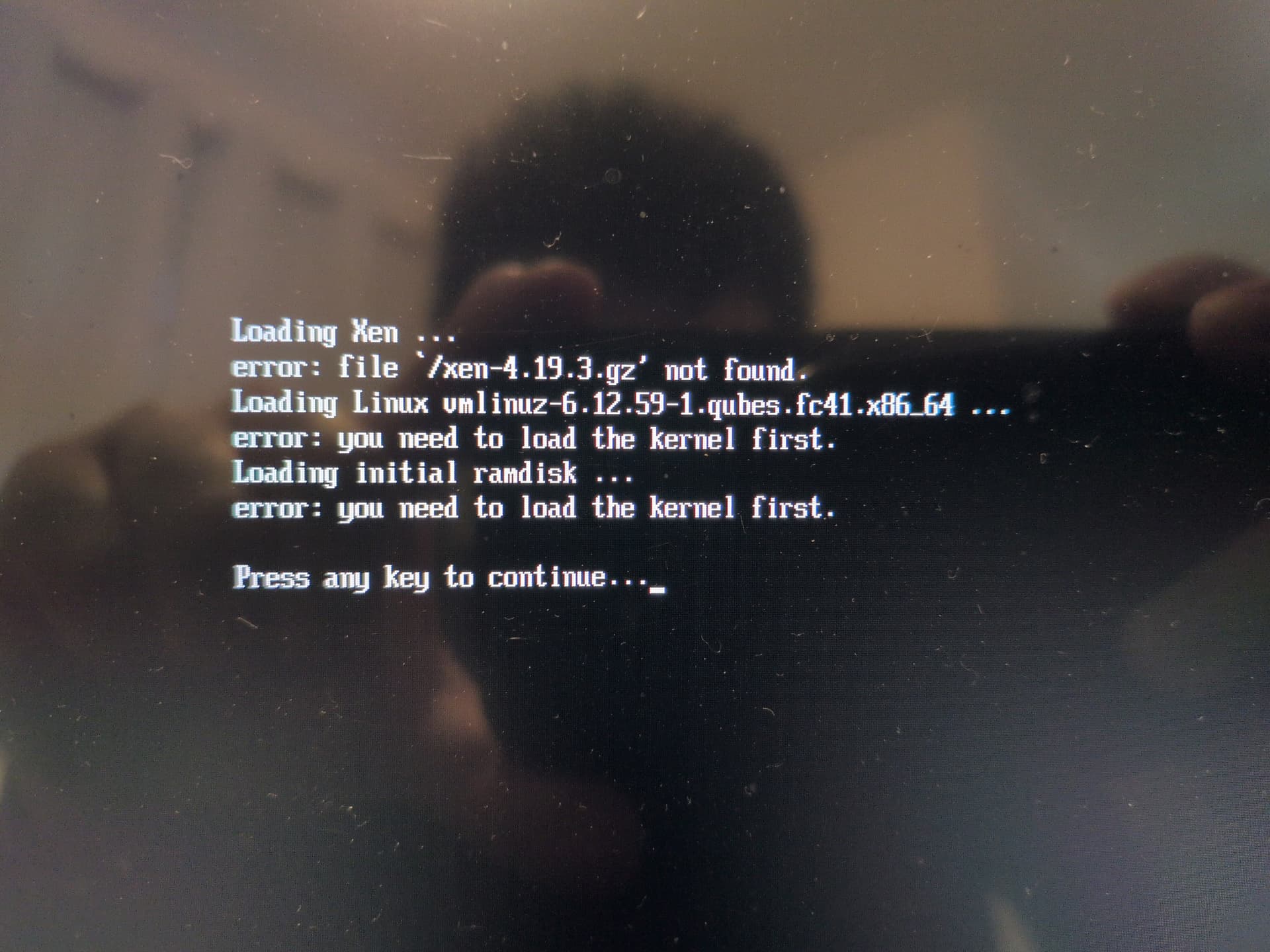
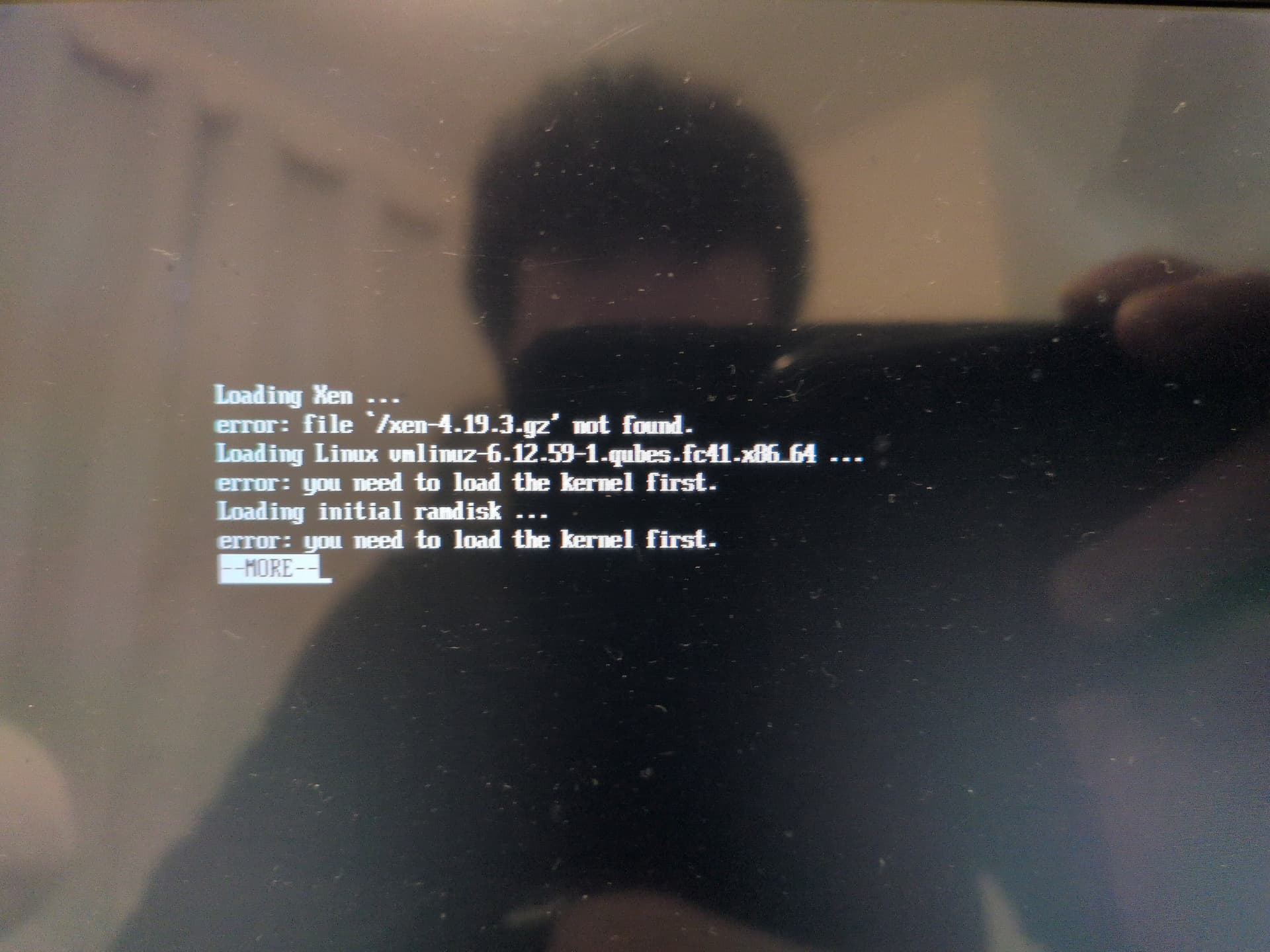
I tried booting from both OverlayFS and ZRAM modes but neither will boot up. I get an error message telling me I need to load the kernel first. What on earth happened?
Tried booting OverlayFS mode
Tried booting ZRAM mode
Also, I have another issue I believe might’ve been accidentally caused by the Qubes Live script (maybe). GUI won't activate Redshift