This guide adds a hidden “nuke” password to your LUKS-encrypted disk. If you ever type this special password instead of your real one during boot, the system instantly and permanently destroys all encryption keys on the disk, making the data completely unrecoverable.
 License:Unlicense
Here’s how it works:
During boot, your system asks for a password to unlock the disk.
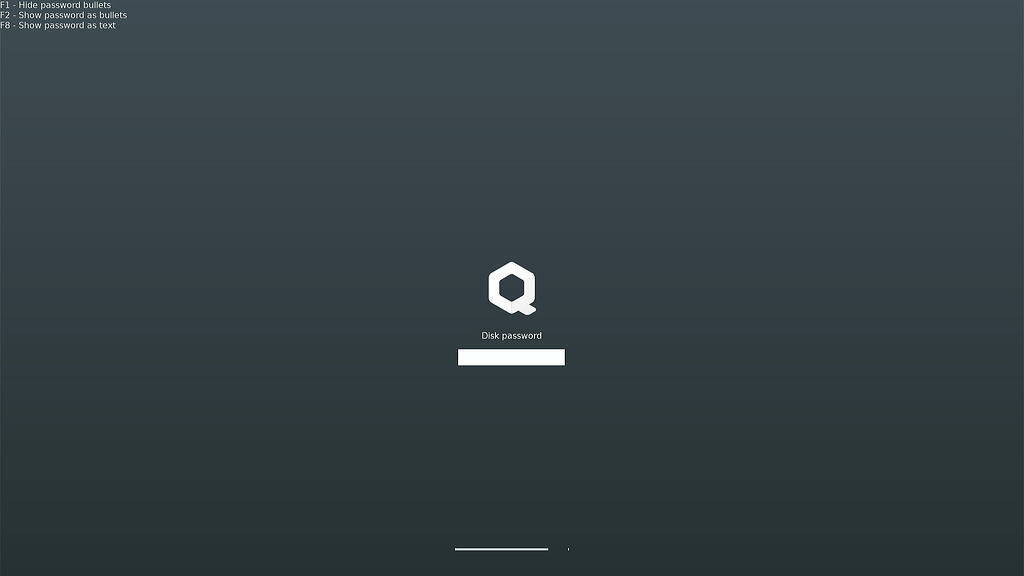
This guide installs a small wrapper that sits between the boot process and the standard disk-unlocking tool. Every time you enter a password, the wrapper quietly checks it against the nuke password hash stored on the system. If it’s your normal password, the wrapper simply passes it along to the regular unlocking tool and your disk opens as usual. But if it detects the nuke password, it immediately wipes all encryption key slots on the disk and overwrites the LUKS header with random data, effectively destroying the disk beyond recovery. The whole thing integrates seamlessly with the existing boot process, so the password prompt looks identical whether you’re entering your real password or the nuke one - there’s no visible indication that anything unusual happened until it’s too late.
 Warning! Do not test this script on your working system! You can install and configure the nuke module, but do not enter the nuke password for testing during Qubes OS boot! If you want to test the script, install a Fedora ISO and nuke it (I destroyed Fedora 43 and 44 with nuke password).
Install:
Install openssl:
sudo qubes-dom0-update openssl
Create dir for nuke password:
sudo mkdir -p /etc/cryptsetup-nuke-ng
sudo chmod 700 /etc/cryptsetup-nuke-ng
Enter this command and then enter nuke password (hidden input):
read -rs NUKE_PASS
echo
Generate random salt (enter this command and again enter nuke password (hidden input)):
read -rs NUKE_PASS; echo; SALT=$(tr -dc 'a-zA-Z0-9' </dev/urandom | head -c 8); printf '%s' "$NUKE_PASS" | openssl passwd -6 -salt "$SALT" -stdin | sudo tee /etc/cryptsetup-nuke-ng/password_hash >/dev/null; sudo chmod 600 /etc/cryptsetup-nuke-ng/password_hash; NUKE_PASS=$(dd if=/dev/urandom bs=64 count=1 2>/dev/null | base64); unset NUKE_PASS
Check hash format:
sudo cat /etc/cryptsetup-nuke-ng/password_hash
(should be: $6$salt$very_long_hash_string...)
Password verification (enter this command and again enter nuke password (hidden input)):
read -rs TEST_PASS; echo; HASH=$(sudo cat /etc/cryptsetup-nuke-ng/password_hash); SALT=$(echo "$HASH" | sed 's/^\$6\$\([^$]*\)\$.*/\1/'); printf '%s' "$TEST_PASS" | openssl passwd -6 -salt "$SALT" -stdin | grep -q "^$(sudo cat /etc/cryptsetup-nuke-ng/password_hash)$" && echo "✓ MATCH" || echo "✗ NO MATCH"; unset TEST_PASS
(should be: ✓ MATCH)
Create dracut module:
sudo mkdir -p /usr/lib/dracut/modules.d/99nuke-systemd
sudo tee /usr/lib/dracut/modules.d/99nuke-systemd/module-setup.sh << 'EOF'
#!/bin/bash

check() {
    if [ ! -f /etc/cryptsetup-nuke-ng/password_hash ]; then
        derror "nuke password hash not found"
        return 1
    fi
    return 0
}

depends() {
    echo systemd crypt
    return 0
}

install() {
    inst /etc/cryptsetup-nuke-ng/password_hash
    inst_multiple dd mktemp rm cat printf stty cryptsetup openssl systemd-ask-password

    # Find the real systemd-cryptsetup
    local real_binary=""
    for path in "$initdir/usr/bin/systemd-cryptsetup" "$initdir/usr/lib/systemd/systemd-cryptsetup"; do
        if [ -f "$path" ] && [ ! -L "$path" ]; then
            real_binary="$path"
            break
        fi
    done

    if [ -z "$real_binary" ]; then
        real_binary=$(find "$initdir" -name "systemd-cryptsetup" -type f ! -type l 2>/dev/null | head -n1)
    fi

    if [ -z "$real_binary" ]; then
        dfatal "Cannot find real systemd-cryptsetup binary in initramfs"
        return 1
    fi

    dinfo "Found systemd-cryptsetup at: $real_binary"

    # Save the original
    mv "$real_binary" "${real_binary}.real"

    # Create the wrapper
    cat > "$real_binary" << 'WRAPPER'
#!/bin/bash
set -e

NUKE_HASH_FILE="/etc/cryptsetup-nuke-ng/password_hash"
SYSTEMD_CRYPTSETUP="${0}.real"

# If no hash present — just run the original
if [ ! -f "$NUKE_HASH_FILE" ]; then
    exec "$SYSTEMD_CRYPTSETUP" "$@"
fi

NUKE_HASH=$(cat "$NUKE_HASH_FILE")
NUKE_SALT=$(echo "$NUKE_HASH" | sed 's/^\$6\$\([^$]*\)\$.*/\1/')

# Only for attach without keyfile
if [ "$1" = "attach" ]; then
    KEYFILE="$4"
    DEVICE="$3"
    NAME="$2"

    # If keyfile is specified and not "-"/"none", the password is not requested interactively
    if [ -n "$KEYFILE" ] && [ "$KEYFILE" != "-" ] && [ "$KEYFILE" != "none" ]; then
        exec "$SYSTEMD_CRYPTSETUP" "$@"
    fi

    # Request password via systemd-ask-password (Plymouth compatible!)
    PASSWORD=$(systemd-ask-password --no-tty "Please enter passphrase for disk $NAME:" 2>/dev/null || true)

    # If systemd-ask-password didn't work, fallback to TTY
    if [ -z "$PASSWORD" ] && [ -t 0 ]; then
        printf 'Please unlock disk %s: ' "$NAME" >&2
        stty -echo 2>/dev/null || true
        IFS= read -r PASSWORD
        stty echo 2>/dev/null || true
        printf '\n' >&2
    fi

    # Verify nuke password via openssl
    if [ -n "$PASSWORD" ]; then
        COMPUTED=$(printf '%s' "$PASSWORD" | openssl passwd -6 -salt "$NUKE_SALT" -stdin)

        if [ "$COMPUTED" = "$NUKE_HASH" ]; then
            printf '[NUKE] Nuke password detected! Destroying keys...\n' >&2

            # Destroy all keyslots
            for slot in 0 1 2 3 4 5 6 7; do
                cryptsetup luksKillSlot "$DEVICE" "$slot" 2>/dev/null || true
            done

            # Overwrite the header for extra certainty
            if command -v dd >/dev/null 2>&1; then
                dd if=/dev/urandom of="$DEVICE" bs=1M count=4 2>/dev/null || true
            fi

            printf '[NUKE] Device %s nuked.\n' "$DEVICE" >&2
            exit 1
        fi
    fi

    # Pass the password via temporary file (keyfile)
    KEYFILE=$(mktemp -p /dev/shm 2>/dev/null || mktemp)
    chmod 600 "$KEYFILE"
    printf '%s' "$PASSWORD" > "$KEYFILE"
    PASSWORD=""

    # Call the original with keyfile instead of interactive prompt
    set +e
    "$SYSTEMD_CRYPTSETUP" "$1" "$2" "$3" "$KEYFILE" "$5"
    STATUS=$?
    set -e

    # Clean up keyfile
    dd if=/dev/urandom of="$KEYFILE" bs=512 count=1 2>/dev/null || true
    rm -f "$KEYFILE"

    exit $STATUS
fi

# For all other commands — run the original
exec "$SYSTEMD_CRYPTSETUP" "$@"
WRAPPER

    chmod +x "$real_binary"

    # Update symlink if needed
    if [ -L "$initdir/usr/lib/systemd/systemd-cryptsetup" ]; then
        rm -f "$initdir/usr/lib/systemd/systemd-cryptsetup"
        ln -s "../../bin/systemd-cryptsetup" "$initdir/usr/lib/systemd/systemd-cryptsetup"
    fi

    dinfo "Installed nuke wrapper for systemd-cryptsetup"
}
EOF

sudo chmod +x /usr/lib/dracut/modules.d/99nuke-systemd/module-setup.sh
Dracut update:
sudo dracut --force --verbose
You will see this logs:
...
dracut[I]: *** Including module: nuke-systemd ***
dracut[I]: Found systemd-cryptsetup at: /var/tmp/dracut.o6togY/initramfs/usr/bin/systemd-cryptsetup
dracut[I]: Installed nuke wrapper for systemd-cryptsetup
...
 Done!
Done!
I’ve already created a guide for a duress password for running Qubes OS (password is entered in xfce4-screensaver or lightdm). I decided not to mix these guides. You can use both guides and the same password for destruction.
See also: Encrypted AppVMs and Templates. Encrypted pool. Secret vault in a LUKS-Pool.

 NAND analysis of the disk won’t help restore the actual disk password anyway, but I added overwriting for paranoids and enthusiasts of old-school disks)