If you’ve ever heard the phrase “Labor of love” for something people work on for years (a book about their hobby, for instance) knowing they will get little money for it, well this is a bit different as I understand it.
With GWeck this is a labor of hate. No fan of windows but he’s willing to do this to make it possible for people to switch away from it for things that can be done off of Windows.
Well, it’s more “labor of contempt”. Once upon a time, Windows 200 was quite good, being built on a kernel largely copied from OpenVMS. Unfortunately, M$ did not improve it further, but instead deteriorated it. The faulty version of Longhorn was aborted, and instead, the buggy Vista emerged, which remains the basis of today’s Windows. It was retained and has undergone cosmetic changes since then, resulting in the current unergonomic spyware.
Fortunately, I am no longer forced to work with it professionally, and by using Qubes, I can help others get free.
“Unfortunately, M$ did not improve it further, but instead deteriorated it.” I think that it can be said of each and every M$ product. The one time that I used a good product from M$ was Windows NT 4 Workstation.
For me, the Windows workhorse is still Windows 7, together with Office 2000, because anything later is just slow, unergonomic spyware, which I use only for special tests or when I have to use software that won’t run under W7.
Maybe the main problem is that M$ no longer has an interest in Windows and has, more or less, abandoned it, concentrating on its cloud products, which yield more money - and can transfer your data to them (or the US government ???).
I checked the new version 25H2 of Windows 11. It could be installed in Qubes R4.3-rc2 just like 24H2; even the trick with oobe\Bypassnro to create a local account and bypass the Microsoft account is still effective.
The preliminary version 4.2.1 of Qubes Windows Tools can be installed. Except for the Qubes GUI agent, it is working correctly, too.
Installing the GUI agent seems to have almost no effect. The Windows qube still is running in its old window, i.e., in non-seamless mode. Selecting seamless mode in the Qube Manager just lets the Windows taskbar disappear, but has otherwise no effect. The Window button on the keyboard still creates the standard Window menu, without problems. Selecting non-seamless mode again just restores the taskbar, but has no other consequence.
So it looks like M$ changed the graphics interface again. Somehow, this is no longer a system that you could use for normal, productive work with stable results!
Unfortunately, many of us need Windows to communicate with the government, for example, depending on your country, to pay taxes. But no one will care about that in a few years!
“The institution in The Hague wants to replace the Microsoft software currently used on workstations with OpenDesk.”
“Microsoft is now trying to evict intruders from a cloud environment proved to have bizarre and unexpected vulnerabilities that shouldn’t exist in theory, but do in practice. What a nightmare.”
"Given all of the geopolitical issues surrounding China and its push for self-contained and homegrown technology, Beijing has significantly invested in the RISC-V architecture as part of its strategic solution to stave off any reliance on foreign architecture and technologies.
Companies such as Loongson, which is a Chinese chip designer, have made use of the ISA to create RISC-V-powered systems that are used within Chinese schools. Another key example is Chinese giant Alibaba, which plans to use RISC-V within its cloud servers.
All of this has garnered the attention of the US government, and since 2023, the US government has been considering lawmakers’ requests to make it harder for China to implement RISC-V’s ISA in its designs."
The installation works with Win10 Enterprise LTSC Evaluation that’s built into qvm-create-windows-qube, but it fails with <ProductKey> error when I try to install it with Windows 10 Pro ISO I have a license key for.
I tried putting my key into <Key>key-goes-here</Key> parameter of answers file, but with no any result.
A new version 4.2.2 of Qubes Windows Tools is now available, which can be installed in both Qubes R4.3-rc3 and R4.2.4, just like the previous version 4.2.1. See the documentation for details.
The problematic part is still the new graphics driver, which may cause weird effects. It is enabled by setting the qvm-features parameter gui to 1.
In Windows 11, this may cause all windows to be displayed twice, but this can be, at least partially, remedied by moving the second instance to another workspace.
In Windows 10 under Qubes R4.2.4, trying to display the Windows menu via the keyboard button will probably result in a tiny, unusable menu.
In all combinations of Qubes and Windows versions, the windows trying do display the Windows menu are larger than the area occupied by the menu, often don’t allow selection of a menu entry, and may even put the VM into an unusable state. So, it seems that Windows then creates something that is not really a window at all.
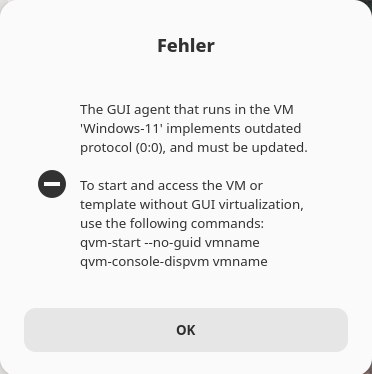
In Windows 11, I observed a strange error message when trying to display the Windows menu, but this occurred only once:
If the behavior of the graphics driver is too annoying, it can be disabled by setting the qvm-festures parameters gui to an empty string and gui-emulated to 1. In this case, however, the possibility of setting seamless mode is lost.
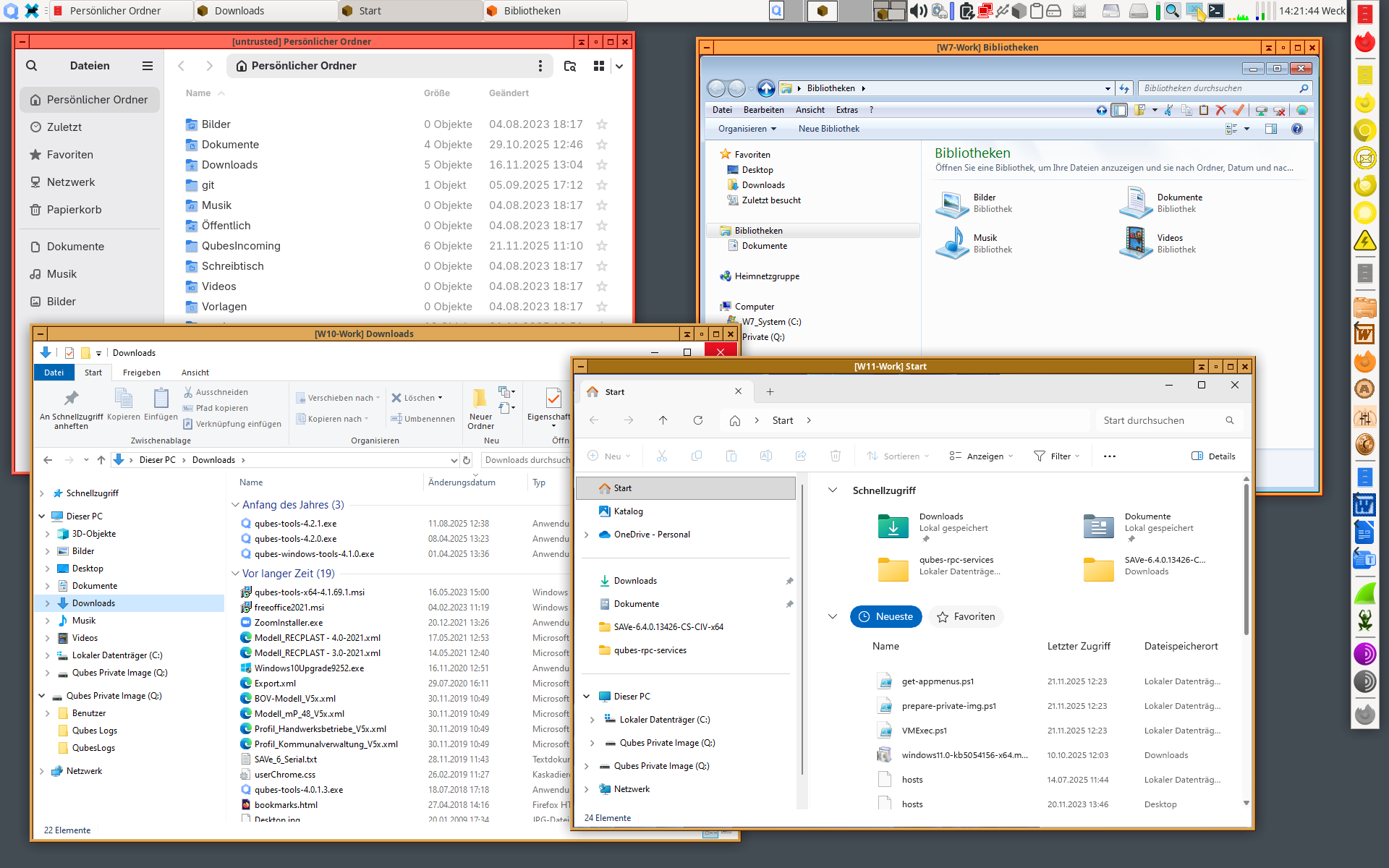
Here’s schreeshot showing Windows Eplorer windows from AppVMs running under Windows 7, 10, and 11, together with a Nautilus window from an AppVM running under Fedora 42:
Is there some guide for this? I had a working Windows 7 VM a year ago but haven’t been following all this development as it’s very long and complicating
If I wanted to set this up today, where would I begin?
I’m thankful for all the time being spent on this, but also wondering when it will be “done” (or, done-enough for there to be an authoritative guide to follow)

 I think that it can be said of each and every M$ product. The one time that I used a good product from M$ was Windows NT 4 Workstation.