No - but you can probably port your own to Qubes fairly easily. There are plenty of Win7 XFWM4/GTK themes already available at the moment. For the XFCE window borders, Qubes is only able to recolor/tint .xpm files. Any .png files will be unchanged and conveniently you can layer pngs on top of the xpm files to enforce exact colors for the things you want (For example, ensuring the minimize, maximize, & close buttons stay white). I accidentally found this “feature” when I was cycling through pre-installed themes and applied a Linux Mint one (which used pngs). You can read XFCE’s official guide on making window borders here.
This is what I do for the “title-left-inactive” portion of my XFWM4 theme border:
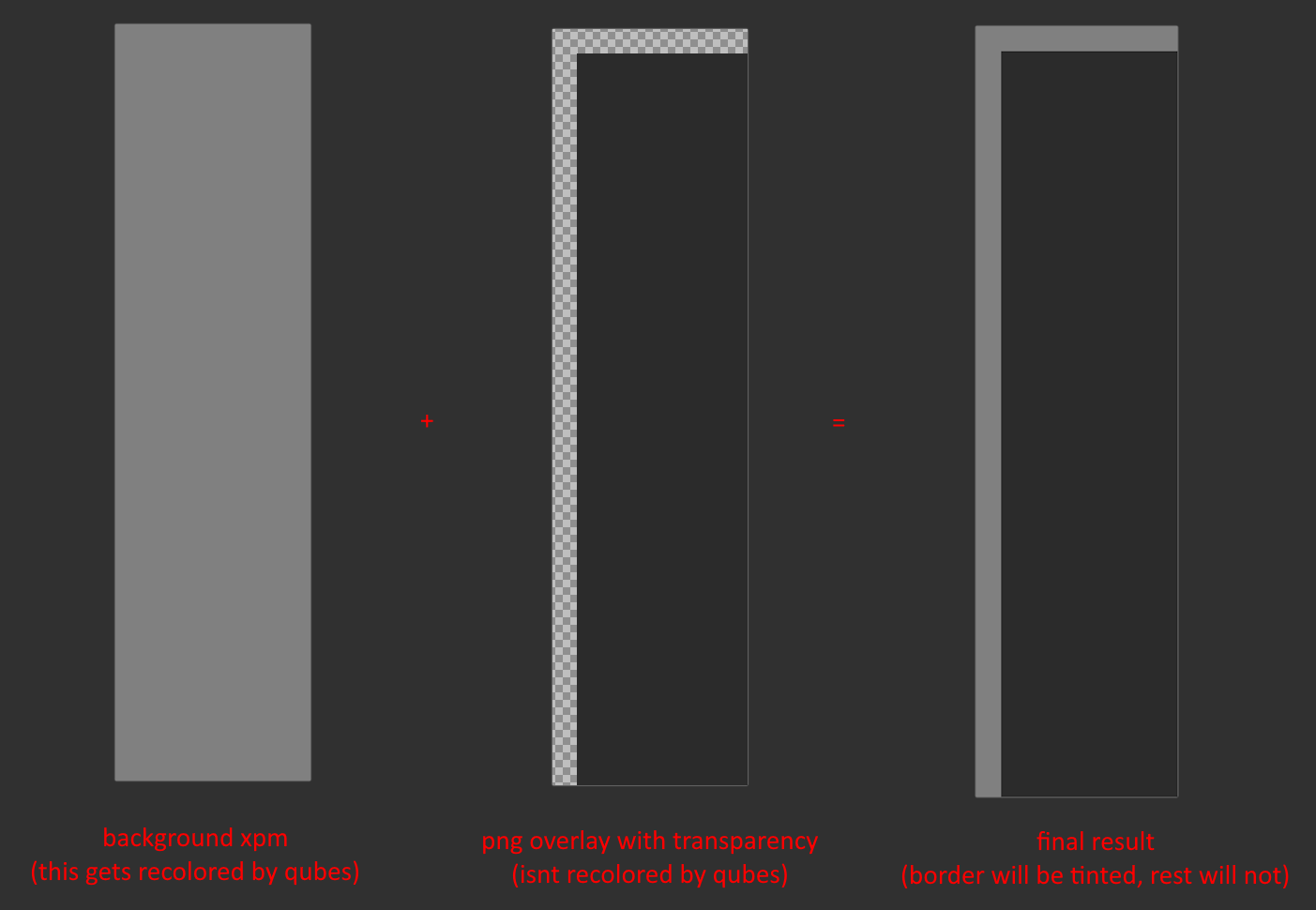
Basically, leave the stuff you want tinted in xpm format, and use pngs otherwise.
For Win7 specifically, the only stuff that you would probably need to do is make png overlays for the buttons. However, if you don’t feel like doing this, you can always install the theme normally and deal with slightly tinted colors on the buttons or I could make it myself if you really want me to, but you’d have to give me a bit. I’m trying to explain this as well as I can in case any other users want to port/make their own themes, so no worries if that’s the case.
After the borders are done you can just apply any Win7/WinAPI looking GTK theme to Dom0 and the VMs and it’d be passable. Finally, if you or other readers are interested, here are the names of the GTK icons I modify for Qubes specifically (used in the system tray and context menus):
- qubes-delete
- qubes-devices
- qubes-files
- qubes-terminal
- qubes-vm-kill
- qubes-vm-pause
- qubes-vm-restart
- qubes-vm-settings
- qubes-vm-shutdown
- qubes-vm-unpause
- qui-clipboard
- qui-disk-space
- qui-domains-scalable
- qui-updates
- sdwdate-success (FOR WHONIX)
- sdwdate-wait (FOR WHONIX)
- nm-device-wired (FOR NETVM)
- nm-no-connection (FOR NETVM)
- nm-signal-00 (FOR NETVM)
- nm-signal-25 (FOR NETVM)
- nm-signal-50 (FOR NETVM)
- nm-signal-75 (FOR NETVM)
- nm-signal-100 (FOR NETVM)
Further theming info: NetworkManager icons are modified here to prevent them from displaying all white, since all system tray icons passed from VMs have RGB255,255,255 backgrounds which clash with the dark theme/taskbar color.