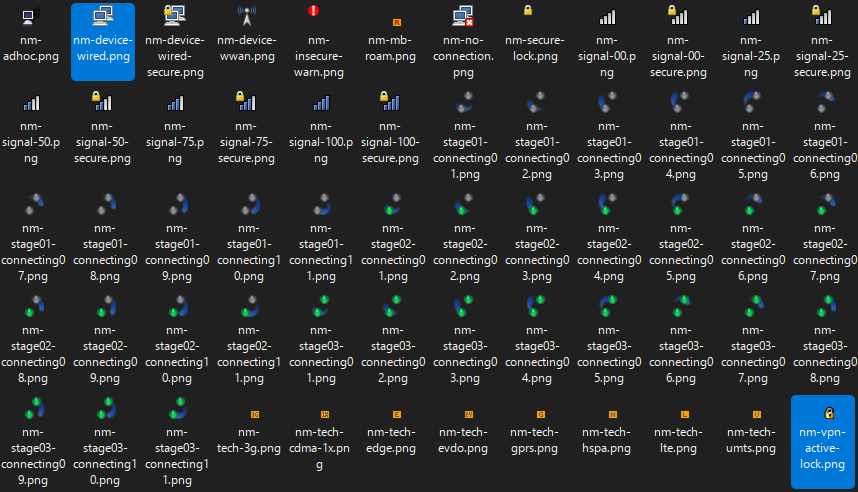
The two icons you have look like the 22x22px versions of nm-device-wired and nm-device-wired with nm-vpn-active-lock layered on top of it. I was able to find them in /usr/share/icons/hicolor/22x22/apps/ on the default Debian template. I’m assuming it’ll be the same for minimal Debian.
To clarify, most custom icons included with software/packages (such as Network Manager, Telegram, Discord, etc) get placed in hicolor or a similar subdirectory in /usr/share/icons. If you’re programming a package like Network Manager, you wouldn’t want to stick your icons in all the available system themes, that’s messy. The hicolor folder is frequently used because it is the main fallback theme. If a requested icon doesn’t exist it usually falls back like this:
Custom Theme → Adwaita → Adwaita Legacy (hidden theme) → hicolor (hidden theme)
To change the icon, all you need to do is add it or modify it in any place in this chain. You should be able to find/target most application tray icons this way. However, some applications have their icons compiled in the binary, so you can’t change them without re-compiling or patching. Additionally, other applications might need to be installed to the user instead, where it’ll place the icon in a non-root folder. These are pretty uncommon though. The most common icon issue for Qubes users would probably be Veracrypt, since I believe that’s compiled.
To reiterate, if you’re modifying icons in root, make sure you’re modifying it in a template or else it won’t persist. Also make sure your custom icons have the correct Linux permissions, as that can also be a problem. The other option is to make a quick custom user icon theme (in ~/.icons) which sounds overwhelming but it really isn’t. All you have to do is observe a different icon theme and you can probably infer how it works/copy it. You can make missing icons fall back to any theme you want by defining the “Inherits” field in the index.theme file. Not to shamelessly plug, but you can probably reverse how my Qubes theme works if you’re really having trouble. I’ll attach a post below. There’s more details about icon and XFWM theming for Qubes under the thread as well. I measured the pixels of your screenshot and your tray seems to be using 22x22 icons, so it’ll request icons closest to that value if there isn’t an exact match. Your taskbar also seems to be hex color code #353535. Hope this helps.