I am using i3wm but I like the look of the xfce4-panel and how easy it is to add my own launchers/icons.
I simply have
exec --no-startup-id xfce4-panel & at the end of my i3wm config.
And
bar {
  mode hide
}
to remove the i3wm status bar.
However, with this setup, I can’t see any of the Qubes icons I’d usually see when logging into a XFCE session, nor any icons of other apps (disp-sys-audio mixer, sys-whonix lock icon, etc.)
Is there a way to have these back onto xfce4-panel even though I am using i3wm?
I’m assuming that it depends on a service that’s only launched when logging into a XFCE session: what would that be?
Thanks.
To use xfce with i3, it is very simple. You don’t have to had exec --no-startup-id xfce4-panel.
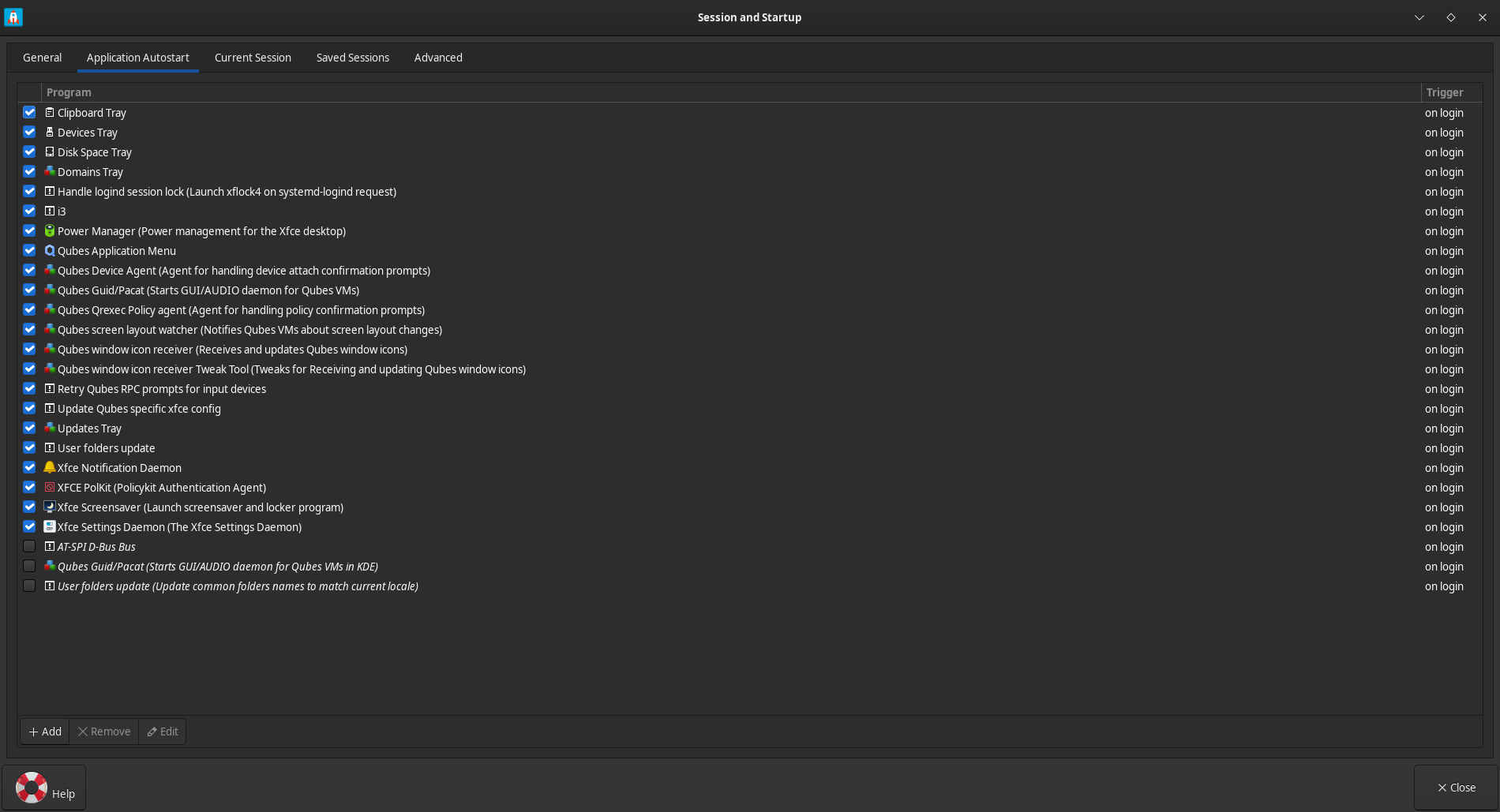
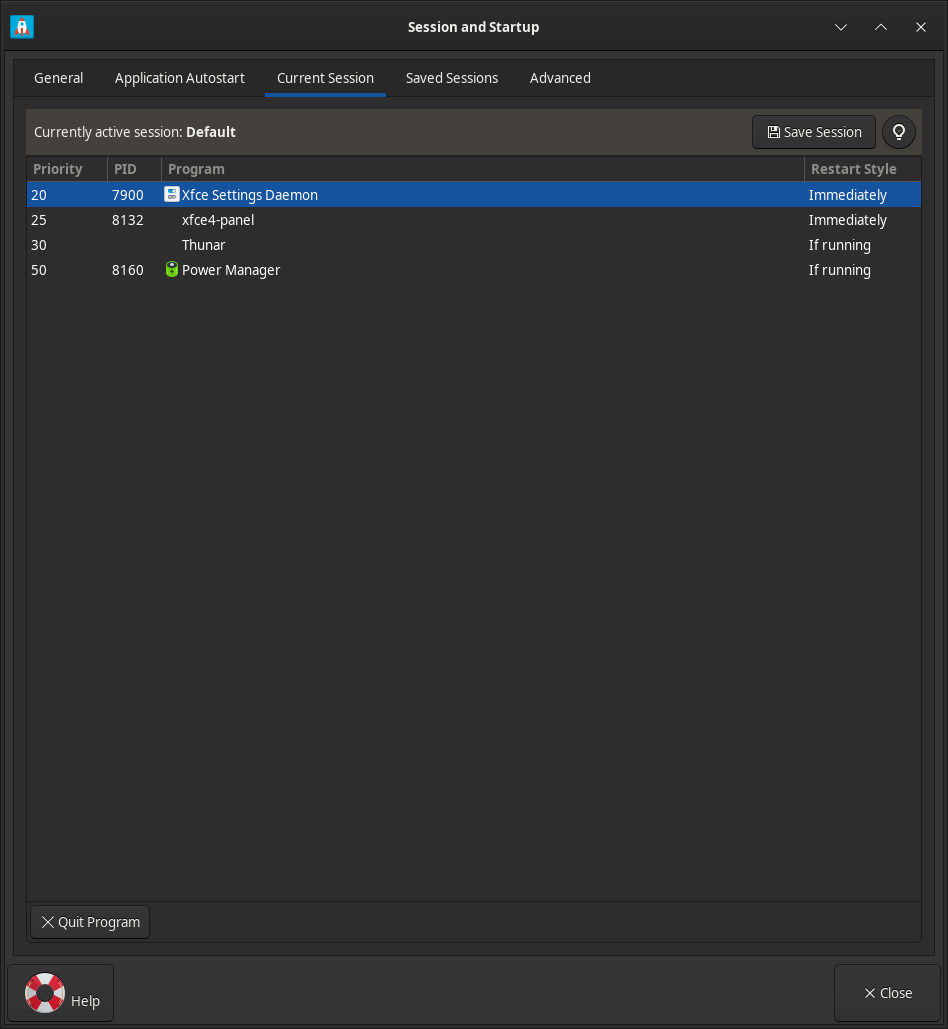
Go to “session and startup”, in “Application autostart” add i3 to autostart, then in “current session”, set xfwm4 and xfdesktop to “never” and save the session.
Remove all the xfce shortcuts (for the xfce and i3 shortcuts do not interact together).
Reboot and and you will have i3 for windows manager and your xfce4-panel.
Thanks. That is indeed better.
However, I still don’t see the tray icons; since running sudo qubes-dom0-update i3 i3-setting-qubes, I can’t seem to figure out how to make they reappear on xfce4.
I am starting a xfce4 session, not a i3 one (from lightdm).
it’s ok.
Strange because your bar is supposed not to change  When you go to the properties of your xfce4-panel, check if the systray has not been removed by mistake. When I installed i3, it had no effect on xfce4-panel. I don’t think it’s a problem related to Qubes-os.
It’s an old post but you can try it… :
Ok, solved. I had to comment out the bar { ... } block in the i3wm config, lol.