Shiny new QWT has landed! (was: old man yells at a cloud)

This would be the only, but significant difference with how stock QWT works with my win11 template. Resizing works for seamless windows created by its dvm-template or its named disposable.

I hope your QWT will eventually become official one, once you polish it.

Can you run windows in a dvm? I thought it didn’t work due to some bug.

Read the topic, please.

My current tests with QWT 4.3.1 had the following results:

  • The switch /idd had the same effect as before: file not found and the same error message.
  • The vertical position, where the mouse pointer is shown, is about 1 cm below the position where Windows believes it to be:

  • Also, the position in a text window was lost:

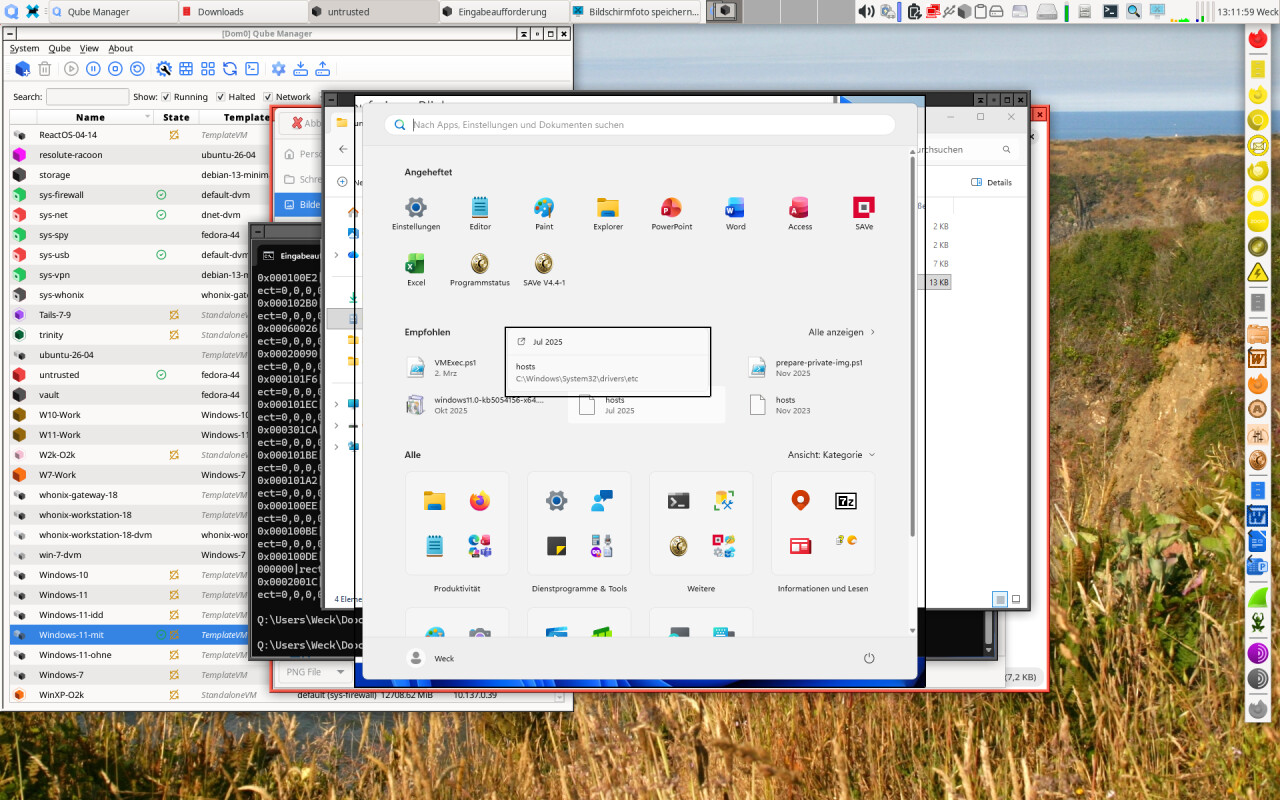
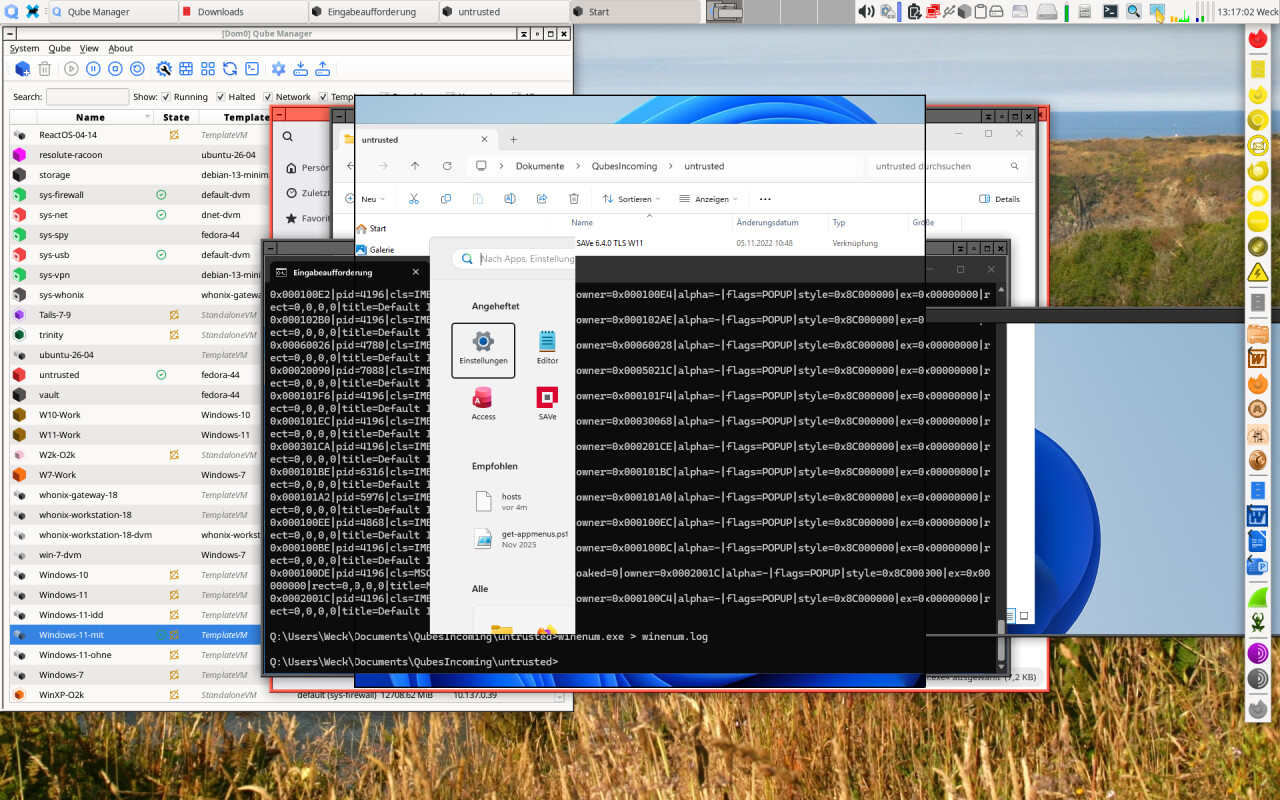
  • The Windows key produced some weird pictures, but no usable menu:
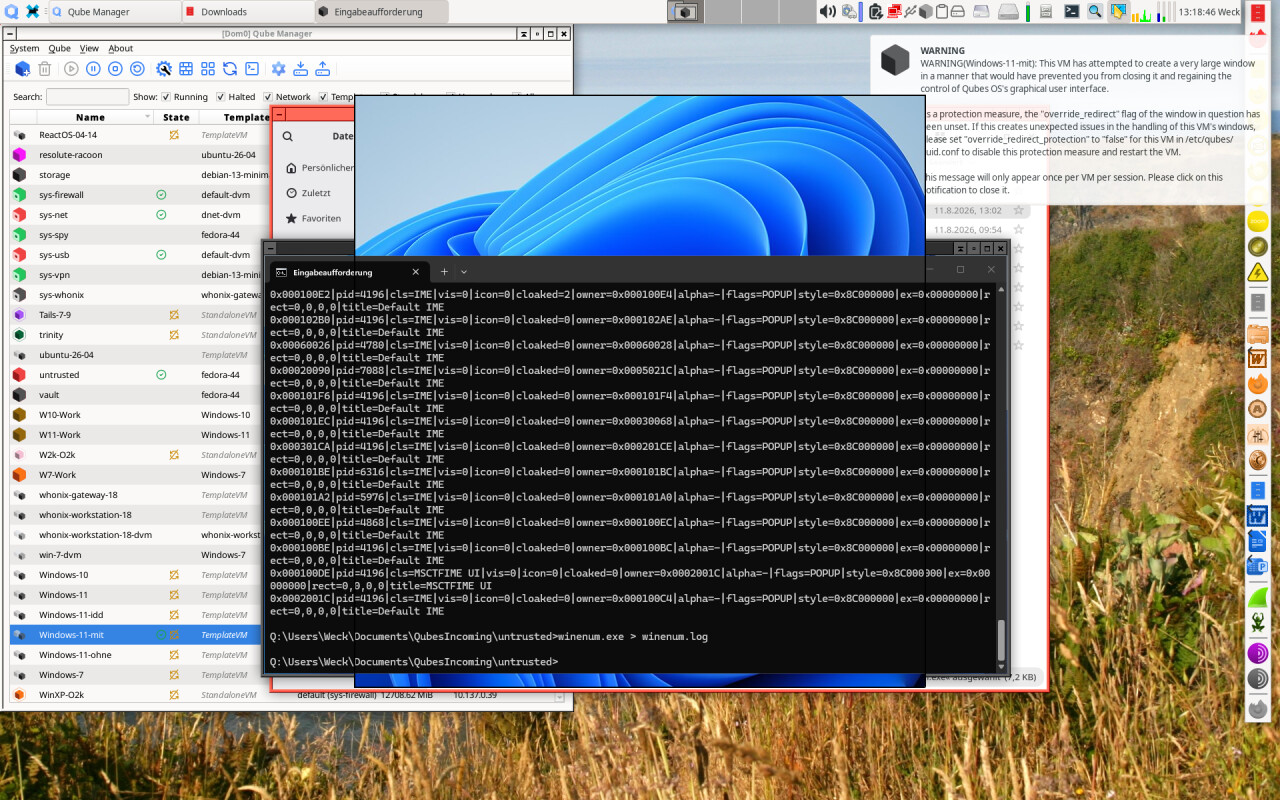
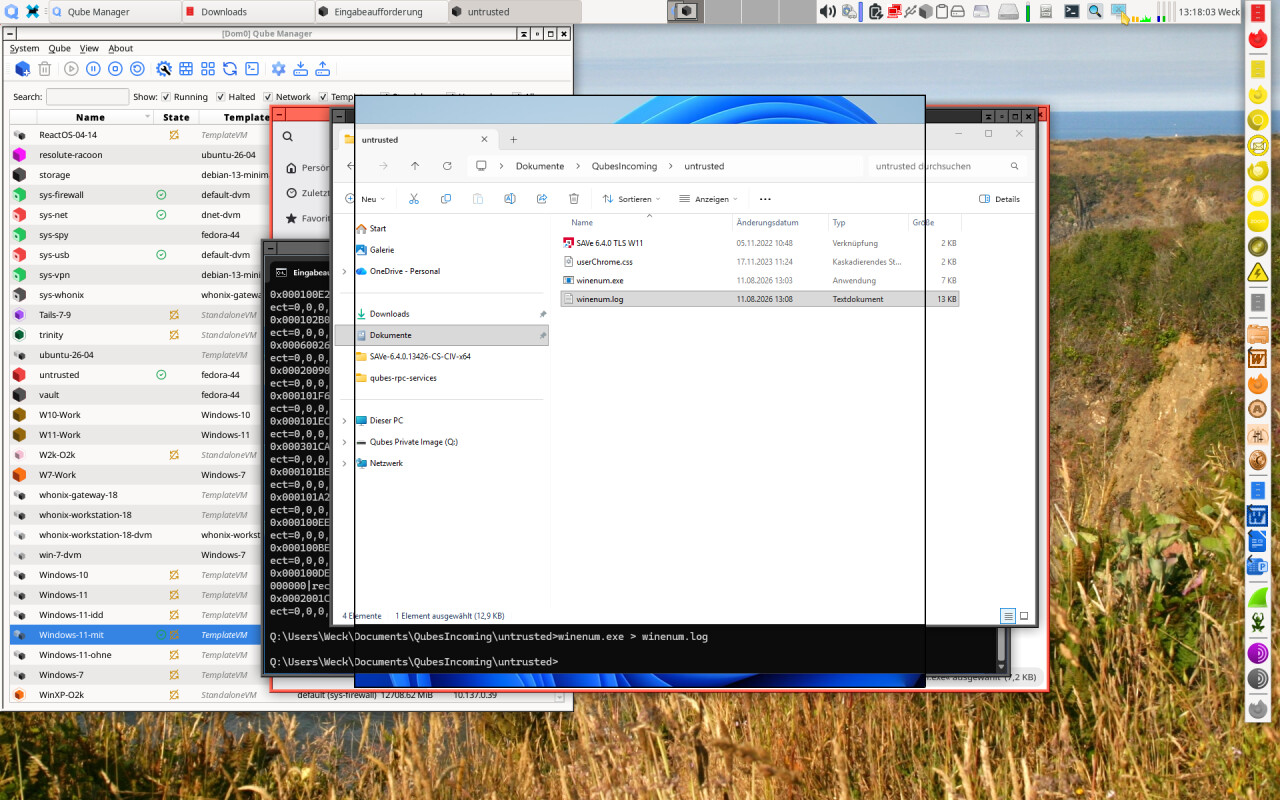
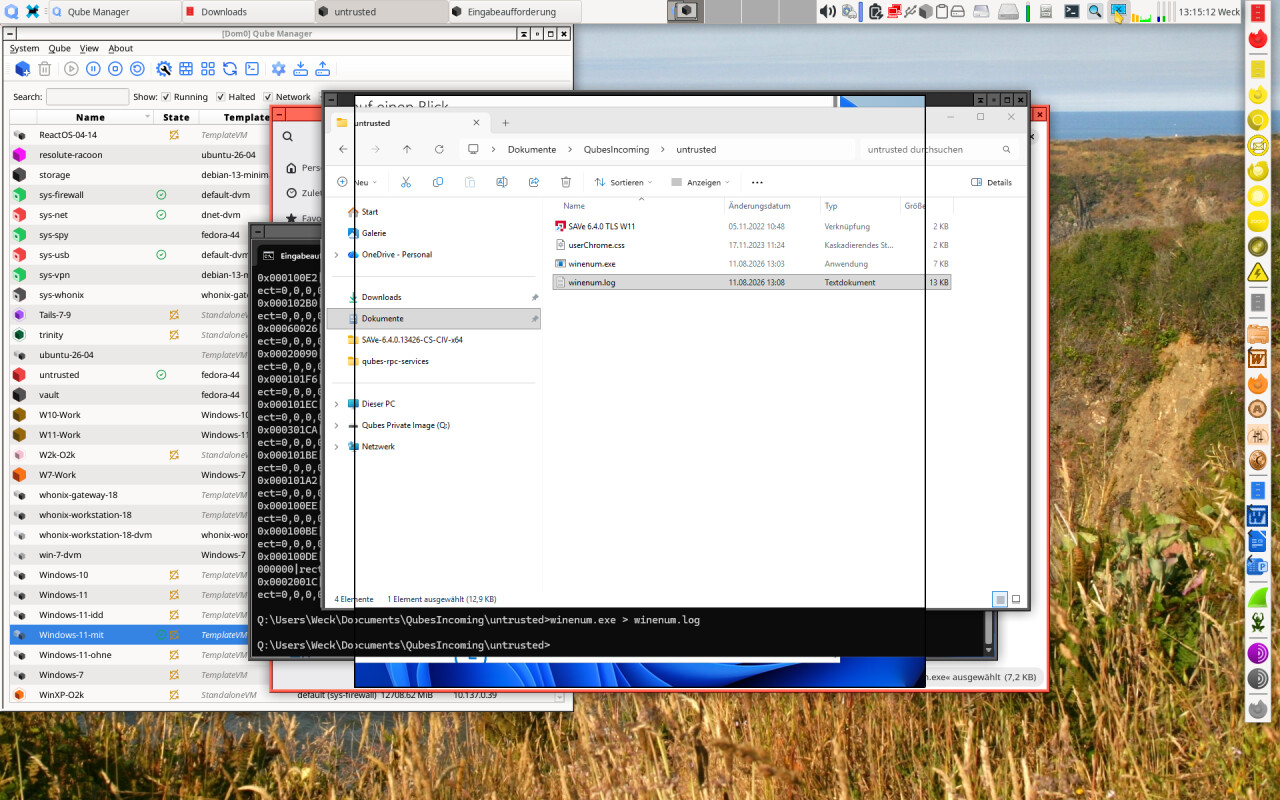
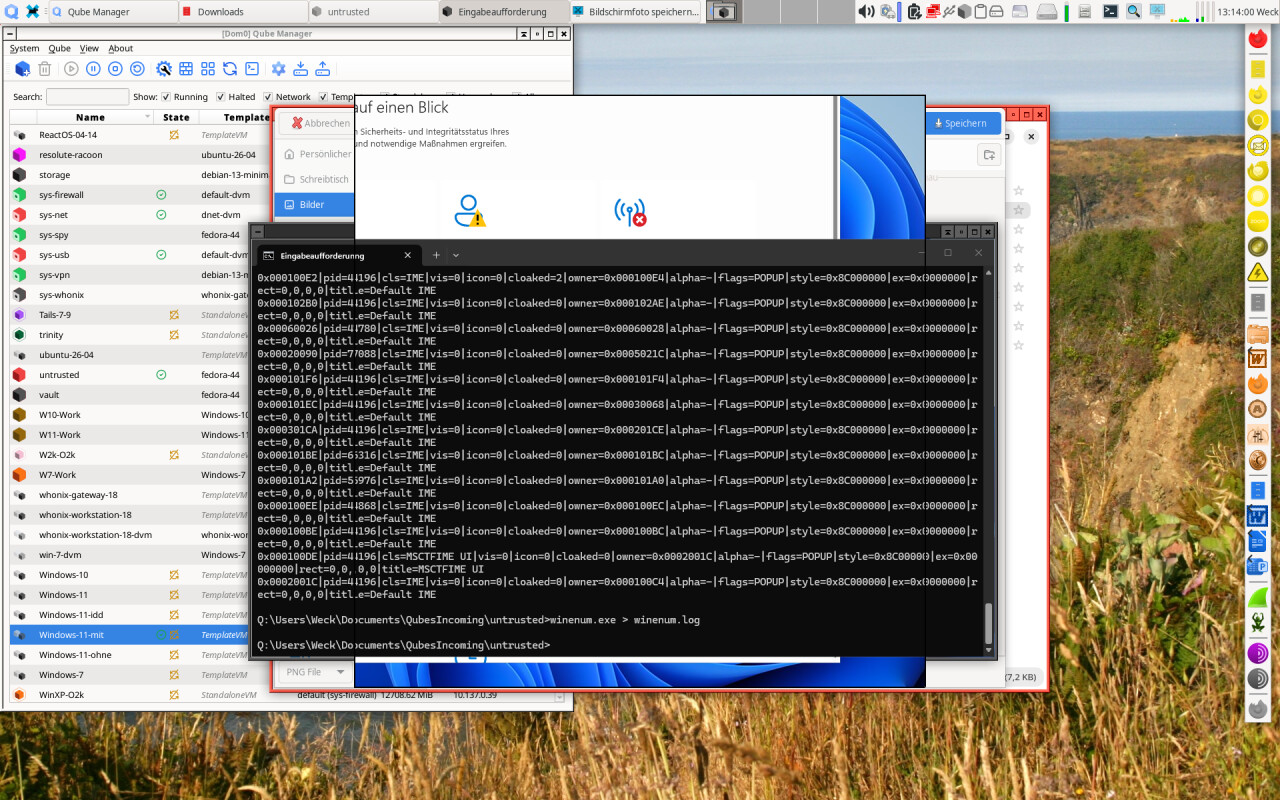
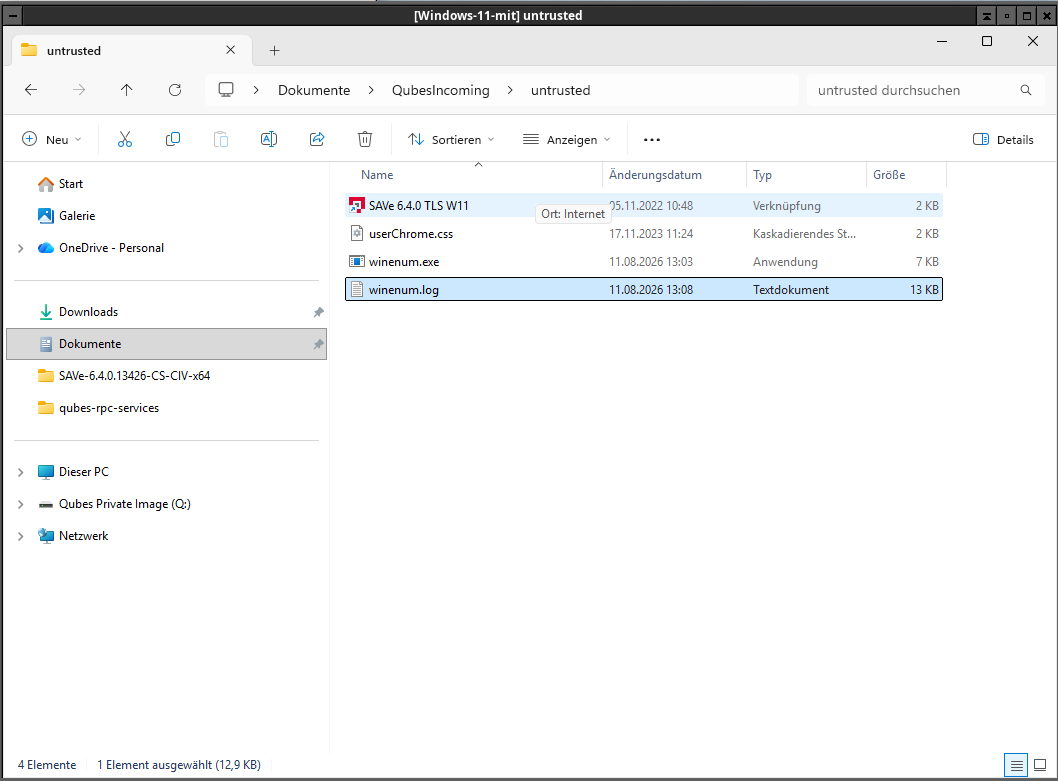
  • Finally, here’s the output of winenum.exe

    winenum.log (12.9 KB)

I hope that helps a bit!

2 Likes

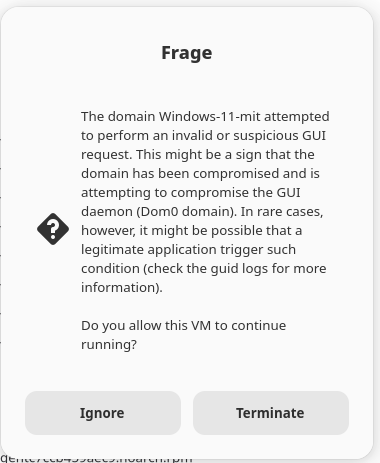
I just tried it once again and got the following error when using the Windows key:

1 Like

weird. i am on it, stay tuned. however, this all (except the last message) looks like artifacts of non-idd legacy driver.

reproduced, working on a fix. indeed some stuff is 25h2 specific. trying to figure out generalized solution just in case Microsoft changes something big again.

1 Like

Several days into fight with 25H2 start menu, I am thinking about disabling and dropping it entirely in seamless mode. We have native start menu after all, who needs it? Too many weird workarounds.

That’s a pity, because the Qubes menu is not a sufficient replacement for the Windows menu. (Shame on me for having to tell that!) The reason is that the Qubes menu is, within each qube, linear, whereas the Windows menu allows structures of submenus to group related entries together, which hides them from the menu in the next upper level. So, while the Qubes menu is sufficient if you have just a few entries, it becomes unmanageable for large, complex menu structures that exist in a complex environment.

For instance, in my Windows 7 system, I have several hundred menu entries, carefully structured in menus, sub-menus, sub-sub-menus, sub-sub-sub-menus, and so on, (which, by the way, @ninavizz found rather perverse, eh, unusual. :grin:) The resulting Qubes menu would be just a huge one-dimensional list, forcing me to spend the rest of my life scrolling up and down (and never finding anything).

What makes this worse is the fact that the Qubes menu entries are only roughly the same as the corresponding Windows menu entries, especially if you are using a non-English version of Windows. So, for example, “Einstellungen\Systemsteuerung” becomes “Programs System Tools Control Panel”. Trying to find something in the Qubes menu might thus become an, ah, interesting task,

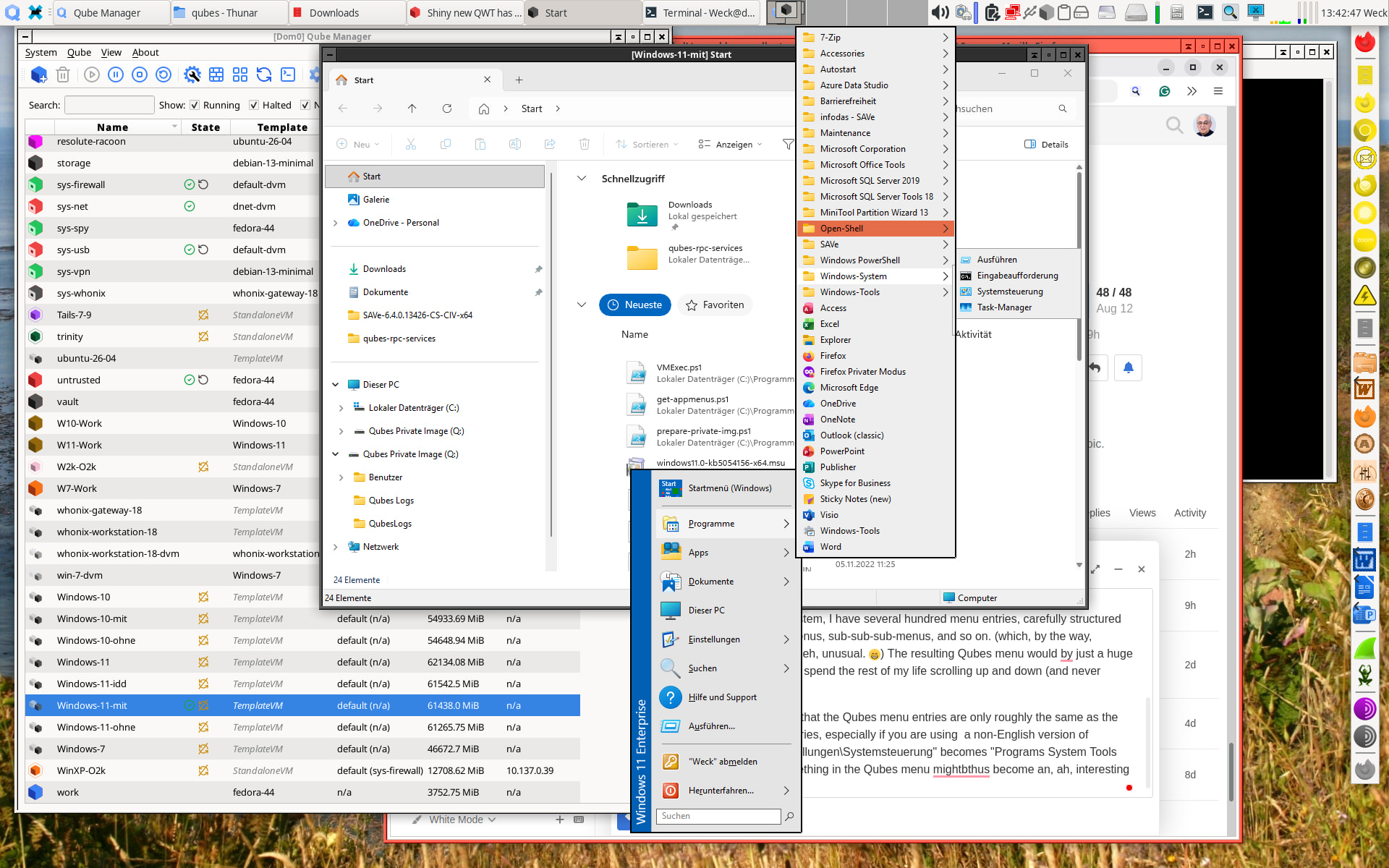
However, not all is lost. If you install the open source tool Open-Shell in Windows, you get a decent, workable menu preserving the original structure and having the correct margins:

This was in Windows 11 25H2 with the QWT version 09b643e5d278, just after installation of Open-Shell and pressing the Windows key, and it worked right out of the box!

Could this be an option in the QWT installer, or could the installer give at least some advice on using that tool? That would be great and preserve the functionality of the Windows keyboard key!
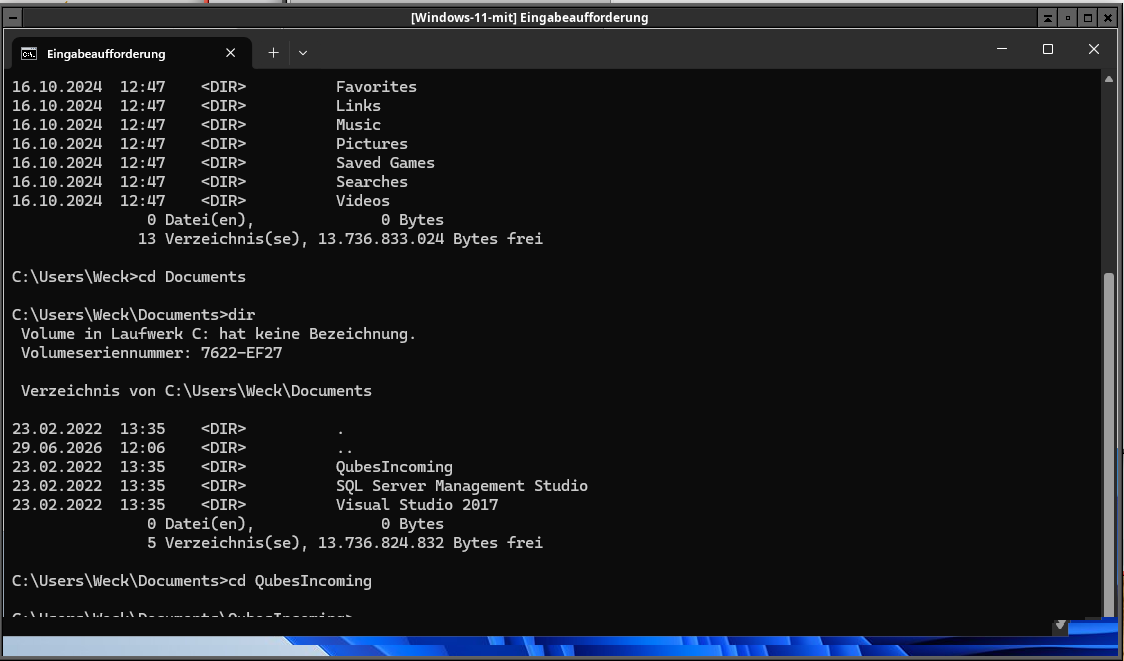
Will check! Nice, no overlap artifacts, everything is rendered correctly on your side?

1 Like

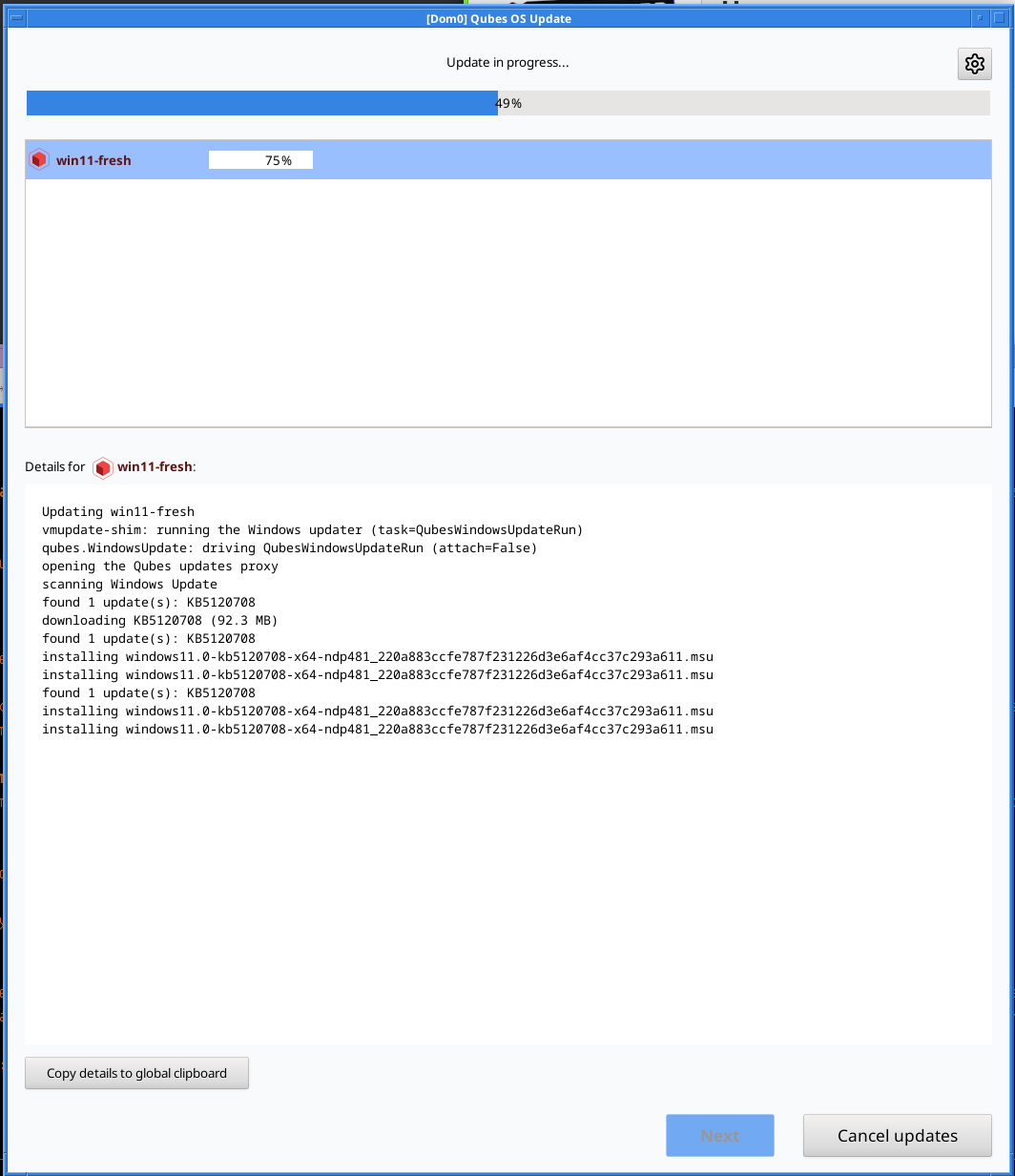
Meanwhile, sneak peek (you would not believe how much ugly machinery was required to keep this entirely template-side, Qubes updater strongly believes the guest must be unixlike), duplicate message bug already fixed.

6 Likes

How did you get Windows to use the Qubes updater at all? I’ve never succeeded with that.

Pure voodoo. The updater injects a python script assuming it is Linux, the receiving qrexec agent environment responds early to some hooks and produces expected output, progress, errors, scheduled reboots, FIXING THE DAMN AUTOLOGON 100TH TIME etc :)). Ugly af, but I am deliberately not touching any dom0 surface to avoid security implications. I did not mention that update proxy interface did not exist in stock qwt either? :slight_smile: Architecturally, btw, I think all guest systems would had benefited from uniform update service agent instead of dom0 making weird assumptions about what target system is.
2 Likes

I saw the message you posted for Qubes issue #1861 and downloaded the version available on GitHub. As I checked, it is identical to the version you posted on August 11.

I am afraid this version 7ccb459aec9 has serious problems that were not there with the previous version 09b643e5d278 posted on August 10. I suppose this comes from the IDD driver and/or my graphics configuration (a disabled laptop display 1920 x 1080 and an enabled external monitor 1920 x 1200, attached via the standard Intel display driver).

Here are some observations for Windows 10 22H2, which are similar to the results of my tests with the August 11 version on Windows 11 25H2:

  • The position of the mouse pointer is wrong. As far as I can see, it is displayed about 1 cm below the position where the system believes it to be (on a 19" monitor). With Windows 10, this happens only before the reboot after activation of the IDD driver, with Windows 11 also after this reboot.
  • After the reboot, Windows 10 shows only a black inactive window, and the Windows key does nothing at all. Trying to start an application from the Qubes menu does not work either.
  • Trying to shut down this qube from the Qube Manager or the panel does not work, and killing the qube from the Qube Manager causes it to restart, getting again to the inactive black window.

If it depends on the graphics hardware whether the IDD driver is functional, it may be a good idea to provide a switch /noidd to allow installation without this driver.

Now I’ll test Windows 10 with the previous version and Open-Shell.

2 Likes

I have now checked both Windows 10 22H2 and Windows 11 25H2 with Open-Shell installed, using the version 09b643e5d278 from August 10 of QWT. (I could even install Open-Shell after the main part of the QWT installation, just before the reboot.) So far, I found no problem at all with that, in both systems: no artifacts, draggable Windows, correct and working menus. It’s just what I hoped would come!

There’s even one thing that might be regarded as perverse: Open-Shell allows you to open the original Windows menu - and it is displayed correctly and is working!!! :+1:

Maybe the IDD driver is doing, at least on my hardware, more harm than good?

2 Likes

Additional information on Windows 10:

  • Starting an AppVM based on the Windows 10 template seems to start normally, but just after finishing the startup, it shuts down silently. This happens no matter if this is an AppVM that was based on another Windows 10 template using the old QWT or if it is a newly created AppVM.
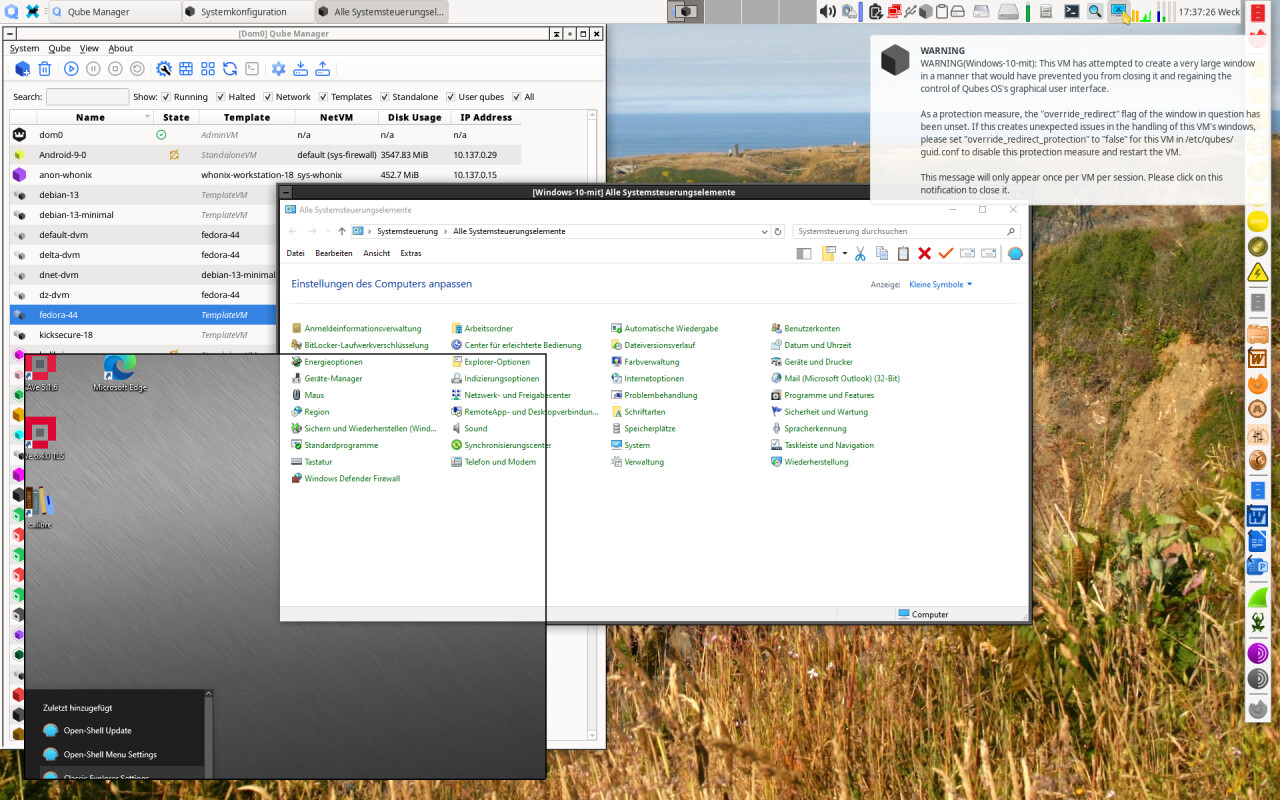
  • The Windows menu started from Open-Shell can be used normally unless you try to shut down the qube from that. Then you land in the weird world of calling this menu directy, and the qube becomes completely unreliable and unpredictable:

1 Like

on it. thanks for thorough diagnostics, probably will ship a new build today.

2 Likes

Perhaps this helps: When running the latest version, the installer terminates its first phase with the following message:

\~\~\~

{"stage":"stage2-install","ok":true,"reboot_needed":true,"error":null,"detail":{"payload_files_verified":26,"package_version":"4.3.1+agent.c7ccb459aec9","bin_dir":"C:\\Program Files\\Qubes Tools\\bin","leftovers_targeted":\["gui-agent.exe","gui-watchdog.exe"\],"pv_boot_disk":false,"existing_qwt":[ ],"leftover_sweep":{"removed":[ ],"absent":\["gui-agent.exe","gui-watchdog.exe"\],"stuck":[ ]},"vc_redist_rc":3010,"msiexec_rc":3010,"addlocal":"PvDriversCore,Core,Gui,PvDriversNetwork,PvDriversDisk,MoveUsers","installed_gui_agent_sha256":"99480d876377e41b7440ca7624305debe22f3c0790ee5a69724fde093a6e6a0d","expected_gui_agent_sha256":"99480d876377e41b7440ca7624305debe22f3c0790ee5a69724fde093a6e6a0d","net_reapply_task":"registered","pv_xenvif":"installed","idd_driver":"activated: device up (ROOT\\DISPLAY\\0000), VGA adapter disabled (PCI\\VEN_1234\\u0026DEV_1111\\u0026SUBSYS_11001AF4\\u0026REV_02\\3\\u0026267A616A\\u00260\\u002618)","idd_vga_instance_id":"PCI\\VEN_1234\\u0026DEV_1111\\u0026SUBSYS_11001AF4\\u0026REV_02\\3\\u0026267A616A\\u00260\\u002618","idd_recovery":"if the guest has no usable display after the reboot, run over qrexec: Enable-PnpDevice -InstanceId \\u0027PCI\\VEN_1234\\u0026DEV_1111\\u0026SUBSYS_11001AF4\\u0026REV_02\\3\\u0026267A616A\\u00260\\u002618\\u0027 -Confirm:$false (or devcon enable on that instance id), then reboot - that restores the pre-IDD display","app_hwaccel":"changed=47 failed=0"}}

So far, the new switch /noidd is not yet accepted.

1 Like

Published a new release, @GWeck I hope it should address all of the issues I was able to reproduce. Trying to keep idd driver bug-free, but /noidd option is to stay for a while anyway.

This version also introduces template updates. The update agent is in early testing stage and architecturally it is an ungodly abomination, but there is apparently no better way to implement it without touching the dom0 side, which i deliberately refuse.

Good news is that despite its internal ugliness it should handle non-english locales and in theory could be plugged with other (non-WU) software updates in a more secure way than its Linux omnivorous counterpart handle.

Speaking on which, I would like it very much to improve guest integrity and privilege escalation guards, both Windows and Linux, get rid of test-signing, but this is a long road ahead.

Did not test with OpenShell yet. Please tell me how it landed.

4 Likes

How does the updater deal with non-OS software like installed through MS Store, winger and other sources?