If I reinstall Qubes OS (it’s been a while since I last did it), I just restore a backup of all my VMs and then run my scripts that will automatically set everything setup. It doesn’t take much time
I checked /etc/default/grub and I can see rd.qubes.hide_all_usb in the last line but it isn’t present in /etc/grub.d/40_custom
I feel you may have found the issue but I am not skilled enough to run test and know how to fix that.
Then that should be considered as a serious security omission and an issue. It raises the question: what else might be omitted? This all is so complex for a single person to develop and track all the outcomes…
Just try to add it when in grub in this line I guess:
multiboot2 /$XEN_PATH placeholder console=none dom0_mem=min:1024M $DOM0_MAX_RAM ucode=scan smt=off gnttab_max_frames=2048 gnttab_max_maptrack_frames=4096 rd.qubes.hide_all_usb\${xen_rm_opts}
But I wouldn’t want to claim that’s the place and a solution. In any case nothing can go wrong, just restart the Qubes, and the change has gone.
On the other hand, if you’re not privy to edit grub, then I would be very cautious to even try these things. Then how would you even know that this works as advertised? My first thought then would be: inexperienced user caught by a flashy subject. Don’t get me wrong: just try to perceive why my comment wouldn’t be personal, but well-intenioned.
You can do whatever you want with /etc/grub.d/40_custom, even delete all the code from it. Then none of the amnesic modes will simply launch. But this won’t affect the default dom0 boot. You can test it and then write the result of the test. Just don’t touch /etc/default/grub
/etc/grub.d/40_custom is a special file for custom boot options. You can create several more amnesic modes there, change any parameters.
I feel you may have missed the point of our exchange @linuxuser1
I am merely pointing to you that the parameter rd.qubes.hide_all_usb is missing in 40_custom which may explain the behavior I noticed.
Again, it’s only in amnesic mode that my usb mouse is picked-up immediately when there’s no sys-usb running. default dom0 is working proprely.
I understood that. Try removing this option, for example only in overlay, save the file, then update GRUB sudo grub2-mkconfig -o /boot/grub2/grub.cfg and reboot. And write the result - how the mouse works.
Stop. I remembered… I added this option for hardening back last year in the old version of Qubes - to prevent USB devices from being automatically authorized upon connection. And it seems it worked differently than it does now. This is one of the hardening options. Later I removed some of them due to user complaints, since the hardening broke some familiar functions. I think we should remove this option - Qubes doesn’t use it by default and it might cause confusion among users
I feel that or I’m not skilled enough to understand what you mean or I’m just not conveying well my thoughts.
To me: I cannot remove the parameter rd.qubes.hide_all_usb from the overlay section of 40_custom as it’s not there.
I could try to add it, but as I said, I’m not skilled and confortable enough to try this.
I was merely trying to put light on a strange behavior
Cheers
I removed this option usbcore.authorized_default=0 Now only 2 hardening options remain: module.sig_enforce=1 bootscrub=on + a few more sysctl options that run after dom0 has already started
I can confirm this breaks Heads.
How to roll back to original without re-installing Qubes?
If you have boot issues, then delete the code from the file /etc/grub.d/40_custom and then update GRUB. This is the only file related to boot in this script. You can also remove these modules:
/usr/lib/dracut/modules.d/90overlay-crypt
/usr/lib/dracut/modules.d/90overlayfs-root
/usr/lib/dracut/modules.d/90ramboot
/usr/lib/dracut/modules.d/40ram-wipe
and update dracut
1 Like
thanks, btw have you seen this?
4 Likes
No. It looks interesting. I will definitely look into it. Thanks
Updated bashrc theme in the guide

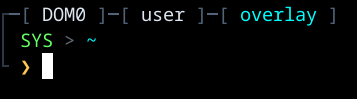
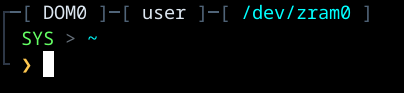
I just flew over the website, and one thing I never understood, in this example too.
If its plausible deniability, and there is tooling installed in Qubes OS that is used to decrypt the encrypted part of the disk that may or may not be there - then the argument “but I never used it” may not really hold up no?
As in all it takes is one extra script in dom0 that “decrypts whatever is hidden”, and it is clear that there is something hidden.
Did I read reliant-system’s website to fast and missed the spot where they address this?
1 Like
@kuhbs I’ve studied this script. It’s a very interesting idea and a lot of work. But it’s designed for an inexperienced specialist who can be easily deceived by simpler tricks. An experienced specialist will quickly spot all the configs, modules, and Shufflecake in dom0.
@linuxuser1 thx for the info. Then it really kinda isn’t plausible deniability 
Sorry for bitching around about this all the time (in other threads too)… I like the topic (plausible deniability encryption), and I LOVE!!! the whole puzzle game in qubes (implementing new stuff and so on), but I have to bitch around a bit every now and then bcs inexperienced users might see this, run the scripts and then feel safe about it.
Don’t want to demotivate you guys from your excellent work ofc, not at all. But these things have to be added explicitly “in the brochure” I think.
I updated the module for zram mode: I think it’s more efficient to use XFS, and directory copying has also changed - exclusions ("dev" "proc" "sys" "tmp" "run" "mnt" "media" "lost+found" "var/log") and cache cleanup added to speed up copying
upd: I switched back to ext2 for the zram mode - XFS is too heavy for weak and mid-range CPUs: copying the dom0 is 10-15 seconds slower, and performance is only better when running large VMs. So, for most users, ext2 is the better choice.
I also added forced disabling of the swap service in the module - this preserves zram swap for the default and overlay dom0 but guarantees it’s disabled for zram mode (sometimes, enabling zram mode could hang due to waiting for zram swap to start).
1 Like
you had this guide in your list: Install Qubes OS with boot partition and a detached LUKS header on USB Could this live script be changed to work with btrfs and detached header?
Yes and no, Its actually quite clever that way. There are layers, and you cant really see how many there are. They are ordered in a hierarchy from most secret to least so one opens to the next etc.. till you get to the most secret. If you are talking only about shufflecake I think it’s pretty neat. Don’t try and install this git though. Its a real mess and it rips qubes apart. I don’t know why the dev is still working recently on 4.2. But it wont work on 4.3, wrong Py versions,hash mismatches, gcc, etc,etc… Its still got a long way to go. I think hes implementation of Live is simple and elegant. systemd.volatile=overlay Which I think is the way to go.
What he admits, and everyone else is missing is ram-wipe that actually works, without that most of these ideas are useless.
Even better still than systemd.volatile=overlay would be btrfs snapshots. Btrfs would snapshot a read-only base system on boot (reflink), mount the snapshot as writable, then wipe that on shutdown.