As you may know I’m trying to solve the problem with USB stick’s work already a month. Yesterday I tried to use different kernels with Debian 13 template and sys-usb. Also tried to set in Global Configs all available kernels by turns (in case if template and qubes settings don’t really work). Also rebooted Qubes several times without any bad consequences. Finally I set latest kernel (6.12.14) in Global Configs as default kernel. Set it as kernel in Debian 13 template and sys-usb (de facto - returned everything as it was by default) and shut Qubes 4.3 down.
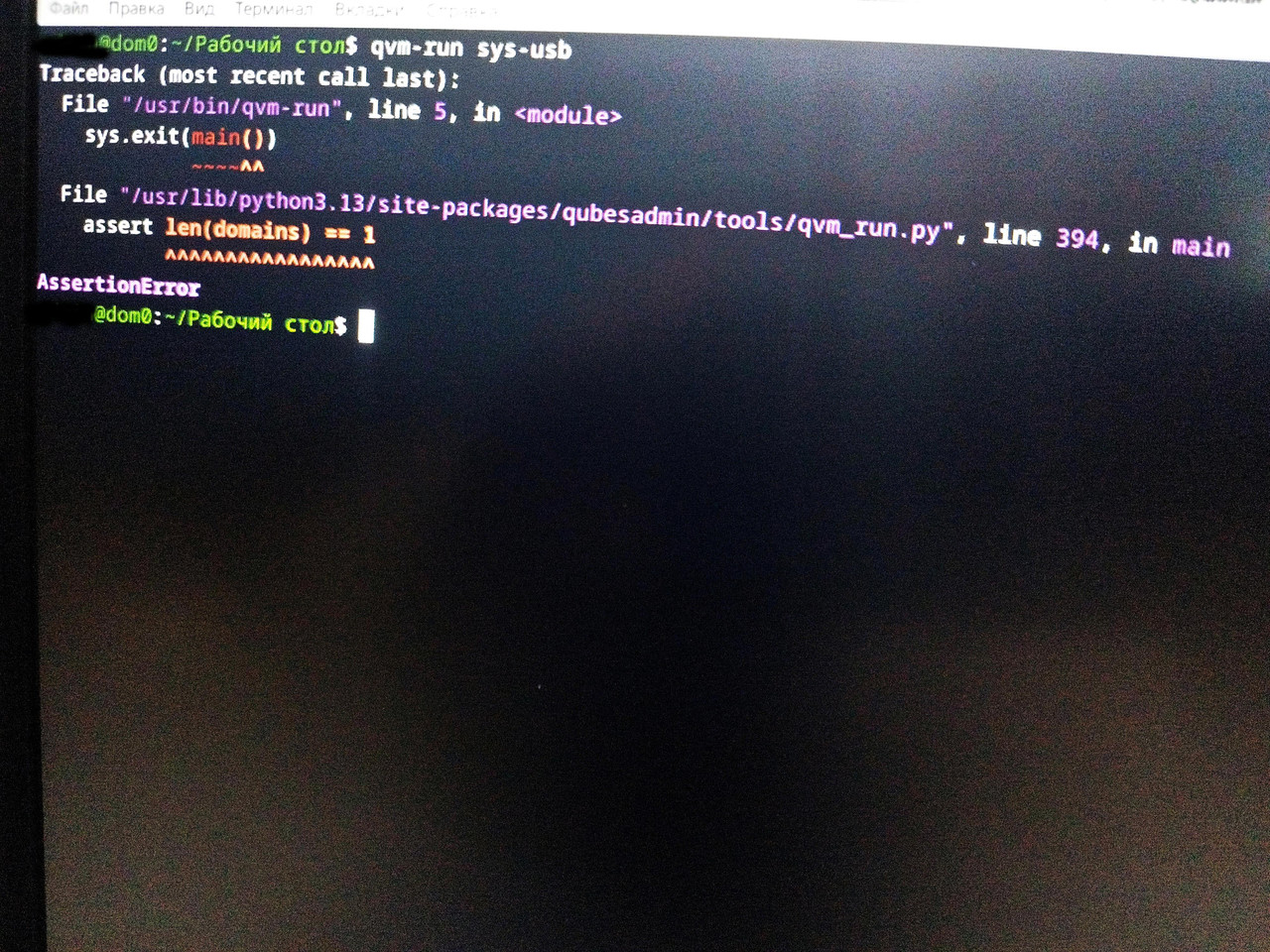
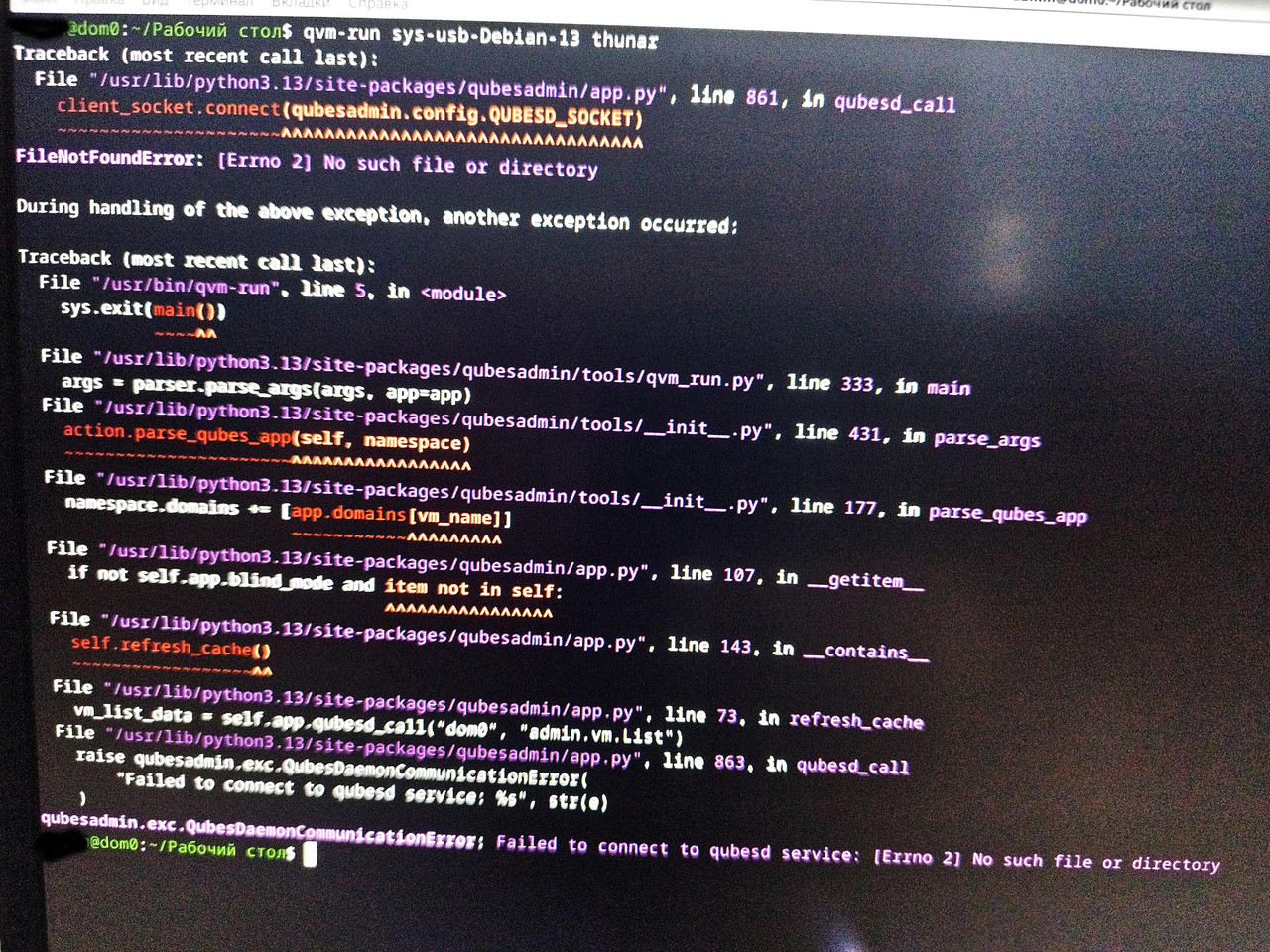
I don’t know what else I could do to cause such thing but today, every time I boot Qubes, no qubes launch. “Qubes Domain” doesn’t appear in the tray. Qubes menu is present but doesn’t work when I click it. The only things present in tray are sound volume, battery, user menu (screen lock, reboot button, shut down button, etc.), and layout button. Desktop functions work well. Keyboard and touchpad work. I can launch dom0 terminal from desktop. Googled and tried dom0 command qvm-run sys-usb to launch sys-usb but this only returned some error message. Tried launching its file manager by qvm-run sys-usb thunar - it returned even bigger error message. All messages ended with words “AssertionError”. Other qubes don’t launch too.
Tried advanced boot options in Qubes boot menu and tried all available kernels to boot from - nothing changed. Honestly… I’m already tired of all this crap. I killed a month to fix the stick issue (with almost no help from the community) - all in vain. Now the whole Qubes even doesn’t work and I have no idea what I could do to cause this.I did nothing special nor important. They really say truth when they say: “The complicated things are easy to break and hard to repair”. This is the real truth when it’s about Qubes. I’m one step from deleting 4.3 and returning to Qubes 4.2. But I’m not the one who gives up easy, and want to give 4.3 a chance. So first of all I hope that at least someone from the community will help me with at least this significant problem.
Made photos of sys-usb logs. First the error message when trying launch sys-usb itself, then the error message when trying launch Thunar File Manager in sys-usb.
I fixed the bug from the first photo. That is not grave, it just needs a better error message.
What you intended on writing was qvm-start sys-usb.
The second photo shows a grave error. Plese share the output asked by Atrate above.
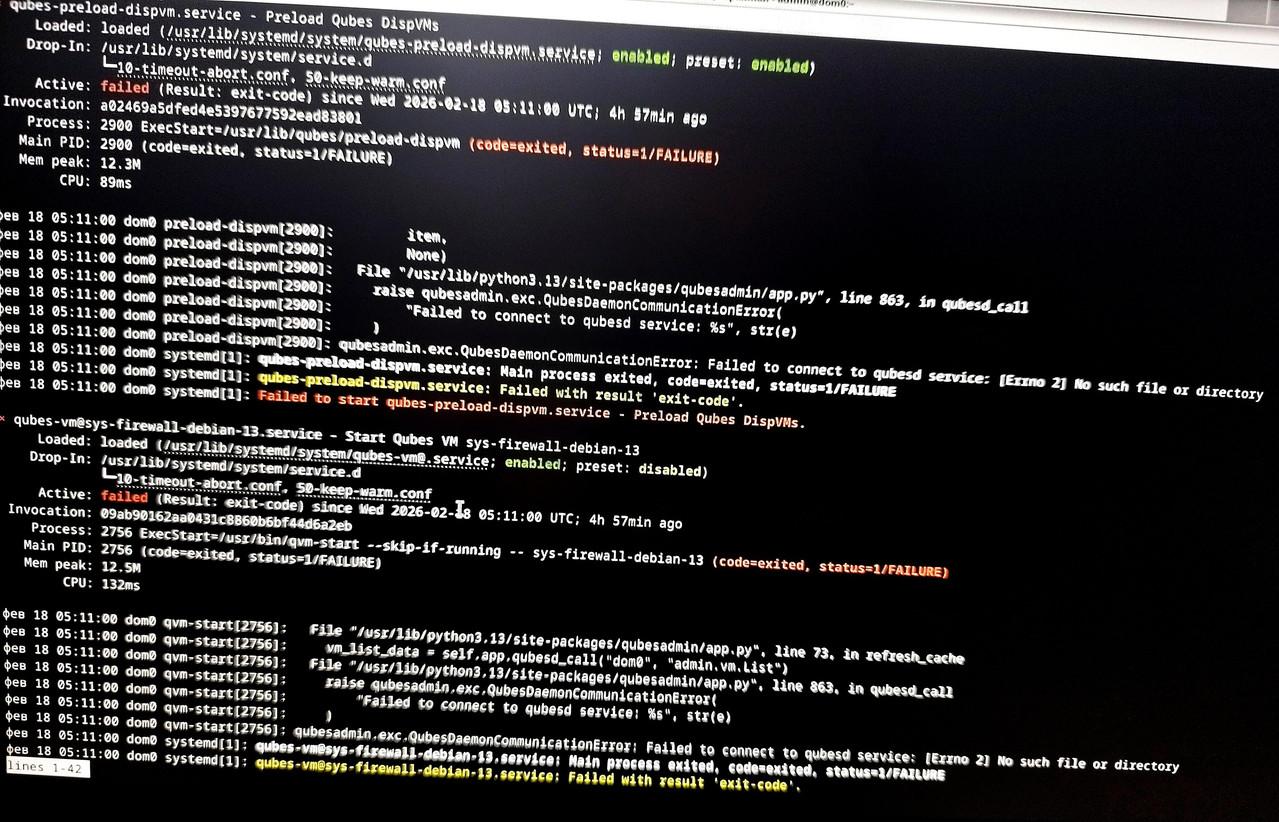
Your issues are not common though, so not easy to help. I don’t know how to help on the other issue, and for this one, we’d need to know first the units that failed and later journalctl -xeu UNITNAME.
Just used your command on these two failed units. Sys-firewall and preload-dispvm gave the log that says basically the same as log provided above.
And what I noticed from the above logs - it often mentions the qubesd (“Qubes Daemon”?) and judging by the content, it gives such feeling like qubesd is either absent or dead. Says "failed to connect to qubesd service: No such file or directory". "Code=exited, status=1/FAILURE".
Not enough to do on these units, we need to know the qubesd logs in full. Recording a video might help scrolling through the logs, or just send a bunch of pictures of each page of log.
The page you are seeing is using less, it is scrollable. If you don’t know how to navigate it, disable it:
sudo journal --no-pager -xeu qubesd
You will need to scroll a bit to see the issue, the bottom of the screen will repeat the same errors but that is not useful information now. What is important is what caused it.
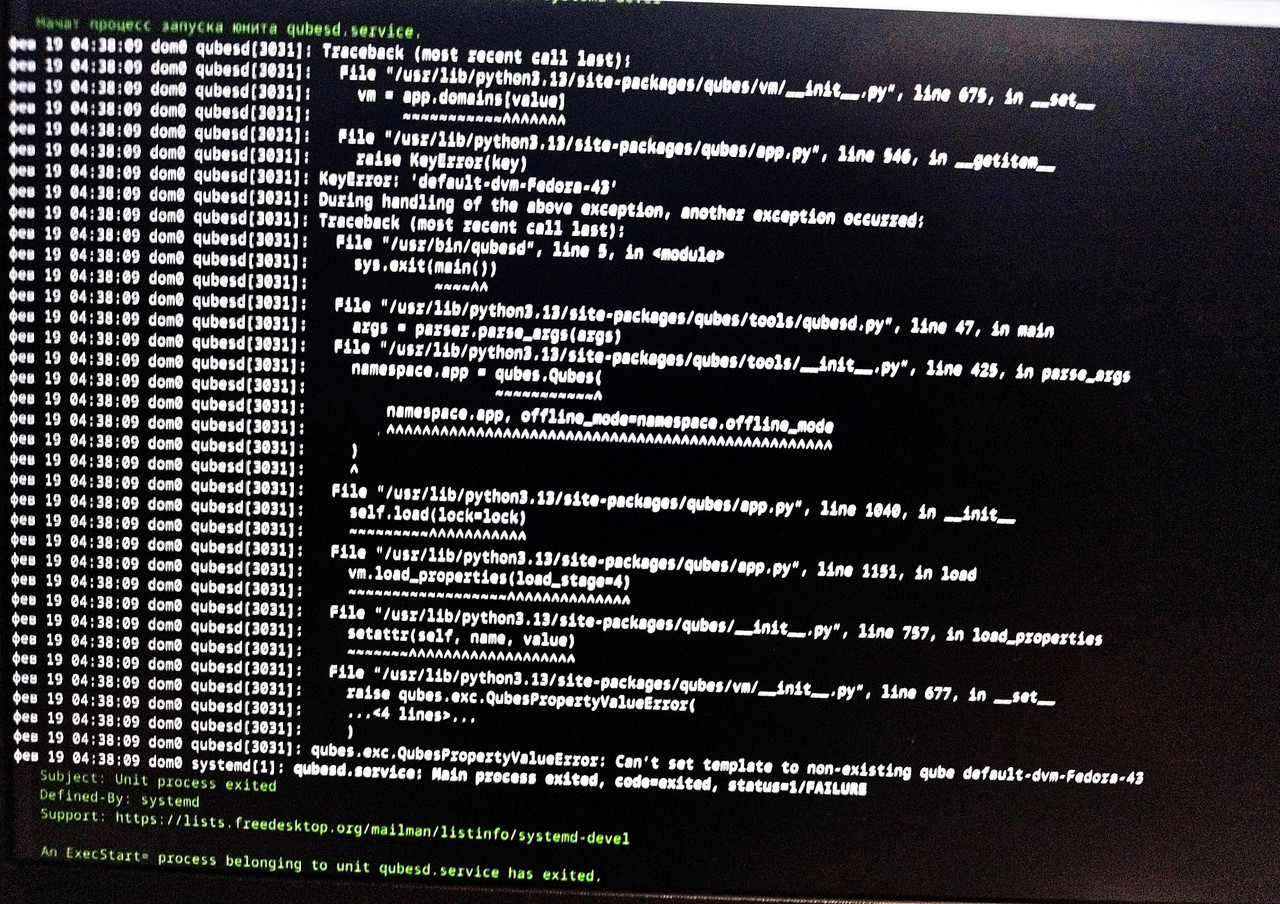
It seems I found the reason why it happens. I watched the log and there is a white paragraph that is repeated several times, saying that it can't set template to non-existing qube default-dvm-Fedora-43. And another message is repeated the same amount of times, saying that qubesd can’t start and its start is sheduled for a certain period of time later. The rest of the messages are literally repeats of yesterday’s messages.
It is possible that because of some reason qubesd tries to set a template to the Fedora based default-dvm that is deleted now. Gets an error and shuts down. The thing is that I created Fedora based system qubes to check if the stick will work better with Fedora based sys-usb. When it produced the opposite result I deleted all Fedora based qubes, including Fedora based default-dvm. There left only Fedora template. But I checked everything before deletion. In Global Configs I set Debian based disposable template as default-dvm. And all system qubes were set back to Debian based. Their autostart was ebabled too. Also checked if every disposable qube has Debian dvm as its disposable template. So I have no idea why qubesd tries to set template to the deleted qube.
Will post that message picture a little later. And most important: what to do now? Qubesd doesn’t work so I can’t execute any command based on it. How can I force it not to set the template to the non-existing qube?
If my situation seems hopeless, then just say so. Silence doesn’t provide answers; it only confuses. Since it’s unclear, everyone is silent because no one knows what to do about it, or because everyone is busy/no one is available. I don’t have a lot of time, so if there are no messages in my thread by tomorrow (I give it about 18 hours), I’ll conclude that no one has an answer what is possible to do in my situation and the situation is hopeless. In that case, I’ll move on to the system reinstallation scenario.
I don’t want to, but I might have to go back to Qubes 4.2. Because if the suggested solutions with the stick issue in Qubes 4.3 don’t work, it will mean a lot of wasted time for me, and I’ll end up having to reinstall everything a third time just to get back to version 4.2 anyway.
Because the stick worked without any problems on it. And immediately stopped working when OS changed to 4.3.
And yes, I thought about it. That I might still have to upgrade to 4.3 eventually. But maybe by then they’ll add some kind of update or kernel that will allow the OS to work with the stick again.
 I did nothing special nor important. They really say truth when they say: “The complicated things are easy to break and hard to repair”. This is the real truth when it’s about Qubes. I’m one step from deleting 4.3 and returning to Qubes 4.2. But I’m not the one who gives up easy, and want to give 4.3 a chance. So first of all I hope that at least someone from the community will help me with at least this significant problem.