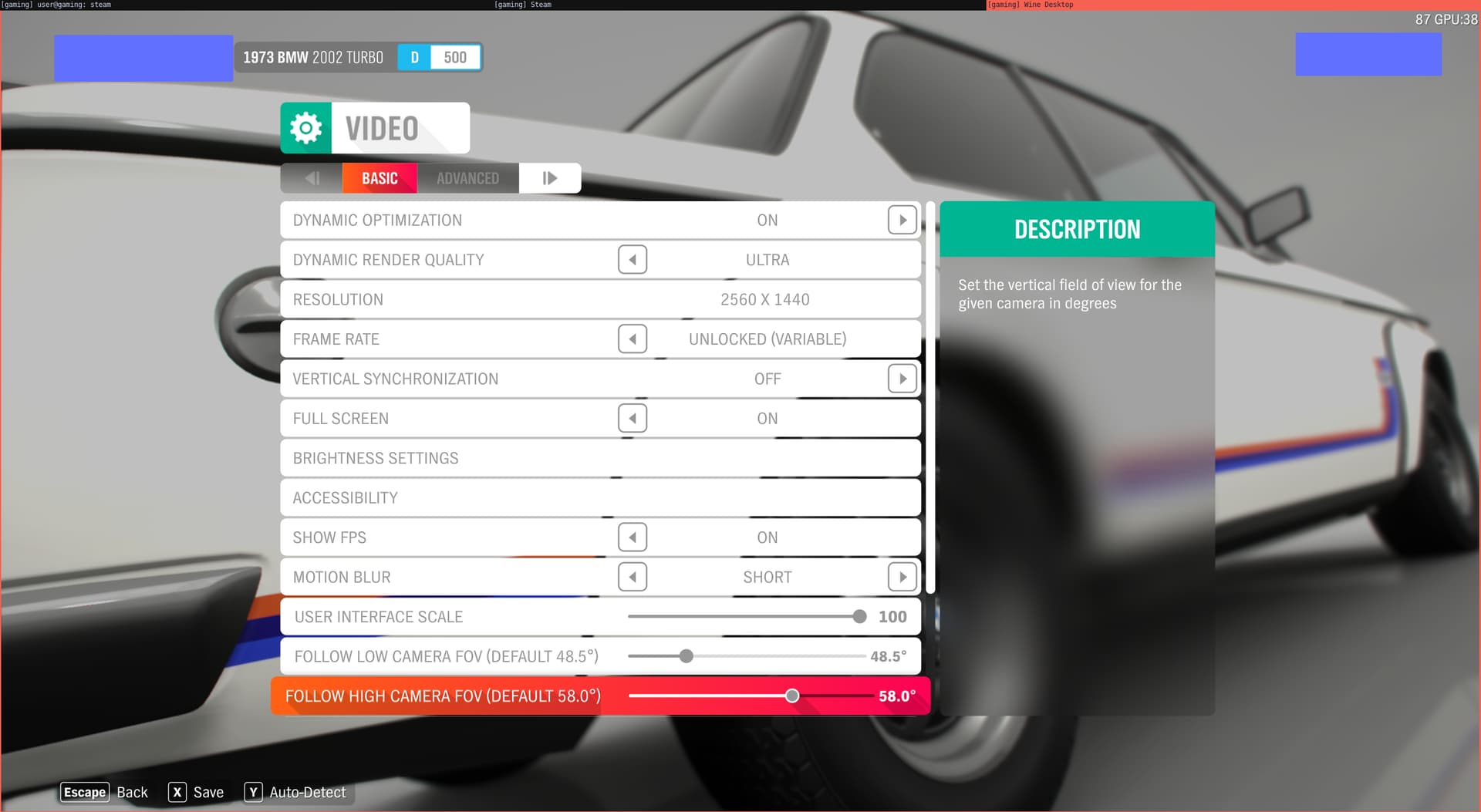
This is a bit of a bragging post, but oh well. I’d like to officially announce brag that I’ve managed to get a modern game (Forza Horizon 4) to run on QubesOS at a stable >75 FPS on a 2K display.
I did not think this was possible to get such good performance, but after so many months spent tweaking I have come to think that it’s actually possible and voila, here it is!
A large part of my set-up is based on @neowutran 's amazing Gaming HVM write-up, although I’ve made quite a few modifications and tweaks to make games run way faster and in a more stable way. If there’s interest, I can make a write-up about this.
I think once I find some time and release the rest of my tweak utils (so probably a month or two) I’ll make two posts. One will be a write-up on how to create a Gaming HVM with Optimus (based on neowutran’s guide) and the second one will be how to increase Qubes performance in general, as most of the tweaks I applied served to reduce load by other qubes and not necessarily “tweak” the gaming qube itself.
Nice thread. I have a beefy laptop with rtx4070 GPU in it. However, using PCIe passthrough to debian 13 qube with all the nvidia-driver packages installed only resulted in me playing Cyberpunk 2077 in 30 FPS (which sucks).
I would be very much interested in how I can improve my performance as well.
Alright. I have been using the proprietary nvidia-driver package (and its deps, suggested packages, etc.) on debian 13. I have my doubts about nvidia-open performing better than the proprietary one.
Don’t be fooled by “open” name, it is still proprietary driver. Only the kernel<->driver interface is open. The driver itself is a closed source blob, but it is a more modern/recent implementation than the non “open” one. More open than the previous one but far from fully open source
I played even emulated console games in high fps with gpu passthrough years ago. On a maxed desktop with 2 amd and 1 modded nvidia for better reset compatibility.
No, this is about NVIDIA Prime Offload with GPU passthrough. I’m glad to hear you managed to achieve high performance as well! I made this post as I’ve had trouble achieving good performance (without insane specs) and it felt good to finally make it work. It also serves as a “teaser” for the guides I’m gonna write and I should probably get around to doing that… As always, though, life caught up and I need to find some more time one day.
Yes, but not only. Optimus/PRIME Offload (or maybe just “dGPU Offload”, not sure it’s called PRIME on non-laptops) also works on modern desktop platforms, you simply plug your displays into your iGPU and do everything else the same way you would on an Optimus laptop.
Pass your NVME/SSD partition directly to your gaming qube. If using NTFS, use the new NTFS driver in linux (ntfs3) instead of the old one, which still gets used as the default when mounting.
Don’t try using 4K, unless you have a beast of a GPU and CPU. Keep to 2K or 1080p.
GJ!!
I’ll try this asap! It’s my final goal using Qubes as the only OS on my laptop. The only thing left was to transfert all my games on it.
Thank you very much!