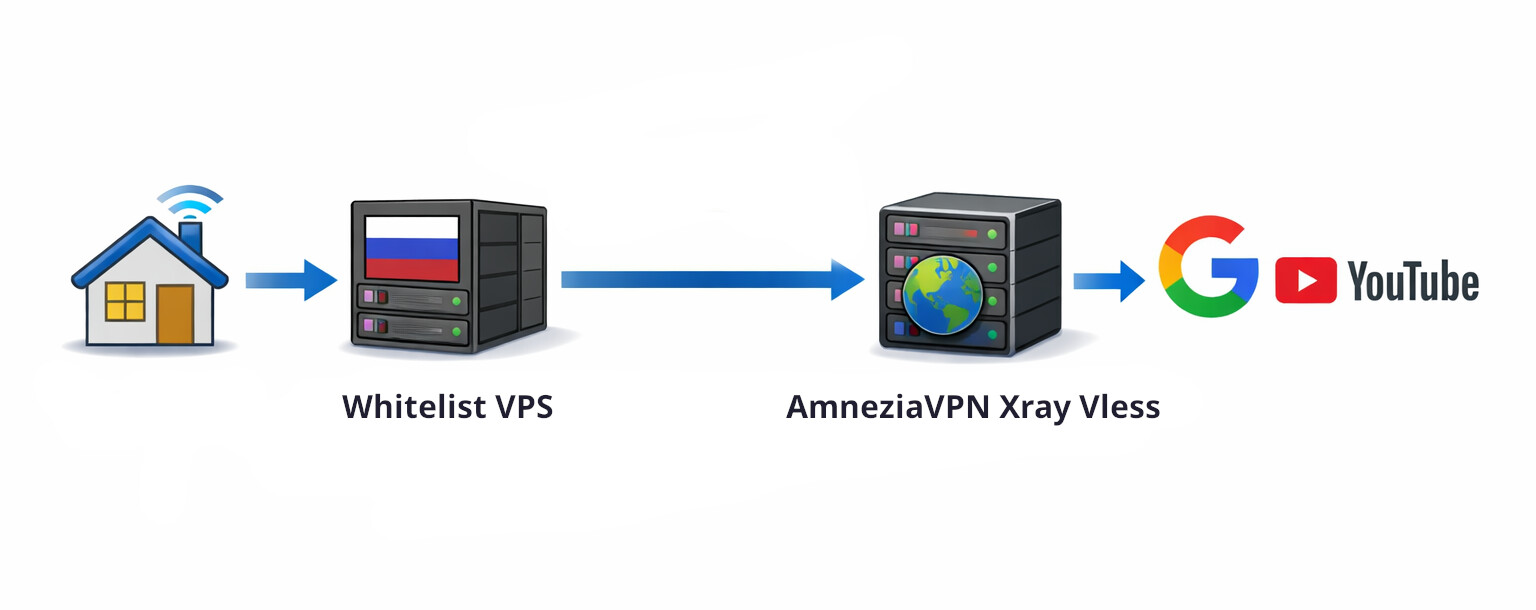
AmneziaVPN – an open‑source VPN, specifically designed for reliable circumvention of DPI-censorship filters in countries with strict internet control (China, Russia, Belarus, Turkmenistan, Iran). It uses modern protocols that make the connection less noticeable to DPI systems. It can also be self‑hosted.
AmneziaVPN official doesn’t support Debian 13 now, but you can try install it on debian-13-xfce
- Create a debian‑12-xfce template
- Open Start → Settings → Qubes Tools → Qubes Template Manager.
- Install the debian‑12‑xfce template (you can try install it on debian-13-xfce)
- After installation, update the template via Qubes Update
If servers for Qubes are blocked in your country, use Whonix with Snowflake bridges: Tor Control Panel → Configure → Bridges type → snowflake
- Install Required Packages in the Template
- Launch a terminal inside the debian‑12‑xfce template.
- Run:
sudo apt install libxcb-cursor0 libxcb-xinerama0 libnss-resolve iptables
- Download AmneziaVPN
- Open a browser in the default‑dvm (a disposable VM).
- Download the Linux version of AmneziaVPN:
Releases · amnezia-vpn/amnezia-client · GitHub
Mirror
- Copy the Downloaded File to the Debian Template
- Right‑click the downloaded file, choose Copy to other qube, then select the target VM debian‑12‑xfce.
- In the debian‑12‑xfce VM, open Thunar.
- Navigate to your home directory → QubesIncoming → the folder whose name starts with
disp…. Inside you’ll find the AmneziaVPN archive. - Extract the archive and run the installer.
- Refresh the Application Menu
- Open Qube Manager (click the blue cube icon on the panel).
- Select debian‑12‑xfce, then click App Shortcuts at the top.
- Click Refresh Applications to update the menu list.
- Shut down debian‑12‑xfce (right‑click → Shutdown).
- Create a new VPN AppVM
- In Qube Manager, create a new AppVM based on the debian-12-xfce template. Name it sys‑vpn or sys-amnezia.
- Go to App Shortcuts for sys‑vpn and move AmneziaVPN and Thunar to the right side.
- Install AmneziaVPN in the sys‑vpn VM
- Copy the AmneziaVPN installer file (the one you downloaded earlier) into sys‑vpn.
- Extract the archive again inside sys‑vpn and run the installer (Otherwise, AmneziaVPN might fail to start).
- Launch and configure AmneziaVPN
- AppMenu → sys‑vpn → AmneziaVPN
- Enable VLESS protocol.
- Set up autostart if desired.
- Set Up a Kill Switch (Manual Configuration)
The built‑in kill switch in the AmneziaVPN app does not work under Qubes OS, so configure it manually in sys‑vpn
- Open a terminal in sys‑vpn and start Thunar with root privileges:
sudo thunar
- Edit the file
/rw/config/qubes-firewall-user-scriptand append the following rules at the bottom:
nft add rule ip qubes custom-forward tcp flags syn / syn,rst tcp option maxseg size set rt mtu
# Prevent the qube from forwarding traffic outside of the VPN
nft add rule qubes custom-forward oifname eth0 counter drop
nft add rule ip6 qubes custom-forward oifname eth0 counter drop
(The first command fixes slow connection issues on Linux by adjusting the MTU).
- Route Traffic Through the VPN
- Assign sys‑vpn as the Net qube for sys‑whonix and for any other AppVMs where you want to hide the IP address.
- Edit Global Update Settings
- Open Global Settings → Updates.
- Enable “Disable checking for updates for all existing qubes.”
- In the “Except for following qubes, for which checking for updates will be enabled” field, add sys‑vpn and sys‑whonix.
Remember that new AppVMs will be added to the exceptions list for update checks. You’ll need to manually delete any unnecessary AppVMs (with the real IP).
 Done!
Done!
Installation of AmneziaWG – the best obfuscation for WireGuard.
- Open terminal in template fedora-43-xfce or debian-13-xfce
- Use this guide for Manual build https://github.com/amnezia-vpn/amneziawg-linux-kernel-module:
http_proxy=http://127.0.0.1:8082 https_proxy=http://127.0.0.1:8082 git clone https://github.com/amnezia-vpn/amneziawg-linux-kernel-module.git
cd amneziawg-linux-kernel-module/src
Skip step 2 from github guide (you’re using the kernel from dom0).
make
sudo make install
- Activate the module and check it.
sudo modprobe amneziawg
lsmod | grep amneziawg
- Add module to autostart.
echo "amneziawg" | sudo tee /etc/modules-load.d/amneziawg.conf
- Shutdown template.
Done!
Now you can connect any WireGuard configurations and hide the VPN connection!
See this guide for run WireGuard VPN in Qubes: Wireguard VPN setup (4.2 and 4.3)
You can use free Warp WireGuard configuration generators, for example:
1 https://warp-generator.vercel.app/
2 GitHub - findllimonix/warp-config-generator: WARP configuration generator with support for various deployment platforms (Vercel, Netlify, Cloudflare)
3 WARP WireGuard Config Generator
4 WARP Генератор
5 GitHub - ImMALWARE/bash-warp-generator: Генератор конфига Cloudflare WARP для AmneziaVPN
AmneziaVPN with VLESS works better then AmneziaWG

Also use amnesic RAM qubes to protect against forensics, and a USB Kill Switch - essential tools in totalitarian countries:
dom0 in RAM, Tails Mode. Protection against forensics
Really disposable (RAM based) qubes
Antidetect‑appVM with FOSS Antidetect Browsers. Windows fingerprint. Random fingerprint in dvm
USB Kill Switch for Qubes OS