Qubes is missing a GUI that display every information needed to know to a user who never touched Qubes after the first installation.
I asked the AI (Claude) to use zenity to create a GUI that will display those informations. I would like Qubes integrate something very similar for the future version of Qubes this could reduce a lot of post in the forum and make the life of a normal user much more easier. I tried to integrate the picture from https://forum.qubes-os.org/t/improve-qubesos-guides-and-documentation-using-ai/38671/41 in the script but that require to use a another package so i abandoned the idea.
#!/bin/bash


WINDOW_WIDTH=950
WINDOW_HEIGHT=700

# Path to Qubes logo
QUBES_LOGO="/home/user/qubes-logo-home.svg"

# Suppress GDK warnings
export GDK_DEBUG=""
unset GDK_SCALE

# Awesome Community guides links
declare -a awesome_guides=(
    "https://forum.qubes-os.org/t/set-firefox-arkenfox-preferences-in-template/38832/1"
    "https://forum.qubes-os.org/t/wireguard-vpn-setup-4-2-and-4-3/19141"
    "https://forum.qubes-os.org/t/easily-paste-into-dom0-but-securely/37477"
    "https://forum.qubes-os.org/t/set-custom-preferences-for-brave-browser-in-disposable-qube/27351/1"
    "https://forum.qubes-os.org/t/qubes-os-live-mode-dom0-in-ram-non-persistent-boot-ram-wipe-protection-against-forensics-tails-mode-hardening-dom0-root-read-only-paranoid-security/38868/41"
)

# Function to generate awesome community guides list
generate_guides_list() {
    local guides_text="🌟 <b>Awesome Community Guides Link You May Want to See:</b>\n"
    for guide in "${awesome_guides[@]}"; do
        guides_text+="→ <u>$guide</u>\n"
    done
    echo -e "$guides_text"
}

# Function to set icon option
get_icon_option() {
    if [ -f "$QUBES_LOGO" ]; then
        echo "--icon=$QUBES_LOGO"
    else
        echo "--icon=dialog-information"
    fi
}

# Define all slides
declare -A slides=(
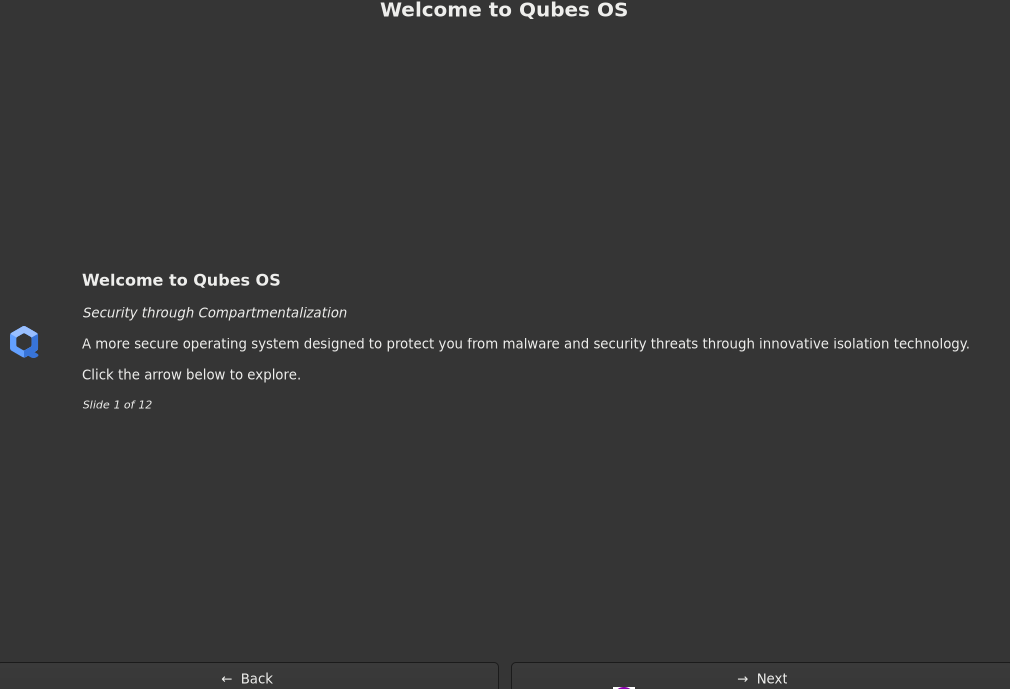
    [1_title]="Welcome to Qubes OS"
    [1_content]="<b><big>Welcome to Qubes OS</big></b>\n\n<i>Security through Compartmentalization</i>\n\nA more secure operating system designed to protect you from malware and security threats through innovative isolation technology.\n\nClick the arrow below to explore."

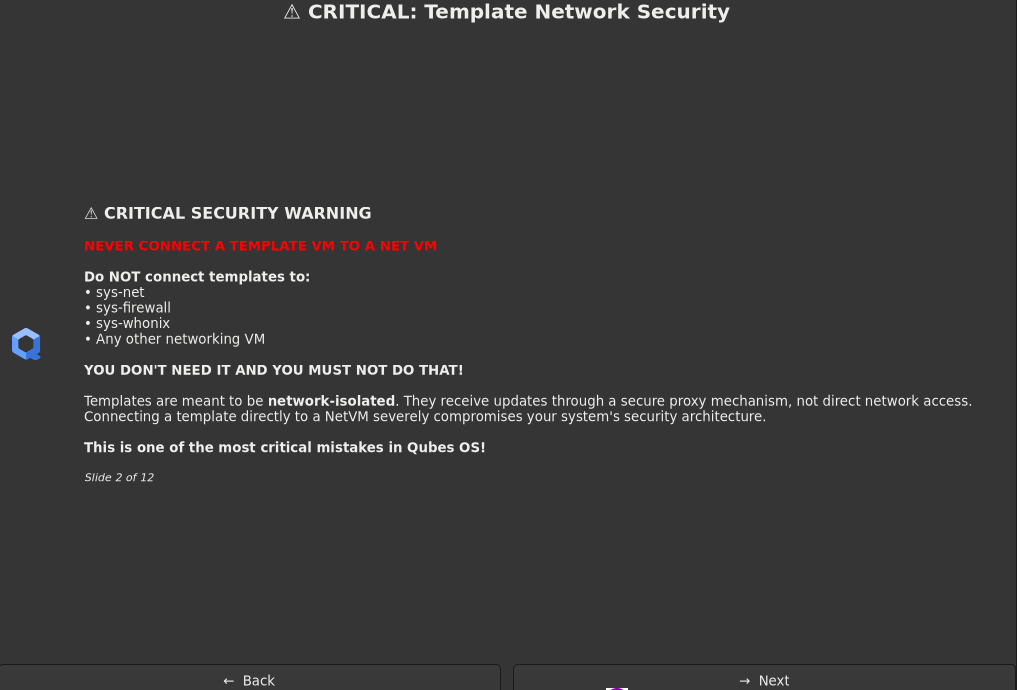
    [2_title]="⚠️ CRITICAL: Template Network Security"
    [2_content]="<b><big>⚠️ CRITICAL SECURITY WARNING</big></b>\n\n<b><span foreground='#FF0000'>NEVER CONNECT A TEMPLATE VM TO A NET VM</span></b>\n\n<b>Do NOT connect templates to:</b>\n• sys-net\n• sys-firewall\n• sys-whonix\n• Any other networking VM\n\n<b>YOU DON'T NEED IT AND YOU MUST NOT DO THAT!</b>\n\nTemplates are meant to be <b>network-isolated</b>. They receive updates through a secure proxy mechanism, not direct network access. Connecting a template directly to a NetVM severely compromises your system's security architecture.\n\n<b>This is one of the most critical mistakes in Qubes OS!</b>"

    [3_title]="Security Architecture"
    [3_content]="<b>Qubes OS Security Architecture</b>\n\nQubes OS implements <b>security through compartmentalization</b>. Each application runs in its own lightweight virtual machine (AppVM), isolated from others.\n\n<b>Key Features:</b>\n• Hardware-based isolation\n• Trusted boot\n• Minimal TCB (Trusted Computing Base)\n• Protection against malware spread"

    [4_title]="Virtual Machines"
    [4_content]="<b>Lightweight Virtual Machines</b>\n\nQubes uses Xen hypervisor-based technology to create lightweight VMs that consume minimal resources.\n\n<b>VM Types:</b>\n• <b>AppVM</b> - Application virtual machines\n• <b>TemplateVM</b> - Base OS templates\n• <b>StandaloneVM</b> - Independent VMs\n• <b>DisposableVM</b> - Temporary VMs\n\nEach VM is isolated and can be customized independently."

    [5_title]="Compartmentalization"
    [5_content]="<b>Security Through Compartmentalization</b>\n\nQubes OS isolates different aspects of your digital life into separate VMs:\n\n<b>Example Setup:</b>\n• <b>Personal VM</b> - Personal files and activities\n• <b>Work VM</b> - Work-related tasks\n• <b>Banking VM</b> - Financial transactions\n• <b>Untrusted VM</b> - Risky browsing activities\n• <b>Multimedia VM</b> - Media processing\n\nIf one VM is compromised, others remain protected."

    [6_title]="Qubes Manager"
    [6_content]="<b>Qubes Manager - System Control Hub</b>\n\nThe Qubes Manager is your central control interface for managing your entire system.\n\n<b>Key Capabilities:</b>\n• Create and manage VMs\n• Configure network settings\n• Manage storage and backups\n• Monitor system resources\n• Update templates\n• Backup and restore VMs"

    [7_title]="Getting Started"
    [7_content]="<b>Getting Started with Qubes OS</b>\n\n<b>First Steps:</b>\n1. Open Qubes Manager from Applications\n2. Create your first AppVM\n3. Select a template (Fedora, Debian, etc.)\n4. Configure network settings\n5. Install applications in VMs\n\n<b>Pro Tips:</b>\n• Start with 2-3 VMs\n• Use color coding for organization\n• Regular backups are essential"

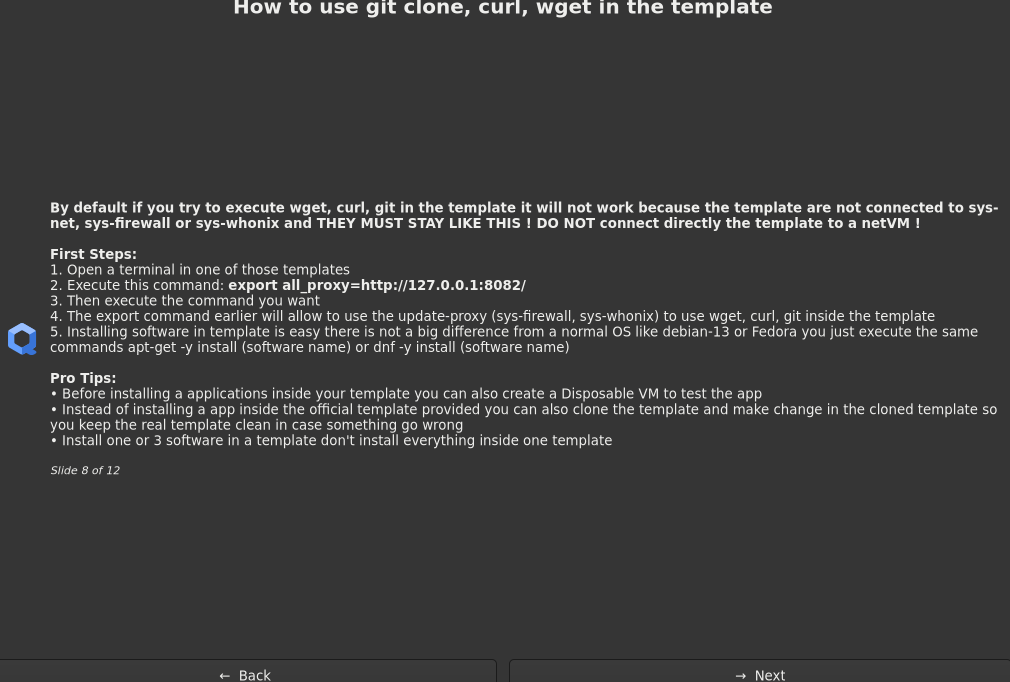
    [8_title]="How to use git clone, curl, wget in the template"
    [8_content]="<b>By default if you try to execute wget, curl, git in the template it will not work because the template are not connected to sys-net, sys-firewall or sys-whonix and THEY MUST STAY LIKE THIS ! DO NOT connect directly the template to a netVM !</b>\n\n<b>First Steps:</b>\n1. Open a terminal in one of those templates\n2. Execute this command: <b>export all_proxy=http://127.0.0.1:8082/</b>\n3. Then execute the command you want \n4. The export command earlier will allow to use the update-proxy (sys-firewall, sys-whonix) to use wget, curl, git inside the template\n5. Installing software in template is easy there is not a big difference from a normal OS like debian-13 or Fedora you just execute the same commands apt-get -y install (software name) or dnf -y install (software name)\n\n<b>Pro Tips:</b>\n• Before installing a applications inside your template you can also create a Disposable VM to test the app\n• Instead of installing a app inside the official template provided you can also clone the template and make change in the cloned template so you keep the real template clean in case something go wrong\n• Install one or 3 software in a template don't install everything inside one template"

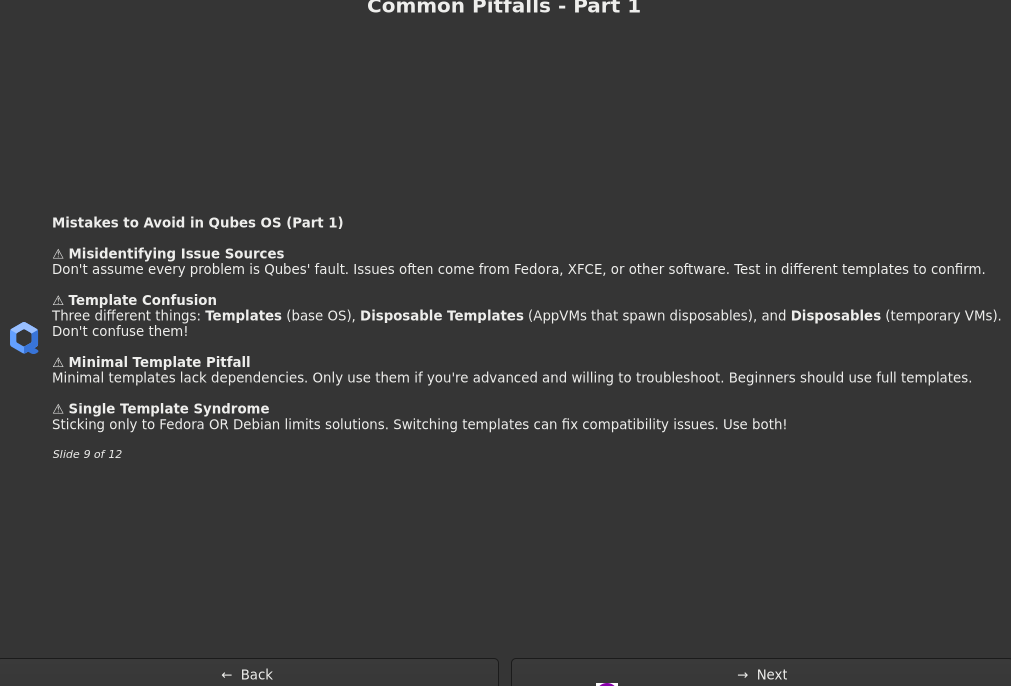
    [9_title]="Common Pitfalls - Part 1"
    [9_content]="<b>Mistakes to Avoid in Qubes OS (Part 1)</b>\n\n<b>⚠️ Misidentifying Issue Sources</b>\nDon't assume every problem is Qubes' fault. Issues often come from Fedora, XFCE, or other software. Test in different templates to confirm.\n\n<b>⚠️ Template Confusion</b>\nThree different things: <b>Templates</b> (base OS), <b>Disposable Templates</b> (AppVMs that spawn disposables), and <b>Disposables</b> (temporary VMs). Don't confuse them!\n\n<b>⚠️ Minimal Template Pitfall</b>\nMinimal templates lack dependencies. Only use them if you're advanced and willing to troubleshoot. Beginners should use full templates.\n\n<b>⚠️ Single Template Syndrome</b>\nSticking only to Fedora OR Debian limits solutions. Switching templates can fix compatibility issues. Use both!"

    [10_title]="Common Pitfalls - Part 2"
    [10_content]="<b>Mistakes to Avoid in Qubes OS (Part 2)</b>\n\n<b>⚠️ Networking Disasters</b>\nNEVER enable 'Provides Network' in templates. Don't set up VPN-Tor tunnels in templates. Don't change networking without understanding consequences. Network goes TO templates via proxies, not FROM them.\n\n<b>⚠️ Dom0 File Copying</b>\nNEVER copy files to dom0 (wallpapers, configs, etc.). Dom0 should ONLY manage Qubes. No browsing, no apps, no file navigation in dom0.\n\n<b>⚠️ USB Attachment Mistakes</b>\nDon't attach the same USB drive to multiple qubes simultaneously. Use <b>block devices</b> instead of USB passthrough when possible. Don't use sys-usb to mount drives directly—attach them to AppVMs instead."

    [11_title]="Common Pitfalls - Part 3"
    [11_content]="<b>Mistakes to Avoid in Qubes OS (Part 3)</b>\n\n<b>⚠️ Vault Misconception</b>\nVault is just a regular AppVM with a grey label and no network. It's NOT special or more secure. It's just a label for organization.\n\n<b>⚠️ Standalone Overuse</b>\nDon't overuse standalones. Use TemplateVM + AppVM instead. Standalones don't benefit from template updates and waste resources. Only use standalones when necessary.\n\n<b>⚠️ Disposable Misuse</b>\nDon't use disposable sys-net with WiFi without understanding disposables. Don't underestimate disposable power—they're efficient for temporary tasks.\n\n<b>⚠️ No Testing</b>\nAlways test changes in temporary test qubes first. It's easy to create and delete them. Never experiment on production qubes!"

    [12_title]="Thank You!"
    [12_content]="<b><big>Thank You for Exploring Qubes OS!</big></b>\n\nYou've learned about the core concepts of Qubes OS security architecture and important best practices to avoid common pitfalls.\n\n<b>What to do next:</b>\n• Visit the official documentation\n• Explore the Qubes community forums\n• Download Qubes OS and try it\n• Read the security guidelines\n\n$(generate_guides_list)\n\n<b>Qubes OS</b> - <i>Secure by Compartmentalization</i>"
)

# Function to display a slide with question dialog (smooth transitions)
show_slide() {
    local slide_num=$1
    local title="${slides[${slide_num}_title]}"
    local content="${slides[${slide_num}_content]}"
    local total_slides=12
    local icon_option=$(get_icon_option)

    # Show the slide using question dialog
    zenity --question \
        --title="$title" \
        --text="$content\n\n<small><i>Slide $slide_num of $total_slides</i></small>" \
        --width=$WINDOW_WIDTH \
        --height=$WINDOW_HEIGHT \
        --ok-label="→  Next" \
        --cancel-label="←  Back" \
        $icon_option 2>/dev/null

    return $?
}

# Main diaporama loop - optimized for smooth transitions
run_diaporama() {
    local current_slide=1
    local total_slides=12

    while true; do
        # Show current slide
        show_slide $current_slide
        local result=$?

        if [ $result -eq 0 ]; then
            # User clicked "Next" (OK button returns 0)
            if [ $current_slide -lt $total_slides ]; then
                current_slide=$((current_slide + 1))
                # No delay - smooth transition
            else
                # Reached the end
                break
            fi
        else
            # User clicked "Back" or closed dialog (Cancel returns 1)
            if [ $current_slide -gt 1 ]; then
                current_slide=$((current_slide - 1))
                # No delay - smooth transition
            else
                # At the beginning, exit immediately without confirmation
                return 1
            fi
        fi
    done

    return 0
}

# Main execution
main() {
    run_diaporama
    exit 0
}

# Run the script
main
The common pitfall information are coming from @parulin in this post What are common pitfalls new Qubes users run into? (AI written the pitfall) i only write the information about wget , curl etc
The script is far from being perfect i know some information are missing but this is just a example of what we must have in Qubes. So to resume the idea is : User log-in in the session for the first time > Display the GUI > In case the user need to read again then we must provide a way to let him read again the GUI
If you want to see the logo you have to download it here Visual style guide | Qubes OS i used this one https://www.qubes-os.org/attachment/icons/qubes-logo-home.svg
What do you think about this ?


 i hope it’s a joke