How to launch LibreOffice maximized?

Hi Everyone!

I’ve always just ‘put up with’ a situation, whereas my LibreOffice applications start up with the size of a thumbnail! I’ve searched but couldn’t find anything here and I’m wondering: how do I set them to start up maximized? These are persistent app qubes btw…

As always, thanks so much for your help, comments, and advice - greatly appreciated!

Klaus

Plz. look deeper - there are tons of topics on this issue, which is open since several years. It’s possible to use a workaround, but (from what I remember) it’s difficult to set it up (instead of living with it).

Solved - LibreOffice window being really small when started | The FreeBSD Forums

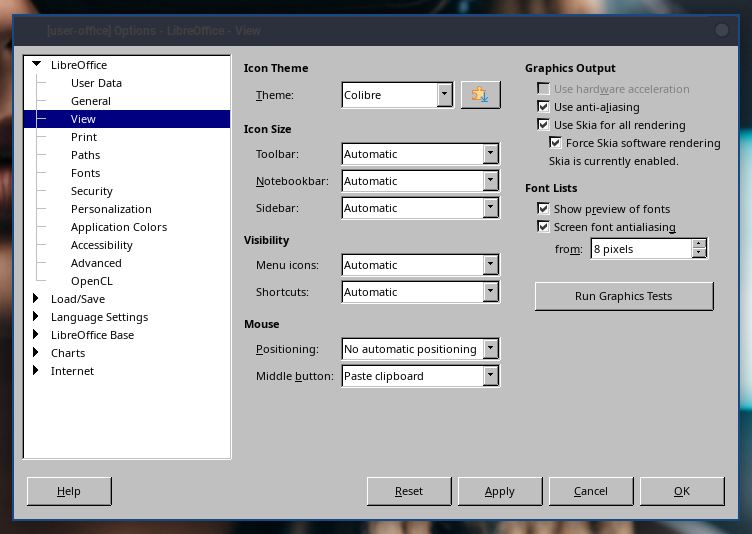
Enabling Skia rendering made my LibreOffice windows open normally.

In LibreOffice, Tools > Options > LibreOffice > View

Enable “Use Skia for all rendering” and “Force Skia software rendering”

I’m afraid, most of the users don’t have these option available in their office options. This is, what I see:

I can’t find it too, but I think the setting must have been renamed? Search for “skia” in the top right search bar filters all choices but LibreOffice → View :thinking:

Try deselecting “Use hardware acceleration” in the same menu.

Even it remembers this setting (after VM restart) the deselecting of hw acce… don’t take any effect.

Same with deselecting “Use anti-aliasing” and “Screen font antialiasing”

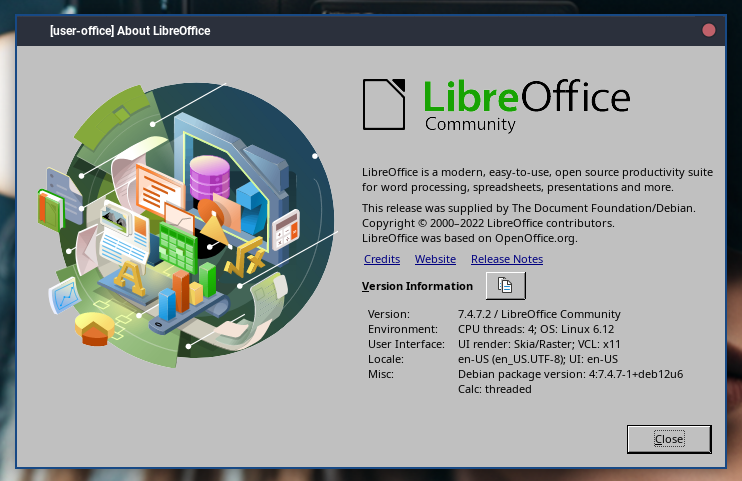
I’m using Debian 12, LibreOffice is installed from the main repo

This is my options

I’m running Debian 12 as well, however I do not have the options for Skia listed under the view section like above. My options look identical to @TheGardner screen shot. For now, just expanding the little box of a window that pops when starting applications from LibreOffice :wink:
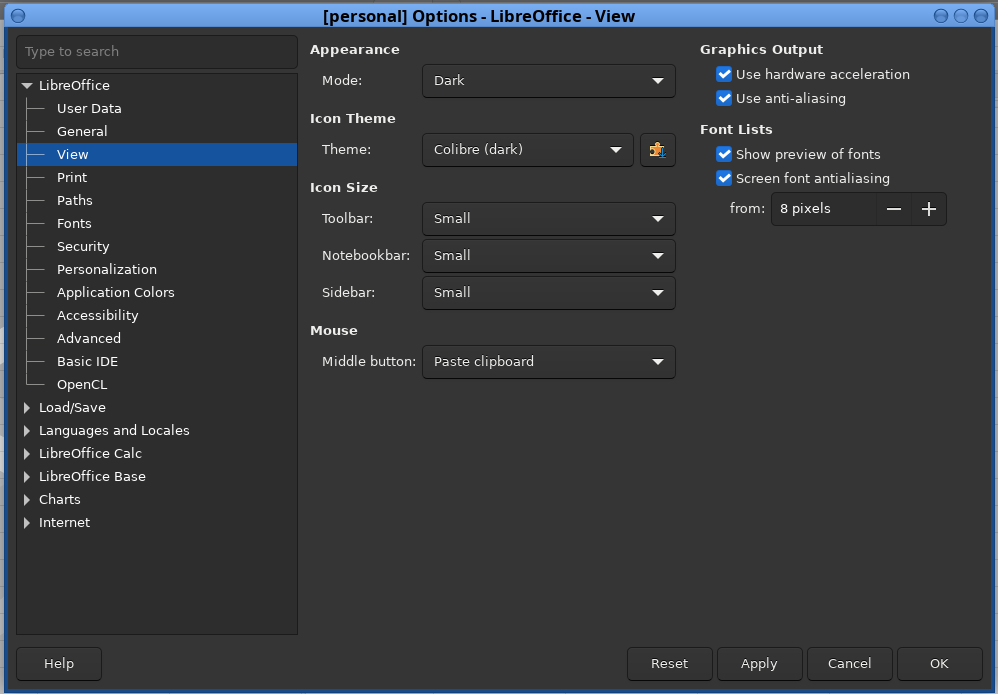
Same here, no Skia option available. @anon40243023 could you please check your installation / configuration to find the difference?

I’m using the minimal Debian 12 template, that seems to be the difference.

LibreOffice from the minimal templates has Skia/Raster

It seems to be missing in the full template

I am using minimal template for libreoffice:

Could it be that GTK3 is the issue? I have a GTK3 setup in my base template.