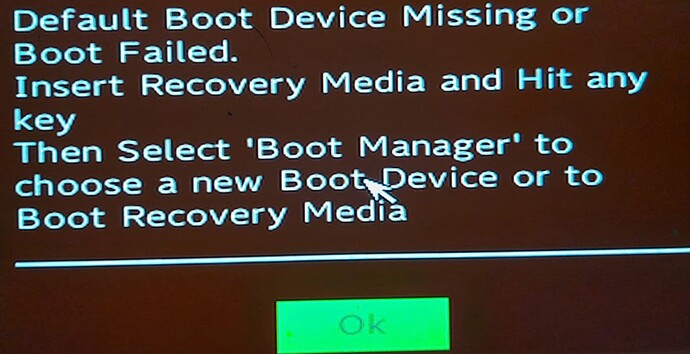
You have said that you back up to the same drive where Qubes is
installed, and that you have a single partition on that drive… You have
not said where it is you backing up - you say “storage space” but
you have never said how you created this storage space, or how you
access it in the backup.
rustybird suggested you try to backup one of the large qubes that you
know fails using the CLI tool and report the error message you see. Do
that.
Write the backup line that you use and report back the errors.
I never presume to speak for the Qubes team.
When I comment in the Forum I speak for myself.
Try qvm-backup /path/to/backups qube where you should replace /path/to/backups by the full location of the directory in dom0 to store the backup file in, and qube by the name of the qube you want to back up.
(You can also put multiple qube arguments there instead of just one, e.g. qvm-backup /path/to/backups qube1 qube2 qube3 - or no qube name to back up all qubes, e.g. qvm-backup /path/to/backups)
Why has creating backups with QubesOS 4.3 become so problematic? With QubesOS 4.2, backups always worked perfectly. Backups are the most important thing, so I’d say they should always work, right?
Why can’t you combine multiple Qubes into a single backup? Why isn’t that possible anymore? It used to work without any issues before.
I’m not aware of any new problems with the backup system in R4.3 compared to R4.2. Whatever is happening here seems specific to your setup.
Taking a step back:
… why?
IIUC you’re having the backup system write the backup file to a VM’s storage and then (although you currently cannot get to this point) you would manually transfer the backup file to your backup drive.
Could you instead try a backup run where the backup file is written straight to your backup drive? Besides being faster, this would also sidestep any issue with not having enough free space in the VM or its underlying storage pool. (Although I’m baffled by how running out of free space would lead not only to a reboot, but then to you having to reboot a second time in order for the boot medium to be found.)
My backup VM storage space is large enough that I can easily store over 500 GB on it. I’d like to continue storing these backups there while the backup is running. I’m also always wondering why my laptop restarts every time, even though I didn’t make any changes to it when I installed QubesOS 4.3.
This means that there’s something wrong with the qvm-backup command you’re trying to use. It’s missing a value for the backup_location argument. Please provide the exact qvm-backup command you’re trying to use, and we can help you fix it.
It all still works fine for me, including combining multiple qubes into a single backup.
It has not become problematic. As I pointed out, this isnt the first
time you have reported issues that dont seem to affect other users. It
could be hardware or wetware faults.
In this case I think that you have narrowed down the issue to specific
qubes (please correct me if I’m wrong), and these are qubes of large
size.
Please confirm that you are able to back up individual small qubes, or
groups of small qubes.
Instead of repeatedly backing up to the same volume, why not try backing
up directly to another storage device. I think you said you had one to
which you would eventually copy the backup.
I never presume to speak for the Qubes team.
When I comment in the Forum I speak for myself.
This does not answer my question.
You said that Qubes created some volume that you use for backups.
What is that volume and how do you access it? It seems you have
misunderstood my question (again). When you use:
QubesTools → Backup Qubes
you are given options.
First you select the Qube(s) to backup.
Then you specify the Backup destination directory - First, Target qube,
Then Backup Directory or command. There is an option to open a file
browser. Whatever you do, What qube do you use, and what is the Backup
directory?
But not all of them? I though you identified some qubes with particular
sizes that you cannot backup? What sizes?
I never presume to speak for the Qubes team.
When I comment in the Forum I speak for myself.