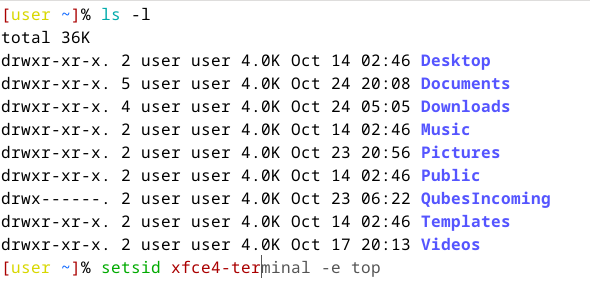
Bash lacks support for autosuggestions and syntax highlighting.Fish is great, but its incompatibility with Bash syntax leads to some compatibility issues.Zsh is the only option left.
The whonix template come with a default zsh config and it work in other distro too.So you don’t have to install OhMyZsh or anything else in your template.
apt install zsh-autosuggestions zsh-common zshordnf install zsh zsh-autosuggestions zsh-syntax-highlighting- cd to
/etc/zsh/inwhonix-gatewaytemplate and delete /etc/zsh/zshrc and/etc/zsh/zprofileotherwise copy to other vm wil fail. - Copy
/etc/zsh/fromwhonix-gatewaytemplate tofedora/debiantemplete and replace the original/etc/zshif exists. - In
debian, run
ln -s /etc/zsh/zprofile.dist /etc/zsh/zprofile
ln -s /etc/zsh/zshrc.dist /etc/zsh/zshrc
- In
fedora, run
rm /etc/zshrc /etc/zprofile
ln -s /etc/zsh/zprofile.dist /etc/zprofile
ln -s /etc/zsh/zshrc.dist /etc/zshrc
- Change shell
sudo chsh -s /usr/bin/zsh user
sudo chsh -s /usr/bin/zsh
- Create empty ~/.zshrc in template’s. For the appvm that already create, just select
0when you first launch zsh.
Now you can use zsh everywhere with autosuggestions and syntax-highlighting