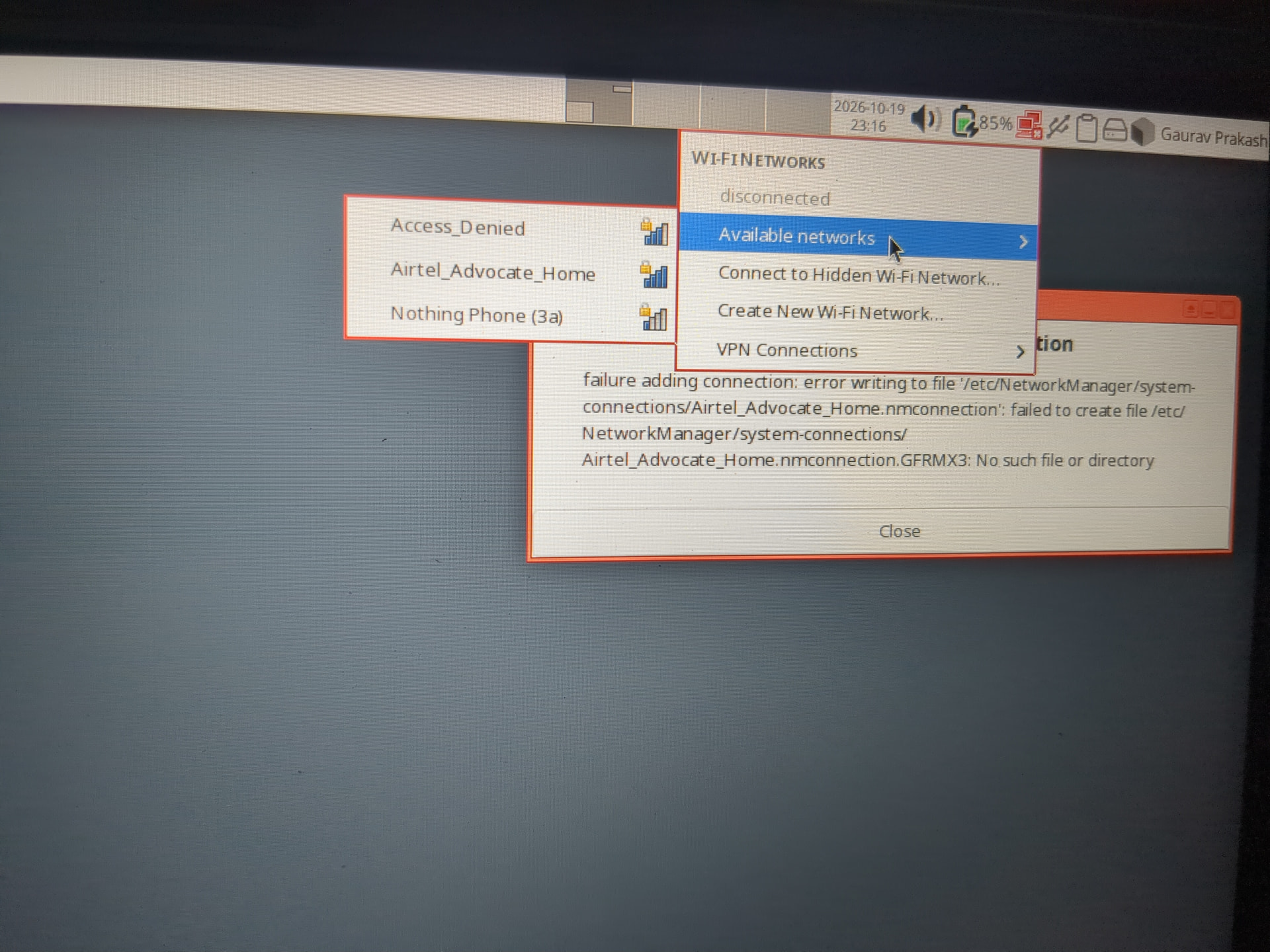
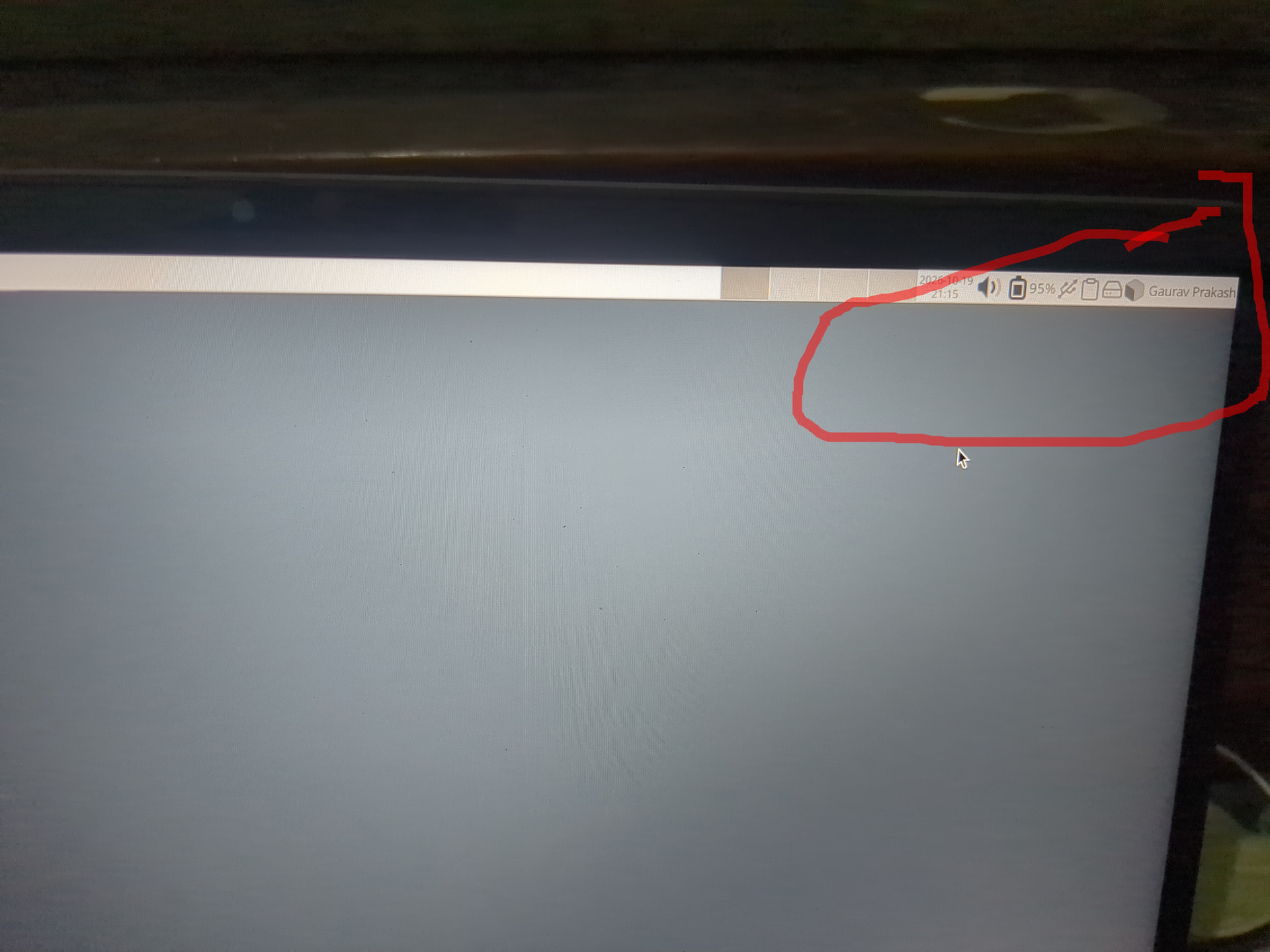
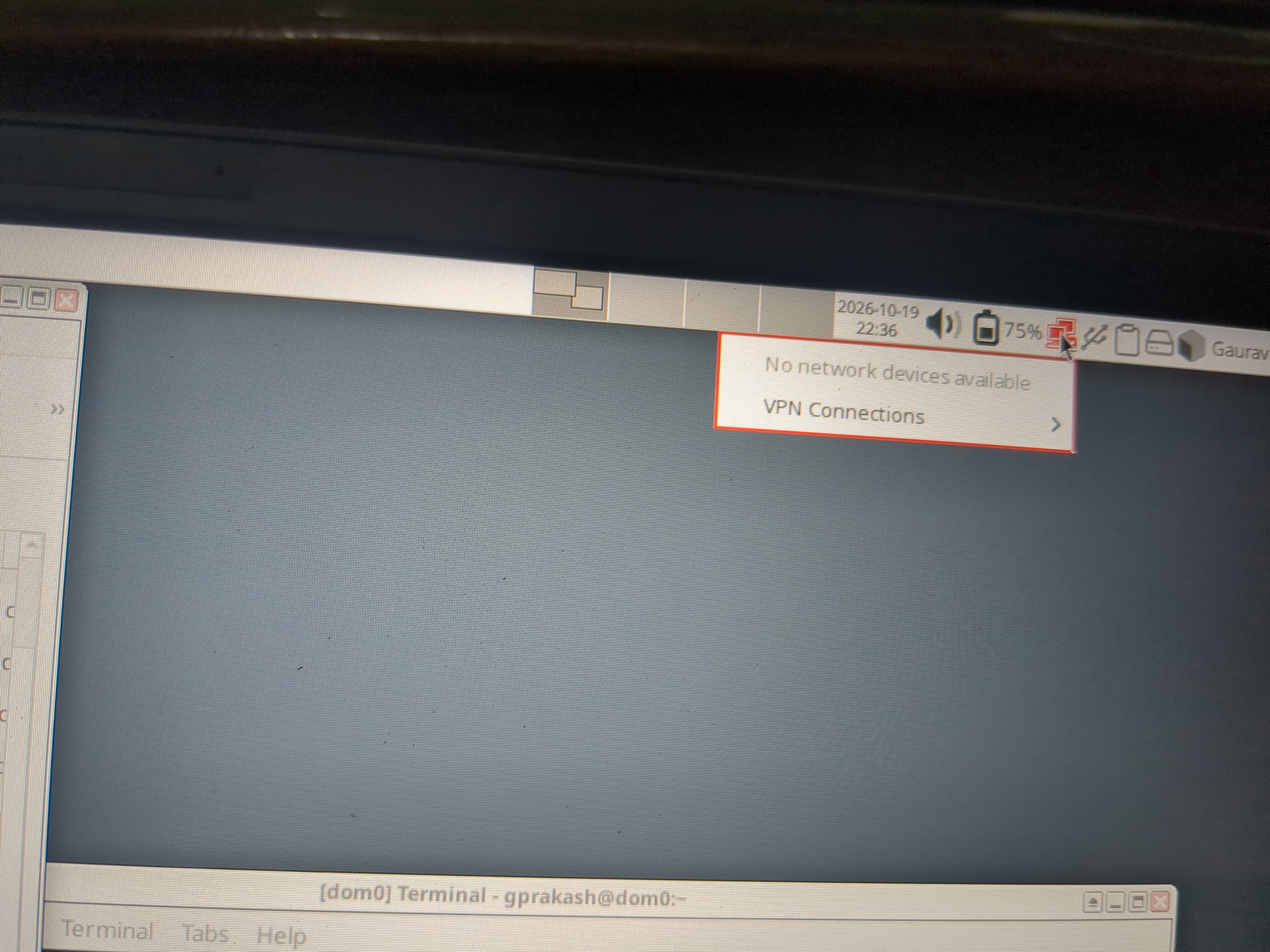
I have recently installed qubes OS 4.3.2 in my Asus expertbook P3 AI .but it doesn’t shows any network icon in top right icons . What should I do ?
Can you run these commands in dom0 and tell me the output and if it fixes the issue temporarily?
qvm-run -u user --pass-io sys-net killall nm-applet
qvm-run -u user --pass-io sys-net nm-applet
Hi GauravPrakash19 – and welcome to the forum! 
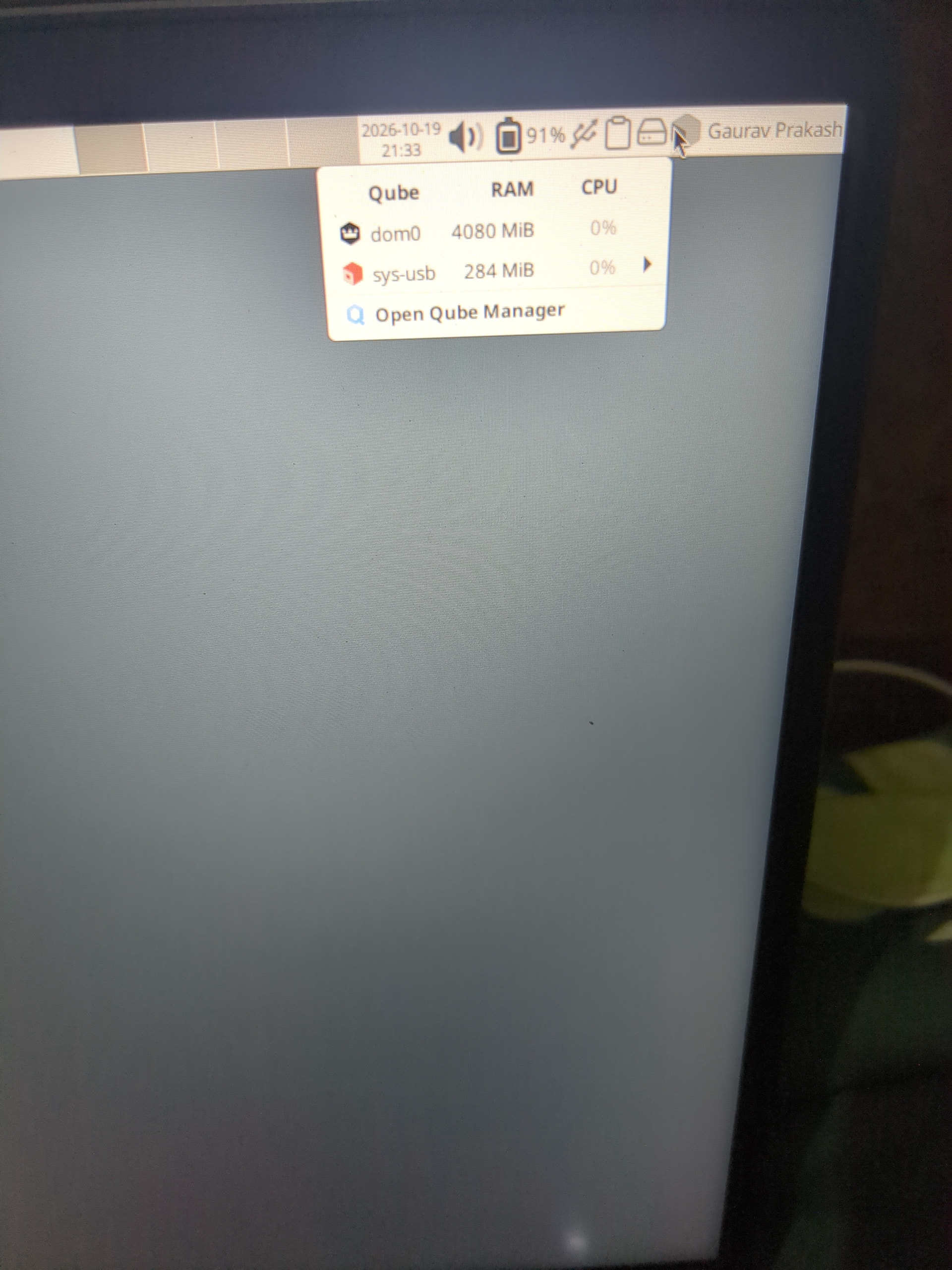
If you click the grey qube-icon (second from the right, next to your name), what does it show?
The Network Icon is shown by a Qube/vm called sys-net .. if that Qube/vm isn’t on the list from the qube-icon, then sys-net isn’t running and won’t show the icon ..
Hi GauravPrakash19
If you click the “Open Qubes Manager” you should see a list of available Qubes - one of them should be sys-net – if you click the line, there is a “Start/Resume” option at the top – click that.
If starting sys-net throws an error, share that.
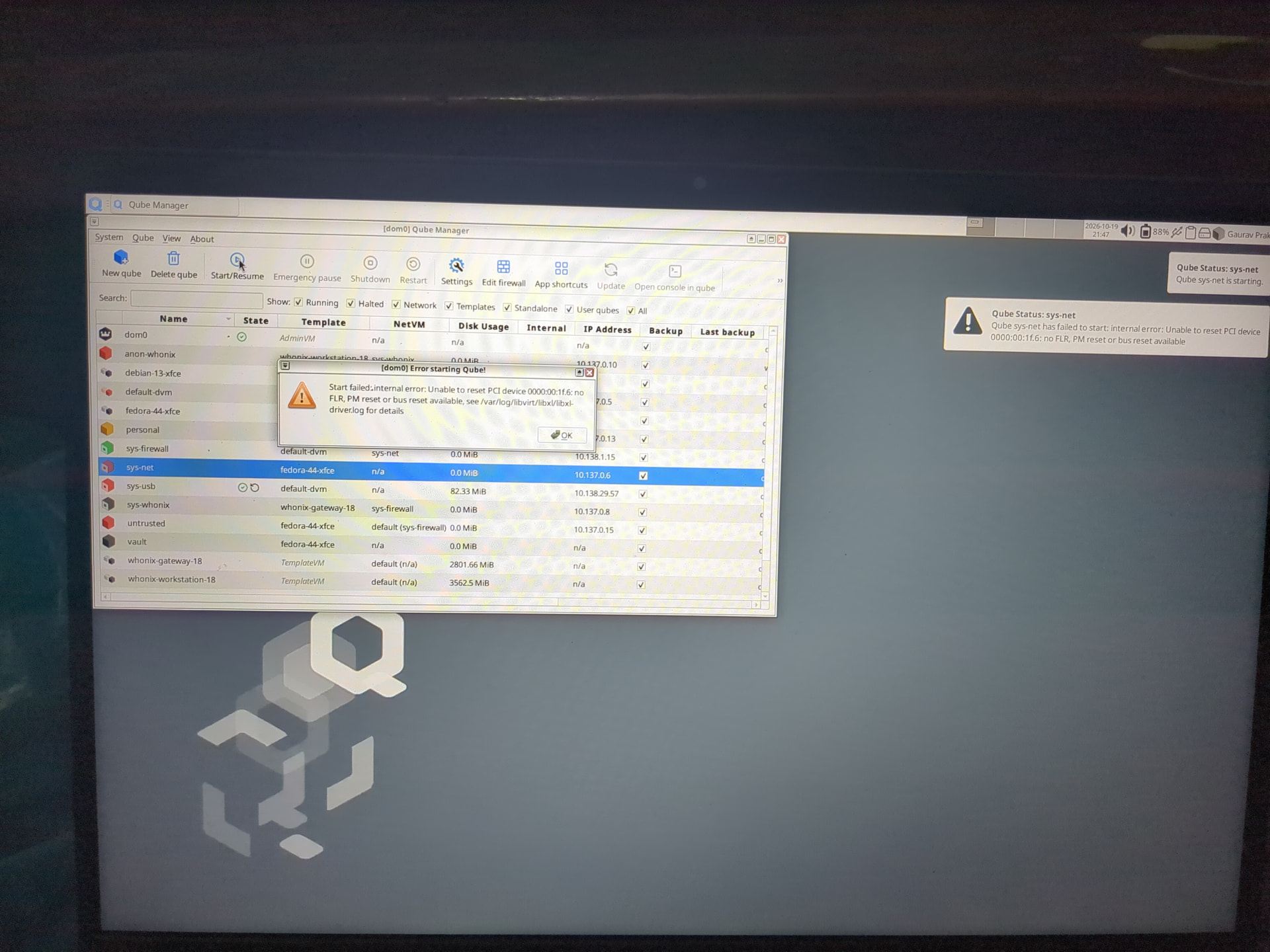
Okay.
With the sys-net line highlighted, click “Settings” and select “Devices” (4th tab) and an image of the list.
If you have multiple devices on right hand side, you can try to remove the device with a number like 1f.6, click “Apply” and try to start sys-net again.
You should also go to the “Q” (top, left), click the magnifying glass and search for “dom0 xfce-terminal”, right click the search result with “Xfce Terminal dom0” and tick the “Add to favorites” – after this, a shortcut is available below the “Q” in the favorits list.
From the “Xfce Terminal dom0” you should be able to do a:
cat /var/log/libvirt/libxl/libxl-driver.log
and share that also.

Sorry - my bad ..
sudo cat /var/log/libvirt/libxl/libxl-driver.log
“run cat as Administrator” and show the content of the file named /var/log/libvirt/libxl/libxl-driver.log
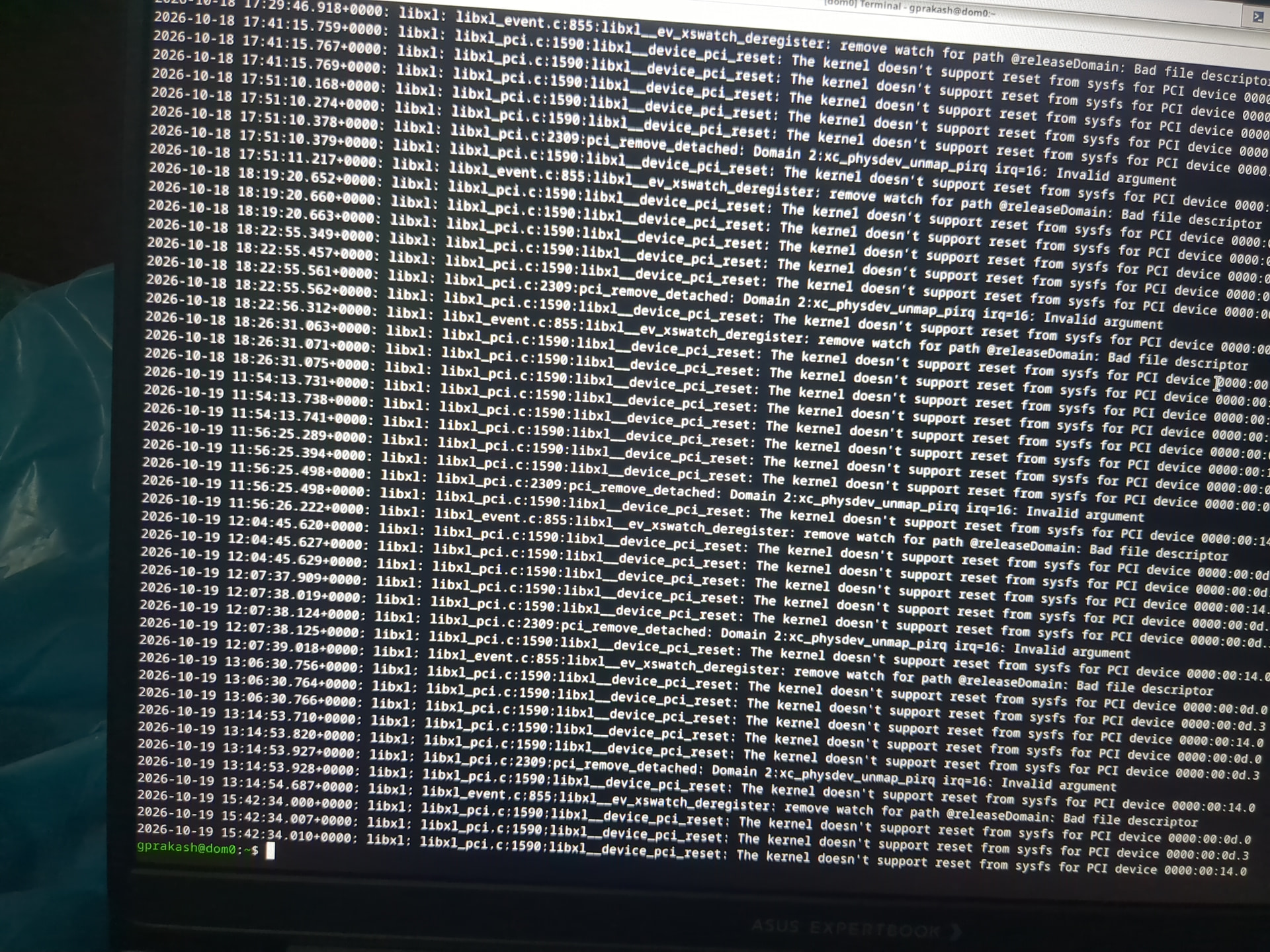
How does the list of devices from “Qube Manager” → highlight sys-net → select “Settings” → choose the 4 tab (“Devices”) look?
After you have snapped a photo, try to remove all devices (Clicking “<” between the lists) and see if sys-net can start.
Also share the output from the dom0 terminal of
sudo lspci | grep -i net
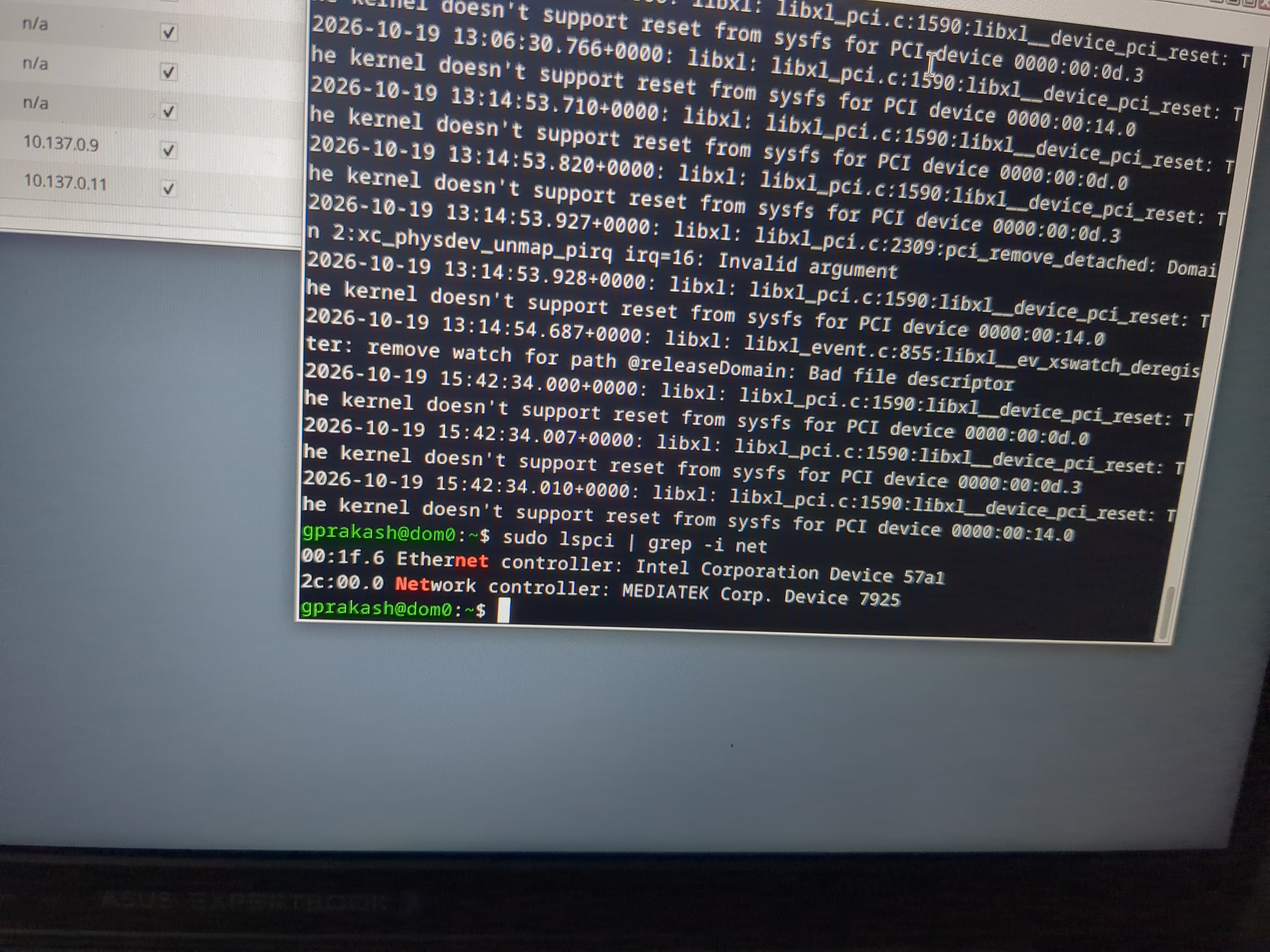
Have you tried to remove the MediaTek card from the list of devices for sys-net? – I seem to recall some resent posts on this forum, about MEDIATEK cards not working ATM. :-/
[Edit:
Can you share the output of:
uname -a
from a terminal?
]
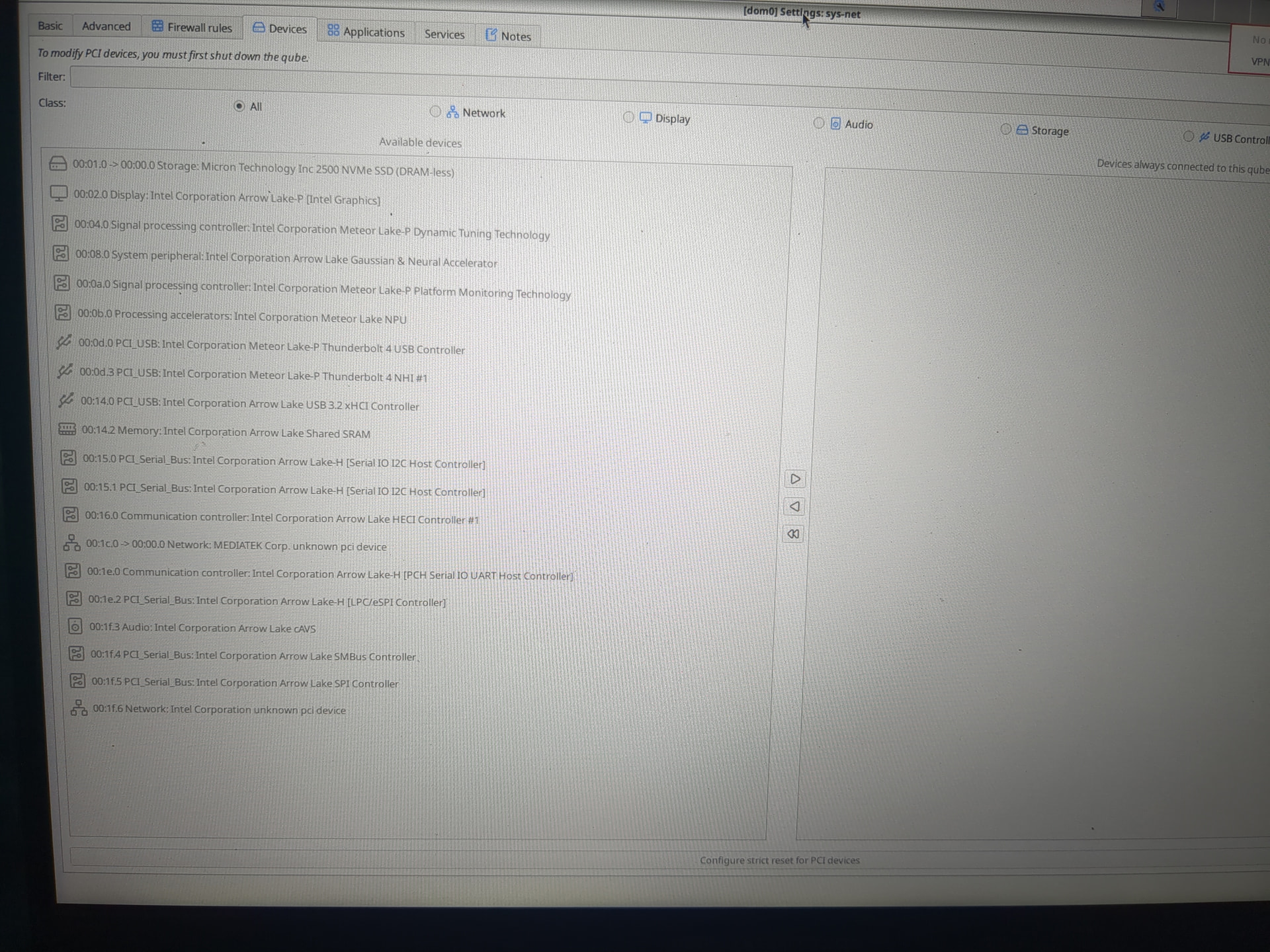

Hi GauravPrakash19 - thank you for sharing!
If you stop sys-net (qube-icon, top right → highlight sys-net and select “Shutdown”), then you should be able to add one of the network cards to sys-net and see if sys-net will still start.
If it fails, remove the card you added and add the other to test.
[Edit:
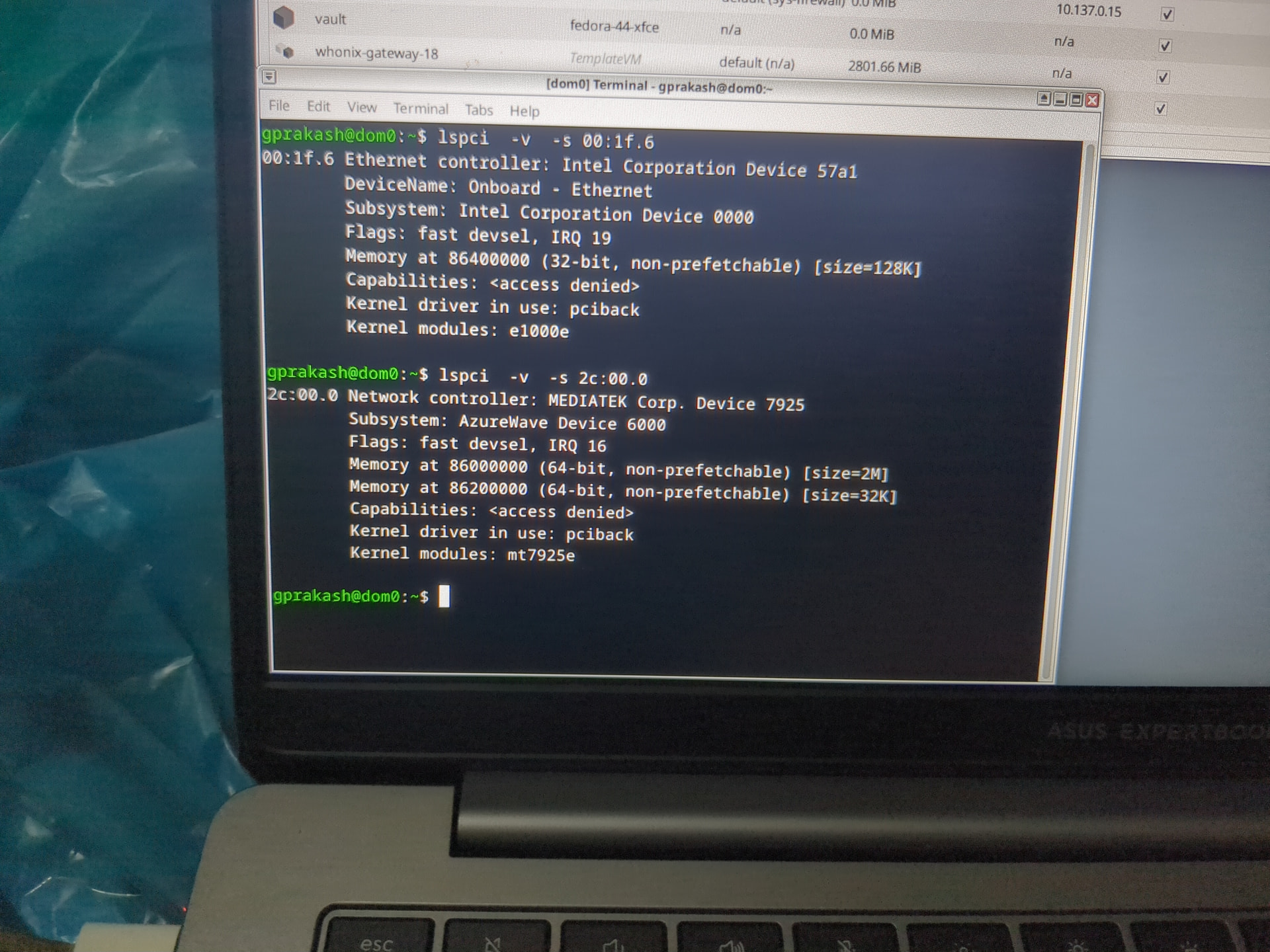
From the dom0 terminal, can you share the output from:
lspci -v -s 00:1f.6
lspci -v -s 2c:00.0
?
]