New Qubes OS user, installed latest 4.3 on new build, then installed fedora-42 template, switched all qubes to it and uninstalled original fedora-xfce template.
All is running nicely.
Next I did the following:
Updated dom0 and created sys-usb with sudo qubesctl state.sls qvm.usb-keyboard
Ensured that “usbcore.authorized_default=0” is in /etc/default/grub
Ensured that “rd.qubes.hide_all_usb” is not in /etc/default/grub
On reboot I have my USB keyboard at LUKS screen but once I get to user password screen keyboard is dead. (presumably once sys-usb starts)
E key at boot screen, added “qubes.skip_autostart”, can now boot into system with keyboard and mouse functioning properly.
All 4 of my USB controllers are attached to sys-usb. (Qube Manager, sys-usb, settings, devices)
lsusb in dom0 shows my keyboard, mouse and everything else.
When I attempted to start the sys-usb qube I got a popup:
[Dom0] Error starting Qube!
Cannot connect to qrexec agent for 60 seconds, see /var/log/xen/console/guest-sys-usb.log for details
I looked into this log, the last latest line reads:
[ 0.479089] Kernel panic - not syncing: fatal exception
I originally installed with 6.12.59.1.fc41 fedora-xcfe using sys-usb from installer and had no issues with sys-usb and booting but audio did not work. Audio now works with my current setup but sys-usb issue of course.
guest-sys-usb.log (108 KB)
I originally installed with 6.12.59.1.fc41 fedora-xcfe using sys-usb from installer and had no issues with sys-usb and booting but audio did not work. Audio now works with my current setup but sys-usb issue of course.
Do you use audio via sys-usb? If not, it seems the audio is related to dom0 kernel version, which can be different than sys-usb one. You can change sys-usb kernel version in its settings (advanced tab).
As for the crash, can you share more details about the hardware? Specifically:
CPU model
sudo lspci -vnn output - at least the entries about USB controllers connected to sys-usb
If you get sys-usb to boot with the older kernel, output of sudo lspci -vxxxnn from inside sys-usb would be useful too.
I didn’t use audio via sys-usb specifically and didn’t know I had to; do I? (remember, I’m new!)
I just tried now and audio now not working again, system doesn’t see my earbuds when I plug them in there is and no sound even though Audio mixer shows stream activity. This definitely worked before I attempted to install sys-usb after fedora-42 template install. (detected earbuds when plugging in then too)
CPU is AMD 9700X. lspci.log (13.4 KB)
Note: I renamed attached lspci.txt to lspci.log as I was unable to attach txt file.
Is there another way I can attempt to set up sys-usb or should I consider reinstalling OS again form scratch?
sys-usb now starting with keyboard enabled for luks and user login
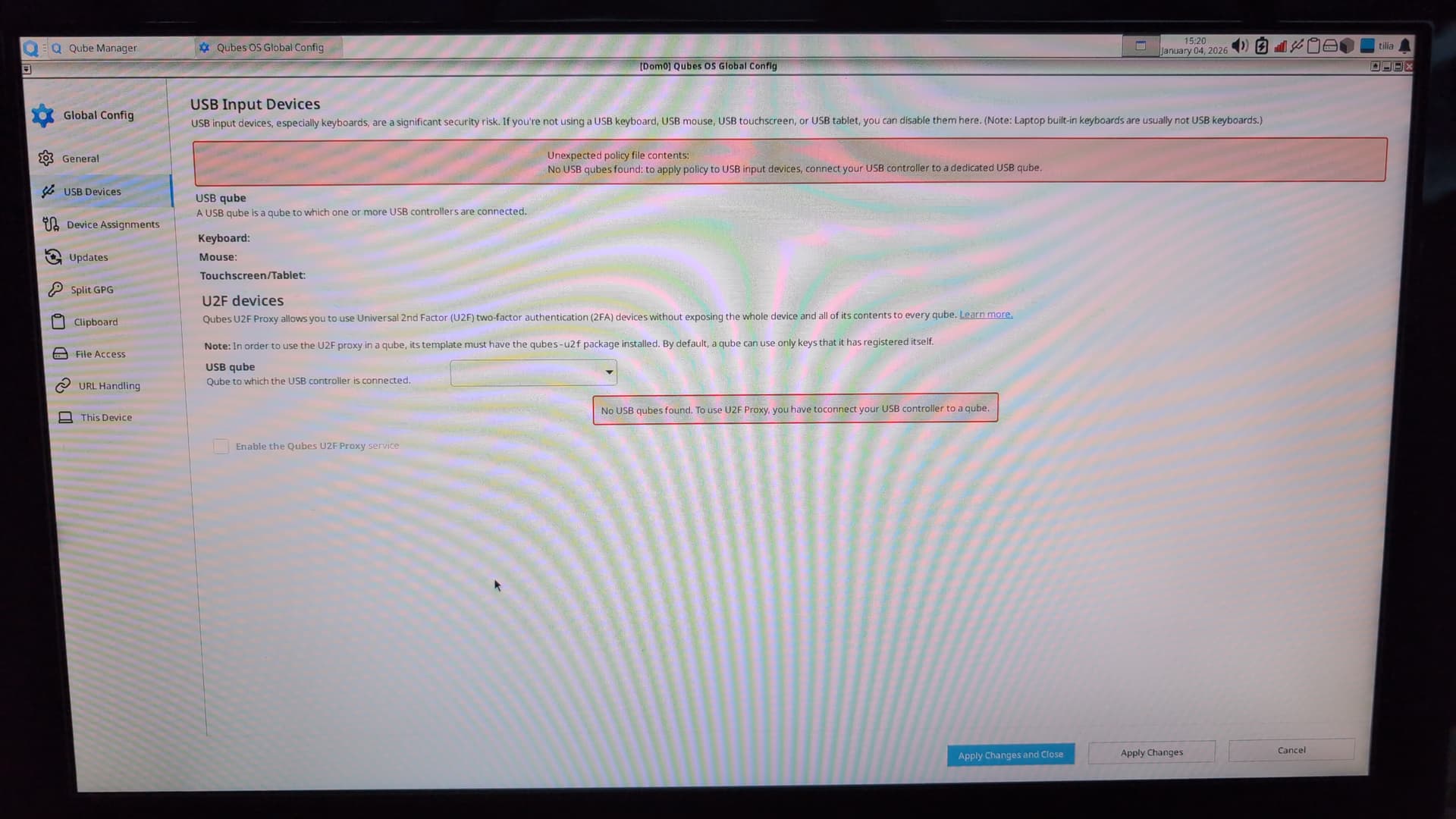
I then followed advice from posts in this thread to set keyboard and mouse to ‘always ask’ in Qubes Global Config USB Devices settings.
Now after luks and login I do get sys-usb popups asking me to allow keyboard adn mouse but have no way no 'OK" them as both keyboard and mouse don’t work until these are OK’d.
Is there a terminal command to set Qubes Global Config USB Devices settings for keyboard and mouse to ‘enable’?
Since you got sys-usb working, can you share sudo lspci -vxxxnn output from within sys-usb (don’t forget about sudo this time)? It would help debugging what happened on the newer kernel.
I’ve done everything others have reported as a successful fix in multiple threads including recreating sys-usb with the usb-keyboard salt and manually creating the qubes.Inputkeyboard policy. The keyboard stops working after decrypting the disk and reaching the user login. I now recovered it for the last time by disabling autostart on boot and then deleting sys-usb to continue for now.
I’m using a kicksecure-18 based sys-usb. I updated just one day before doing the upgrade. It was a kicksecure-17 sys-usb at that point. Looking at the available kernel list for the VMs, I assume it used the same kernel before as I have:
6.12.59-1.fc37
6.12.63-1.fc37
6.12.63-1.fc41
It usually uses the newest one, so before the upgrade it probably used 6.12.63-1.fc37, which would be the same just on Fedora 37 and not 41.
It also seemed to work post upgrade, until I switched to Kicksecure 18 (Debian 13). I don’t use AMD, so it’s unrelated to grey’s issue.
I decided to do a clean install now after I noticed I made an unrelated mistake.
This time, I kept the debian-13-xfce template for the default-mgmt-dvm and for sys-usb. This works for now. I didn’t have the time to test it yet, but I will assume changing sys-usb to Kicksecure 18 might cause it. Either because of the sysmaint-split or the new USBGuard, even though I read it would allow keyboards and devices present at boot by default.
Their policy is that sys-* VMs should work (not sure if the docs have been updated since the release of Kicksecure 18/Qubes 4.3), but they don’t want to hear about issues with it and don’t support. Won’t hurt asking them if they use it and it works for them, though.
@grey (or somebody else affected by this issue) can you test kernel with the patch included? I uploaded it into the qubes-dom0-unstable repository as kernel-latest-qubes-vm version 6.18.4-1.qubes.2.fc41. You can install it using qubes-dom0-update --enablerepo=qubes-dom0-unstable --action=update kernel-latest-qubes-vm (and then switch sys-usb to that kernel version).