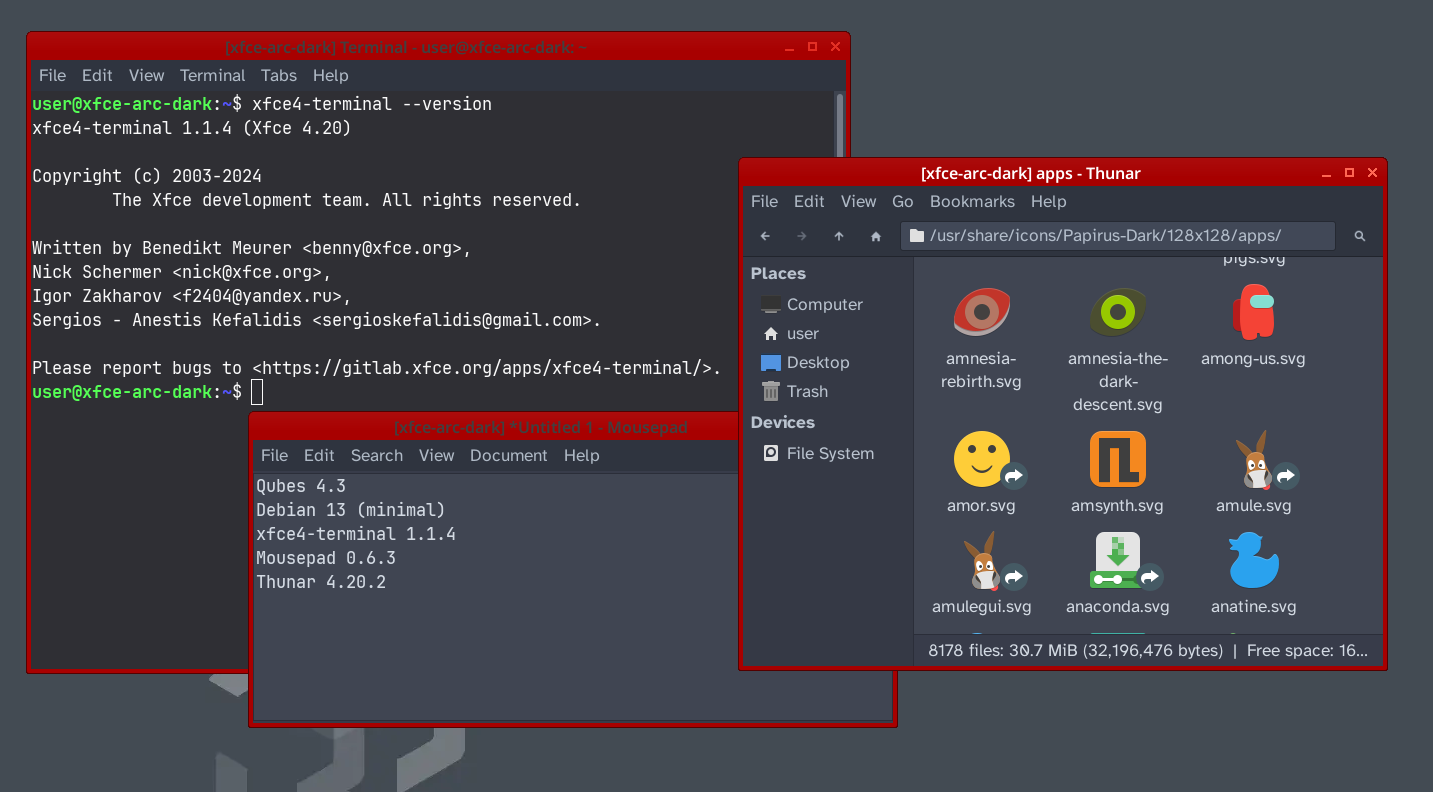
Since Qubes OS default is XFCE I thought it would be nice to switch my all my qubes from Gnome to XFCE (also using xfce-terminal, mousepad, thunar … instead of gnome apps).
I already had a very easy and straight forward implementation for Gnome ( gsettings set org.gnome.desktop.interface gtk-theme <THEME-NAME> …) but for weeks now, I cannot get XFCE based on debian-13-minimal to look like this:
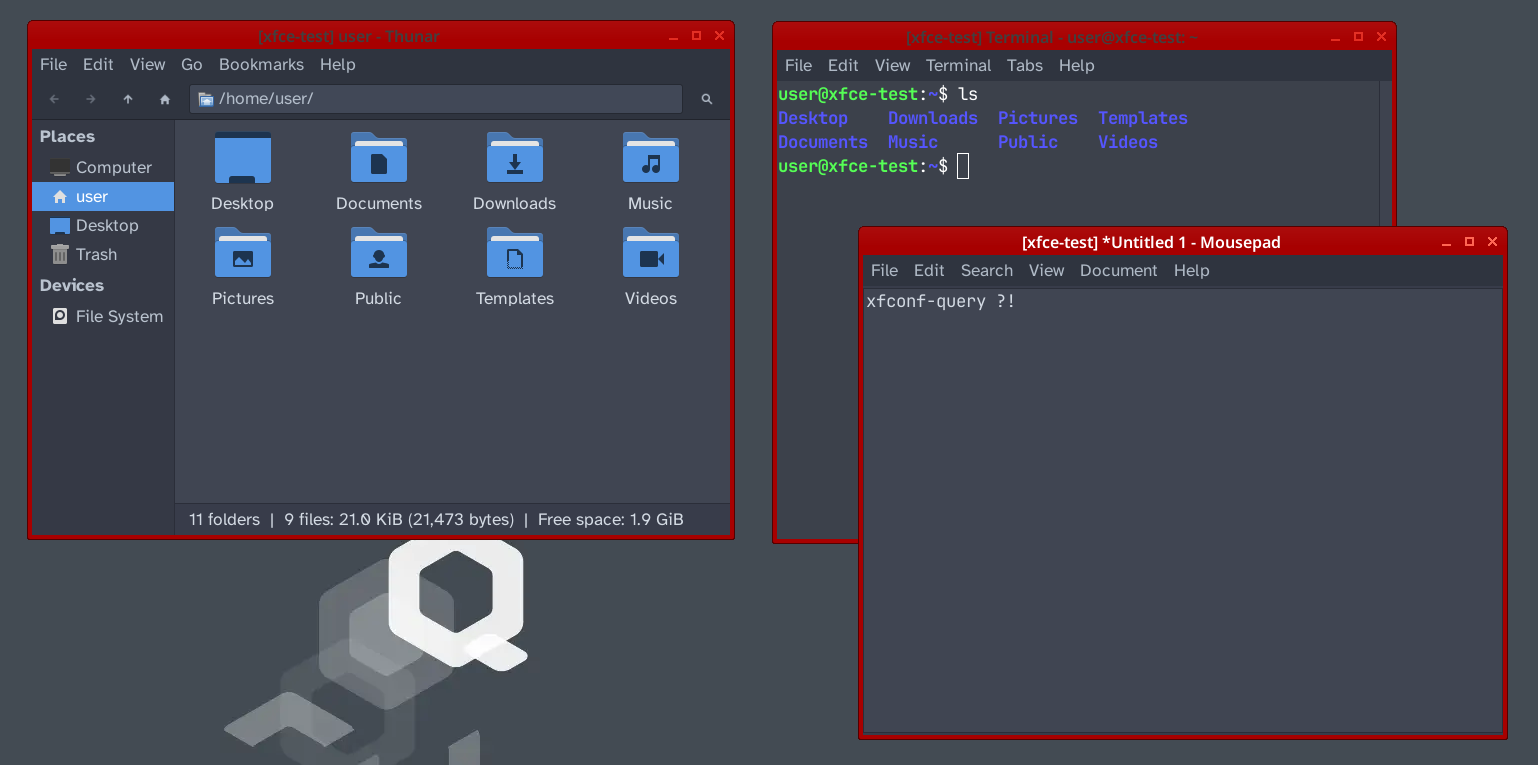
(based on debian-13-xfce; just as reference)
Instead, I always end up with the default (fallback) light theme:
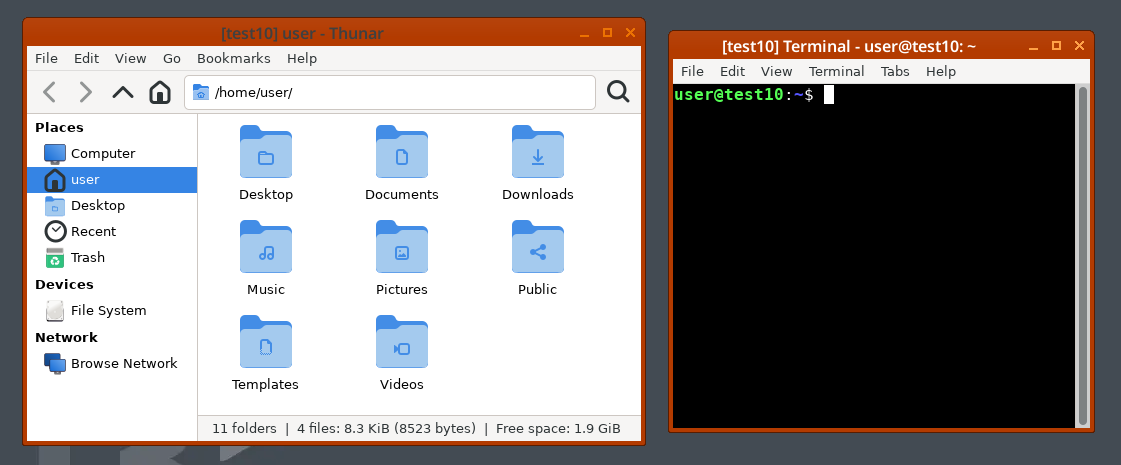
I test (almost!) everthing related to xfconf-query and xfconfd …
XFCE alternatives to ‘Adwaita-dark’: numix-gtk-theme and arc-theme
My packages, I am currently using for testing:
dbus-x11
at-spi2-core

tumbler
ffmpegthumbnailer
gvfs-backends

xfconf
xfce4
gtk2-engines

arc-theme
#numix-gtk-theme

papirus-icon-theme
librsvg2-common
hicolor-icon-theme
adwaita-icon-theme
gnome-themes-extra
gtk-update-icon-cache

xfce4-terminal
thunar
mousepad
fonts-jetbrains-mono
fonts-atkinson-hyperlegible
Some notes about listed packages.
dbus-x11: Starts a per‑user D‑Bus session (eval $(dbus-launch …)) that XFCE, AT‑SPI and thumbnail services require.at-spi2-core: Supplies the “accessibility bus” that eliminates the dbind‑WARNING about org.a11y.Bus.tumbler: Registers the thumbnailer D‑Bus service that Thunar queries; without it you get “Failed to retrieve supported types”.ffmpegthumbnailer: Gives Tumbler the ability to generate thumbnails for video files.gvfs-backends: Extends GVFS so Tumbler can expose the thumbnailer service correctly; also prevents missing‑service warnings.gnome-themes-extrais required for ‘Adwaita-dark’ and for any legacy GTK 2 applications (e.g., Thunar, Mousepad).
-Papirus(and many other icon packs) are derived themes – they contain only the icons that differ from the base set and declare Inherits=hicolor. Therefore, ‘hicolor-icon-theme’ is required.
Beside the xfconf-query I have also tested to use directly *.xml configuration files - both without success.
Qubes OS configuration (for XFCE dark theme testing)
dom0 terminal:
dxy=$(qvm-template list --available | grep -Eo "debian.*minimal" | tail -n 1 | grep -Eo "[0-9]+")
src="debian-${dxy}-minimal"
tpl="d${dxy}m-xfce"
app="xfce-dark"
qvm-template install ${src} && qvm-clone ${src} ${tpl}
# ... installing mandatory XFCE packages for dark theme ...
# ... using 'apt install --no-recommended' ...
# ... configure XFCE theme (dark theme, icons, fonts)
qvm-create ${app} --template ${tpl} --label red
The XFCE configuration code section I am currently using
qvm-run --pass-io --no-gui --user user "${tpl}" bash -c '
    set -euo pipefail

    # make sure the xfconf daemon is alive
    if ! pgrep -x xfconfd >/dev/null 2>&1; then
        echo "[info] starting xfconfd …"
        /usr/lib/x86_64-linux-gnu/xfce4/xfconf/xfconfd &
        sleep 1   # give it a moment to initialise
    fi

    # set the wanted keys (ignore errors on a per-key basis)
    echo "[info] setting xsettings keys …"
    xfconf-query -c xsettings -p /Net/IconThemeName     -t string -s "Papirus"                  --create
    xfconf-query -c xsettings -p /Net/ThemeName         -t string -s "Arc-Dark"                 --create
    xfconf-query -c xfwm4     -p /general/theme         -t string -s "Arc-Dark"                 --create
    xfconf-query -c xsettings -p /Gtk/FontName          -t string -s "Atkinson Hyperlegible 13" --create
    xfconf-query -c xsettings -p /Gtk/MonospaceFontName -t string -s "JetBrains Mono 13"        --create

    # verify what is actually stored (ignore non-zero status)
    echo "[info] current values (xfconf-query -c xsettings -lv) …"
    xfconf-query -c xsettings -lv

    echo "[info] full key list for channel xsettings …"
    xfconf-query -c xsettings -l

    # refresh the icon caches (optional - uncomment if you need)
    #gtk-update-icon-cache -f /usr/share/icons/Papirus   || echo "[warn] Papirus cache failed"
    #gtk-update-icon-cache -f /usr/share/icons/Arc-Dark   || echo "[warn] Arc-Dark cache failed"
    #gtk-update-icon-cache -f /usr/share/icons/hicolor   || echo "[warn] hicolor cache failed"

    echo "[done] xfce config finished"
    '
Objective
At the end, it should be put into a dom0 script to auto-generate template and application qubes. The entire XFCE configuration should be done in dom0 (bash scirpt).
I hope someone here has already a working XFCE dark theme based on minimal Debian templates, points me to the missing package or the proper configuration coding.
Thanks for your support!