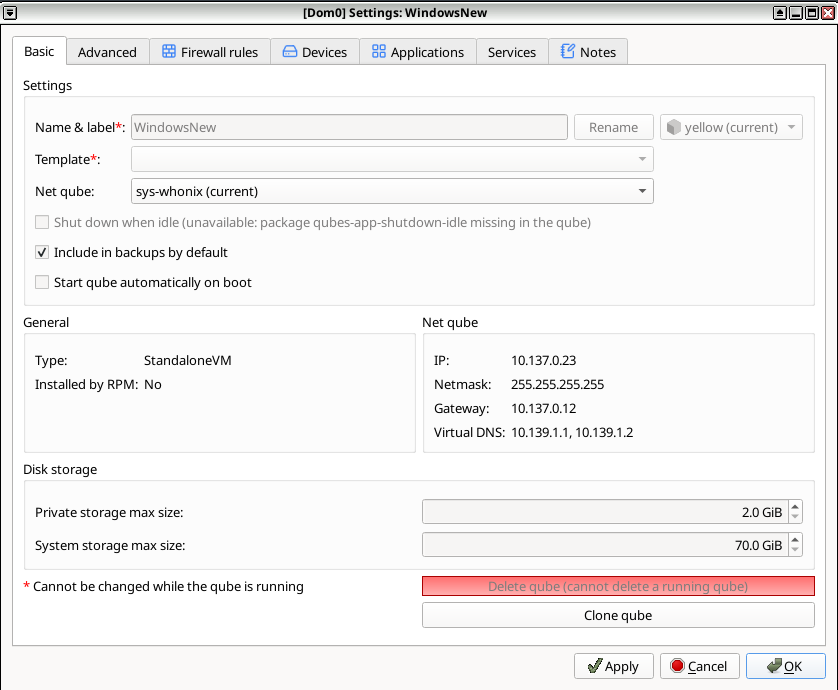
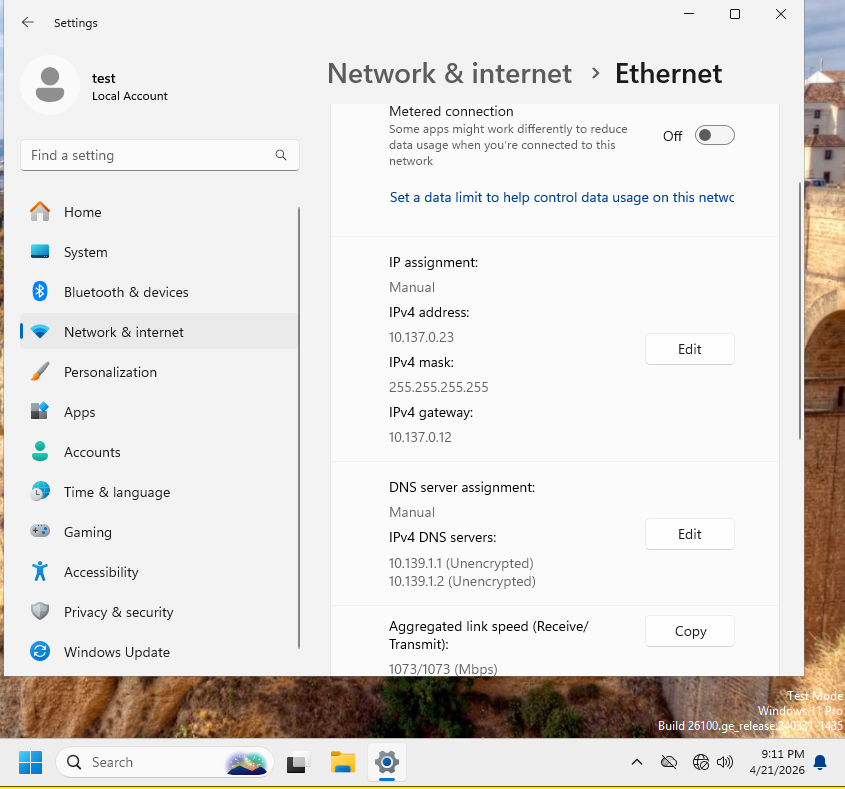
Hello, I’m having problems with accessing internet inside newly installed Windows Qube (StandaloneVM)
- When i created the Windows VM, I initially set Net-VM as none till I finish setup.
- I used Windows ISO, not the github tool
- and so on.
- during the setup I had to bypass network checks by
oobe\bypassnro
- Then I installed Windows Tools Instalation
Now I want to connect to internet through Whonix. So I switched from none > sys-whonix as Net VM, updated the Windows settings as supposed but I’m still getting no internet.
Screenshots:
After updating in Windows Network settings, I’m still not getting internet
Check out this whonix docs page:
Deleted (accidentally sent same thing twice)
I’m not quite sure if you’re referring to the Gateway Configuration Section or the Windows-Whonix-Workstation section, which tells you to change values inside Windows network settings to these:
## increment last octet of IP address on additional workstations
IP address 10.152.152.50
Subnet netmask 255.255.192.0
Default gateway 10.152.152.10
Preferred DNS server 10.152.152.10
?
Thanks
Don’t worry about that stuff. Use the ip, gateway, etc with netmask 255.255.255.0 given in the settings of the qube. The relevant part is changing the arp_ignore value from 2 to 1