Where are the settings stored for the "Device Assignments Page" in Qubes Global Config?

The answer for the “Device Attachment Policy” section can be found here:

But where are the settings stored for the “Device Assignment” and the “Required Devices” section?

I wasn’t able to find these settings in the qvm-prefs properties for the qube.

1 Like

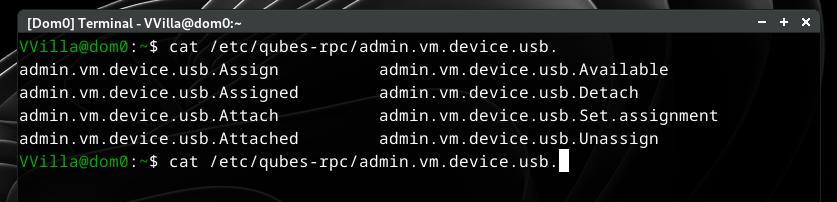
These ones?

/etc/qubes-rpc/admin.vm.device.usb.*

1 Like

It might be stored in qubes.xml but if you want to edit that, I think that it is better to use qvm-device instead.

2 Likes

Thank you for your answer!

Maybe I should have mentioned that the question is about Qubes OS 4.3.

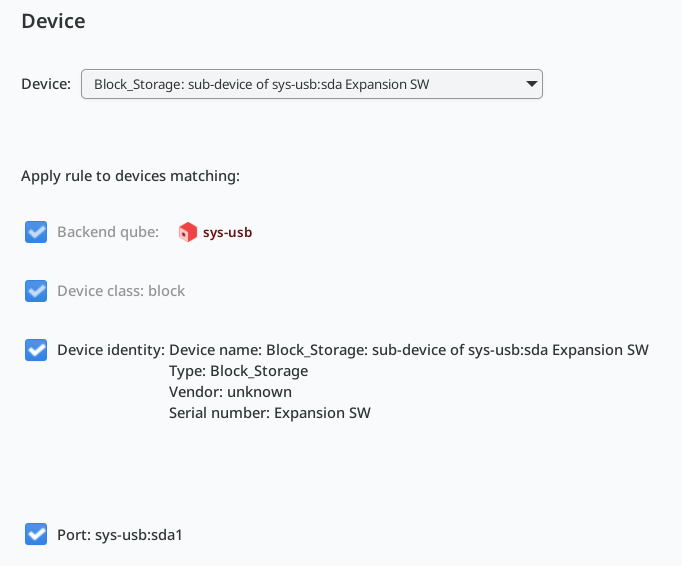
I tried the Device Assignment for one of my external hard disks:

I’d like to know especially how / where the device identity is stored, because what is shown as serial number in the screenshot is definitely not the serial number. So I’d like to compare that to the data that is actually stored.

Is there a way to show that info with the qvm-device (or any other) command? Alternatively where is the config file stored?

1 Like

Try

$ grep '<device ' /var/lib/qubes/qubes.xml
2 Likes

Thanks, that worked, and the serial number is indeed stored there.

So far the auto-attachment didn’t work reliably, though. I’ll check the qubes issues later to see if the problem is already reported there.

And if anyone knows how to get this info with a command, that would still be interesting. So far I haven’t found anything but maybe it’s just not yet documented?
The following command should give you that:

qubesdb-read -d sys-usb /qubes-block-devices/sda/desc

About the documentation:

1 Like

It seems that shows the description but nothing else:

$ qubesdb-read -d sys-usb /qubes-block-devices/sda/desc
Expansion_SW ()

Thanks for filing the issue!