I haven’t been able to get my HP USB laser printer to work on 4.2. It worked fine in 4.1 in Debian. In an up-to-date 4.2RC, the printer connects to Debian-11, Debian-12 and Fedora-38 Qubes via Qubes Devices. On Debian-12, I got to the point where HPLIP service detects the printer. But the print option doesn’t shows up in any print window in LibreOffice and other applications.
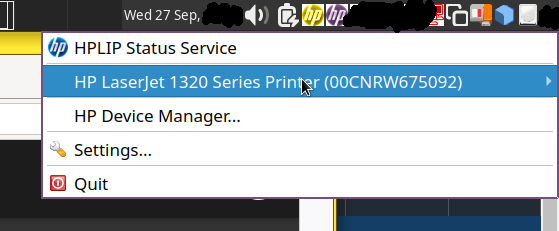
My problem is ongoing. Despite being detected (screenshot) in a debian-12 template in 4.2 RC2 fully up-to-date, with all HP packages installed, the printer does not appear in the print dialogue in LibreOffice or any other application.
Perhaps cups is not enabled? If so, try running the following command in dom0 to enable it:
qvm-service --enable <qube name> cups
It’s working now, I think after Dom0 system updates. Enabling cups didn’t help.
I have recently upgraded from 4.1 to 4.2 with a fresh install, and I am encountering the same issue with a USB printer (Epson L355). I have reviewed other posts on printer setup and followed the instructions to install and enable CUPS within the template. I can confirm that CUPS is enabled. However, when I run system-config-printer, the option to add the USB printer does not appear in the pop-up. Dom0 is updated to the latest version.
Additionally, I am now seeing a pop-up requesting a username and password, which was discussed in this post.
Regarding this command:
sudo usermod --append --groups lpadmin user
Should this be executed within the printer-specified qube?
If anyone has any thoughts or insights, I would greatly appreciate your help. Thank you!