Long time lurker, first time poster.
Trying to install qubes with the inst.text option. Here i get stuck at spoke 5 where i am to define the destination disk. I cant seem to find anywhere to enter any password , i dont get prompted for it anywhere. I cant find anywhere to disable the setting that disk should be encrypted in the first place (just to test , i want the full disk encryption in place eventually). Rebooted several times. Usb-stick made with dd from stable, testing, and nightly, and media tested afterwards. i can run through all the options with C and change things but what ever i choose i cant get the (!) on spoke 5 to change to a (x), and just pressing B does not work at that point. I have search the forum and found others with exact same issue, but no solution (unless i missed that particular post, sorry in that case, i am pressed for time on this)
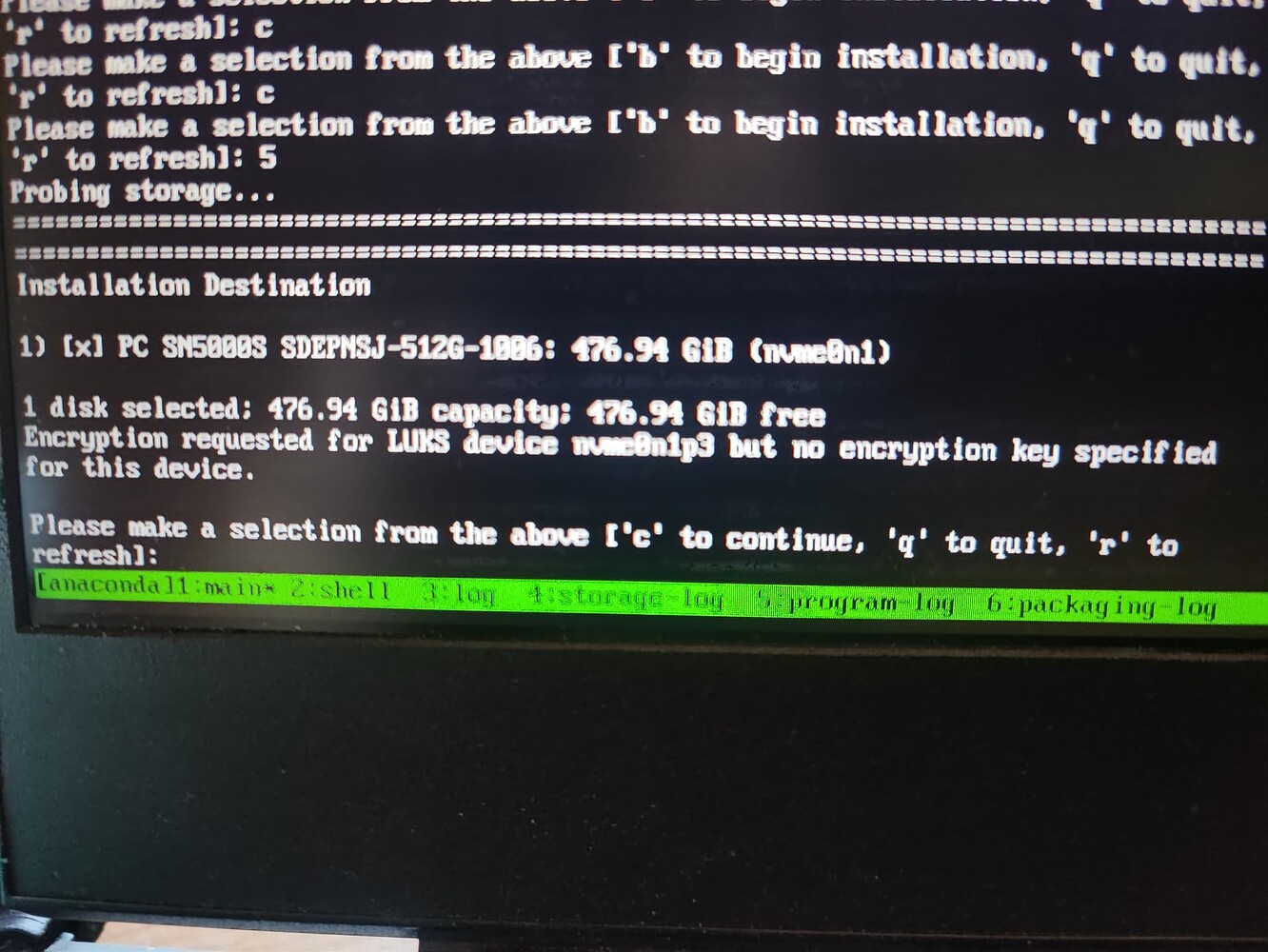
It is only a long-ago memory, but I think I went to the shell and tried some manual setup of the disk. I thought got it correct, but then there were only more difficulties.
I believe that even the Dracut devs say “don’t use the text installer!” 
Is there a reason you need text installer? Are you trying to do remote install, or something like that?
thanks for answering 
textmode was not my first choice I have a panther lake laptop that stops during install, during anaconda and xorg init, so i am not even getting to the graphical install part. i am working on a post about it.