So recently I installed Qubes R 4.3 for the first time on my pc and everything seemed to be fine, however, I noticed that there was no Network Symbol on the top right of the pc. (I’ve tried adding Network-Manager to the services in sys-net settings)
So I went to sys-net (Fedora-42 template) and attempted to start the qube manually. Doing so failed to start sys-net and gave me the error that qrexec was not found and to check the log files.
On checking the log files, I got the log as given below in the image (Kernel Panic - not syncing…)
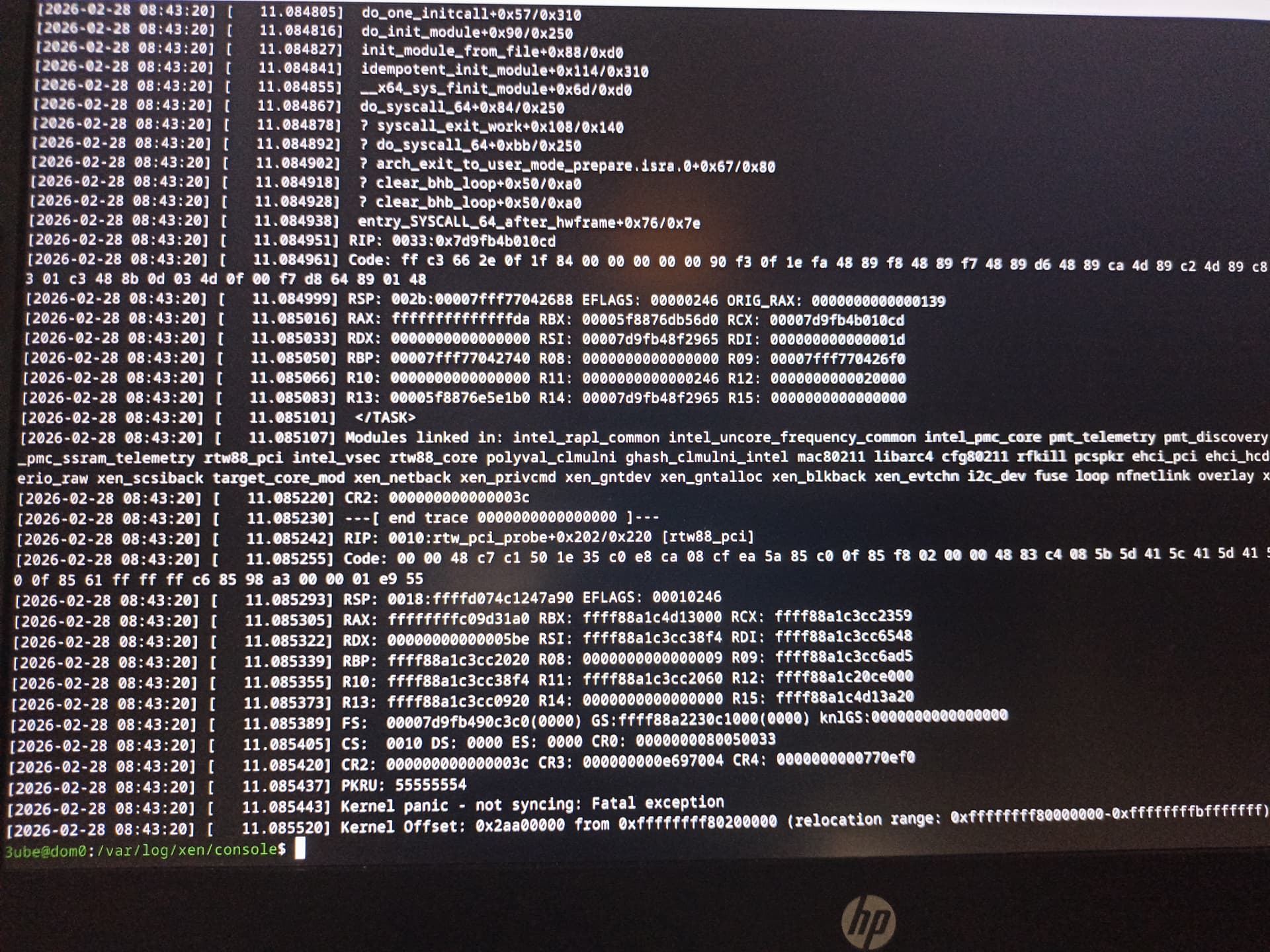
So I tried to remove my adapter, i.e,
00:1d.0 → 00:00.0 Network: Realtek Semiconductor Co., Ltd. RTL8821CE 802.11ac PCIe Wireless Network adapter
from the Devices always connected to this qube list on the sys-net settings and attempted to start sys-net.
This time, sys-net was able to start without any problem, however leaving me with no way of connecting to the internet through a wireless connection.
Each time I add my wireless adapter back to the list, I get the same qrexec not found error. I’ve gone through a few forum posts, but I haven’t found a clear solution yet.
(I’m sorry for my improper formatting and/or any typos, I’m currently on mobile while typing this post)
Thank you for spending your time reading this
P.S: I think this problem is specific to Qubes, because I have worked with Kali Linux before without any such complications.