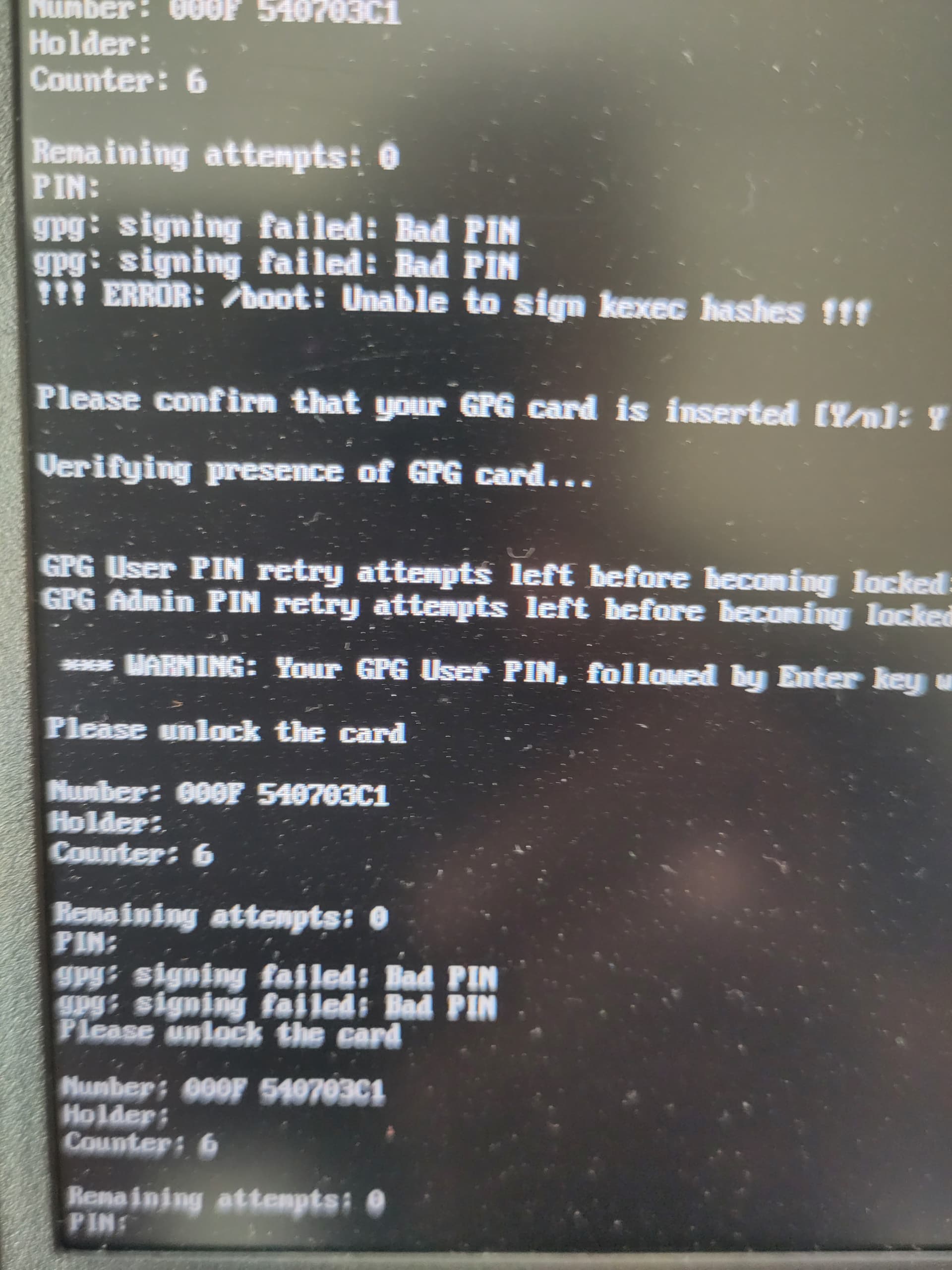
Hi everyone. I don’t speak English, but I’m using Google Translate.
After updating dom0 and restarting my laptop with the Nitrokey dongle plugged in, how do I correct the signatures?
Novacustom sent me the signatures, but when I type them in to try and correct them, Coreboot Heads doesn’t recognize them.
Do you have a tutorial on how to re-sign them or how to fix the problem?
Thanks.
Germain.
In french:
Titre: Demande d’aide pour resigner après une mise à jour de dom0 et un redémarrage avec un latop et un dongle nitrokey. Les signatures que Novacustom m’a transmis ne sont pas reconnus.
Salut tout le monde. Je ne parle pas anglais mais j’utilise “Google translate”.
Après une mise à jour de dom0 et après un redémarrage du latop avec le dongle Nitrokey branché, comment corriger les signatures?
Novacustom m’a transmis les signatures mais quand je les tape pour essayer de corriger les signatures, alors “Coreboot Heads” ne reconnnait pas les signatures.
Avez vous un tutoriel pour me dire comment resigner et ou comment résoudre le problème?
Merci.