I installed a fresh 4.3-rc2 for testing, I gave a try with btrfs instead of LVM, entirely from the GUI installer
However, I have some questions about this setup, I rarely use a custom layout.
I did not create a btrfs subvolume, now I think I should have done a subvolume for / , one for /var/lib/qubes and one for /home
I had to create a /boot ext4 partition and a /boot/efi EFI partition, is that ok? what about sizing? I used 512 MiB for each, I’m not sure the EFI partition needs it all. At first, I only had /boot/efi but grub failed to boot, I guess it’s not btrfs aware out of the box
I added /var/lib/qubes as a subvolume later and enabled compression, some results =>
# compsize /var/lib/qubes
Processed 85 files, 436111 regular extents (994796 refs), 6 inline.
Type       Perc     Disk Usage   Uncompressed Referenced
TOTAL       45%       24G          54G         123G
none       100%      8.6G         8.6G          19G
zstd        35%       16G          46G         104G
prealloc   100%       22M          22M          20M
My recommendation is to implement openSUSE style subvolume scheme (if anyone has the time). Details and reasons here. On top of that, /var/lib/qubes should be its individual subvolume. If I had a larger drive, I would have considered individual subvolume for /var/lib/qubes/private. Also note that you have default_pool_private, default_pool_root, … properties in qubes-prefs and you could set specific storage pool (actually subvolume) for each.
While it is possible to have /boot as individual btrfs subvolume (or even a part of root), grub2 can not save last boot item selection on it (it could only read btrfs, not write). Grub prints an ugly error if you enable GRUB_SAVEDEFAULT and /boot is btrfs. Upstream bug report here.
/boot/efi EFI partition is needed and is not avoidable. It is a Microsoft/Intel technology. Its file format should be FAT32.
EFI partition is used by fwupd/LVFS (Linux Vendor Firmware Service) to deliver BIOS updates (if it supports your hardware and if you install related Qubes OS package), Firmware updates (those flashed to hardware chips. not to be confused with Kernel Firmwares). But 512 MiB for EFI should be adequate.
For /boot which is formatted as ext4 and is used to store (dom0) kernels, I would not allocate less than 1G. Since I prefer to keep multiple kernel branches and more than the default 3 last versions of each.
You can use an automatic partitioning with Btrfs in the installer as well, instead of partitioning it manually.
In the installer’s Installation Destination → Storage Configuration → Custom → Done button → instead of “LVM Thin Provisioning” select Btrfs → click on the “Click here to create them automatically”.
Did you try to remove the old partitions from there in the Installation Destination → Storage Configuration → Custom → Done button →press on the “ Unknown” → select partition → press on the “-” button to remove it?
There’s also a Free up space by removing or shrinking existing partitions checkbox underneath the Custom radio button on the Installation Destination screen.
Although I usually just wipe and/or blkdiscard the whole drive and reboot.
+1
512 MiB might be a bit tight for the boot partition. On my R4.2 system, 409 MiB are in use there (of 1 GiB, as created automatically by the installer IIRC), and kernels etc. only ever seem to get larger. Installing a new kernel version probably needs some temporary space as well, before the old version is uninstalled.
I’ll try again, yesterday I was not able to achieve this through the GUI. Changes like “free up space by removing existing partitions” only works once you start the installation and it actually do the auto partition.
I’ve been able to install using this (called custom partitioning in the installer I think), but it was not able to delete my EFI partition, I reused it with success as it was a left over from my custom partitioning scheme.
Installing with btrfs this way just gives a / mountpoint with no subvolumes, I guess the “custom partition system (blivet)” is a better choice as it allows to create the subvolumes from the GUI at install time.
This is just for testing purpose, I guess I’ll write a community guide explaining how to deal with BTRFS, I haven’t been able to find one on the forum. I’m not sure I’ll stick with it on my spare laptop, but at least we will have some documentation.
On a laptop, using compression on the templates or AppVMs volumes should be considered carefully as it will use more CPU for everything, if battery life is a must, I’m not sure decompressing files on the fly is more energy efficient or faster than a nvme drive.
Indeed it would be good if the automatic Btrfs partitioning scheme created the “varlibqubes” pool on a dedicated subvolume (possibly after disentangling the pool from other unrelated stuff in the /var/lib/qubesdirectory - #10289). But in the meantime it’s pretty easy fix up after the installation, no need to battle with manual partitioning for this:
systemctl stop qubesd
Rename /var/lib/qubes
btrfs subvolume create /var/lib/qubes
chown root:qubes /var/lib/qubes
chmod 2770 /var/lib/qubes
Move contents of the renamed directory (including hidden files) into /var/lib/qubes
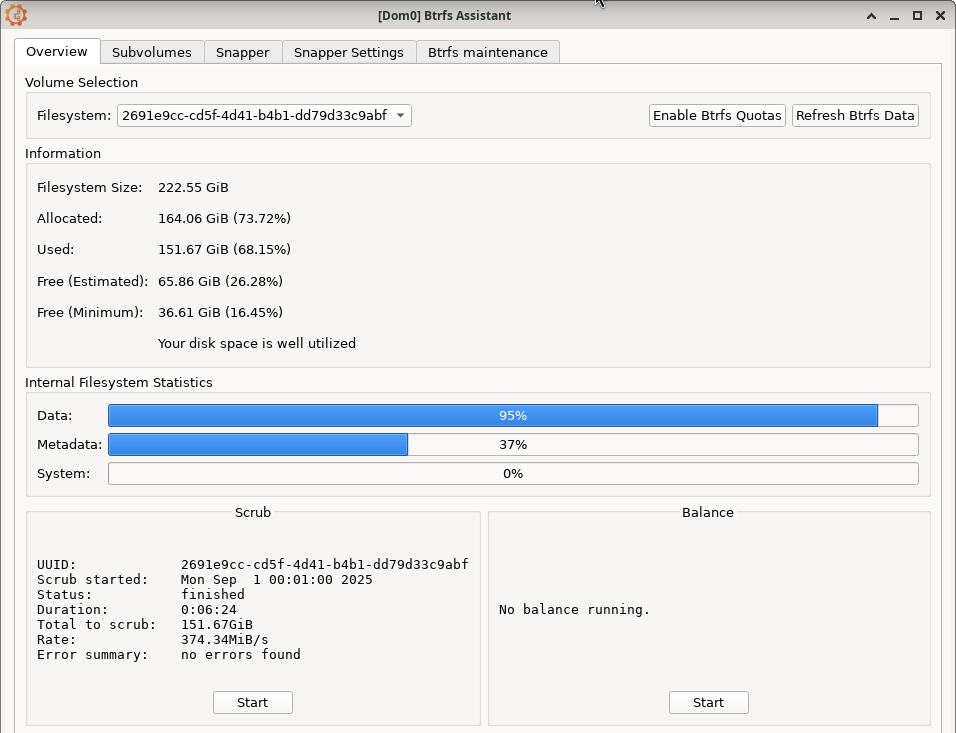
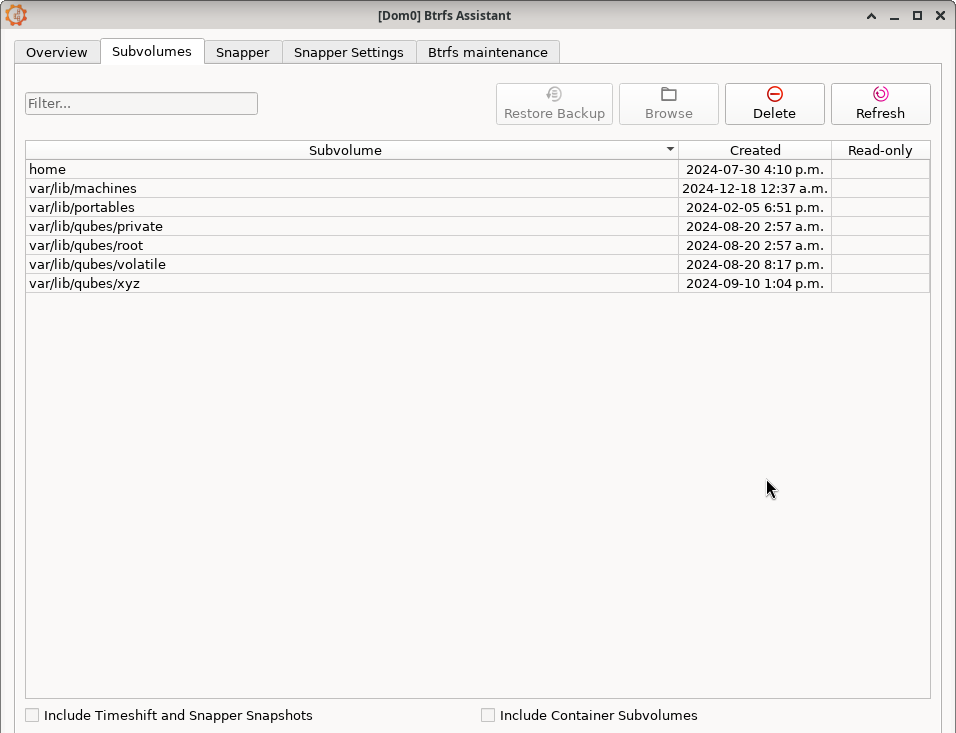
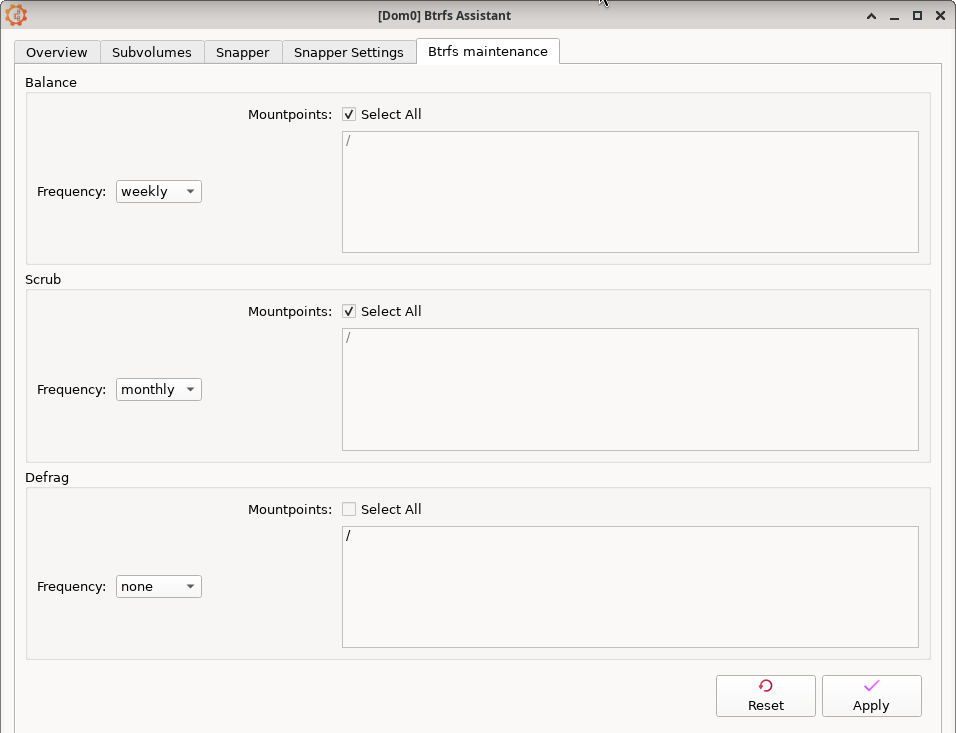
BTW, I would recommend taking a look at Btrfs Assistant GUI while you are testing. It would be very convenient for 1st time Btrfs users. Or at least, it would provide good screenshots for educational purposes and help the community understand it better.
BTW, if you look at the 1st screenshot (Overview), it becomes evident why BTRFS requires periodic scrubbing and balancing otherwise its performance could be degraded. Specially if it is near full. It has two values for Free Space. Estimated and Minimum. And after periodic balancing, it will be almost similar.
With default Fedora installation on BTRFS, a package called btrfsmaintenance should be installed which contains systemd timers and units to automate it.
Scrubbing is only there to check for bitrot (which is important but not essential). I’m surprised a balance is required when you have a single drive, it should be only required IIRC when you have a volume over multiple drives.
If I mount a subvolume with -o subvol=...,compress it doesn’t seem to actually apply the compress option. mount output and /proc/mounts shows the same options for the new mountpoint as for the existing one of a different subvolume.
Not only for bittrot checking but also for metadata, checksums, … and other errors which might occur due to power loss, crash, etc. I would do it 4 times a year. It won’t hurt.
Yes. If you have a single drive with a lot of free space, balance should not be required. Otherwise balance results on chunks being compacted and re-arranged. Which is very good for the overall performance of the volume which is almost filled. An example:

 Unknown” → select partition → press on the “-” button to remove it?