Hi @abdullah. The fixes worked but now I’ve got another problem.
- I ran the script.
- I selected
1) Configure kernel parameters (dom0 + VMs) - I then selected
1) Configure dom0 (GRUB + Secureblue sysctl)
And I came across an error that read “Cannot extract UUID from current GRUB”
and prompted me to enter the UUID manually. So I had to look for it in /boot/grub2/grub.cfg (sudo cat /boot/grub2/grub.cfg | grep uuid) myself and copy and paste it. Thankfully that did the trick.
After I rebooted after applying that first step… Qubes still worked fine.
Now I ran 2) Configure all VMs (kernelopts and it ran smoothly.
Although I wanna ask, this option configures only currently existing VMs, right?
What about any new VMs I create afterwards?
2) MAC Randomization + Disable IPv6 and
3) Create Whonix gateways worked without any issues.
I already installed the Kicksecure-18 template by the time I ran
4) Install Kicksecure + set as default but something odd also just happened. I’ll show you a screenshot this time. It happened when I entered “y” when prompted to create a hardened DVM template from Kicksecure.
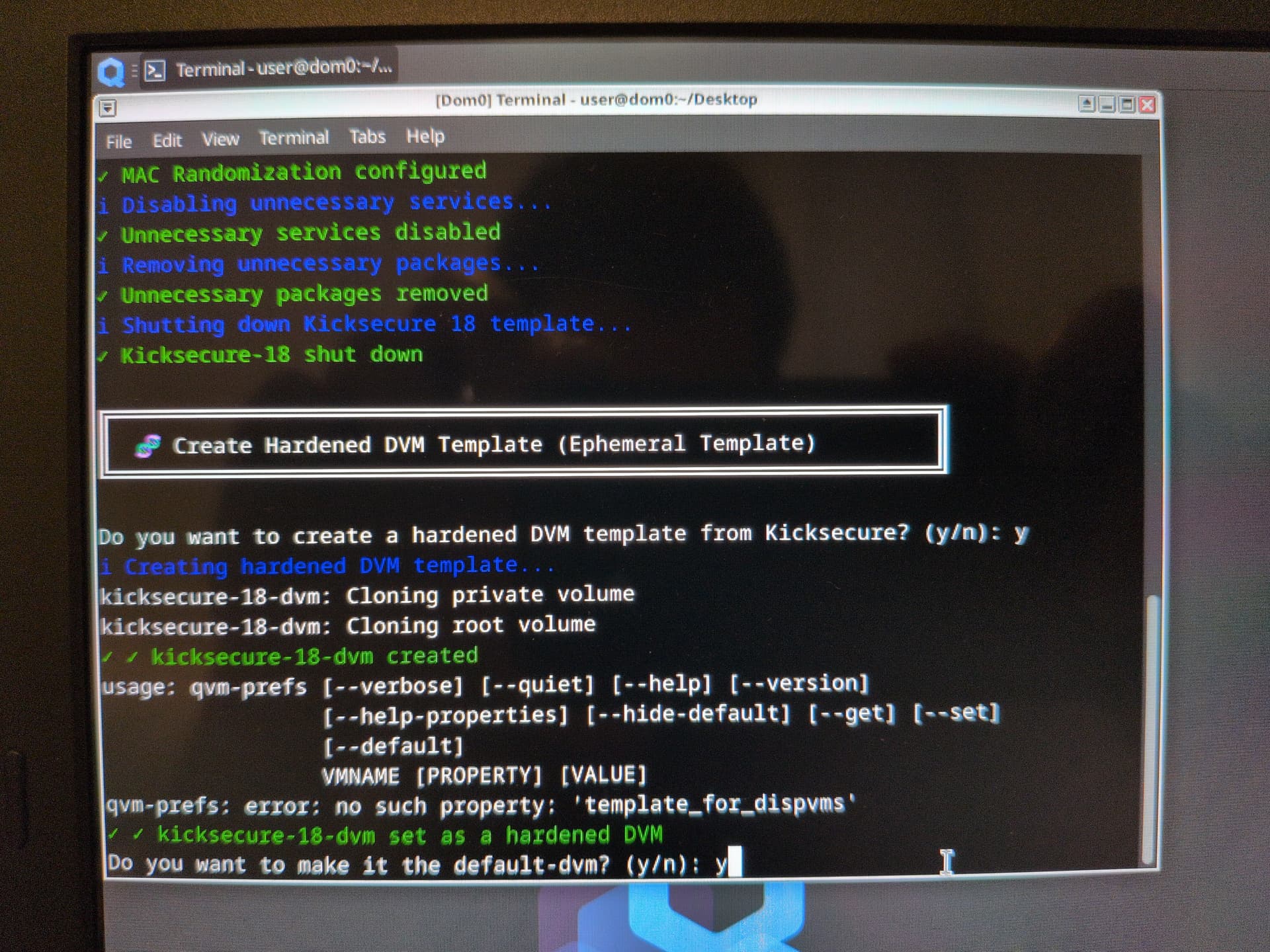
Now I ran 5) Create RAM Pool scripts and then
6) Create Amnesic Tmpfs script (That’s not my typo. It’s actually how it was spelled in the script. LOL!)…
Okay, I presumed it would do this automatically and now I’m expected to select a VM under this option manually? What am I supposed to do?
I didn’t run 7) Enable Live Mode because @linuxuser1 had recently updated his Qubes Live mode script. So I downloaded and ran that instead. Please check his new updated script and add it to yours accordingly.
8) Destruction tools (BusKill + Emergency) ran fine.
9) LUKS disk encryption hardening didn’t… Because I didn’t set up full disk encryption when I ran my Qubes install this time. I only set it up to practice and test stuff and didn’t want to waste a few extra seconds entering an encryption password everytime I’d boot up.
10) Set up automatic disk mounting in Whonix ran okay though, to be honest, I don’t know what benefit that’s supposed to have.
I presume 11) Run automatic sections (1 to 8) just goes through options 1 to 8 which I already done, right?
I only went through your guide once and was too eager to try out your script to bother researching any further. Although now that I’ve test run the script for myself, now I’m curious to dig deeper into your guide again at my earliest convenience.