So I have a 7800x3d and a 4080 and when I try to install qubes I get a error saying x could start among many other, I tried doing what it says to here Installation troubleshooting — Qubes OS Documentation but it didn’t work it said this when I was booting it https://imgur.com/a/wltQr9h I have tried in uefi, legacy (CSM) and I still can’t get even to the graphical environment
Hi Tezo99 - and welcome to the forum! 
Can you try to add:
module_blacklist=amdgpu
to the kernel line? – does it make a difference?
1 Like
Hi, so I am in legacy mode currently and I did the latest kernel option and doing that showed this https://imgur.com/a/p0uEGAl also I did the test media thing and it failed https://imgur.com/a/5jpTFYC does this mean the issue is how I wrote the iso? I wrote it with dd as it says in the documentation I can’t put a link tho ( doc. qubes-os. org /en/latest/user/downloading-installing-upgrading/installation-guide.html )
Can you disable discrete gpu in bios and use the integrated ? (Just to narrow down the issue)
1 Like
I think I already tried that i didn’t have that exact option it was called like graphics card detection and it has auto or ignore I tried both same thing happened
The imgur links won’t open for me, can you summarize the error message ?
I have a 9600x with integrated GPU and a MSI motherboard and it works great. It is a bit strange that the verification of your USB stick fails esp since you used DD
The first imgur is just where it tries to start the graphical environment but it says “x startup failed” the second one is where I had ran the media test thing and it came back as a fail and the imgur I listed when I made the post was 3 errors I get related to amdgpu when I booted ( amdgpu: unable to locate bios rom, amdgpu: fatal error during GPU init, probe with driver amdgpu failed with error -22)
Def seems like GPU related. Try the flag Chris A suggested as well as this one, one or both
I did both flags…it says the same thing the x startup failed
If it fails the media test doesn’t that mean it’s a iso problem?
Hi Tezo99
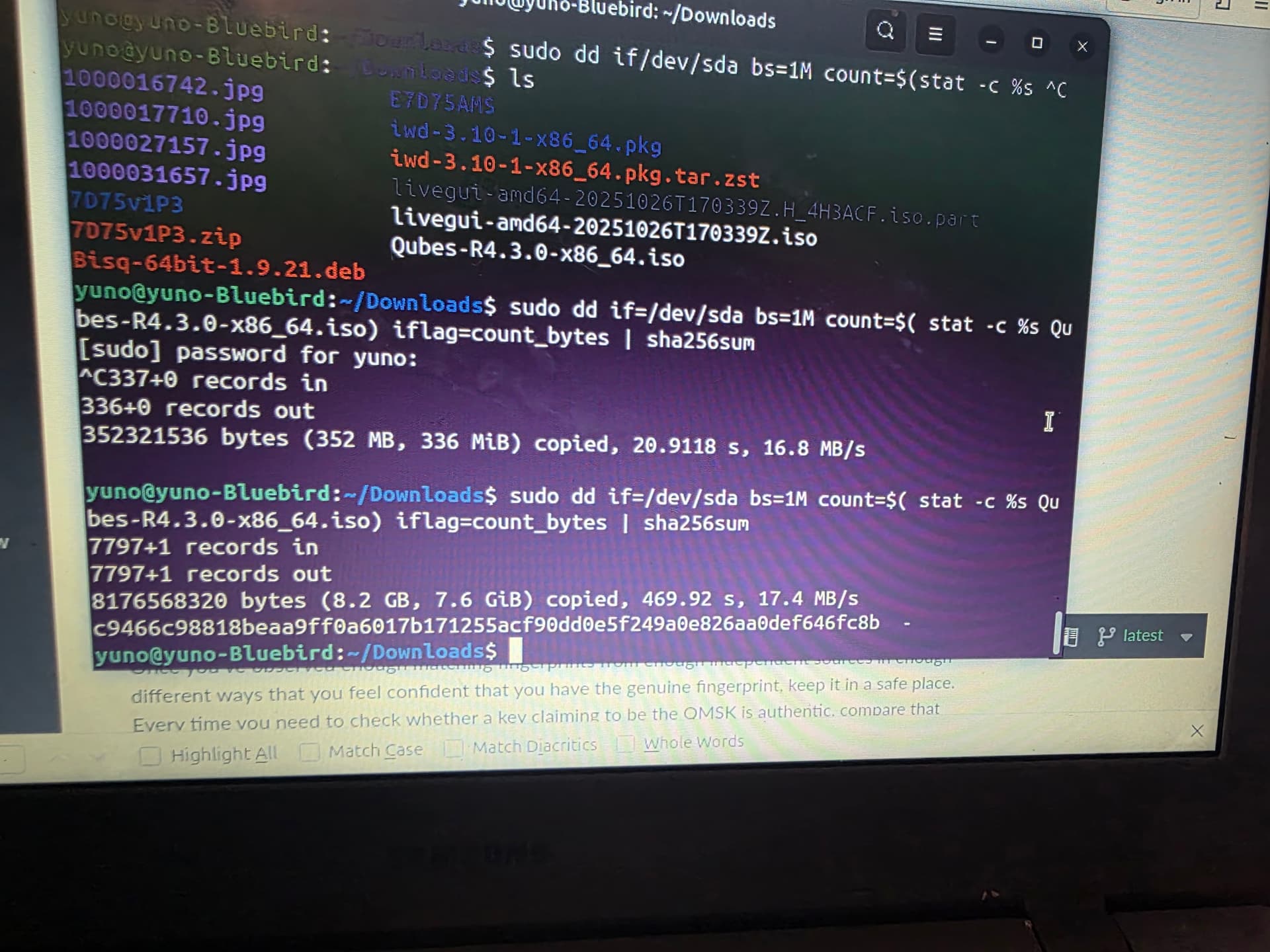
There are several posts on this forum, where the “Test media” from the boot menu fails (depending on the tool/options used to write the USB??) – but where a test of the actual data read from the media has the correct checksum.
See Verifying signatures — Qubes OS Documentation
for the steps to re-read the data from the USB stick (on a different machine).
Hi Tezo99
Which of the published hash values does it match?
Can you try:
sha256sum Qubes-R4.3.0-x86_64.iso
?
1 Like
They don’t match
Hi Tezo99
Then there is something wrong. :-/
Can you try to write the image a second time? - and maybe verify the data by reading it back (again)?
1 Like
I just did it again, but with Rufus and it still doesn’t match…what could I possibly be doing wrong…
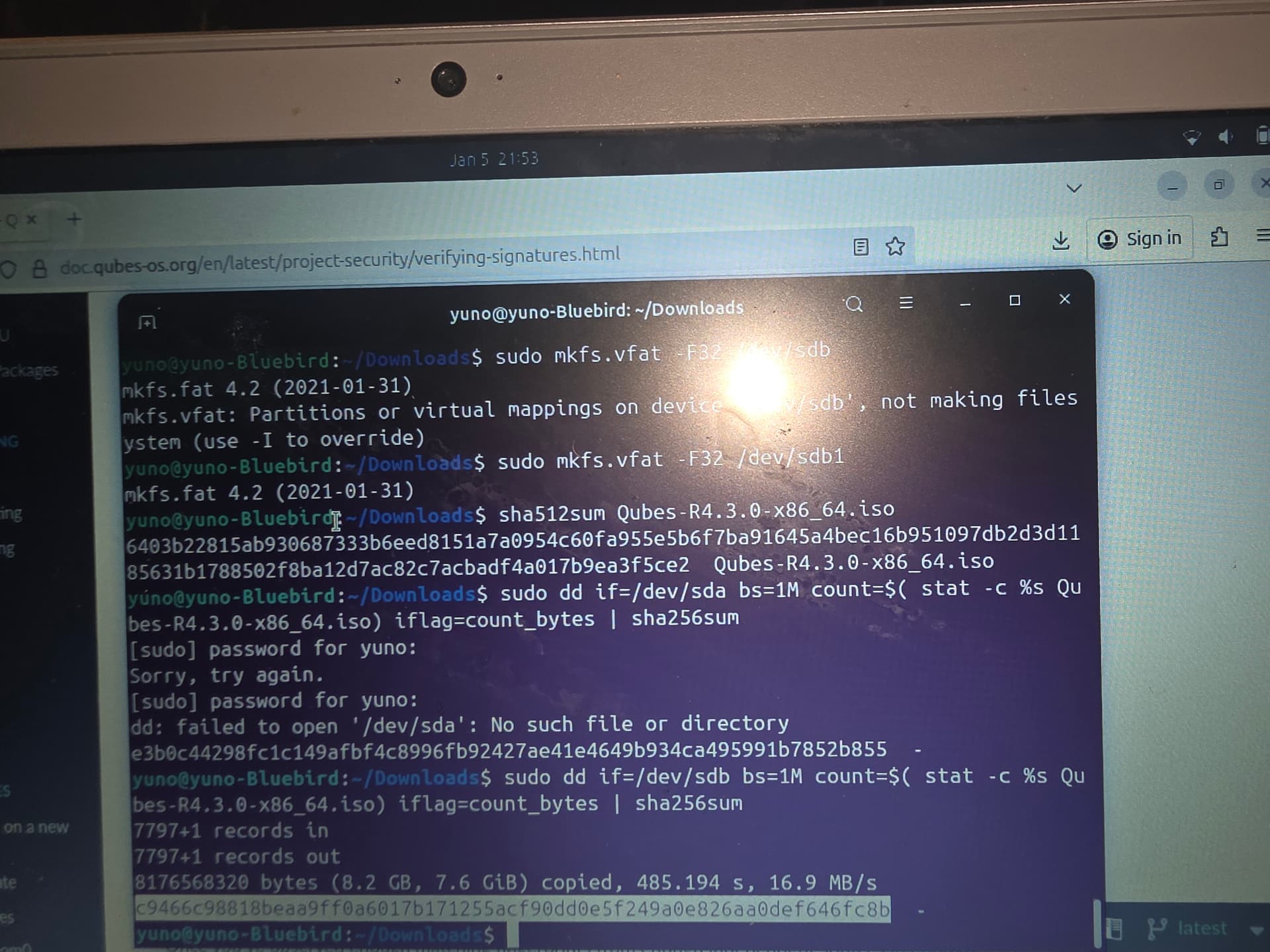
Can you try another USB stick and/or use another computer or USB port ? If you are using the exact DD command from the website then it is likely hardware (USB media or the port/computer). Can you get a correct hash writing DD with another os like fedora iso ?
BTW you are using both sha256 sha512, just stick to sha256
1 Like
I did that I got matching sha256sums from the iso and what’s written to the USB then I rebooted and it said something like “need to load the kenrle first”
I put it in legacy mode it’ll now boot, however I still get the same “amdgpu errors” listed above then after that it goes to the screen that says x failed to start