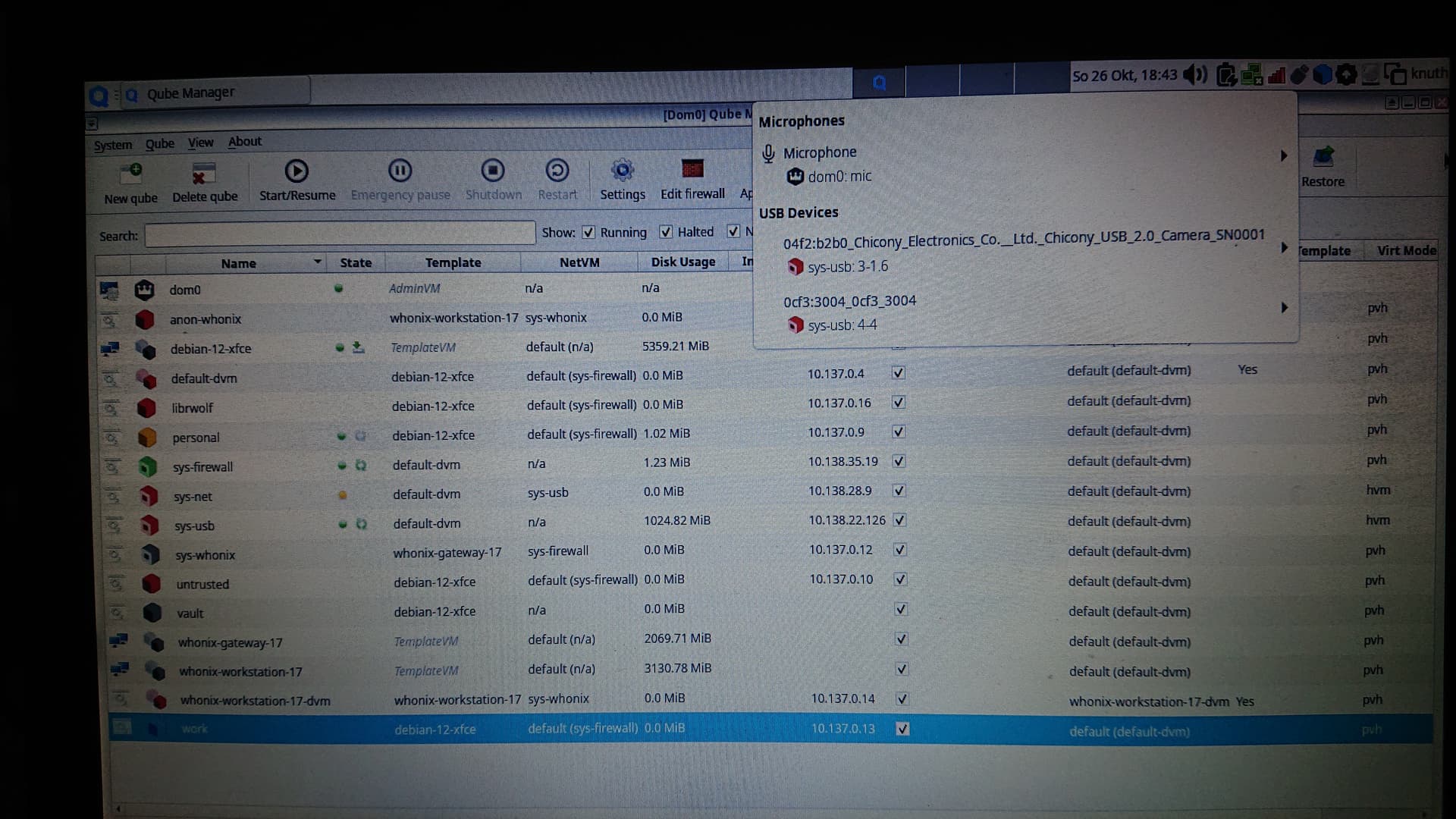
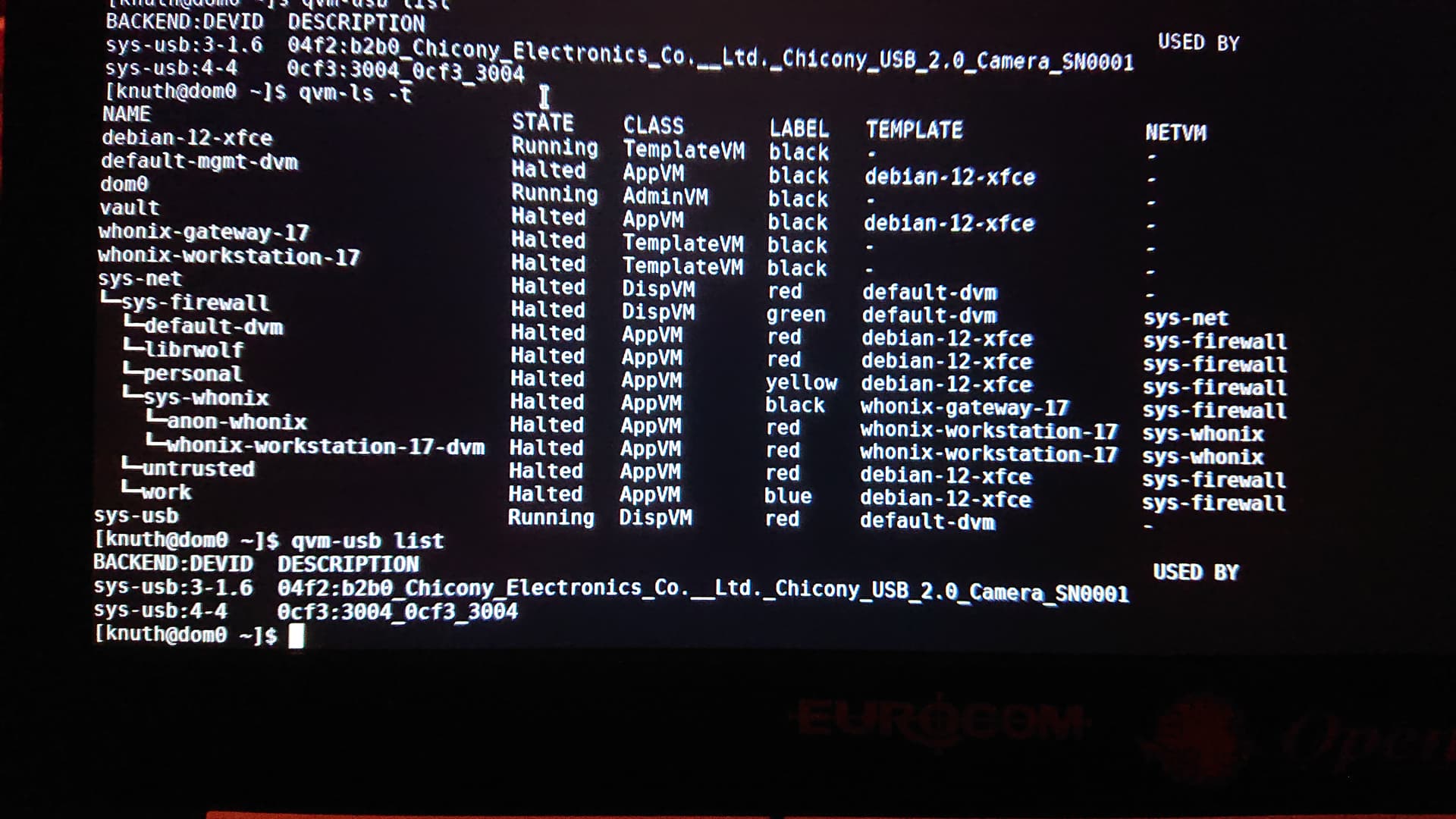
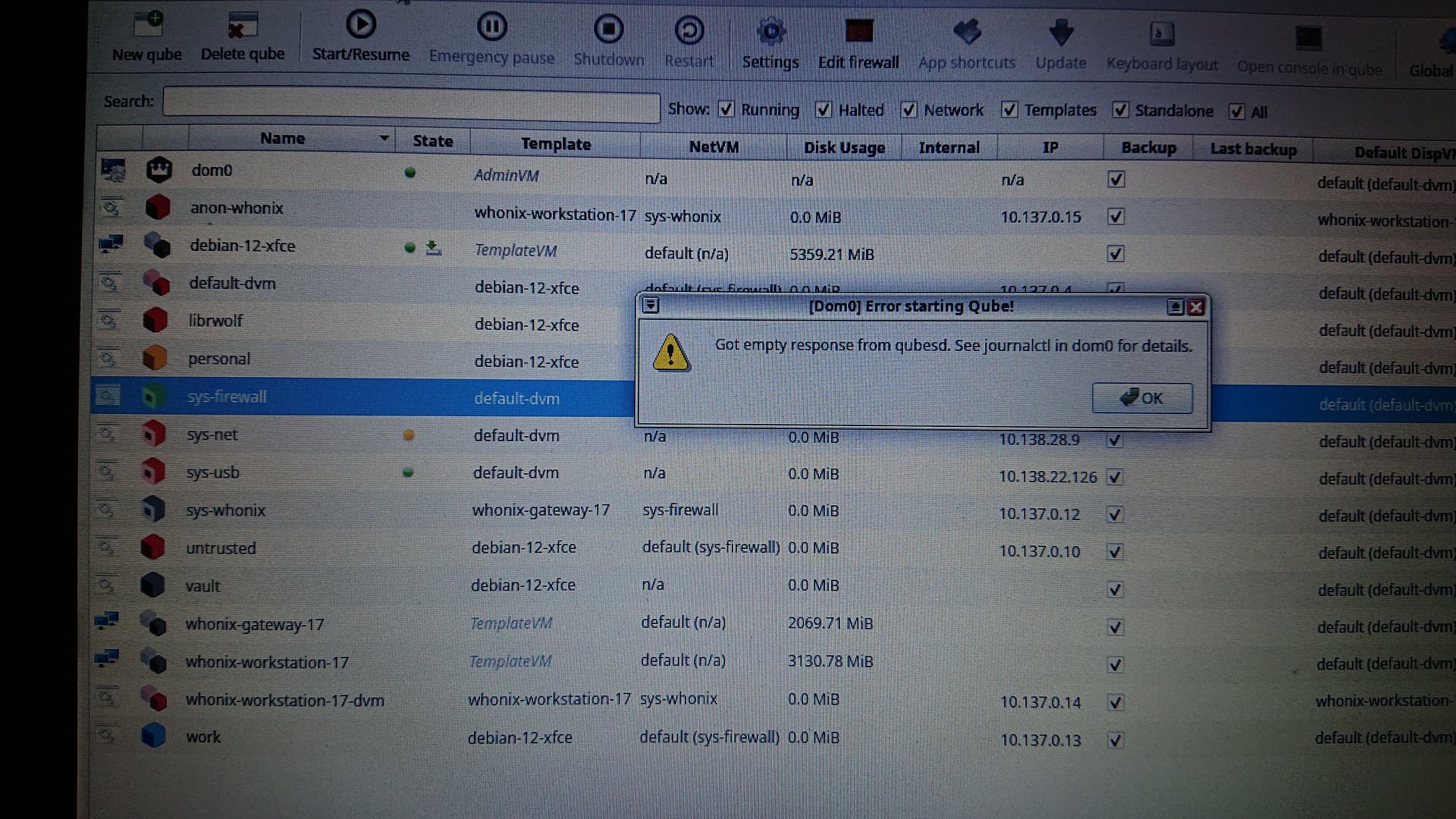
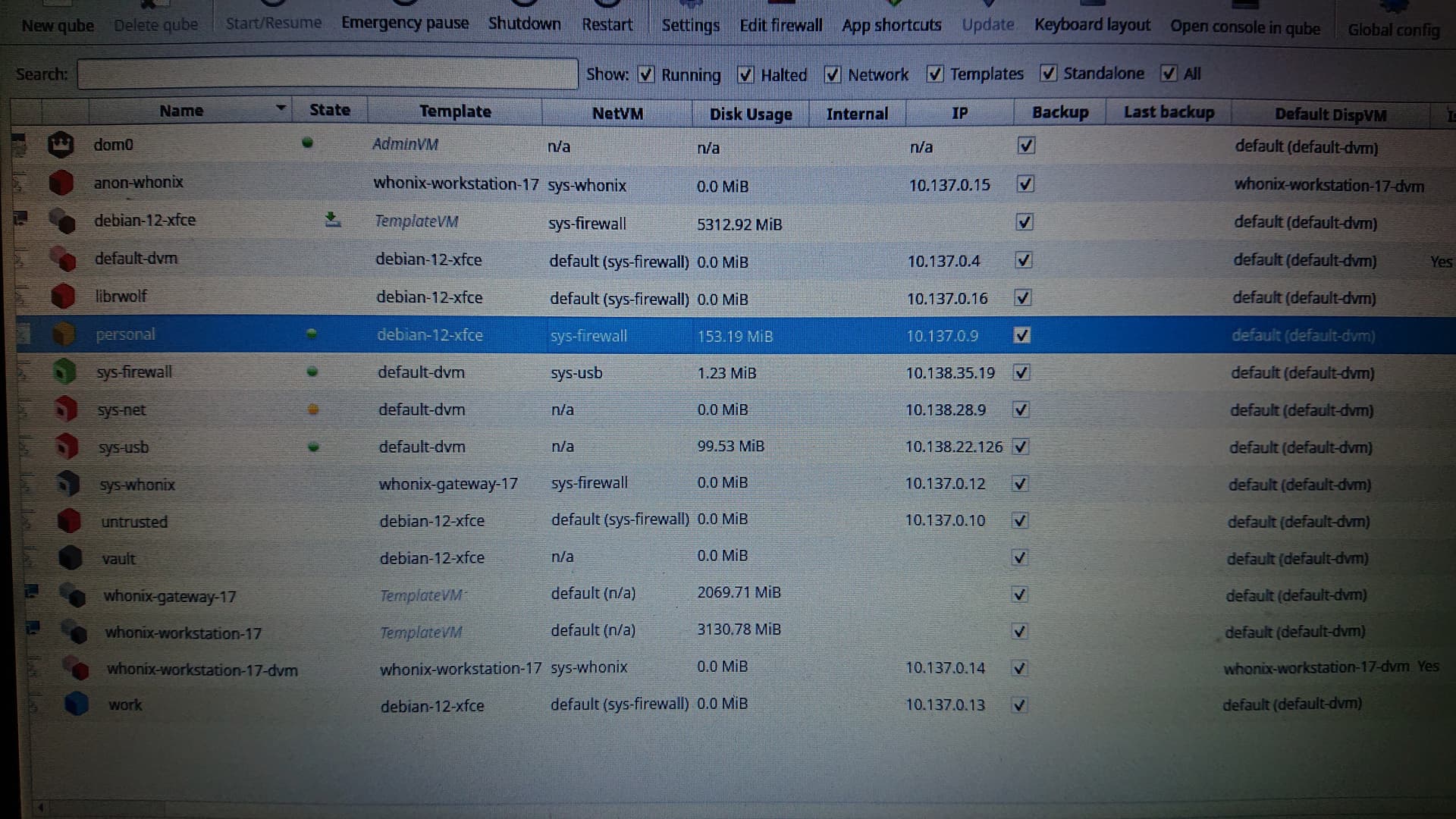
I need help setting up my internet access. I have a notebook with an internal WiFi adapter via the USB interface. The WiFi is connected to the router (green computer icon), sys-firewall has “none” under NetVM (status green), sys-usb NetVM “none” (status green) and sys-net NetVM “sys-usb” (status yellow). I cannot connect to the internet with Qubes Personal/Firefox with NetVM “Default (sys-firewall)”. In the Qubes system overview, sys-net is rotating in red text.
I assumed that there is a cascade (Firefox > Firewall > net > usb > Internet) for how apps can access the Internet. However, this does not work when I set it up via NetVM.
Can anyone help me?
That’s how it’s configured when connecting to ethernet:
'sys-usb' - Net qube: none, provide network
'sys-net' - Net qube: none, provide network
'sys-firewall' - Net qube: sys-net, provide network
Dunno about usb network devices, but there was some posts that if you use usb network devices you must have sys-net to provide usb stack and without sys-usb.
Maybe it will work if you attach this wifi device to sys-net.
Or maybe sys-usb must be a set as Net qube: in sys-net.
It’s because sys-net is not working - it have yellow dot. There’s something wrong wit sys-net.
Check it’s settings.
For your settings first sys-usb must be running first, because it runs usb devices.
Then sys-net must run because it make all connections.
Only then sys-firewall can receive anything.
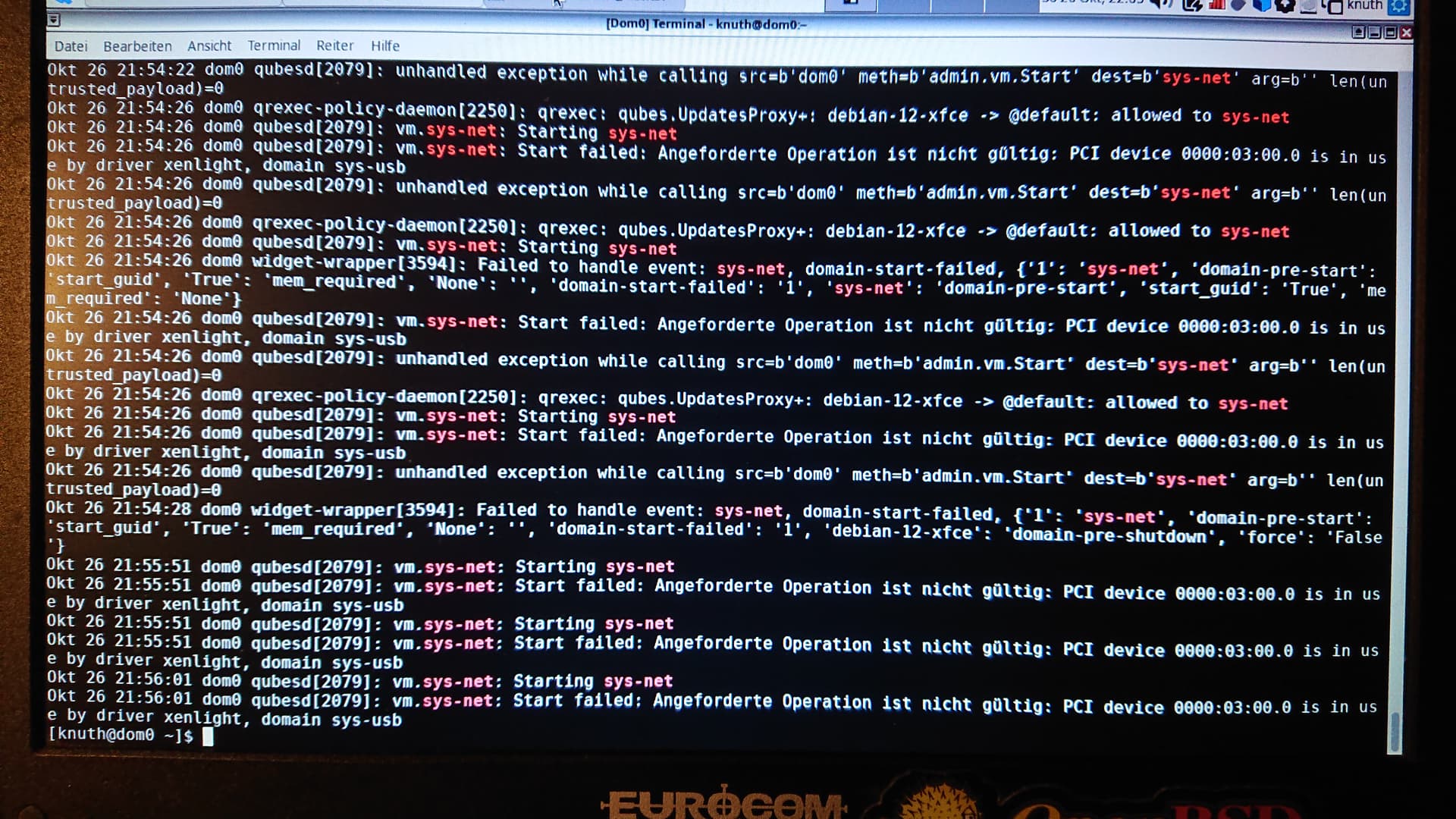
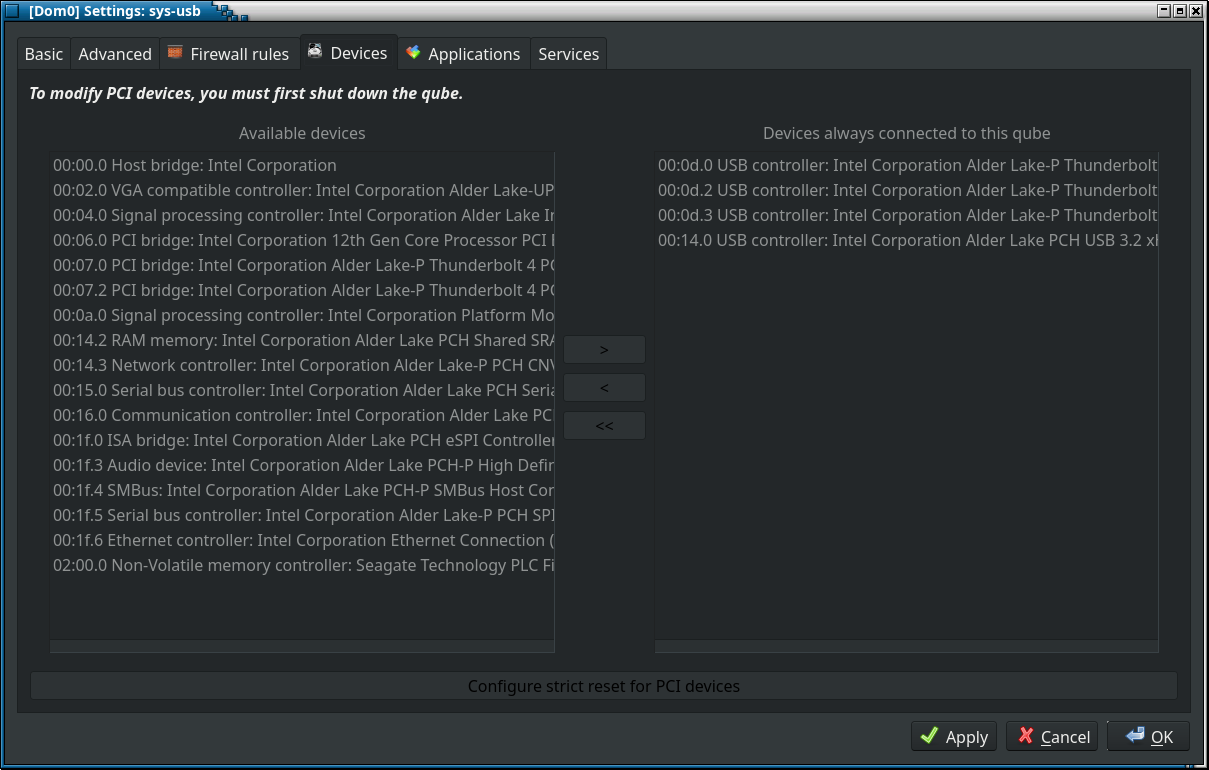
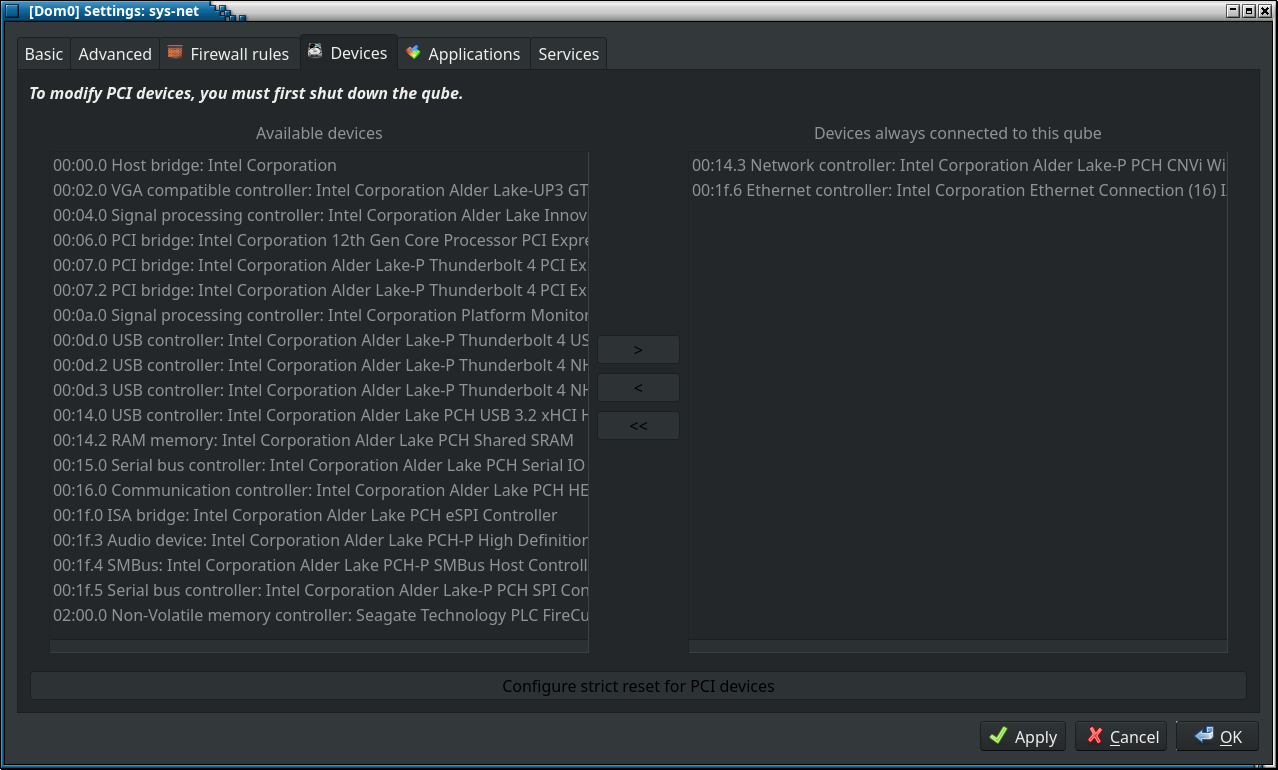
On the picture with the return of journalctl -b |grep -i "sys-net" we can see that sys-net fails to start because one of pci devices that it should have is attached to sys-usb. To fix this, check the devices tab in settings of sys-net and sys-usb, there must be no overlapping devices. Be careful if you use usb input devices, you need to shut down sys-usb to change which pci devices are passed to it, this might leave you with no keyboard or mouse input. (Or use suggestion by KitsuneNoBaka, qvm-device pci is the command-line alternative)
Network configuration is correct, but you don’t have any usb devices passed to sys-net. Once you start sys-net, use the devices applet in your panel or qvm-usb attach to pass the usb adapter to sys-net.
Because network device is attached to sys-usb then if you connect sys-firewall to sys-usb then it will works.
It seems that you have attached one device to two qubes - that don’t work.
Check in settings of sys-usb and sys-net in Devices tab.
Or my terminal commands from earlier
Then remove network device from sys-usb and from now on sys-net should start to work normally.
Strangely enough, I can access the Internet without sys-net being active. However, when I delete the duplicate entries for the WLAN adapter in sys-net, it no longer works, even though it is inactive.
Anyway, thank you very much for your support.
Can anyone tell me how I can automatically dial into the router? At the moment, I always have to enter the password.
This isn’t strange, sys-net is just a name. Any other qube can do what sys-net does if configured to do so. Based on your previous messages, sys-usb does it now.
This doesn’t look right, do you mean when you delete WLAN adapter from sys-usb?
It is because your sys-usb provides network (it really shouldn’t, but who am I to tell you what to do with your network?) and is a disposable vm. It has no persistency, thus password isn’t saved. This problem is well-explored and has multiple solutions, just search the forum.