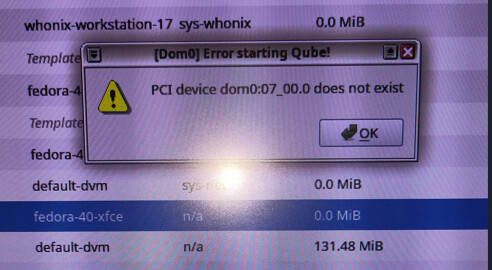
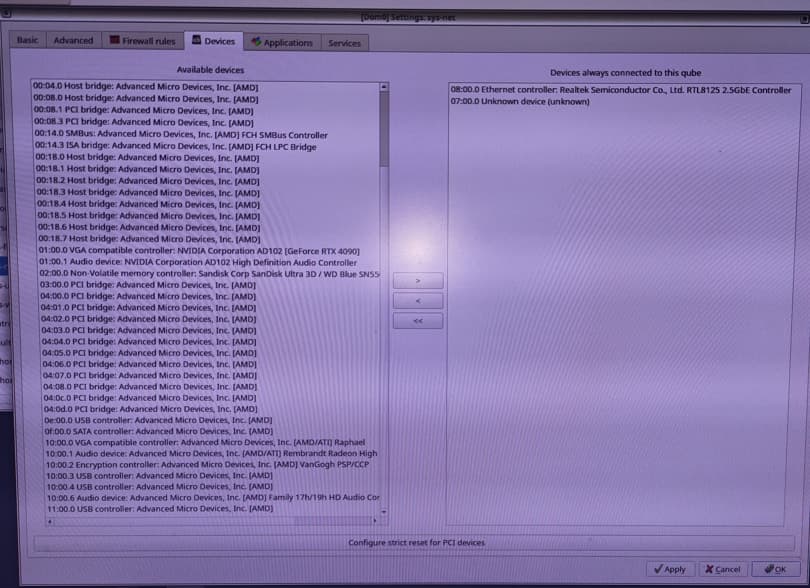
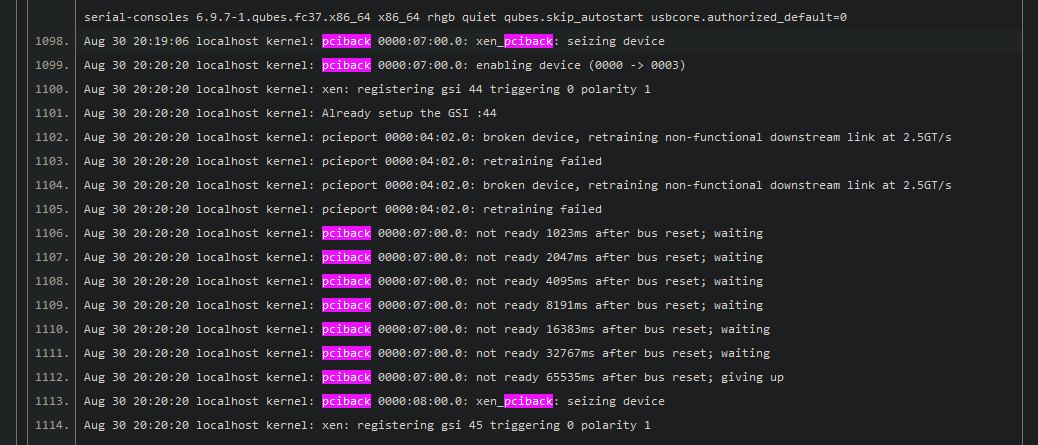
I have done a fresh install of Qubes OS 4.2 (using latest Kernel), and am having issues with connecting to the internet. sys-net won’t start due to the following error:
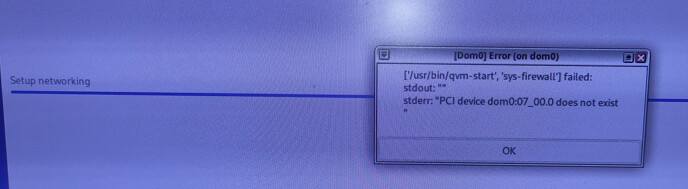
I got the same error initially when first installing:
I tried logging in by pressing ‘Esc’ and decrypting the Luks Volume via the console and got this error:
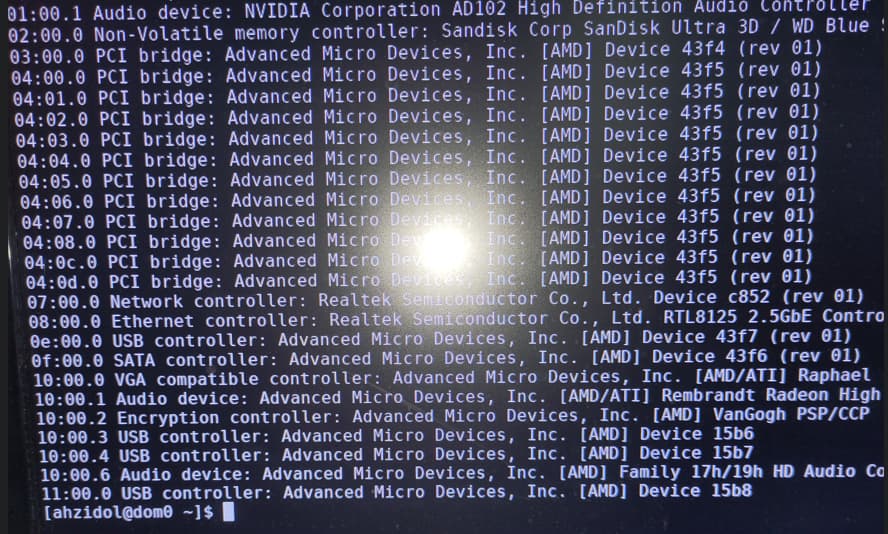
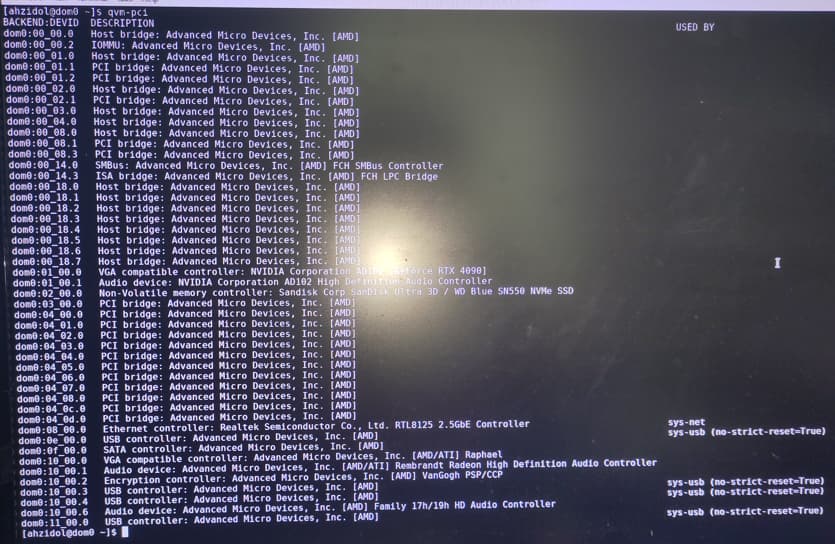
The Network controller can be detected when running ‘lspci’ in dom0:
I tried simply removing the dom0:07 (Network Controller) from the sys-net Qube, however this made it disappear from the list entirely, and I reinstalled Qubes to get it to reappear.
Any help would be appreciated, please let me know if you need any additional information, thank you.
Aug 30 17:31:40 localhost kernel: pci 0000:07:00.0: [10ec:c852] type 00 class 0x028000 PCIe Endpoint
Aug 30 17:31:40 localhost kernel: pci 0000:07:00.0: BAR 0 [io 0xd000-0xd0ff]
Aug 30 17:31:40 localhost kernel: pci 0000:07:00.0: BAR 2 [mem 0xf6900000-0xf69fffff 64bit]
Aug 30 17:31:40 localhost kernel: pci 0000:07:00.0: PME# supported from D0 D3hot D3cold
Aug 30 17:31:40 localhost kernel: pci 0000:07:00.0: 2.000 Gb/s available PCIe bandwidth, limited by 2.5 GT/s PCIe x1 link at 0000:04:02.0 (capable of 4.000 Gb/s with 5.0 GT/s PCIe x1 link)
Aug 30 17:31:40 localhost kernel: pciback 0000:07:00.0: xen_pciback: seizing device
Aug 30 17:32:54 localhost kernel: pciback 0000:07:00.0: enabling device (0000 -> 0003)
Aug 30 17:32:54 localhost kernel: pciback 0000:07:00.0: not ready 1023ms after bus reset; waiting
Aug 30 17:32:54 localhost kernel: pciback 0000:07:00.0: not ready 2047ms after bus reset; waiting
Aug 30 17:32:54 localhost kernel: pciback 0000:07:00.0: not ready 4095ms after bus reset; waiting
Aug 30 17:32:54 localhost kernel: pciback 0000:07:00.0: not ready 8191ms after bus reset; waiting
Aug 30 17:32:54 localhost kernel: pciback 0000:07:00.0: not ready 16383ms after bus reset; waiting
Aug 30 17:32:54 localhost kernel: pciback 0000:07:00.0: not ready 32767ms after bus reset; waiting
Aug 30 17:32:54 localhost kernel: pciback 0000:07:00.0: not ready 65535ms after bus reset; giving up
Aug 30 17:33:16 dom0 libvirtd[2578]: internal error: Unknown PCI header type '127' for device '0000:07:00.0'
Unfortunately I still have the same problem where it says dom0:07 doesn’t exist, however running another journalctl, I can’t see that same error. Pastebin.com - Locked Paste (pwd= qubes)
Aug 30 20:19:06 localhost kernel: pci 0000:04:02.0: [1022:43f5] type 01 class 0x060400 PCIe Switch Downstream Port
Aug 30 20:19:06 localhost kernel: pci 0000:04:02.0: PCI bridge to [bus 07]
Aug 30 20:19:06 localhost kernel: pci 0000:04:02.0:   bridge window [io  0xd000-0xdfff]
Aug 30 20:19:06 localhost kernel: pci 0000:04:02.0:   bridge window [mem 0xf6900000-0xf69fffff]
Aug 30 20:19:06 localhost kernel: pci 0000:04:02.0: enabling Extended Tags
Aug 30 20:19:06 localhost kernel: pci 0000:04:02.0: PME# supported from D0 D3hot D3cold
Aug 30 20:19:06 localhost kernel: pci 0000:07:00.0: [10ec:c852] type 00 class 0x028000 PCIe Endpoint
Aug 30 20:19:06 localhost kernel: pci 0000:07:00.0: BAR 0 [io  0xd000-0xd0ff]
Aug 30 20:19:06 localhost kernel: pci 0000:07:00.0: BAR 2 [mem 0xf6900000-0xf69fffff 64bit]
Aug 30 20:19:06 localhost kernel: pci 0000:07:00.0: PME# supported from D0 D3hot D3cold
Aug 30 20:19:06 localhost kernel: pci 0000:07:00.0: 2.000 Gb/s available PCIe bandwidth, limited by 2.5 GT/s PCIe x1 link at 0000:04:02.0 (capable of 4.000 Gb/s with 5.0 GT/s PCIe x1 link)
Aug 30 20:19:06 localhost kernel: pci 0000:04:02.0: PCI bridge to [bus 07]
Aug 30 20:20:20 localhost kernel: pcieport 0000:04:02.0: broken device, retraining non-functional downstream link at 2.5GT/s
Aug 30 20:20:20 localhost kernel: pcieport 0000:04:02.0: retraining failed
Aug 30 20:20:20 localhost kernel: pcieport 0000:04:02.0: broken device, retraining non-functional downstream link at 2.5GT/s
Aug 30 20:20:20 localhost kernel: pcieport 0000:04:02.0: retraining failed
Aug 30 20:20:20 localhost kernel: pciback 0000:07:00.0: not ready 1023ms after bus reset; waiting
Aug 30 20:20:20 localhost kernel: pciback 0000:07:00.0: not ready 2047ms after bus reset; waiting
Aug 30 20:20:20 localhost kernel: pciback 0000:07:00.0: not ready 4095ms after bus reset; waiting
Aug 30 20:20:20 localhost kernel: pciback 0000:07:00.0: not ready 8191ms after bus reset; waiting
Aug 30 20:20:20 localhost kernel: pciback 0000:07:00.0: not ready 16383ms after bus reset; waiting
Aug 30 20:20:20 localhost kernel: pciback 0000:07:00.0: not ready 32767ms after bus reset; waiting
Aug 30 20:20:20 localhost kernel: pciback 0000:07:00.0: not ready 65535ms after bus reset; giving up
Aug 30 20:20:20 localhost kernel: pcieport 0000:04:02.0: broken device, retraining non-functional downstream link at 2.5GT/s
Aug 30 20:20:20 localhost kernel: pcieport 0000:04:02.0: retraining failed
Aug 30 20:20:20 localhost kernel: pcieport 0000:04:02.0: broken device, retraining non-functional downstream link at 2.5GT/s
Aug 30 20:20:20 localhost kernel: pcieport 0000:04:02.0: retraining failed
Aug 30 20:20:20 localhost kernel: pciback 0000:07:00.0: not ready 1023ms after bus reset; waiting
Aug 30 20:20:20 localhost kernel: pciback 0000:07:00.0: not ready 2047ms after bus reset; waiting
Aug 30 20:20:20 localhost kernel: pciback 0000:07:00.0: not ready 4095ms after bus reset; waiting
Aug 30 20:20:20 localhost kernel: pciback 0000:07:00.0: not ready 8191ms after bus reset; waiting
Aug 30 20:20:20 localhost kernel: pciback 0000:07:00.0: not ready 16383ms after bus reset; waiting
Aug 30 20:20:20 localhost kernel: pciback 0000:07:00.0: not ready 32767ms after bus reset; waiting
Aug 30 20:20:20 localhost kernel: pciback 0000:07:00.0: not ready 65535ms after bus reset; giving up
Aug 30 20:20:32 dom0 libvirtd[2487]: internal error: Unknown PCI header type '127' for device '0000:07:00.0'
You can also check the Xen log in dom0:
xl dmesg
There is some issue with this device reset but I don’t know what is causing it. Maybe some issue with firmware or maybe in kernel driver.
I think this could be an issue with this device passthrough in general and not specific to Qubes OS.
Try to passthrough this device in KVM in some general Linux OS and see if it works there.
I put my dmesg output into a pastebin (pwd= qubes)
Only error I noticed was “(XEN) xenoprof: Initialization failed. AMD processor family 25 is not supported”.
I will try to do a passthrough via KVM on a Debian install and see how that goes.
If the worst comes to worst and I am unable to passthrough my Network Controller, would it be recommended to just remove the device from any Qubes, and try to use a PCIE Network Card?
You can also try to clear the reset_method for your Network Controller in dom0, but I’m not sure if it’ll help:
I think so.
If it’s not a Qubes OS specific issue then you can also report this issue to the kernel mailing list and maybe this could be fixed in the future.
If it’s a Qubes OS specific issue then you can open an issue in the Qubes OS github repo or report it to the Xen mailing list/xen-devel matrix channel.
Just an update on this, I am having trouble even getting the Network Card to function on a new Debian 12 installation. Having researched it more it seems to be a whole saga.
I couldn’t pinpoint an exact reference for when the driver was fixed / supported in the linux kernel, various sources gave me different answers, however I assume the latest kernel Qubes uses doesn’t have it.
I think I will probably disable the Network Card as it’s errors are causing long boot times, and just use a ethernet connection instead.