My last option would be to buy a new SSD and just fresh install, thankfully I have a somewhat updated backup of files but this might take a while due to other reasons.
Side question: Did this happen perhaps because I did not reboot dom0/the other updated qubes before turning off?
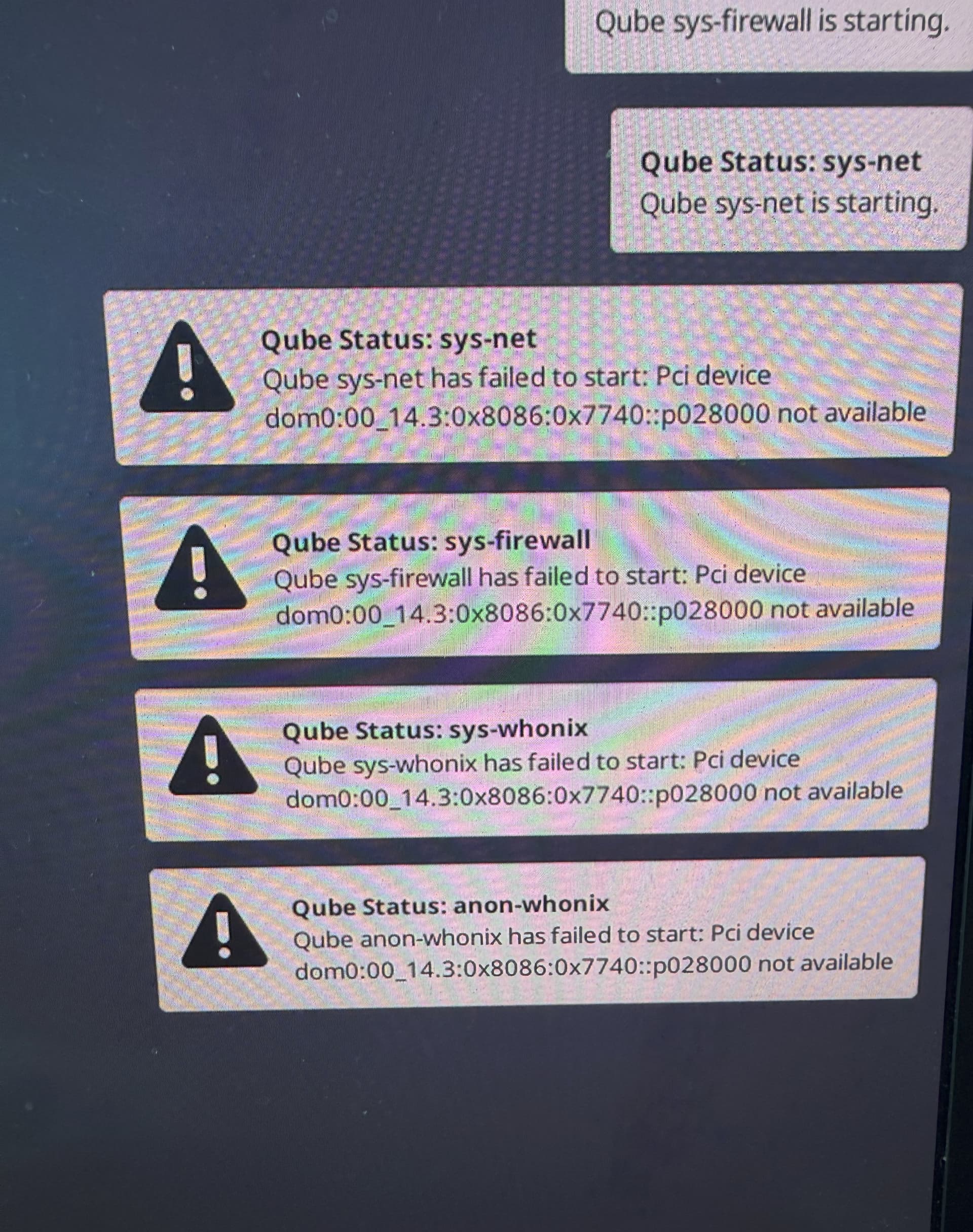
From the screenshot, I’m guessing the network device on sys-net has gone missing or has changed it’s name. I’m not on 4.3 but on 4.2.4 you could open the Qube Manager open settings of the sys-net qube. On the Devices tab remove the missing device and add the correct device if there is one. The rest of those qubes seem to be failing because the dependency chain is broken from the top.
The issue isn’t with the SSD — it’s related to the PCI device.
Let me give you a simple example:
In Qubes OS, suppose I plug in my USB Wi-Fi adapter and permanently assign it to sys-usb by going to sys-usb Settings → Devices and adding the device there.
Then I shut down the machine. Later, I power it on again but this time without the USB Wi-Fi adapter connected. Qubes OS fails to boot properly and doesn’t even let me log in. This happens because the device previously assigned to sys-usb is now missing, and sys-usb is set to autostart. As a result, it throws an error.
In your case, you need to remove the old, unused PCI device from sys-net , sys-firewall , and sys-whonix to resolve the startup failure.
I go to click settings of sys-net and the qubes manager, as well as anything else open (settings of other qubes for example) just closes.
I can click settings of sys-whonix and sys-firewall however.
From what I can tell it seems to be the WiFi device… I don’t use any special wifi adapter, just the one in the laptop.
Furthermore, I did backup an AppVM, seemingly succesfully. However when I opened the zipped backup on another machine, all there is is a backup-header file, despite the zip being 2gb.
I would do that, as it would at least mean I can at a last resort open the qubes to restore my data (backup via dom0 doesn’t seem to be working for some reason) but if I open settings via qubes manager of sys-net everything closes!
According to this bug report you could try sudo qvm-pci unassign sys-net
in dom0 and then adding the correct network device through Qube Manager settings.
I don’t know if a more exact method works: sudo qvm-pci detach sys-net dom0:00_14.3:0x8086:0x7740::p028000
I tried to copy the device name from the error report. Double check it before running please.
Hi, thanks for linking that, the unassign did allow me to open the settings of sys-net!
Now for probably a stupid question: How do I remove that device? All I see under Devices is “available devices” on the left and “devices always connected to this qube” on the right.
It’s already removed. That is what the command did. Now you need to find the correct device from the available devices if there is one.
EDIT:
On the 4.2.4 you click on the arrow right to move the device from the available devices to the always connected ones and arrow left to remove it.
Use arrow right to move the correct device from the available devices to the always connected devices. The unassign command removed all the always connected devices from the sys-net.