I got macOS Tahoe 26 running as an ordinary HVM qube on Qubes OS 4.3. It’s booted by OpenCore, with QEMU kept in its stubdomain like every other HVM. There are no Xen patches, dom0 never gets network, and there’s no nested virtualisation. It installs from Apple’s Recovery, reaches the desktop, takes 26.x updates (26.7 → 26.7.1 tested), and keeps its settings across restarts.
As far as I can find, this is the first macOS that installs and runs as a Qubes HVM. The MacOS VM on qubes thread has been asking since 2020, and earlier attempts stopped at OpenCore or the installer. One earlier macOS-on-Xen success needed a patched Xen; this doesn’t.
I’m not maintaining this. I’m sharing it as-is, as a record of what worked, together with everything someone would need to pick it up. I won’t be providing support or fixes. If you take it further, please say so here so others can find you.
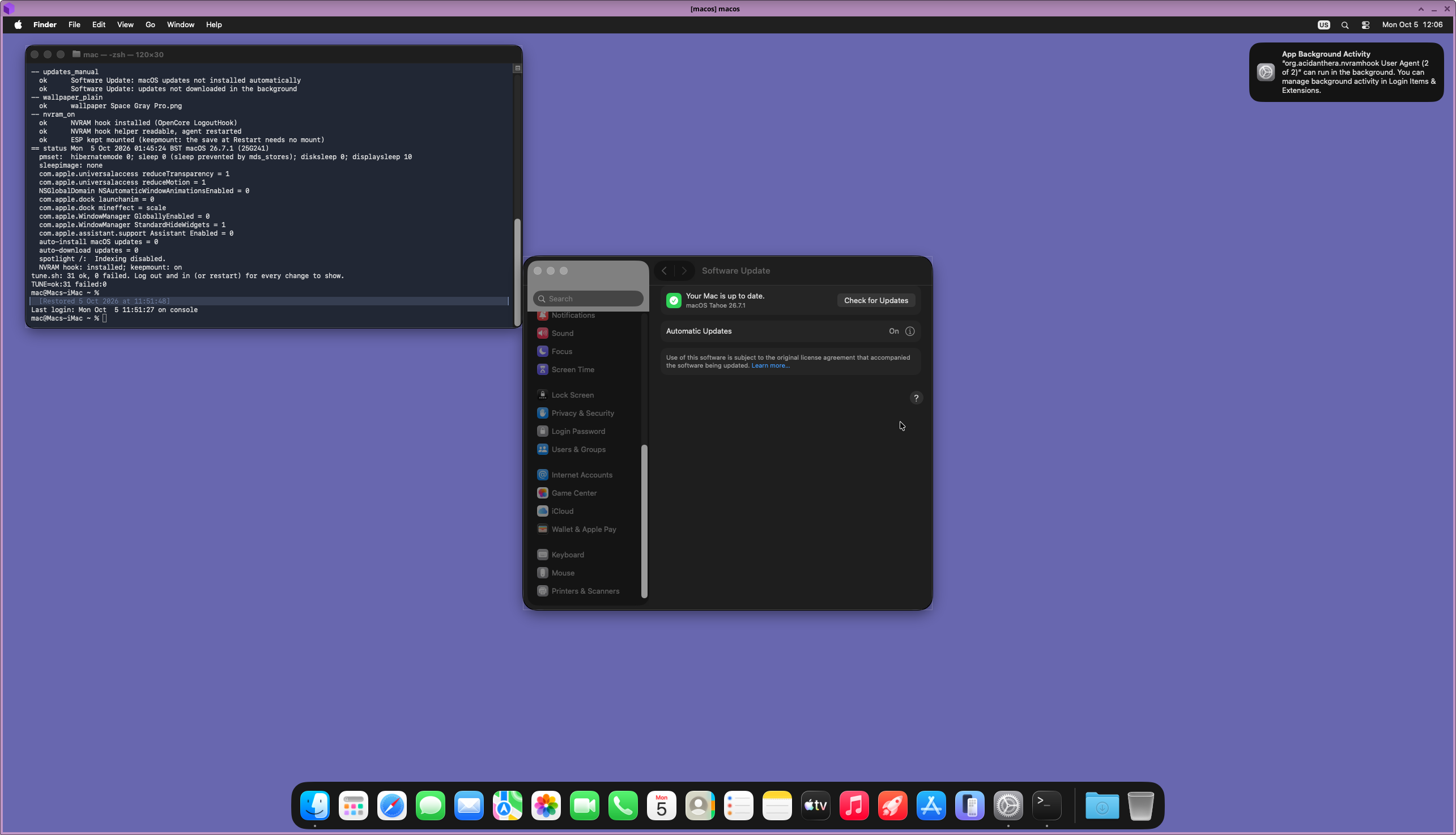
[Screenshot: the macOS desktop in its Qubes window]
Downloads
For users: the scripts, the libvirt template, the install guide and the docs, plus FINDINGS.md: the whole project condensed (what boots, every wall and its fix, what was ruled out, what is still open).
[macos-qubes-0.89.zip]
sha256 4ee984abbf2915af6ca37f16f757328210829fedf0dca8cc847fd729b9f778db
For anyone who wants to maintain or change it: the whole project. That’s the full source and test suite, the build and release tools, MAINTAINING.md, and the project notes: every run’s evidence (RUNS.md), the traps (GOTCHAS.md), the roadmap and what has been ruled out.
[macos-qubes-dev-0.89.zip]
sha256 da93196e88fdd9b44c6c7df186ceb62d344c35a5f47a70ab973ad3a8d60c8930
If the forum will take them I can add the zips as base64 text. Each could be turned back into the zip, and check the sha256:
base64 -d macos-qubes-0.89.zip.b64.txt > macos-qubes-0.89.zip && sha256sum macos-qubes-0.89.zip
Check the hash, then read README.md and INSTALL.md inside. Everything that runs in dom0 is plain bash or XML: read it before you run it.
After copying the zip into dom0 (INSTALL.md step 1), the install is one command: bash ~/macos-v2/macos.sh new. It first asks the new qube’s settings (vCPUs, memory, disk, network qube; Enter keeps each default) and confirms once, then builds the boot disk in a media qube, makes the qube and follows the whole install. You type one command in Recovery’s Terminal, go through Setup Assistant, and optionally apply the speed settings. macos.sh new NAME makes further macOS qubes, each with its own serial number. macos.sh adopt OLD lets a renamed qube take over (say a test qube that becomes macos), and macos.sh clean deletes, one item at a time, what no macOS qube uses any more.
How easy is it? Honestly: not very
- It has run on one machine: mine, an Intel Core Ultra 7 165H (Meteor Lake) on Qubes 4.3 with Xen 4.19.
- The from-scratch install path (
macos.sh new) has run end to end three times, on my machine (0.83, 0.84, 0.85; a second macOS qube): boot disk, Recovery download, install (about 3 hours), Setup Assistant, speed settings. Earlier tries stopped at OpenCore’s config check (0.79), the Recovery download (0.80), a half-built boot disk (0.81) and OpenCore booting its own launcher (0.81 again). Every full run hit the same wall at the end: Setup Assistant spins for good on “Update Mac Automatically”, with network or without, and one restart gets past it. Since 0.85 the script does that restart when you answer n, and the 0.85 run went through cleanly that way (with 16 vCPUs, too). It has run on nobody else’s machine. - After the install, Setup Assistant may come back once after login with a FileVault page that will not let you past. A restart, or
macos.sh setupdone(one command typed in Recovery marks Setup Assistant done), got rid of it; I can’t say which of the two did it. - Two pieces depend on the host CPU: the CPU-model spoof and two small kernel patches for CPU topology.
macos-ctl.sh hostchecksays whether your machine looks like mine. Expect trouble on anything else. AMD is out of scope. - You need about 150 GB free in the pool, 8 GB of RAM for macOS, about 3 hours (Apple’s installer alone took 2¼), and to be comfortable reading and running scripts in dom0.
- If it breaks, the scripts leave good evidence: a VERDICT line, one
.tar.gz, and the full kernel boot log. But nobody is on the other end to read it.
What works, what doesn’t
| Works | Doesn’t |
|---|---|
| Install, Setup Assistant, desktop, keyboard and mouse | GPU acceleration: the CPU draws everything, so it’s slow for video and animations |
| Network through your netvm and firewall | Sleep, Handoff/Continuity |
| Restart and Shut Down with settings kept (emulated NVRAM) | qrexec, the Qubes GUI agent, seamless windows |
| 26.x updates, with a snapshot first and rollback offered | Live clipboard Qubes → macOS |
| Snapshot and rollback of the whole qube; files in and out | Anything after macOS 26: Tahoe is Apple’s last Intel release |
| Clipboard macOS → Qubes; sound (optional); quiet boot |
How it works (the walls, and the fix for each)
- Disks: over QEMU’s AHCI controller, not the PV path, which OVMF livelocks on.
- CPU model: OpenCore reports an Intel model macOS knows (Comet Lake), since Meteor Lake isn’t in its table.
- CPU topology: Xen zeroes the cache-sharing field of CPUID leaf 4, which made the kernel divide by zero. Two small kernel byte patches fix it, rewritten for the qube’s vCPU count at every boot.
- Sleep: ACPI S3 is hidden, so macOS can’t suspend itself.
- Disk discovery: a small kext without code stops X86PlatformPlugin from blocking it.
- Restart: OpenCore’s
FadtEnableReset. - SMC: VirtualSMC, because QEMU’s isa-applesmc is invisible under Xen’s ACPI tables.
- Settings: OpenCore’s emulated NVRAM, saved at shutdown.
- Restarts: Qubes turns a guest restart into a stop, so a small watcher starts the qube again.
- dom0: gets one per-VM libvirt template and three bash scripts. Every boot-disk edit happens in a separate media qube, never in dom0.
- Logging: a serial port in the stubdomain sends OpenCore’s and the kernel’s boot log to dom0’s console log.
Pros and cons
For it:
- macOS stays inside Qubes’ compartments: QEMU in the stubdomain, network through your firewall, snapshots and rollback.
- Nothing in Xen, Qubes or your other qubes changes.
- Every run ends with one VERDICT line and one
.tar.gzof evidence. - About 3,400 offline tests run before every build.
Against it:
- Slow graphics, because there’s no GPU.
- Tested on one host.
- The kernel byte patches could stop matching after an Apple update. The update command checks every boot and offers the snapshot back.
- About 9,800 lines of bash in dom0, run with sudo. Much of it is research tooling, more than everyday use needs.
- About 1 start in 5 freezes in the firmware for a reason I never found. The scripts restart it automatically.
- Lilu and VirtualSMC run in the guest kernel.
- Unmaintained.
- Apple’s licence allows macOS VMs only on Apple hardware. The package ships no Apple software, no SMC key and no serial numbers; you download macOS from Apple yourself.
How it was made: with an AI coding agent
I built this with Claude Code (Anthropic’s AI coding agent) over about three weeks: 88 builds and about 300 recorded runs. Claude wrote the scripts, the libvirt template, the tests and the docs. It read the logs after every run and planned the next one. That included disassembling Apple’s kernel to find the topology divide-by-zero, and reading the OpenCore, QEMU, libvirt, libxl and Xen sources.
It never touched dom0 or the Qubes machine. It worked on a separate computer. I carried each build across with its sha256, ran one command in dom0, watched the screen, answered the script’s questions, and carried one log file back.
- Good: one variable changed per run, a test for every behaviour change, and a written record of why each piece exists, wrong turns included.
- Bad: it’s AI-written code that has run on one machine. Review it as you would any dom0 script from the internet. Mistakes were made and corrected along the way, and some of the docs are reasoning rather than measurement; where that’s so, they say so.
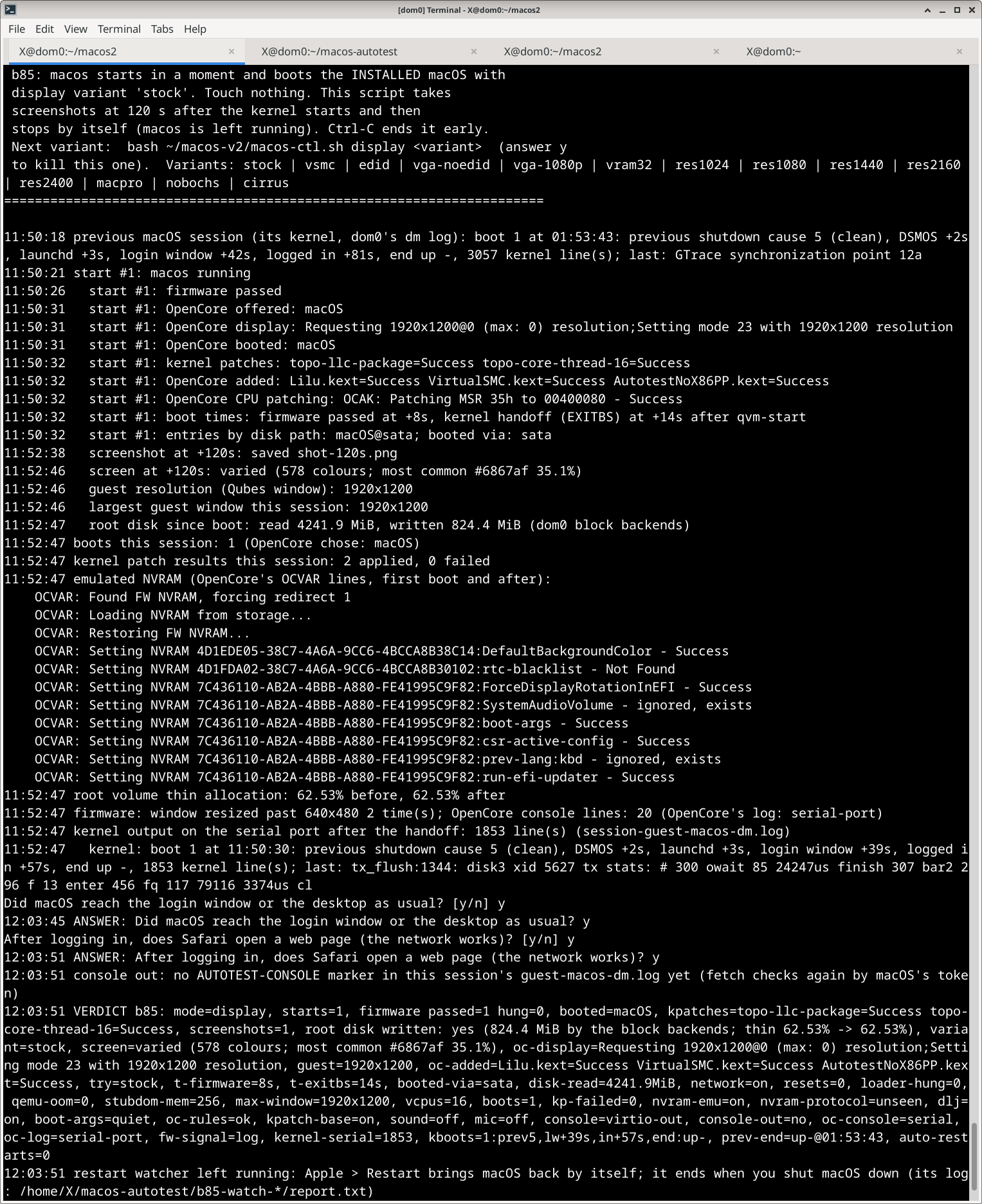
[Screenshot: the boot etc. in progress]
If you try it
There’s no support. Posting what happened here may help the next person:
- the output of
bash ~/macos-v2/macos-ctl.sh hostcheck; - your CPU and your Qubes and Xen versions;
- which INSTALL steps worked;
- for a failure, the VERDICT line and
bash ~/macos-v2/macos-ctl.sh lastboot.
Read any .tar.gz before sharing it: it holds logs from your machine.
Licence: MIT for this project’s files (Ros Mac). OpenCore, Lilu and VirtualSMC come from Acidanthera under their own BSD licence; the builder downloads them. Thanks to Acidanthera, OSX-KVM, the Dortania guides, and DarwinXen, an earlier macOS-on-Xen guide that documented several of these walls first. It used a patched Xen; this needs none.
