I’m planning a high-end desktop build with 256 GB of memory (finally the 64 GB unregistered modules are available) and either an Intel 285K or an AMD Ryzen 9950X (or 9950X3D) CPU, so far I don’t have a strong preference for either CPU vendor. As far as I have seen, the generic consensus is that Intel is typically better supported by Qubes than AMD - but I’d still prefer to have a board which has been successfully tested with Qubes before.
The main requirement is that the base system works in a reliable way (including onboard graphics) and that it is able to forward PCI devices (such as USB, Network, SATA) to Qubes domains without annoying issues/instabilities. Suspending is not really required for that machine (but it would be nice to have).
Regarding the Intel platform I didn’t find much in the HCL at all, there are two Z890-based boards (ASUS PRIME_Z890-P_WIFI and Asus Proart Z890 Creator WIFI) but these are only tested with Qubes 4.3 (but not with the stable 4.2 release), not sure if there are any showstoppers with running 4.2 on this kind of hardware. Also from these two boards, the ASUS PRIME_Z890-P_WIFI seems to have some significant issues with PCI bridges and the Asus Proart Z890 Creator WIFI is overly expensive, I don’t really want to spend ~500€ on a board if a cheap B860-based board for ~150€ has all the hardware features I need.
Using stable Qubes 4.2 (probably with kernel-latest) is definitely preferred but it may also be acceptable to start with 4.3 with the assumption that it will eventually become stable in the months to come.
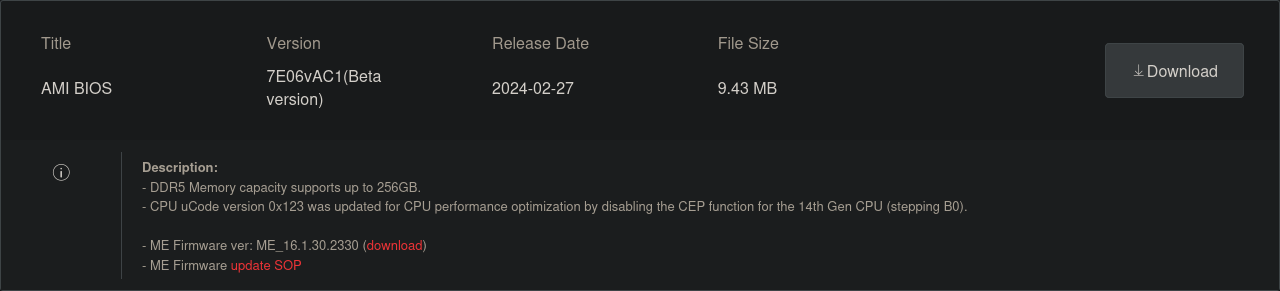
It is not clear if supported CPUs can be updated for this feature, or if they will always be locked to 192 GB of DDR5. In addition, I do not know if Dasharo TianoCore supports 256 GB of DDR5 or not.
I’ve had a great experience with ASUS WRX90 SAGE. Up to 2TB RAM and an endless amount of PCIe 5.0 lanes (7 x16 slots to the CPU), 4 PCIE5.0 M.2 slots with active cooling on each
It requires a GPU, there is no GPU on the board. Though it does come with a BMC to manage it over the network or via a VGA port (BMC can be physically toggled off, which is nice)
For CPU, you need a Ryzen Threadripper Pro (7965WX, 7975WX, 7985WX, 7995WX)
It has AMD PSP, which is not a major concern for me. Maybe it’s a showstopper for others.
For Intel, if you’re interested in 256Gb of ECC memory and using the faster i9-14900K instead of the 285K processor then the ASUS W680-ACE works well with Qubes, including the suspend function. (An earlier BIOS upgrade permits the use of 256Gb). Make certain to purchase the correct DDR5 ECC UDIMM and not the DDR5 ECC RDIMM modules.
Well the 285K is quite a bit faster than the previous generation 14900K (for example in Passmark it has 67813 instead of 58906 points) - and more importantly it is more power efficient since Intel has finally switched over to a state-of-the-art 3 nm manufacturing process at TSMC instead of the old in-house 10 nm process used for the 14900K.
The WRX90 platform is also not an option, this kind of high-end system will come with a much higher idle power consumption than the mainline platforms (AM5 or Intel 1851), so it doesn’t make sense to buy this if you don’t need the additional compute power/memory/PCIe lanes. Also I prefer having a board/CPU with integrated graphics instead of buying a dedicated GPU.
So far I haven’t bought anything but the MSI PRO Z790-P DDR5 motherboard looks promising, if it is working in the certified NitroPC I assume the same board will most likely also work just fine in a DIY build.