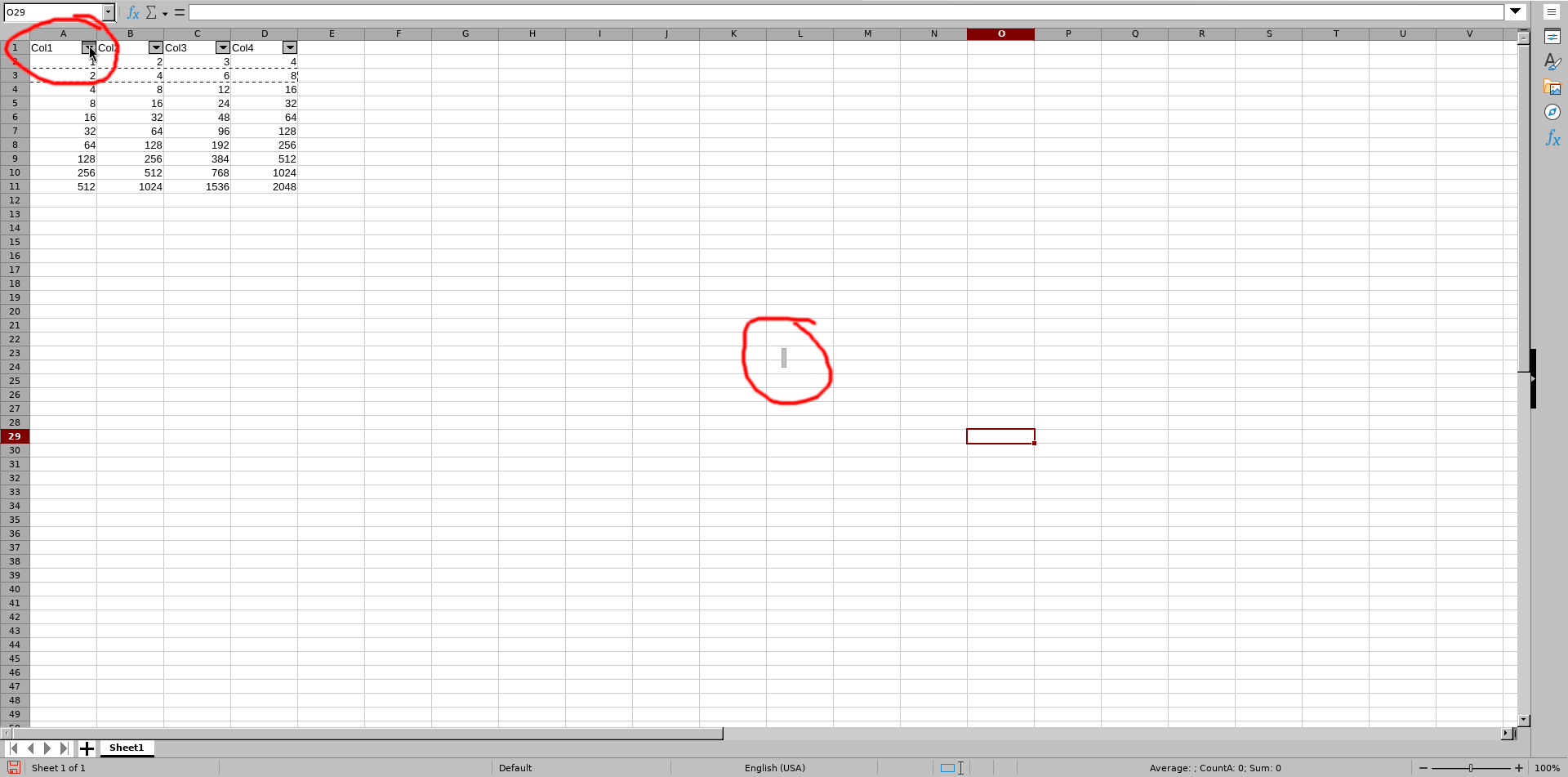
So, I have this little problem in LibreOffice Calc that’s a bit strange. When I turn on the filter and click the filter button in the column header, sometimes the dropdown menu with options doesn’t show up. Instead, this weird popup appears—like the one in the screenshot I attached.
To make it go away, I have to click somewhere on the screen (or press Esc). But sometimes, I have to do it like 5-10 times before it actually disappears.
Has anyone else had this issue? Any ideas how to fix it?
Edit: Qubes4.2.4, templates are based on Debian13.
No, I am not. But on machine with same Debian / LibreOffice versions there is no such issue.
I am not saying that it is related to Qubes, but, as in example with fstrim in another my topic, Qubes introduces another layer of complexity. As such I’m looking for experiences from another users, and, perhaps, workarounds with this situation.
In my opinion it looks like the domU does not pass correct dimensions/position of dropdown window to dom0 to render on screen. As sometimes position is correct (near the dropdown button) and mostly at the center of the screen. That is also an issue with dropdown menus (File/Edit/etc) - sometimes at correct position, sometimes at the center of the screen.
But that’s based on my understanding of how those windows are drown in dom0 which might (and I suspect it surely is) be not correct.
My resolution is 1920x1080, only one monitor (laptop). As suggested by the link you’ve sent I increased gui-videoram-min up to 48100, which should be plenty for my resolution if my math is correct (1920 *1080 * 4 / 1024 = 8100). However no effect on issue I am facing.
Yes. I tried to change different settings in Tools → Options → View. Enable/disable hw acceleration, use Skia… Also no effect.
I use other software like FF, Chromium, GIMP etc. I note that all dropdown menus are rendered as expected (at places near menu item).
Reading link you’ve provided pushed me to search a bit about how programs draw on screen a bit more (thanks!).
So I checked what libreoffice is using to draw stuff. Turned out it uses VCL which can use different toolkits: generic, gtk and kde.
Blockquote
SAL_USE_VCLPLUGIN environment variable with values
gtk, gtk2, gtk3 (GNOME)
kde, kde4 (KDE)
gen (generic ie. X11)
As I understand w/o explicit selection gen / gtk (if installed) is used. There is an issue with gtk toolkit (packages libreoffice-gtk3 and libreoffice-gtk3) - movement is cells of Calc is very slow. Based on info I’ve found it is usually suggested to use “gen” toolkit which, at least for me, render that filter issue.
So I installed libreoffice-kf6 and with SAL_USE_VCLPLUGIN=kf6 I was able to run LibreOffice w/o any issues with filter and dropdown menus positions, no lags with movement. It downloaded extra files for KDE, but at least I can filter with one click instead of random number.