Hello,
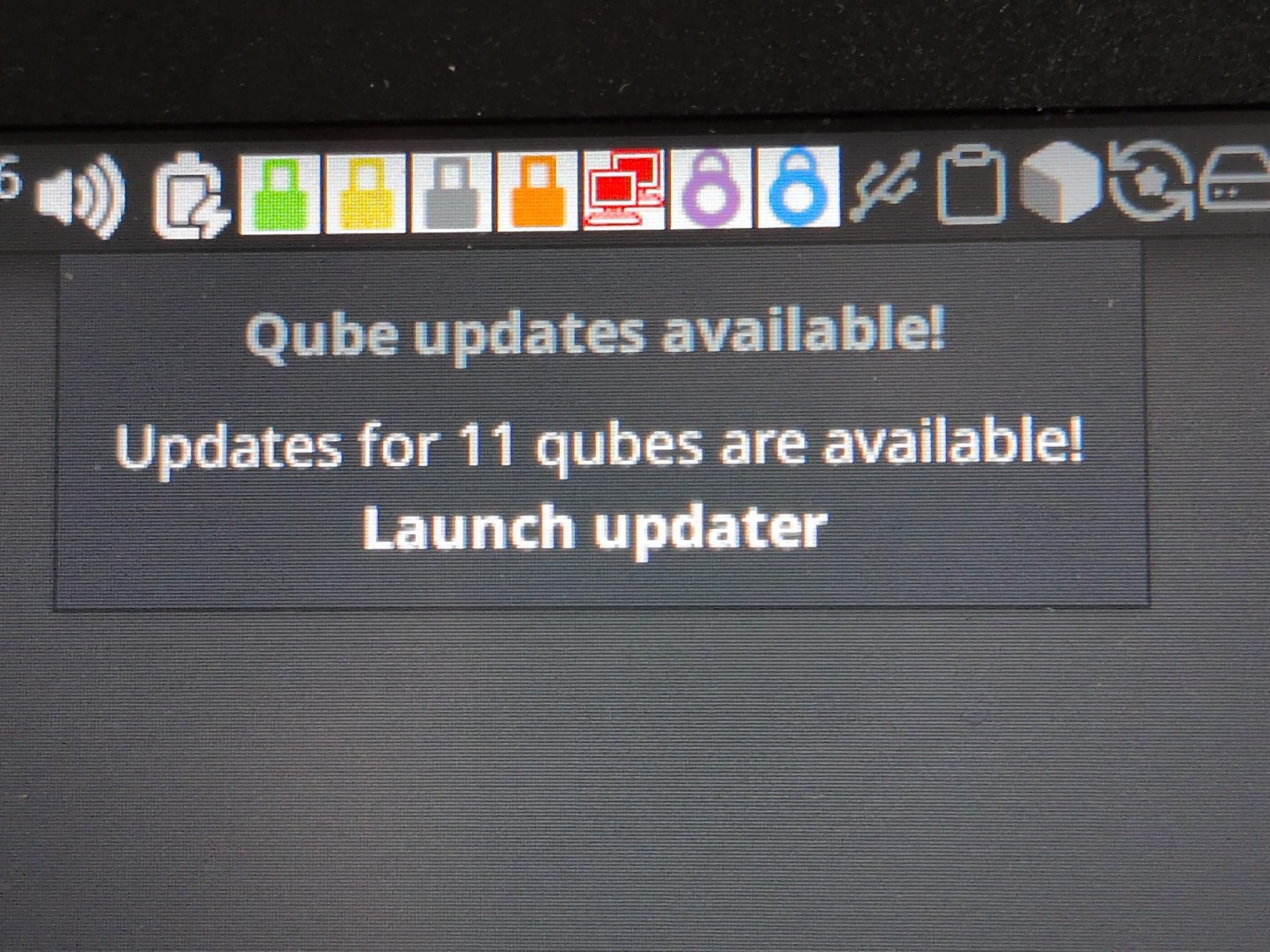
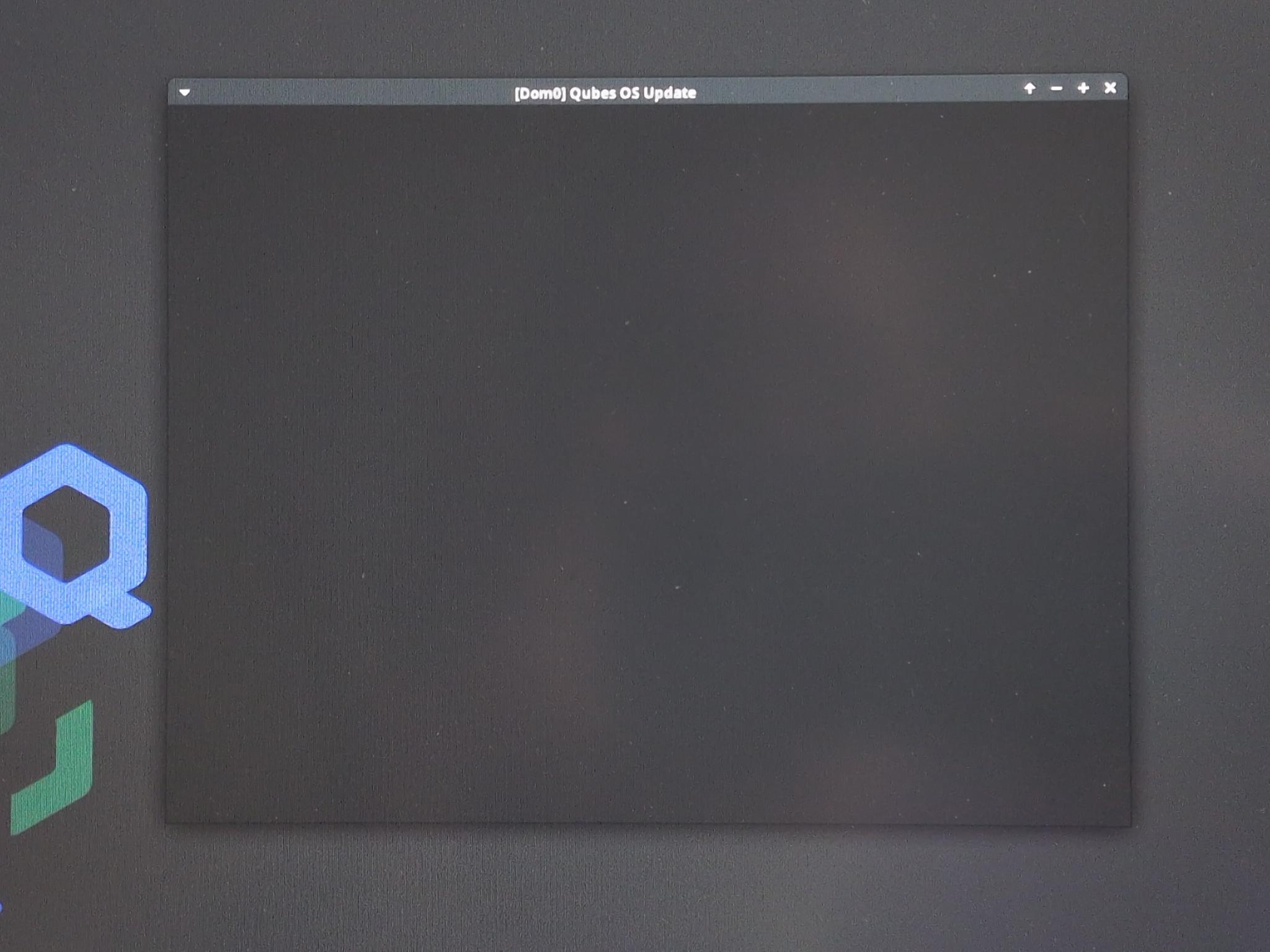
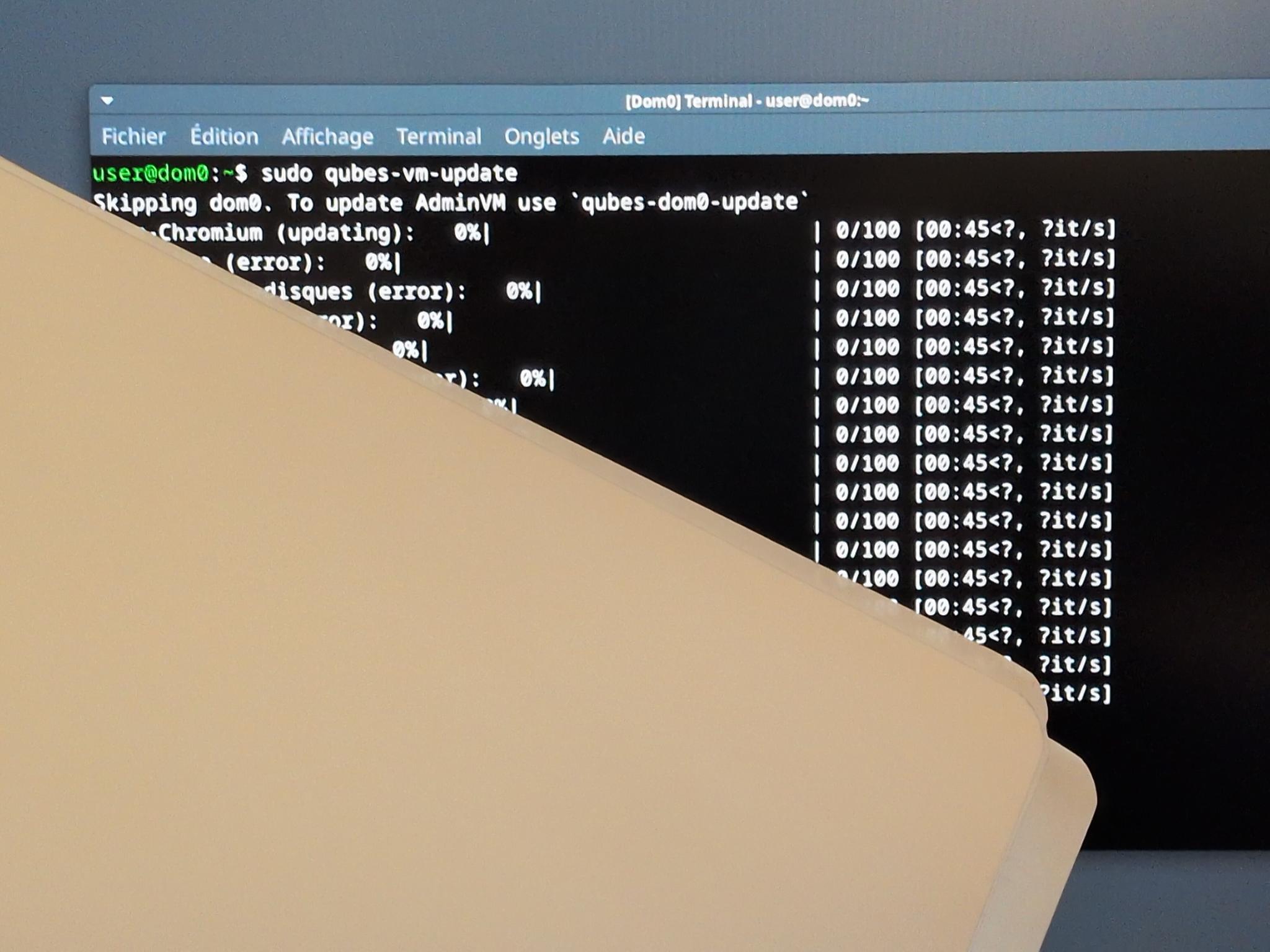
For few days I can’t make updates anymore
someone have a clue how to fix this issue ?
Thanks
parulin
February 17, 2026, 12:20pm
2
Could you try with the command-line?
sudo qubes-dom0-update work fine
Please provide the error message(s).
Maybe we’re having a common cause for sudden update issues. As my GUI updater crashed before I did a clean install, I used the CLI just to be sure.
dom0 had this error:
>>> Finished %post scriptlet: qubes-gui-daemon-selinux-0:4.3.15-1.fc41.x86_64
>>> Scriptlet output:
>>> Failed to resolve typeattributeset statement at /var/lib/selinux/targeted/tmp/modules/200/qubes-gui-daemon/cil:5
>>> Failed to resolve AST
>>> semodule:  Failed!
>>>
Related:
opened 03:26PM - 30 Oct 25 UTC
P: default
needs diagnosis
C: updates
affects-4.3
### Qubes OS release
4.3rc3
### Brief summary
One of my upgrades in dom0 c… ached some warnings, no idea what causing that, but i will drop it here and if its harmless/expected feel free to close the ticket:
```
Upgrading:
amd-gpu-firmware noarch 1:20251021-1.fc41 qubes-dom0-c 30.5 MiB
replacing amd-gpu-firmware noarch 1:20251011-1.fc41 qubes-dom0-c 30.5 MiB
amd-ucode-firmware noarch 1:20251021-1.fc41 qubes-dom0-c 465.5 KiB
replacing amd-ucode-firmware noarch 1:20251011-1.fc41 qubes-dom0-c 465.5 KiB
anaconda-core x86_64 1000:41.28-4.fc41 qubes-dom0-c 12.8 MiB
replacing anaconda-core x86_64 1000:41.28-2.fc41 anaconda 12.8 MiB
anaconda-gui x86_64 1000:41.28-4.fc41 qubes-dom0-c 2.9 MiB
replacing anaconda-gui x86_64 1000:41.28-2.fc41 anaconda 2.8 MiB
anaconda-tui x86_64 1000:41.28-4.fc41 qubes-dom0-c 484.4 KiB
replacing anaconda-tui x86_64 1000:41.28-2.fc41 anaconda 484.3 KiB
anaconda-widgets x86_64 1000:41.28-4.fc41 qubes-dom0-c 94.4 KiB
replacing anaconda-widgets x86_64 1000:41.28-2.fc41 anaconda 94.4 KiB
cirrus-audio-firmware noarch 1:20251021-1.fc41 qubes-dom0-c 2.1 MiB
replacing cirrus-audio-firmware noarch 1:20251011-1.fc41 qubes-dom0-c 2.1 MiB
intel-audio-firmware noarch 1:20251021-1.fc41 qubes-dom0-c 3.8 MiB
replacing intel-audio-firmware noarch 1:20251011-1.fc41 qubes-dom0-c 3.8 MiB
intel-gpu-firmware noarch 1:20251021-1.fc41 qubes-dom0-c 10.4 MiB
replacing intel-gpu-firmware noarch 1:20251011-1.fc41 qubes-dom0-c 10.4 MiB
linux-firmware-whence noarch 1:20251021-1.fc41 qubes-dom0-c 347.8 KiB
replacing linux-firmware-whence noarch 1:20251011-1.fc41 qubes-dom0-c 346.5 KiB
nvidia-gpu-firmware noarch 1:20251021-1.fc41 qubes-dom0-c 108.4 MiB
replacing nvidia-gpu-firmware noarch 1:20251011-1.fc41 qubes-dom0-c 108.4 MiB
python3-qubesadmin noarch 4.3.23-1.fc41 qubes-dom0-c 4.1 MiB
replacing python3-qubesadmin noarch 4.3.22-1.fc41 anaconda 4.1 MiB
qubes-audio-daemon x86_64 4.3.14-1.fc41 qubes-dom0-c 44.7 KiB
replacing qubes-audio-daemon x86_64 4.3.13-1.fc41 anaconda 44.7 KiB
qubes-audio-dom0 x86_64 4.3.14-1.fc41 qubes-dom0-c 37.2 KiB
replacing qubes-audio-dom0 x86_64 4.3.13-1.fc41 anaconda 37.2 KiB
qubes-core-admin-client noarch 4.3.23-1.fc41 qubes-dom0-c 78.7 KiB
replacing qubes-core-admin-client noarch 4.3.22-1.fc41 anaconda 78.7 KiB
qubes-core-dom0 noarch 4.3.37-1.fc41 qubes-dom0-c 8.5 MiB
replacing qubes-core-dom0 noarch 4.3.36-1.fc41 anaconda 7.5 MiB
qubes-desktop-linux-manager noarch 4.3.21-1.fc41 qubes-dom0-c 3.1 MiB
replacing qubes-desktop-linux-manager noarch 4.3.20-1.fc41 qubes-dom0-c 3.1 MiB
qubes-desktop-linux-menu noarch 1.2.9-1.fc41 qubes-dom0-c 494.1 KiB
replacing qubes-desktop-linux-menu noarch 1.2.8-1.fc41 anaconda 492.3 KiB
qubes-dom0-meta-packages noarch 4.3.4-1.fc41 qubes-dom0-c 0.0 B
replacing qubes-dom0-meta-packages noarch 4.3.3-1.fc41 anaconda 0.0 B
qubes-dom0-unwanted-packages noarch 4.3.4-1.fc41 qubes-dom0-c 0.0 B
replacing qubes-dom0-unwanted-packages noarch 4.3.3-1.fc41 anaconda 0.0 B
qubes-gui-daemon x86_64 4.3.14-1.fc41 qubes-dom0-c 194.6 KiB
replacing qubes-gui-daemon x86_64 4.3.13-1.fc41 anaconda 194.6 KiB
qubes-gui-daemon-selinux x86_64 4.3.14-1.fc41 qubes-dom0-c 81.4 KiB
replacing qubes-gui-daemon-selinux x86_64 4.3.13-1.fc41 anaconda 81.4 KiB
qubes-gui-dom0 x86_64 4.3.14-1.fc41 qubes-dom0-c 563.0 B
replacing qubes-gui-dom0 x86_64 4.3.13-1.fc41 anaconda 563.0 B
qubes-manager noarch 4.3.17-1.fc41 qubes-dom0-c 2.2 MiB
replacing qubes-manager noarch 4.3.16-1.fc41 qubes-dom0-c 2.3 MiB
qubes-mgmt-salt-dom0-virtual-machines noarch 4.3.11-1.fc41 qubes-dom0-c 53.4 KiB
replacing qubes-mgmt-salt-dom0-virtual-machines noarch 4.3.9-1.fc41 anaconda 53.1 KiB
qubes-release noarch 4.3-0.9.fc41 qubes-dom0-c 222.9 KiB
replacing qubes-release noarch 4.3-0.8.fc41 anaconda 222.9 KiB
qubes-release-notes noarch 4.3-0.9.fc41 qubes-dom0-c 794.0 B
replacing qubes-release-notes noarch 4.3-0.8.fc41 anaconda 794.0 B
Installing:
kernel x86_64 1000:6.12.54-1.qubes.fc41 qubes-dom0-c 42.4 MiB
kernel-devel x86_64 1000:6.12.54-1.qubes.fc41 qubes-dom0-c 69.7 MiB
kernel-modules x86_64 1000:6.12.54-1.qubes.fc41 qubes-dom0-c 517.4 MiB
kernel-qubes-vm x86_64 1000:6.12.54-1.qubes.fc41 qubes-dom0-c 519.3 MiB
Installing weak dependencies:
qubes-core-admin-addon-kicksecure noarch 4.3.0-1.fc41 qubes-dom0-c 6.0 KiB
Transaction Summary:
Installing: 5 packages
Upgrading: 27 packages
Replacing: 27 packages
Total size of inbound packages is 288 MiB. Need to download 288 MiB.
After this operation, 1 GiB extra will be used (install 1 GiB, remove 190 MiB).
Is this ok [y/N]: y
[ 1/32] kernel-1000:6.12.54-1.qubes.fc41.x86_64 100% | 45.9 MiB/s | 13.5 MiB | 00m00s
[ 2/32] kernel-devel-1000:6.12.54-1.qubes.fc41.x86_64 100% | 36.2 MiB/s | 15.0 MiB | 00m00s
[ 3/32] kernel-modules-1000:6.12.54-1.qubes.fc41.x86_64 100% | 87.7 MiB/s | 84.2 MiB | 00m01s
[ 4/32] kernel-qubes-vm-1000:6.12.54-1.qubes.fc41.x86_64 100% | 89.1 MiB/s | 19.2 MiB | 00m00s
[ 5/32] qubes-core-admin-addon-kicksecure-0:4.3.0-1.fc41.noarch 100% | 40.1 KiB/s | 8.5 KiB | 00m00s
[ 6/32] amd-gpu-firmware-1:20251021-1.fc41.noarch 100% | 66.8 MiB/s | 28.6 MiB | 00m00s
[ 7/32] amd-ucode-firmware-1:20251021-1.fc41.noarch 100% | 11.2 MiB/s | 422.6 KiB | 00m00s
[ 8/32] anaconda-core-1000:41.28-4.fc41.x86_64 100% | 28.1 MiB/s | 2.5 MiB | 00m00s
[ 9/32] anaconda-gui-1000:41.28-4.fc41.x86_64 100% | 3.5 MiB/s | 441.1 KiB | 00m00s
[10/32] anaconda-tui-1000:41.28-4.fc41.x86_64 100% | 3.9 MiB/s | 124.0 KiB | 00m00s
[11/32] anaconda-widgets-1000:41.28-4.fc41.x86_64 100% | 622.5 KiB/s | 35.5 KiB | 00m00s
[12/32] cirrus-audio-firmware-1:20251021-1.fc41.noarch 100% | 21.5 MiB/s | 2.2 MiB | 00m00s
[13/32] intel-audio-firmware-1:20251021-1.fc41.noarch 100% | 59.7 MiB/s | 3.8 MiB | 00m00s
[14/32] intel-gpu-firmware-1:20251021-1.fc41.noarch 100% | 60.4 MiB/s | 9.6 MiB | 00m00s
[15/32] linux-firmware-whence-1:20251021-1.fc41.noarch 100% | 258.1 KiB/s | 42.1 KiB | 00m00s
[16/32] nvidia-gpu-firmware-1:20251021-1.fc41.noarch 100% | 104.2 MiB/s | 105.0 MiB | 00m01s
[17/32] python3-qubesadmin-0:4.3.23-1.fc41.noarch 100% | 742.3 KiB/s | 691.8 KiB | 00m01s
[18/32] qubes-audio-daemon-0:4.3.14-1.fc41.x86_64 100% | 25.1 KiB/s | 23.7 KiB | 00m01s
[19/32] qubes-audio-dom0-0:4.3.14-1.fc41.x86_64 100% | 1.2 MiB/s | 19.1 KiB | 00m00s
[20/32] qubes-core-admin-client-0:4.3.23-1.fc41.noarch 100% | 1.6 MiB/s | 75.9 KiB | 00m00s
[21/32] qubes-core-dom0-0:4.3.37-1.fc41.noarch 100% | 15.1 MiB/s | 1.3 MiB | 00m00s
[22/32] qubes-desktop-linux-manager-0:4.3.21-1.fc41.noarch 100% | 19.8 MiB/s | 750.7 KiB | 00m00s
[23/32] qubes-desktop-linux-menu-0:1.2.9-1.fc41.noarch 100% | 1.7 MiB/s | 119.2 KiB | 00m00s
[24/32] qubes-dom0-meta-packages-0:4.3.4-1.fc41.noarch 100% | 77.7 KiB/s | 6.1 KiB | 00m00s
[25/32] qubes-dom0-unwanted-packages-0:4.3.4-1.fc41.noarch 100% | 470.9 KiB/s | 6.1 KiB | 00m00s
[26/32] qubes-gui-daemon-0:4.3.14-1.fc41.x86_64 100% | 1.9 MiB/s | 77.9 KiB | 00m00s
[27/32] qubes-gui-daemon-selinux-0:4.3.14-1.fc41.x86_64 100% | 363.4 KiB/s | 20.3 KiB | 00m00s
[28/32] qubes-gui-dom0-0:4.3.14-1.fc41.x86_64 100% | 535.6 KiB/s | 9.1 KiB | 00m00s
[29/32] qubes-manager-0:4.3.17-1.fc41.noarch 100% | 6.9 MiB/s | 380.7 KiB | 00m00s
[30/32] qubes-mgmt-salt-dom0-virtual-machines-0:4.3.11-1.fc41.noarch 100% | 390.9 KiB/s | 31.7 KiB | 00m00s
[31/32] qubes-release-0:4.3-0.9.fc41.noarch 100% | 2.1 MiB/s | 64.6 KiB | 00m00s
[32/32] qubes-release-notes-0:4.3-0.9.fc41.noarch 100% | 124.4 KiB/s | 8.1 KiB | 00m00s
------------------------------------------------------------------------------------------------------------------
[32/32] Total 100% | 87.5 MiB/s | 288.1 MiB | 00m03s
Running transaction
[ 1/61] Verify package files 100% | 19.0 B/s | 32.0 B | 00m02s
[ 2/61] Prepare transaction 100% | 62.0 B/s | 59.0 B | 00m01s
[ 3/61] Upgrading linux-firmware-whence-1:20251021-1.fc41.noarch 100% | 970.0 B/s | 100.0 B | 00m00s
[ 4/61] Upgrading python3-qubesadmin-0:4.3.23-1.fc41.noarch 100% | 598.0 B/s | 100.0 B | 00m00s
[ 5/61] Upgrading qubes-core-dom0-0:4.3.37-1.fc41.noarch 100% | 93.0 B/s | 100.0 B | 00m01s
[ 6/61] Upgrading anaconda-tui-1000:41.28-4.fc41.x86_64 100% | 1.9 KiB/s | 100.0 B | 00m00s
[ 7/61] Upgrading anaconda-core-1000:41.28-4.fc41.x86_64 100% | 250.0 B/s | 100.0 B | 00m00s
[ 8/61] Installing kernel-modules-1000:6.12.54-1.qubes.fc41.x86_64 100% | 20.0 B/s | 100.0 B | 00m05s
[ 9/61] Upgrading qubes-audio-dom0-0:4.3.14-1.fc41.x86_64 100% | 2.1 KiB/s | 100.0 B | 00m00s
[10/61] Upgrading qubes-desktop-linux-manager-0:4.3.21-1.fc41.noarch 100% | 793.0 B/s | 100.0 B | 00m00s
[11/61] Upgrading qubes-release-0:4.3-0.9.fc41.noarch 100% | 2.3 KiB/s | 100.0 B | 00m00s
[12/61] Upgrading qubes-gui-daemon-selinux-0:4.3.14-1.fc41.x86_64 100% | 22.0 B/s | 100.0 B | 00m04s
>>> Running %post scriptlet: qubes-gui-daemon-selinux-0:4.3.14-1.fc41.x86_64
>>> Finished %post scriptlet: qubes-gui-daemon-selinux-0:4.3.14-1.fc41.x86_64
>>> Scriptlet output:
>>> Failed to resolve typeattributeset statement at /var/lib/selinux/targeted/tmp/modules/200/qubes-gui-daemon/cil
>>> Failed to resolve AST
>>> semodule: Failed!
>>>
[13/61] Upgrading qubes-gui-daemon-0:4.3.14-1.fc41.x86_64 100% | 1.1 KiB/s | 100.0 B | 00m00s
[14/61] Upgrading qubes-audio-daemon-0:4.3.14-1.fc41.x86_64 100% | 3.0 KiB/s | 100.0 B | 00m00s
[15/61] Upgrading anaconda-widgets-1000:41.28-4.fc41.x86_64 100% | 1.0 KiB/s | 100.0 B | 00m00s
[16/61] Installing kernel-devel-1000:6.12.54-1.qubes.fc41.x86_64 100% | 30.0 B/s | 100.0 B | 00m03s
[17/61] Installing kernel-qubes-vm-1000:6.12.54-1.qubes.fc41.x86_64 100% | 8.0 B/s | 100.0 B | 00m11s
>>> Running %post scriptlet: kernel-qubes-vm-1000:6.12.54-1.qubes.fc41.x86_64
>>> Finished %post scriptlet: kernel-qubes-vm-1000:6.12.54-1.qubes.fc41.x86_64
>>> Scriptlet output:
>>> --> Building files for 6.12.54-1.qubes.fc41.x86_64 in /var/lib/qubes/vm-kernels/6.12.54-1.fc41
>>> ---> Generating modules.img
>>> Creating regular file /var/tmp/tmp.2aDxI1aMZa/modules.img
>>> resize2fs 1.47.1 (20-May-2024)
>>> --> Done.
>>>
[18/61] Upgrading anaconda-gui-1000:41.28-4.fc41.x86_64 100% | 680.0 B/s | 100.0 B | 00m00s
[19/61] Upgrading qubes-gui-dom0-0:4.3.14-1.fc41.x86_64 100% | 2.6 KiB/s | 100.0 B | 00m00s
[20/61] Upgrading qubes-desktop-linux-menu-0:1.2.9-1.fc41.noarch 100% | 680.0 B/s | 100.0 B | 00m00s
[21/61] Installing kernel-1000:6.12.54-1.qubes.fc41.x86_64 100% | 602.0 B/s | 100.0 B | 00m00s
[22/61] Upgrading qubes-core-admin-client-0:4.3.23-1.fc41.noarch 100% | 1.3 KiB/s | 100.0 B | 00m00s
[23/61] Upgrading qubes-manager-0:4.3.17-1.fc41.noarch 100% | 709.0 B/s | 100.0 B | 00m00s
[24/61] Upgrading amd-gpu-firmware-1:20251021-1.fc41.noarch 100% | 221.0 B/s | 100.0 B | 00m00s
[25/61] Upgrading amd-ucode-firmware-1:20251021-1.fc41.noarch 100% | 1.1 KiB/s | 100.0 B | 00m00s
[26/61] Upgrading cirrus-audio-firmware-1:20251021-1.fc41.noarch 100% | 438.0 B/s | 100.0 B | 00m00s
[27/61] Upgrading intel-audio-firmware-1:20251021-1.fc41.noarch 100% | 1.2 KiB/s | 100.0 B | 00m00s
[28/61] Upgrading intel-gpu-firmware-1:20251021-1.fc41.noarch 100% | 757.0 B/s | 100.0 B | 00m00s
[29/61] Upgrading nvidia-gpu-firmware-1:20251021-1.fc41.noarch 100% | 107.0 B/s | 100.0 B | 00m01s
[30/61] Upgrading qubes-release-notes-0:4.3-0.9.fc41.noarch 100% | 1.7 KiB/s | 100.0 B | 00m00s
[31/61] Upgrading qubes-mgmt-salt-dom0-virtual-machi 100% [==================] | 12.0 B/s | 100.0 B | 00m00s
[31/61] Upgrading qubes-mgmt-salt-dom0-virtual-machines-0:4.3.11-1.fc41.n 100% | 12.0 B/s | 100.0 B | 00m08s
>>> Running %post scriptlet: qubes-mgmt-salt-dom0-virtual-machines-0:4.3.11-1.fc41.noarch
>>> Finished %post scriptlet: qubes-mgmt-salt-dom0-virtual-machines-0:4.3.11-1.fc41.noarch
>>> Scriptlet output:
>>>
>>>
>>>
>>>
>>>
>>>
>>>
>>>
>>>
>>>
>>>
>>>
>>>
>>>
>>>
>>>
>>>
>>> Summary for local
>>> Summary for local
>>> ------------
>>>
>>>
>>> Total states run: 2
>>> Total states run: 2
>>>
>>>
[32/61] Upgrading qubes-dom0-unwanted-packages-0:4.3.4-1.fc41.noarch 100% | 1.8 KiB/s | 100.0 B | 00m00s
[33/61] Upgrading qubes-dom0-meta-packages-0:4.3.4-1.fc41.noarch 100% | 2.7 KiB/s | 100.0 B | 00m00s
[34/61] Installing qubes-core-admin-addon-kicksecure-0:4.3.0-1.fc41.noarc 100% | 2.5 KiB/s | 100.0 B | 00m00s
[35/61] Removing qubes-gui-dom0-0:4.3.13-1.fc41.x86_64 100% | 16.0 B/s | 1.0 B | 00m00s
[36/61] Removing qubes-desktop-linux-menu-0:1.2.8-1.fc41.noarch 100% | 1.6 KiB/s | 98.0 B | 00m00s
[37/61] Removing anaconda-gui-1000:41.28-2.fc41.x86_64 100% | 1.3 KiB/s | 205.0 B | 00m00s
[38/61] Removing anaconda-core-1000:41.28-2.fc41.x86_64 100% | 29.0 KiB/s | 1.7 KiB | 00m00s
[39/61] Removing qubes-desktop-linux-manager-0:4.3.20-1.fc41.noarch 100% | 5.4 KiB/s | 325.0 B | 00m00s
[40/61] Removing qubes-audio-dom0-0:4.3.13-1.fc41.x86_64 100% | 411.0 B/s | 14.0 B | 00m00s
[41/61] Removing qubes-manager-0:4.3.16-1.fc41.noarch 100% | 2.7 KiB/s | 166.0 B | 00m00s
[42/61] Removing qubes-core-admin-client-0:4.3.22-1.fc41.noarch 100% | 1.9 KiB/s | 65.0 B | 00m00s
[43/61] Removing nvidia-gpu-firmware-1:20251011-1.fc41.noarch 100% | 15.3 KiB/s | 595.0 B | 00m00s
[44/61] Removing intel-gpu-firmware-1:20251011-1.fc41.noarch 100% | 4.1 KiB/s | 131.0 B | 00m00s
[45/61] Removing intel-audio-firmware-1:20251011-1.fc41.noarch 100% | 1.8 KiB/s | 58.0 B | 00m00s
[46/61] Removing cirrus-audio-firmware-1:20251011-1.fc41.noarch 100% | 33.4 KiB/s | 1.3 KiB | 00m00s
[47/61] Removing amd-ucode-firmware-1:20251011-1.fc41.noarch 100% | 594.0 B/s | 22.0 B | 00m00s
[48/61] Removing amd-gpu-firmware-1:20251011-1.fc41.noarch 100% | 21.8 KiB/s | 937.0 B | 00m00s
[49/61] Removing linux-firmware-whence-1:20251011-1.fc41.noarch 100% | 68.0 B/s | 2.0 B | 00m00s
[50/61] Removing python3-qubesadmin-0:4.3.22-1.fc41.noarch 100% | 6.2 KiB/s | 334.0 B | 00m00s
[51/61] Removing qubes-core-dom0-0:4.3.36-1.fc41.noarch 100% | 5.0 KiB/s | 623.0 B | 00m00s
[52/61] Removing anaconda-tui-1000:41.28-2.fc41.x86_64 100% | 1.4 KiB/s | 65.0 B | 00m00s
[53/61] Removing qubes-release-notes-0:4.3-0.8.fc41.noarch 100% | 60.0 B/s | 2.0 B | 00m00s
[54/61] Removing qubes-mgmt-salt-dom0-virtual-machines-0:4.3.9-1.fc41.noa 100% | 2.7 KiB/s | 89.0 B | 00m00s
[55/61] Removing qubes-dom0-unwanted-packages-0:4.3.3-1.fc41.noarch 100% | 3.1 KiB/s | 100.0 B | 00m00s
[56/61] Removing qubes-dom0-meta-packages-0:4.3.3-1.fc41.noarch 100% | 3.3 KiB/s | 100.0 B | 00m00s
[57/61] Removing qubes-gui-daemon-0:4.3.13-1.fc41.x86_64 100% | 349.0 B/s | 22.0 B | 00m00s
[58/61] Removing qubes-gui-daemon-selinux-0:4.3.13-1.fc41.x86_64 100% | 20.0 B/s | 1.0 B | 00m00s
[59/61] Removing qubes-release-0:4.3-0.8.fc41.noarch 100% | 696.0 B/s | 23.0 B | 00m00s
[60/61] Removing anaconda-widgets-1000:41.28-2.fc41.x86_64 100% | 294.0 B/s | 10.0 B | 00m00s
[61/61] Removing qubes-audio-daemon-0:4.3.13-1.fc41.x86_64 100% | 0.0 B/s | 4.0 B | 01m17s
>>> Running %posttrans scriptlet: qubes-release-0:4.3-0.9.fc41.noarch
>>> Finished %posttrans scriptlet: qubes-release-0:4.3-0.9.fc41.noarch
>>> Scriptlet output:
>>> Running timer as unit: run-r3c4d04476d374e6cb303c7ed448e0add.timer
>>> Will run service as unit: run-r3c4d04476d374e6cb303c7ed448e0add.service
>>>
>>> Running %posttrans scriptlet: kernel-1000:6.12.54-1.qubes.fc41.x86_64
>>> Finished %posttrans scriptlet: kernel-1000:6.12.54-1.qubes.fc41.x86_64
>>> Scriptlet output:
>>> Generating grub configuration file ...
>>> Found linux image: /boot/vmlinuz-6.12.54-1.qubes.fc41.x86_64
>>> Found initrd image: /boot/initramfs-6.12.54-1.qubes.fc41.x86_64.img
>>> fgrep: warning: fgrep is obsolescent; using grep -F
>>> Found linux image: /boot/vmlinuz-6.12.47-1.qubes.fc41.x86_64
>>> Found initrd image: /boot/initramfs-6.12.47-1.qubes.fc41.x86_64.img
>>> fgrep: warning: fgrep is obsolescent; using grep -F
>>> fgrep: warning: fgrep is obsolescent; using grep -F
>>> Adding boot menu entry for UEFI Firmware Settings ...
>>> done
>>>
Complete!
Removed 3 files, 4 directories (total of 111 KiB). 0 errors occurred.
user@dom0:~/Desktop$
```
```
>>> Failed to resolve typeattributeset statement at /var/lib/selinux/targeted/tmp/modules/200/qubes-gui-daemon/cil
>>> Failed to resolve AST
>>> semodule: Failed!
```
`>>> fgrep: warning: fgrep is obsolescent; using grep -F `
Updating Dom0 today (once the earlier error preventing it was fixed) I noticed the following error appeared:
>>> Finished %post scriptlet: qubes-gui-daemon-selinux-0:4.3.15-1.fc41.x86_64
>>> Scriptlet output:
>>> Failed to resolve typeattributeset statement at /var/lib/selinux/targeted/tmp/modules/200/qubes-gui-daemon/cil:5
>>> Failed to resolve AST
>>> semodule: Failed!
This is on a qubes 4.3 fresh install
I proceeded with the templates hoping it’s not too serious, some error’d relatively quick for no apparent reason (~ 20%), one took a long time to error (at ~ 52%) and only plain debian-13-xfce succeeded. It doesn’t display any errors. The others are Kicksecure and Whonix based templates.
However, in my Qubes i3 bar at the bottom of the screen I see “qubesd connection failed” next to the usual information. Don’t know what to make of it and if my setup is screwed now, which would be very, very unfortunate.
Two things that come into my mind are the dom0 update error and Kicksecure/Whonix introducing new meta packages (CLI vs. Server, I think previously everything was server).
Any ideas?
What’s the exit code if you wait it out?
Does --log DEBUG / --show-output help getting more info?
this bug happen few days ago as i already told and i guess was after one dom0 update but i cant be 100% sure about that
i do not have more info with --show-output
I just executed it again with --show-output, now some more updates were successful. Others weren’t.
I was flooded with W:Tried to start delayed item tor+http://deb.w5j6stm77zs6652pgsij4awcjeel3eco7kvipheu6mtr623eyyehj4yd.onion trixie/main amd64 open-link-confirmation all 3:8.2-1, but failed so often I can’t scroll above it anymore.
The error is followed by this:
whonix-gateway-18:out: /rw: 121.7 MiB (127639552 bytes) trimmed on /dev/xvdb
whonix-gateway-18:out: /: 361.2 MiB (378744832 bytes) trimmed on /dev/mapper/dmroot
whonix-gateway-18:out: /usr/sbin/policy-rc.d returned 101, not running 'restart dev-xvdc1-swap.service home.mount qubes-bind-dirs.service qubes-early-vm-config.service qubes-misc-post.service qubes-mount-dirs.service qubes-rootfs-resize.service qubes-sync-time.service qubes-sync-time.timer qubes-sysinit.service qubes-update-check.service qubes-update-check.timer qubes-updates-proxy-forwarder.socket usr-local.mount'
whonix-gateway-18:out: Setting up tor-ctrl (3:6.4-1) ...
whonix-gateway-18:out: Setting up libgd3:amd64 (2.3.3-13) ...
whonix-gateway-18:out: Setting up initializer-dist (3:8.5-1) ...
whonix-gateway-18:out: Setting up whonix-gateway-general-cli (3:26.9-1) ...
whonix-gateway-18:out: Setting up sdwdate-gui (1:13.8-1) ...
whonix-gateway-18:out: Installing new version of config file /etc/qubes-rpc/sdwdate-gui.ConnectCheck ...
whonix-gateway-18:out:
whonix-gateway-18:err:
Executing it another time, it says that no updates are available. Very odd.
Edit: What I ended up doing is reboot the PC to see if it still works at all, which was the case, rename the templates to [name]-old, restore the clean templates from right after a fresh install about three weeks ago, switch the VM templates to back to their original name from the restore, delete the -old versions and run the update CLI command again with --max-concurrency 1 to do them as gentle as possible. All template updates worked perfectly.
Maybe it was a hiccup because of the dom0 upgrade issue. Now it seems to be good for me for now.
The tool needs to finish execution before it displays any errors. Did it finish or did you stop it?
Also run echo $? after the execution to get the exit code as it’s supposed to indicate why it failed.
If your updates fail at 0%, I would check the UpdateVM. Have you properly configured it in your settings? Does it have confirmed working internet connectivity?
I restart the computer and Launch updater now open like normal
Updating KS17-XXXX
klaus
February 18, 2026, 3:09pm
11
Check this out: Error updating qubes cat > /run/qubes-update/agent.tar.gz
I ended up rebuilding all my qubes 4.2 templates with 4.3 to solve… but there are other options noted in that thread.