tzwcfq
May 11, 2022, 7:03am
41
You need to create sys-usb.
https://www.qubes-os.org/doc/usb-qubes/#qubes-41-how-to-enable-a-usb-keyboard-on-a-separate-usb-controller
Good. I will try again. The first time when creating everything ended badly
Add usbcore.authorized_default=0 and rd.qubes.dom0_usb=<BDF> to that line, where <BDF> is the USB controller identifier.
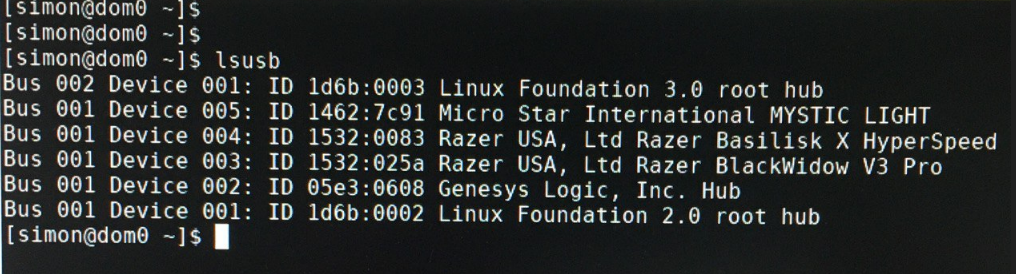
ID 1532:0083 Razer USA Ltd Raser Basilic X HyperSpeed
ID 1532:025a Razer USA Ltd Raser BlackWidow V3 Pro
Tell me how to correctly register the identifier for the keyboard and mouse, the manufacturer is one (Razer)
tzwcfq
May 11, 2022, 7:54am
44
There is a link to the guide on how to identify the right USB controller in the first step of the guide above:
after this procedure, this is what happened
tzwcfq
May 11, 2022, 8:35am
46
After you performed all these steps?
Find the controller used for input devices .Open the file /etc/default/grub in dom0.
Find the line that begins with GRUB_CMDLINE_LINUX .
Add usbcore.authorized_default=0 and rd.qubes.dom0_usb=<BDF> to that line, where <BDF> is the USB controller identifier.
Save and close the file.
Run the command grub2-mkconfig -o /boot/grub2/grub.cfg (legacy boot) or grub2-mkconfig -o /boot/efi/EFI/qubes/grub.cfg (EFI) in dom0.
Reboot.
That’s the expected result. Now you need to perform last 8th step:
And create sys-usb. There is a link in the step on how to do it. You need to run this command in dom0:sudo qubesctl state.sls qvm.sys-usb
tzwcfq
May 11, 2022, 8:54am
48
Here seems to be the same problem:
opened 12:59AM - 01 Jul 21 UTC
T: bug
C: installer
P: major
diagnosed
**Qubes OS version** 4.0.4
**Affected component(s) or functionality**
sys-… usb
**Summary**
In a default install on a ThinkPad T490, `sys-usb` was not created as expected, even though the installation defaults were not modified (`sys-net-usb` was also _not_ created; the USB controller was not attached to anything.)
Subsequent attempts to create it via `sudo qubesctl state.sls qvm.sys-usb` failed with a state failure on the ID `sys-net-usb`, as illustrated below.
<details>
<summary>Screenshot</summary>

</details>
Creating the `sys-usb` Qube manually partially resolved, but `sys-usb` would not start, failing with "Unable to reset PCI device".
Following the instructions in https://www.qubes-os.org/doc/pci-troubleshooting/#domain--has-failed-to-start-internal-error-unable-to-reset-pci-device--no-flr-pm-reset-or-bus-reset-available appears to finally have resolved.
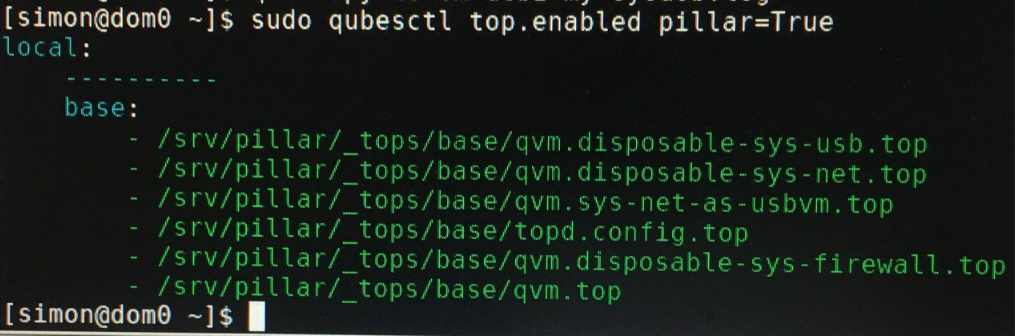
Check the output of this command in dom0:sudo qubesctl top.enabled pillar=True
tzwcfq
May 11, 2022, 9:02am
50
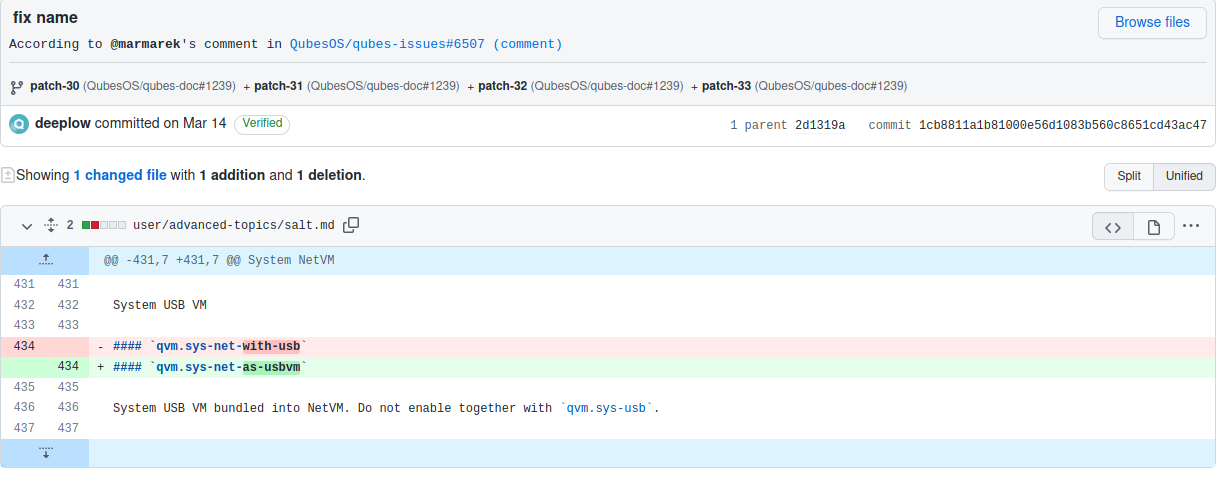
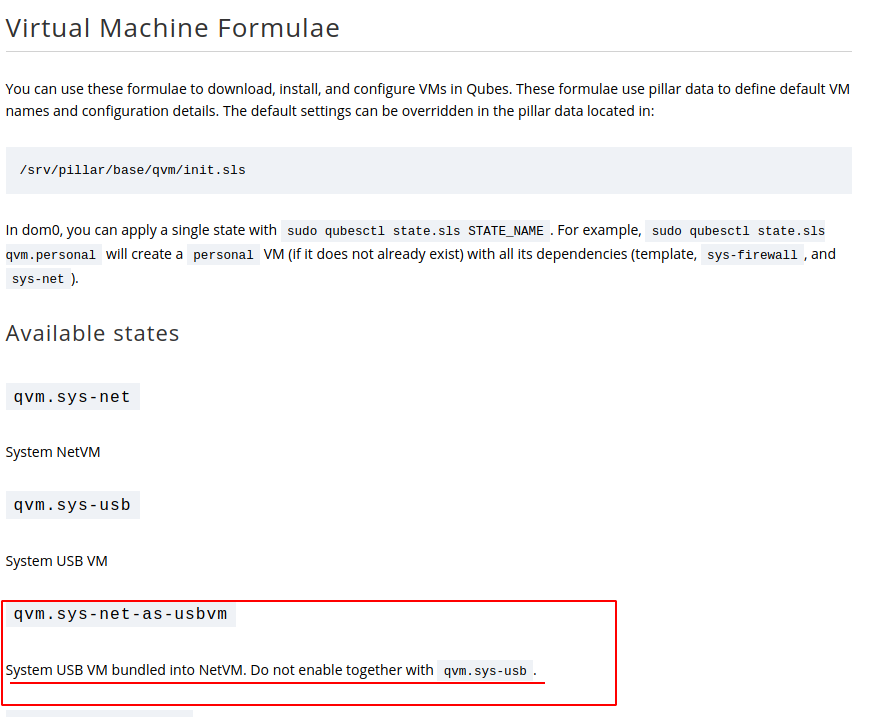
Run this command in dom0:sudo qubesctl top.disable qvm.sys-net-as-usbvm pillar=Truesudo qubesctl state.sls qvm.sys-usb
tzwcfq
May 11, 2022, 9:24am
54
Do you have sys-net-usb VM?
tzwcfq
May 11, 2022, 9:30am
57
Then it’s better to address this issue to @marmarek here:
opened 12:59AM - 01 Jul 21 UTC
T: bug
C: installer
P: major
diagnosed
**Qubes OS version** 4.0.4
**Affected component(s) or functionality**
sys-… usb
**Summary**
In a default install on a ThinkPad T490, `sys-usb` was not created as expected, even though the installation defaults were not modified (`sys-net-usb` was also _not_ created; the USB controller was not attached to anything.)
Subsequent attempts to create it via `sudo qubesctl state.sls qvm.sys-usb` failed with a state failure on the ID `sys-net-usb`, as illustrated below.
<details>
<summary>Screenshot</summary>

</details>
Creating the `sys-usb` Qube manually partially resolved, but `sys-usb` would not start, failing with "Unable to reset PCI device".
Following the instructions in https://www.qubes-os.org/doc/pci-troubleshooting/#domain--has-failed-to-start-internal-error-unable-to-reset-pci-device--no-flr-pm-reset-or-bus-reset-available appears to finally have resolved.
I don’t have much knowledge at this and can’t help with this salt issue.
Yeah. I think there are a lot of bugs in this system. Some are resolved in the unstable branch. I seem to be stable. When to solve problems dick knows. )) Thank you very much for your help.
sudo qubesctl state.sls qvm.sys-usb
tzwcfq
May 11, 2022, 9:57am
60
Do you see your USB devices (not keyboard/mouse) when you run this command in dom0?qvm-usb