Installation process: stuck at configuring kernel

Hello,
for self-education purposes, I am installing Qubes OS (4.3) under KVM/Linux
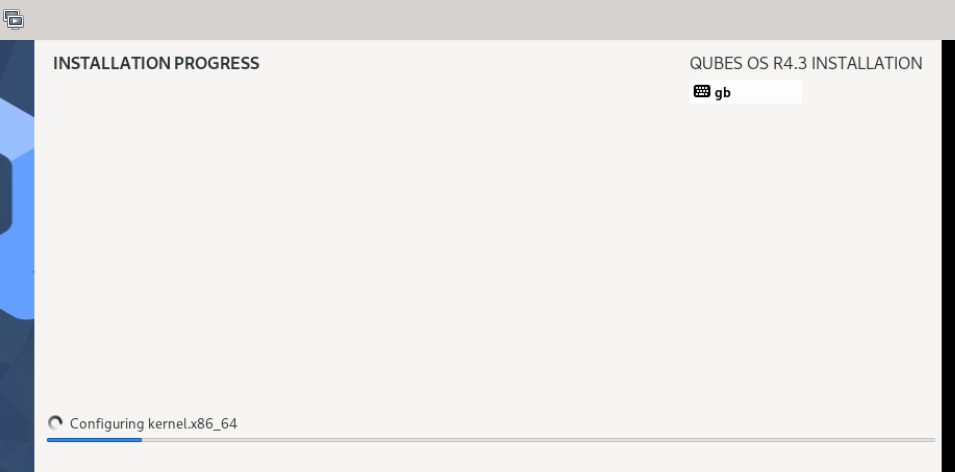
but the installation process is stuck at configuring kernel:


Can anyone tell me please how can I fix this ? Is there any way I can see underlying logs or see what is going on under the hood ?

Thanks

I had stalling at that point on one laptop. Disabling wifi/Bluetooth in bios fixed it. If you need wifi, consider a USB wifi adapter or try installing with latest kernel option

What does “latest kernel” option mean ? On my Linux, I am using kernel 6.17.
Does “latest kernel” refers to Qubes ?

Qubes USB installer has option to boot with latest version at the grub screen. If your computer is newer it might need drivers in the latest version

My laptop is pretty old (I could say: very old ?).

You can figure out if it’s Qubes issue or kernel issue by trying out different live distros. Try Debian 13 live and CachyOS live ISOs. If you have better compatibility with Debian 13 Live compared to CachyOS live ISO it is probably kernel issue (At least I think this way)

It is also generally easier to troubleshoot if you share the exact hardware you are trying this on. This can be dangerous depending on the threat model you have
I can install Debian 13 under KVM with no problems.