Context: This problem started from this issue. Upgraded to 4.3 from 4.2 caused dom0 to break! - #6 by Qoobsnoob. I have no idea whether it’s related or not. My initial thought, is that it is not. I have been using Qubes for almost 3 years. Never encountered an issue like this.
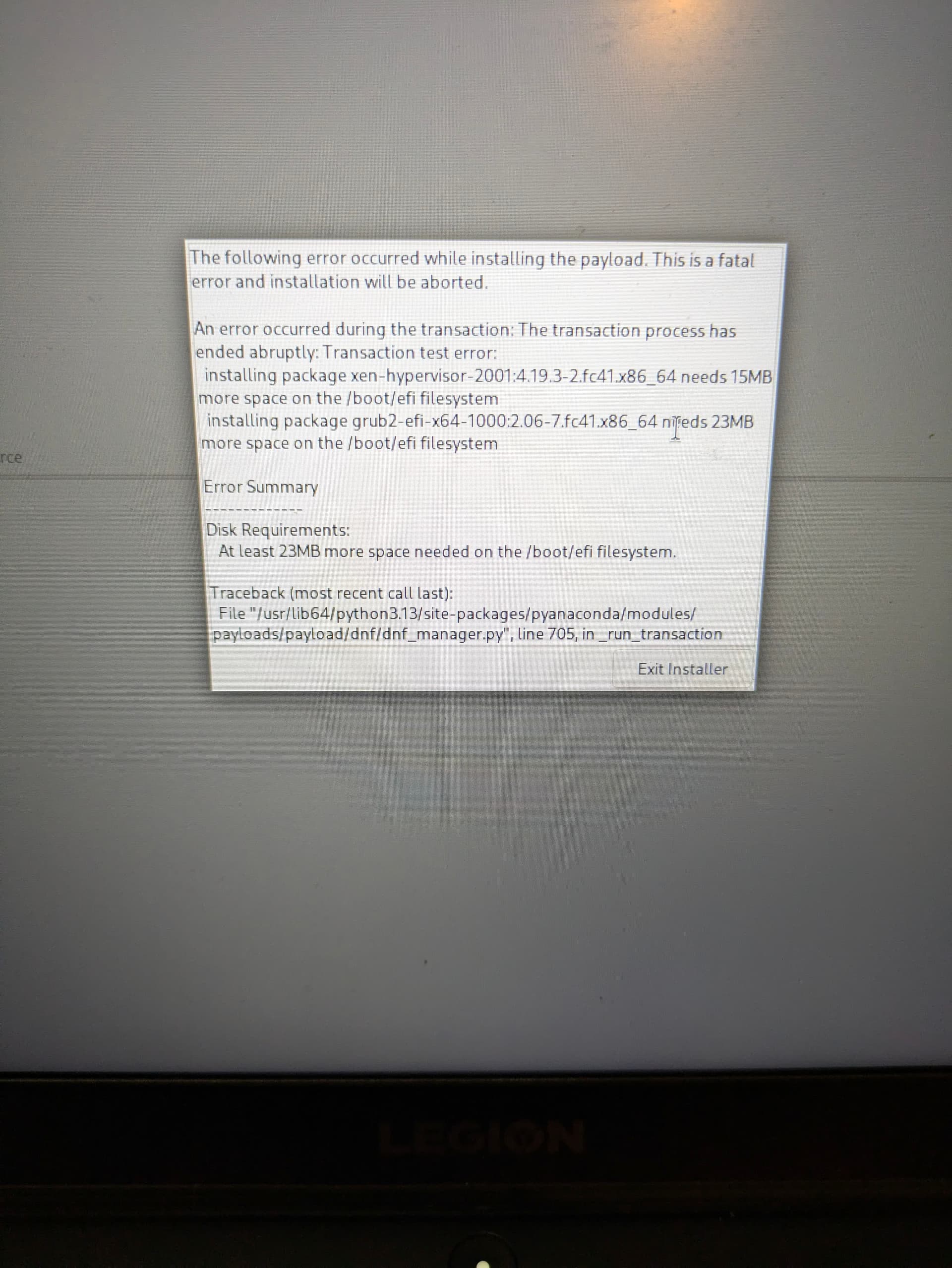
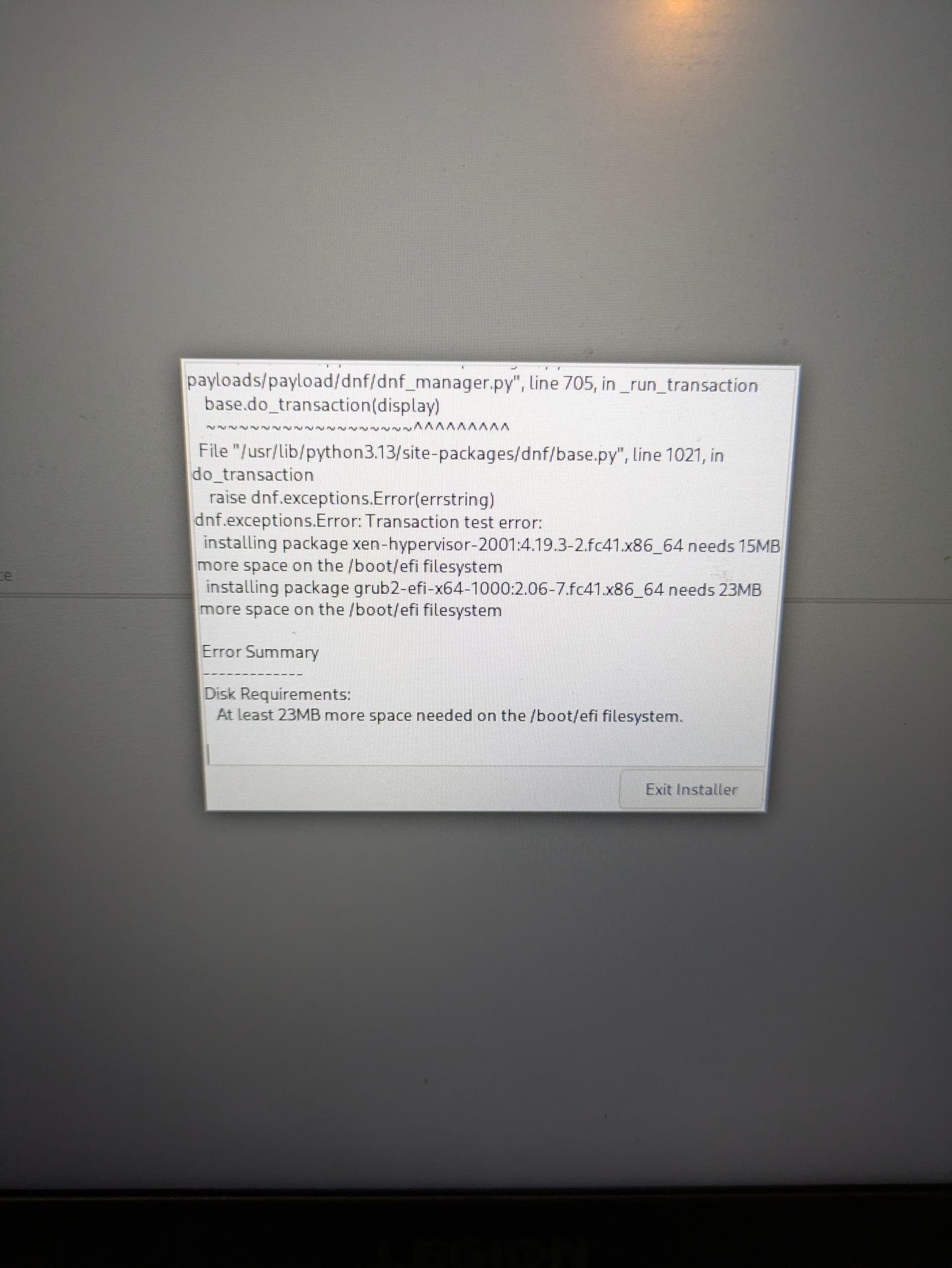
I am trying to re install 4.3 from USB. I have used the same USB when i first installed Qubes 4.3. I installed the .iso by using sudo dd method from a dispvm. however everytime i try to reinstall i get these errors see below:
I booted gparted and cleaned up some partitions but i still face these issues.
At first i thought my installation media got corrupt somehow from my first attempt at 4.3 so
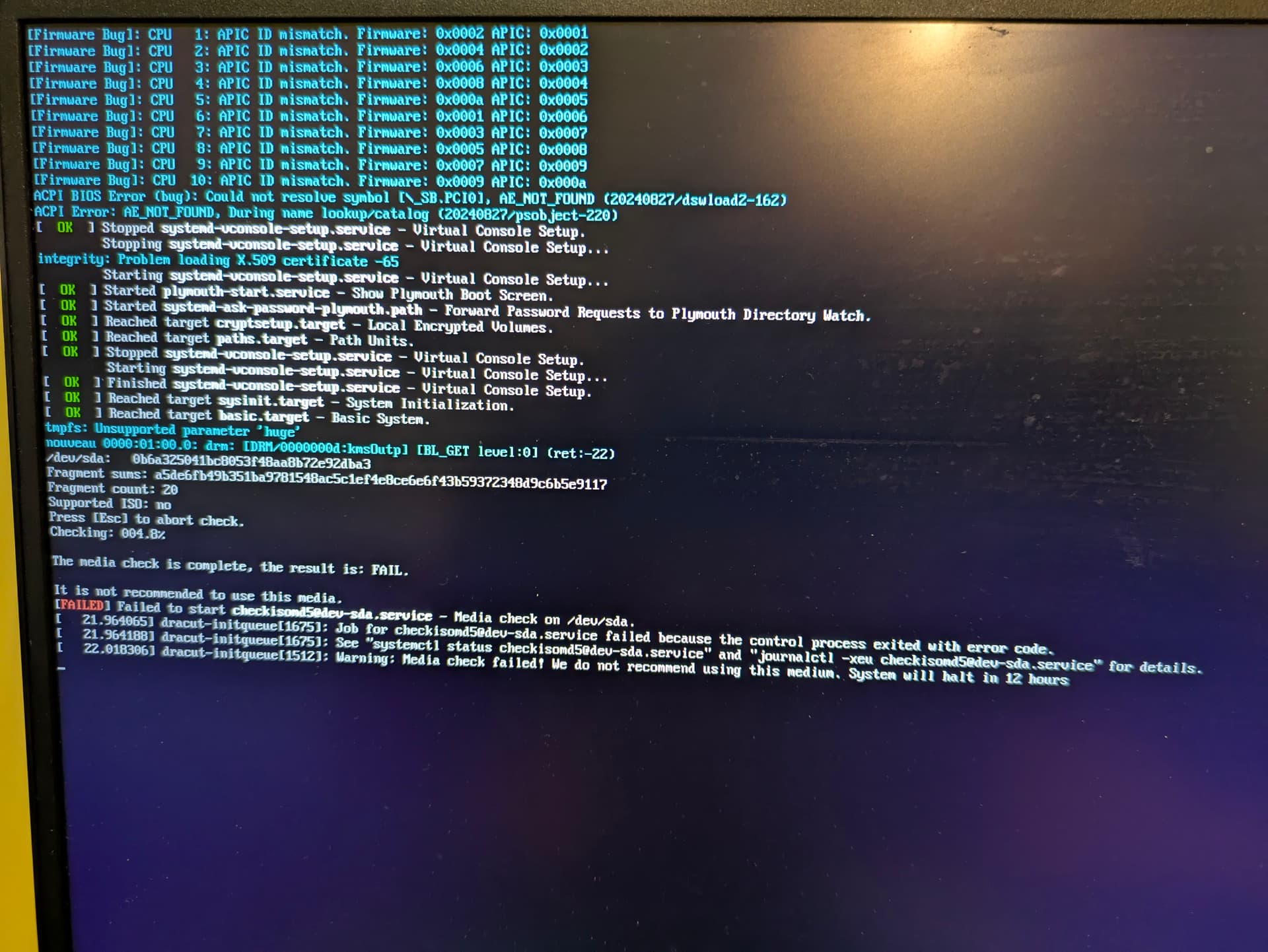
Instead of installing directly, i chose the test release and then install option at GRUB menu. This time it fails to verify the medium. I get this same error when i try to run Qubes live. See screenshot below.
Here is the error i see in the iso verification step
I downloaded a new copy of the iso and re burned it on the same USB using Rufus this time. Same issue.
This is very strange because i bought these new USBs recently.
I have even tried my Qubes 4.2 iso on the same branded USB. I can’t get passed this verify iso error.
Is my system permanently bricked from using Qubes now??
EDIT: some other details… I am dual booting with windows. Have not started the windows system Inbetween the transition between 4.2 and 4.3. Have had this dual boot setup with. reFind to handle boot process for a few years now. Again, never encountered an issue like this… I’m really panicking now since my entire digital life is in a Qubes encrypted backup. I don’t have money for a new laptop either
ANOTHER EDIT: as per Unman request, I cleaned up this post to make it easier to follow.
Anyway, first thing I’d try is another USB medium.
In which condition is your install drive of your PC / notebook: is there besides windows a clean, big enough, non partioned, unformatted space?
I’d strongly recommend not to install Qubes on the same physical disk as Windows. Use a different disk.
No need to panick you can boot a Qubes live system and save your data. Besides that I assume you have a “3-2-1 rule” compliant backup of your user data and other important stuff…
Did you cleaned up your /boot/efi partition? By standard, when windows install as first, it make /boot/efi really small because it stores there bootmanager only. Linux stores initramfs’s there which accumulates with every new kernel installed hence no space error. You should try to make this partition bigger, at least 2GB, whereas windows 10 make it 500MB and windows 11 make it 700-800MB.
[edit] initramfs are stored in /boot/ not in efi but for me, right now, just QubesOS uses 540MB of EFI. I think windows uses to around that. So for dual boot you need at least 1GB of EFI partition but better 2GB still.
Yes, there’s 750gb of non partitioned, unformatted space. Its weird to me that during the install process it keeps asking me to reclaim space eventhough there’s 750gb of free space when i click on my disk. This happens before in get this error:
As for a second drive, I’ve had dual boot working this way for a few years. Never had an issue like this before.
I have a recent backup. But i can’t boot Qubes live either
This worked! I used gparted to extend the efi esp partition. It was 260mb so I’m extended it to 2GB.
My partitions look like this:
EFI system partition - fat32: 2gb [WAS 260MB PRIOR]
Microsoft reserved partition: 16mb
Windows ntfs partition: 180gb
Free space: 770gb
Restarting the qubes installer using the 4.3 installation media now works!
Post installation, my partitions look like this
EFI system partition - fat32: 2gb
Microsoft reserved partition: 16mb
Windows ntfs partition: 180gb
UNNAMED - ext4: 1gb
UNNAMED - [Encrypted]: 770gb
Can i buy you a coffee ?
Now I must figure out what went wrong with my previous installation…
I remember sys-USB was having issues mounting my external SSD. Previously, i had attached SSD to a disp and restored Qubes from it.
This is the error in get when trying to mount any media in sys-USB: not authorized to perform operation (pollution authority not available and caller is not uid0)
I have also noticed the pci device (ethernet) for the sys-net i restored from 4.2 does not exist! I had to resort for the default sys-net that Qubes 4.3 installed. This default sys-net had both wifi and ethernet pci devices which worked correctly.
Could you please summarise those images? It will make the issue
searchable and help users in the future. It will also help other users
to help you.
There seems to be a lot going on.
You havent said how you created the install media.
You havent said what partitions you deleted and which you retained.
You havent said at what stage verification failed for 4.3 and 4.2
installs.
You havent said why you cannot run Qubes Live installer.
No your system is not bricked. You just need to find the right
combination of tools to get Qubes up and running again. A little more
information might help.
The core issue for this post was my installation media kept failing because there was not enough space in the EFI partition as per the error code in the first screenshot (see OP)
The fix was extending that volume. I had edited previous posts to add details you have asked
Some users cannot see images or screenshots. It is a courtesy and
inclusive to summarise the contents of images. It also makes the thread
indexable and searchable by other users, and so helps the project.
users who interact with the Forum via email never see edits.
I am glad you resolved your issue.
I never presume to speak for the Qubes team.
When I comment in the Forum I speak for myself.
 ?
?