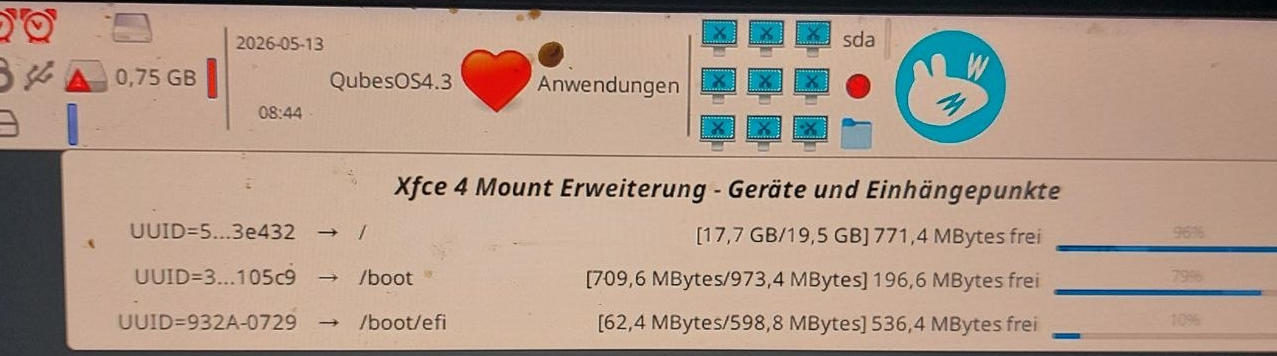
How do you clean up a Dom0 with UUID=5? Normally, there should be about 4 GB of free space. However, I only see 752 MB (Xfce 4 mount extension…)
Hi PLZ_74072
It’s probably a new set of kernels, that takes up space on your /. What do you get, if you run:
rpm -qa | grep ^kernel | sort
and
uname -a
in a dom0 terminal?

qubesos4.3@dom0:~$ rpm -qa | grep kernel | sort
kernel-6.18.15-1.qubes. fc41.x86_64
kernel-6.18.19-1.qubes. fc41.x86_64
kernel-6.18.26-2.qubes. fc41.x86_64
kernel-devel-6.18.15-1.qubes. fc41.x86_64
kernel-devel-6.18.19-1.qubes. fc41. x86_64
kernel-devel-6.18.26-2.qubes. fc41.x86_64
kernel-modules-6.18.15-1.qubes.fc41.x86_64
kernel-modules-6.18.19-1.qubes.fc41.x86_64
kernel-modules-6.18.26-2.qubes.fc41.x86_64
kernel-qubes-vm-6.18.15-1.qubes. fc41.x86_64
kernel-qubes-vm-6.18.19-1.qubes. fc41.x86_64
kernel-qubes-vm-6.18.26-2.qubes. fc41.x86_64
qubesos4.3@dom0:~$ uname -a
Linux dom@ 6.18.26-2.qubes.fc41.x86_64 #1 SMP PREEMPT_DYNAMIC Sun May 3 12:16:57 UTC 2026 x86_64 GNU/Linux
Unfortunately, that hasn’t improved anything yet. The red triangle is still there, showing 748 MB.
Now there’s only 0.69 GB of free space left, but I haven’t installed anything there.
Question: Will this issue be resolved after restarting the laptop, so that I’ll see more free space—like 0.69 GB—later on?
I just don’t want to lose access to it later. I haven’t been able to back up my data for over two months because the QubesOS 4.3 operating system wouldn’t let me. I kept running into errors whenever I tried to perform a backup.
Hi PLZ_74072
Since you are running the 6.18.26 kernel, you could use:
rpm -qa | grep kernel | grep 6.18.15 | xargs
to get the list of packages related to the old 6.18.15 kernel and erase that with:
sudo dnf erase the-list-of-packages-for-6.18.15
– that should free some space on your / …
qubesos4.3@dom@:~$ rpm -qa | grep kernel | grep 6.18.15 | xargs
kernel-modules-6.18.15-1.qubes.fc41.x86_64 kernel-devel-6.18.15-1.qubes.fc41.x86_64 kernel-qubes-vm-6.18.15-1.qubes.fc41.x86_64 kernel-6.18.15-1.qubes. fc41.x86_64
qubesos4.3@dom@:~$ sudo dnf erase the-list-of-packages-for-6.18.15
Unbekanntes Argument “erase” fur Kommando “dnf5”. Fügen Sie “–help” hinzu, um weitere Informationen zu den Argumenten zu erhalten.
Es kénnte ein Befehl sein, dass von einem Plugin bereitgestellt wird. Versuche: dnf install ‘dnf5-command(erase)’
Now there’s only 0.68 GB of free space left, but I haven’t installed anything there.
Is that the right way to delete it?
sudo dnf remove the-list-of-packages-for-6.18.15-1
Hi PLZ_74072
You need to replace the-list-of-packages-for-6.18.15 with the output of rpm -qa | grep kernel | grep 6.18.15 | xargs (after you have checked that it looks correct) …
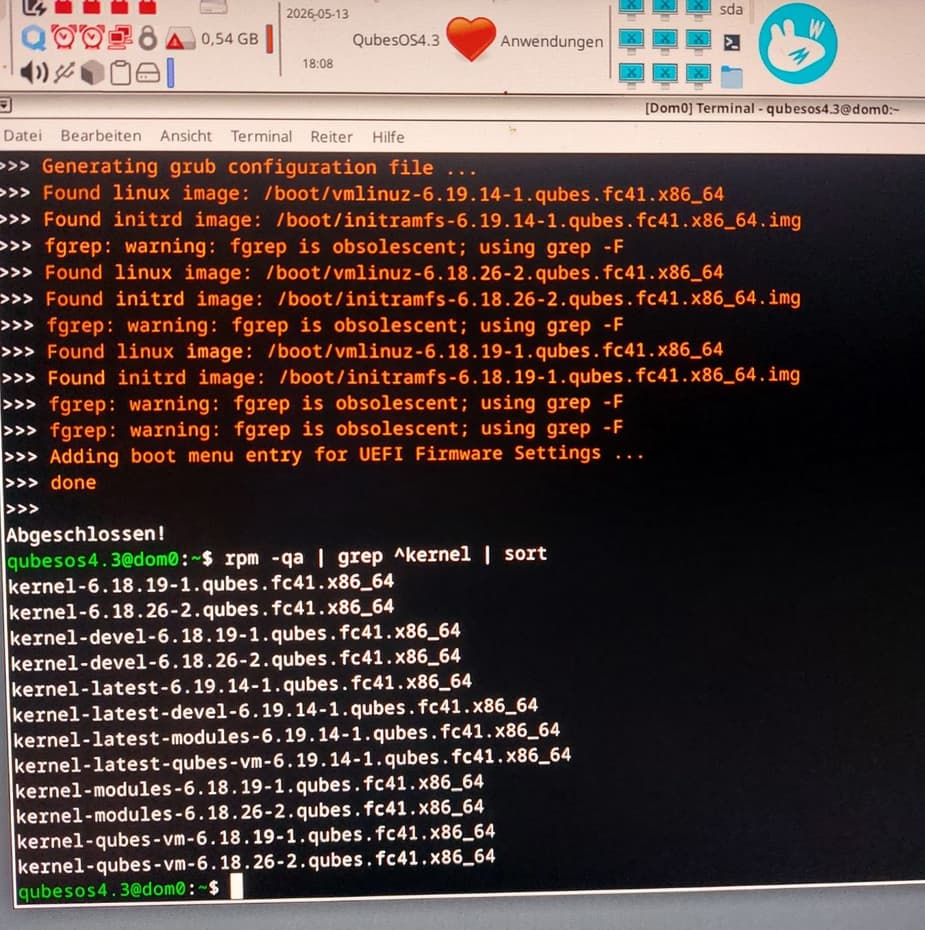
Question: What should I do next? I removed the old kernel and then updated everything. Now the Dom0 memory is still very full, and I can’t proceed.
0,45 GB
Hi PLZ_74072
If you dropped the old kernel packages, you should have extra free space … not less. If your free space keeps decreasing, then something is writing data to your disk. Is one of the folder in /var/log very large?
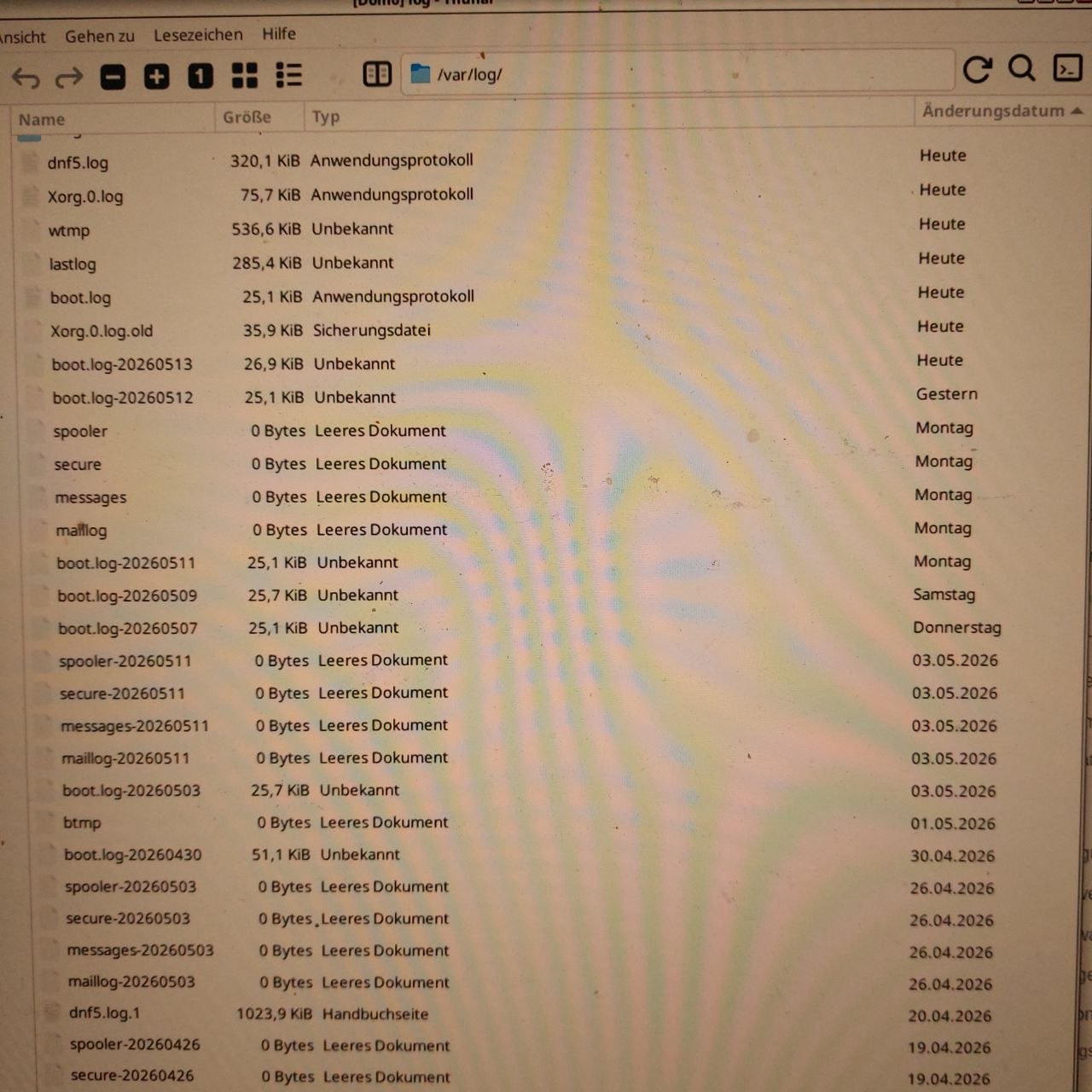
None of those logfiles seems to have significant size.
Another possibility:
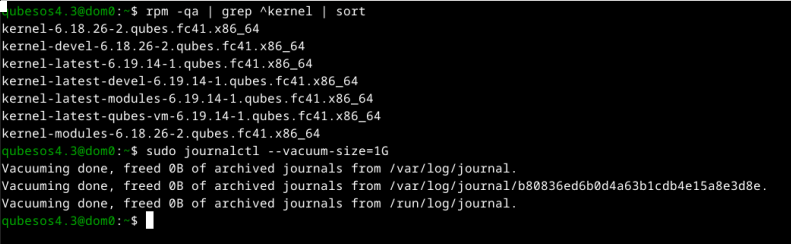
sudo journalctl --disk-usage
if it looks big, try one of the ‘–vacuum-’ options - man journalctl will allow you to see the possibilities…
…or just try what I use sudo journalctl --vacuum-size=1G . You can go smaller, if it is urgent.
You will lose old journal logs, but it sounds like they may be full of noise.
After, if it does seem to be the problem, I recommend sudo journalctl -f. It will show if unnecessary data is going to the journal.
See where space is used:
sudo du -s /* 2>/dev/null
/root, /home, and /mnt should be small. du normally measures in kB. Small is less than 1000.
Do not delete these directories - look inside them for large files or backups.
For exploring /root you may need to switch to a root shell first:
sudo su -
This lets you use ‘*’ to list the contents of a directory that “user” cannot see.
Type exit when you finish exploring.
If /var looks very big, try looking at the contents of /var/log:
sudo du -s /var/log/* | sort -n
Another possibility - Clean dnf:
sudo dnf clean all
will clean package files, caches and metadata
sudo du -s /* 2>/dev/null
4 /afs
0 /bin
613048 /boot
12 /dev
2232720 /etc
8381152 /home
0 /lib
0 /1ibe4
16 /lost+found
4 /media
4 /mnt
4 /opt
0 /proc
2076 = /root
5208 = /run
0 /sbin
1008 = /srv
0 /sys
8 /tmp
5223956 /usr
2130396 /var
sudo du -s /var/log/* | sort -n
0 /var/log/btmp
0 /var/log/btmp-20260501
0 /var/log/maillog
0 /var/log/maillog-20260419
0 /vax/log/maillog-20260426
0 /var/1o0g/maillog-20260503
0 /var/log/maillog-20260511
0 /var/log/messages
0 /var/log/messages-20260419
0 /var/log/messages-20260426
0 /var/log/messages-20260503
0 /var/log/messages-20260511
0 /var/log/README
0 /var/log/secure
0 /var/log/secure-20260419
0 /var/log/secure-20260426
0 /var/log/secure-20260503
0 /var/log/secure-20260511
0 /var/log/spooler
0 /var/log/spooler-20260419
0 /var/loa/spooler-20260426
0 /var/log/messages-20260511
0 /var/log/README
0 /var/log/secure
0 /var/log/secure-20260419
0 /var/log/secure-20260426
0 /var/log/secure-20260503
0 /var/log/secure-20260511
0 /var/log/spooler
0 /var/log/spooler-20260419
0 /var/log/spooler-20260426
0 /var/1o0g/spooler-20260503
0 /var/1o0g/spooler-20260511
4 /var/log/audit
4 /var/log/blivet-gui
4 /var/log/lastlog
4 /var/log/private
4 /var/log/usbguard
8 /var/log/samba
20 /var/log/salt
28 /var/log/boot.log-20260503
28 /var/log/boot.log-20260507
28 /var/log/boot.log-20260509
28 /var/log/boot.log-20260511
28 /var/log/boot.log-20260512
28 /var/log/boot.log-20260513
28 /var/log/boot.log-20260514
36 /var/log/Xorg.1.log
36 /var/log/Xorg.1.log.old
a4 /var/log/lightdm
a4 /var/log/Xorg.0.log
56 /var/log/Xorg.0.log.old
164 /var/log/boot.log
556 /var/log/dnf5.log
556 /var/log/wtmp
1028 /var/log/dnf5.log.1
5052 /var/log/anaconda
21436 /var/log/qubes
65584 /var/log/journal
76732 /var/log/libvirt
143064 /var/log/xen
sudo dnf clean all
Removed 3 files, 4 directories (total of 96 KiB). @ errors occurred.
In the du output, 1000 is worth about a megabyte. 1000000 is about a gigabyte.
/home is using 8G … check there first.
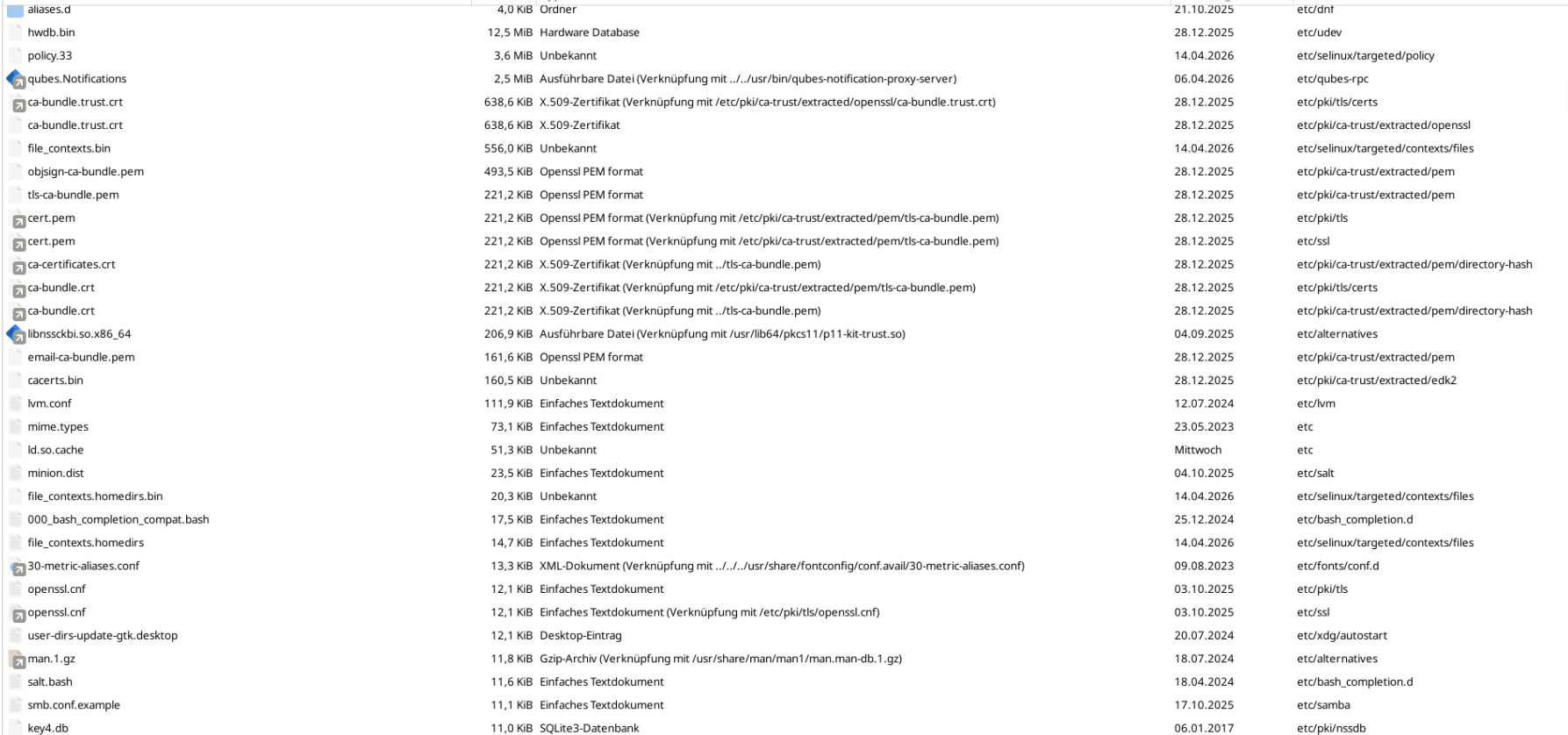
/etc looks quite big, but best not to delete thing in there, unless you really know what you are doing.
The rest looks OK.

Hi PLZ_74072
du -s /home/* | sort -n
or even
du -s /home/user/* /home/user/.* | sort -n | tail -n 20
(replace user with the username you selected)
would make short list of the largest folders.
1 Like
du -s /home/qubes/* /home/qubes/.* | sort -n | tail -n 20
4 /home/qubes/.bash_logout
4 /home/qubes/.bash_profile
4 /home/qubes/.bashrc
4 /home/qubes/Dokumente
4 /home/qubes/Downloads
4 /home/qubes/Musik
4 /home/qubes/Öffentlich
4 /home/qubes/Videos
4 /home/qubes/Vorlagen
8 /home/qubes/.bash_history
8 /home/qubes/.gnupg
8 /home/qubes/Schreibtisch
40 /home/qubes/.xsession-errors.old
116 /home/qubes/.xsession-errors
248 /home/qubes/backup-log.txt
624 /home/qubes/Bilder
1552 /home/qubes/.config
80448 /home/qubes/.local
2086092 /home/qubes/.cache
6206588 /home/qubes/QubesIncoming
I can’t see a single file in the QubesIncoming folder because it’s empty.
qubes@dom0:~$ du -s /home/* | sort -n
8375772 /home/qubes