I’ve tried everything, including playing around with sys-net, sys-firewall, and individual qubes, but I still can’t figure out how to connect to the internet. I am currently using version 4.3.0-rc4.
What is your system spec (incl. networking hardware) and what have you done exactly? What doesn’t work? No media connect to switch/ router? No route? No dns?
Please help us to help you and write down everything you did to establish a connection … even the supposedly obvious steps.
Focus on sys-net,
It’s probably this most recent update to rc4. I had the same problem with the initial rc3. Then one day an update fixed it. Then probably an update to rc4 disabled it again. I’m waiting patiently for it to get resolved again.
As newer Quber, I’ve installed OS 4.3.0-rc3 and got Wi-Fi directly following the installation configuration. I’m keeping updating regularly. Upto now Wi-Fi connectivity does changed. It’s working. (Not working is ethernet connectivity, but that’s not the issue here  )
)
It’s nearly to impossible react constructively to your messages, until you provide same technical information about your hardware and settings.
Did you read FAQ about HVM troubleshooting?
I am using a Lenovo Thinkpad P14s with an AMD Ryzen 7 PRO 8840HS w/ Radeon 780M Graphics (3.30 GHz). I have 64.0 GB of RAM, an x64-based processor, and a Qualcomm FastConnect 6900 Wi-Fi 6E Dual Band Simultaneous (DBS) WiFiCx Network Adapter to connect to Wi-Fi. I also have a Realtek PCIe GbE Family Controller, but I think that’s irrelevant since I don’t use ethernet.
I don’t see where I would connect to Wi-Fi on Qubes OS. In the little network menu, the option to connect to anything isn’t there.
I’ve tried to:
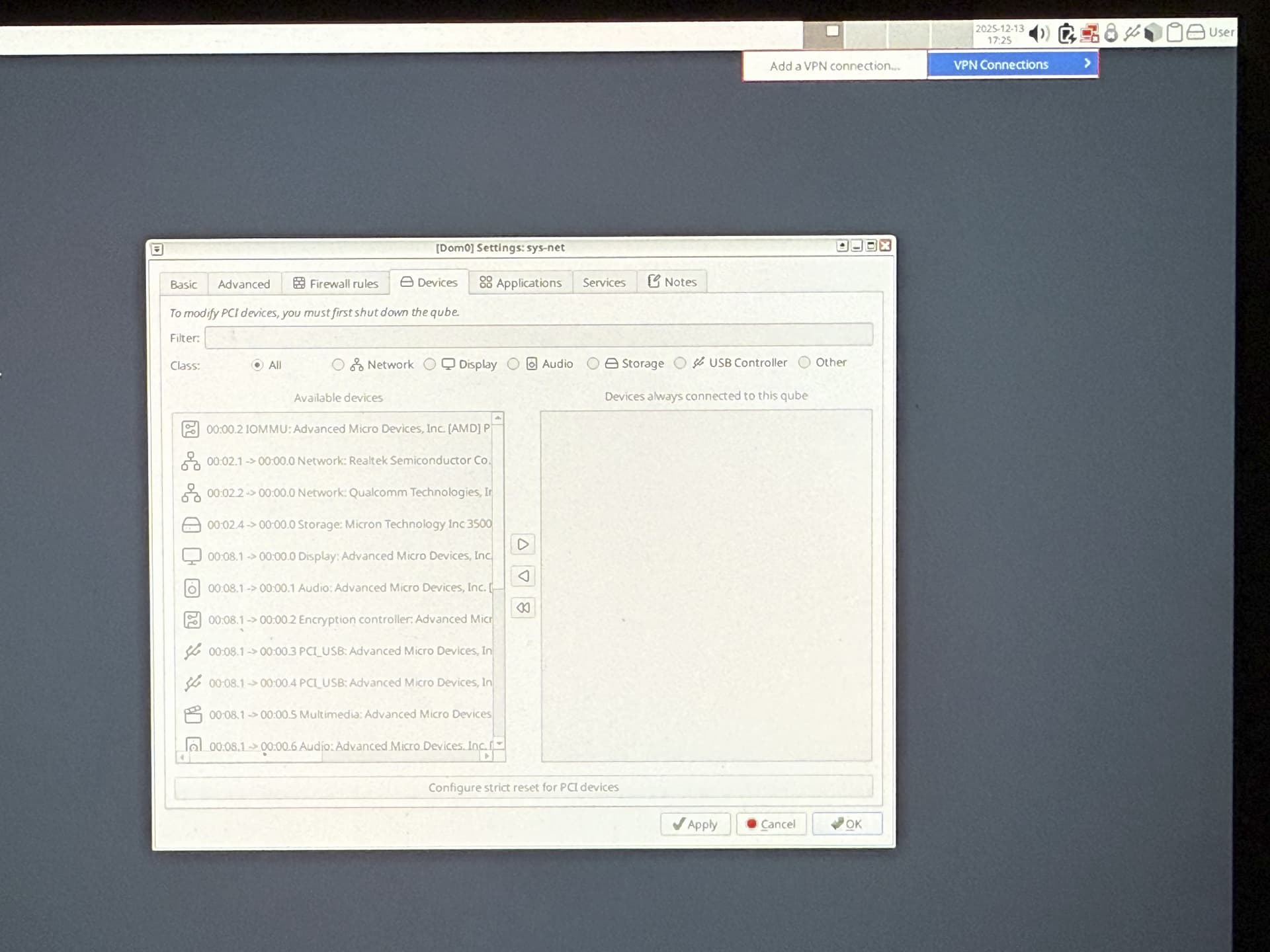
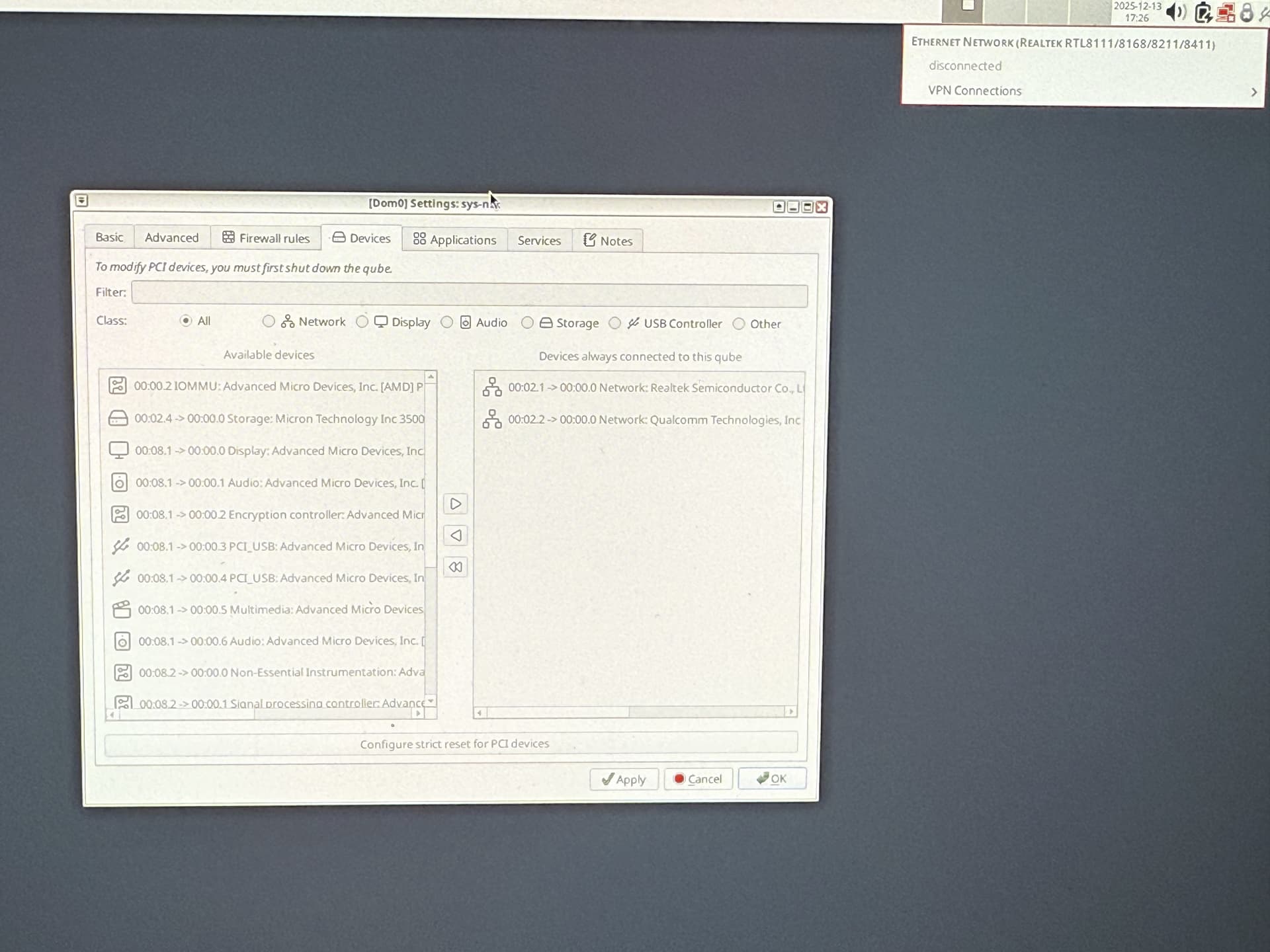
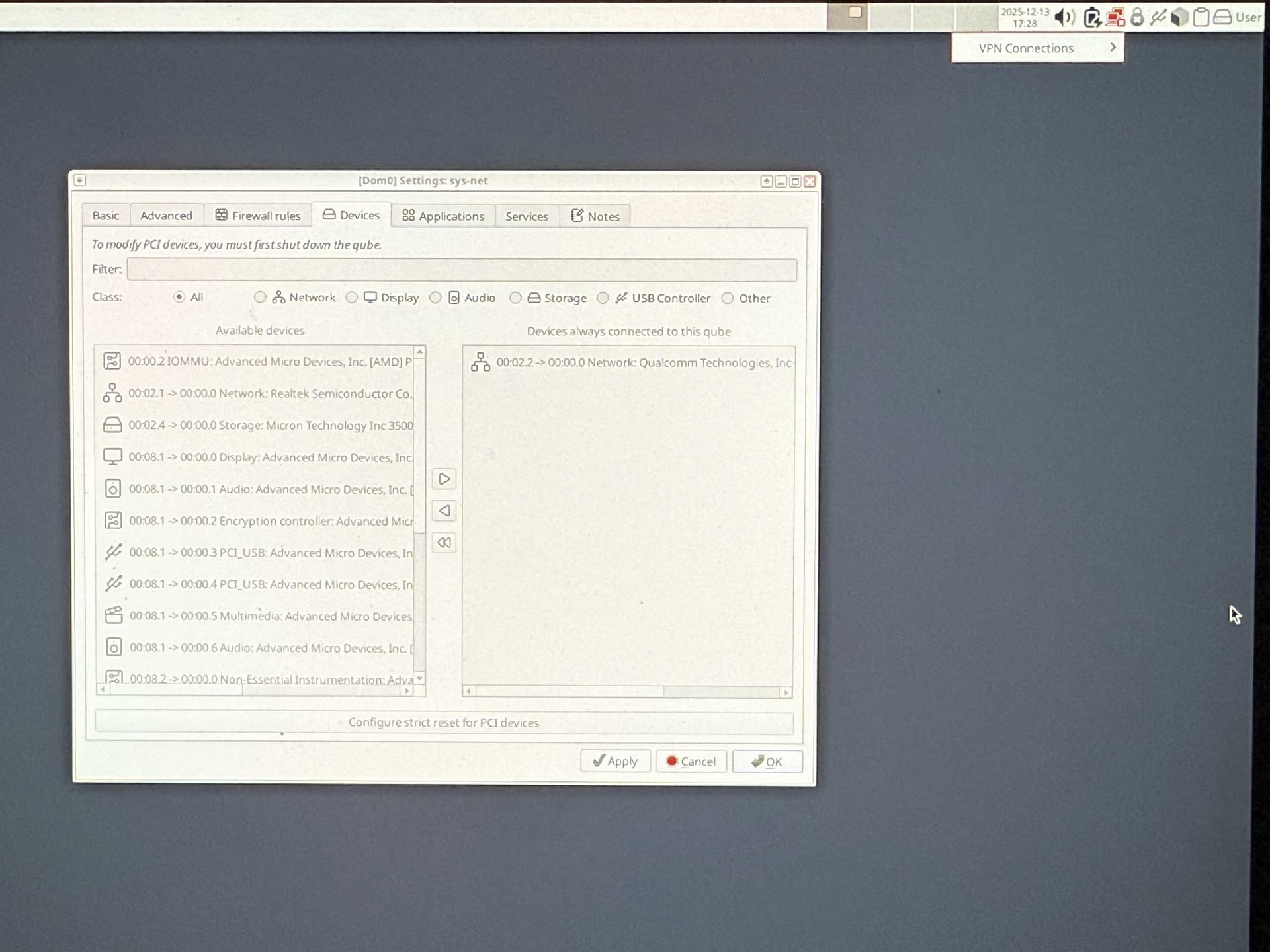
- Change the network devices that sys-net is attached to (Qualcomm + Realtek)
- Change the network devices that sys-firewall is attached to (Qualcomm + Realtek)
- Change the network devices that the individual qubes are attached to (Qualcomm + Realtek)
- Change the services that sys-net is attached to (Network Manager)
- Change the services that sys-firewall is attached to (Network Manager)
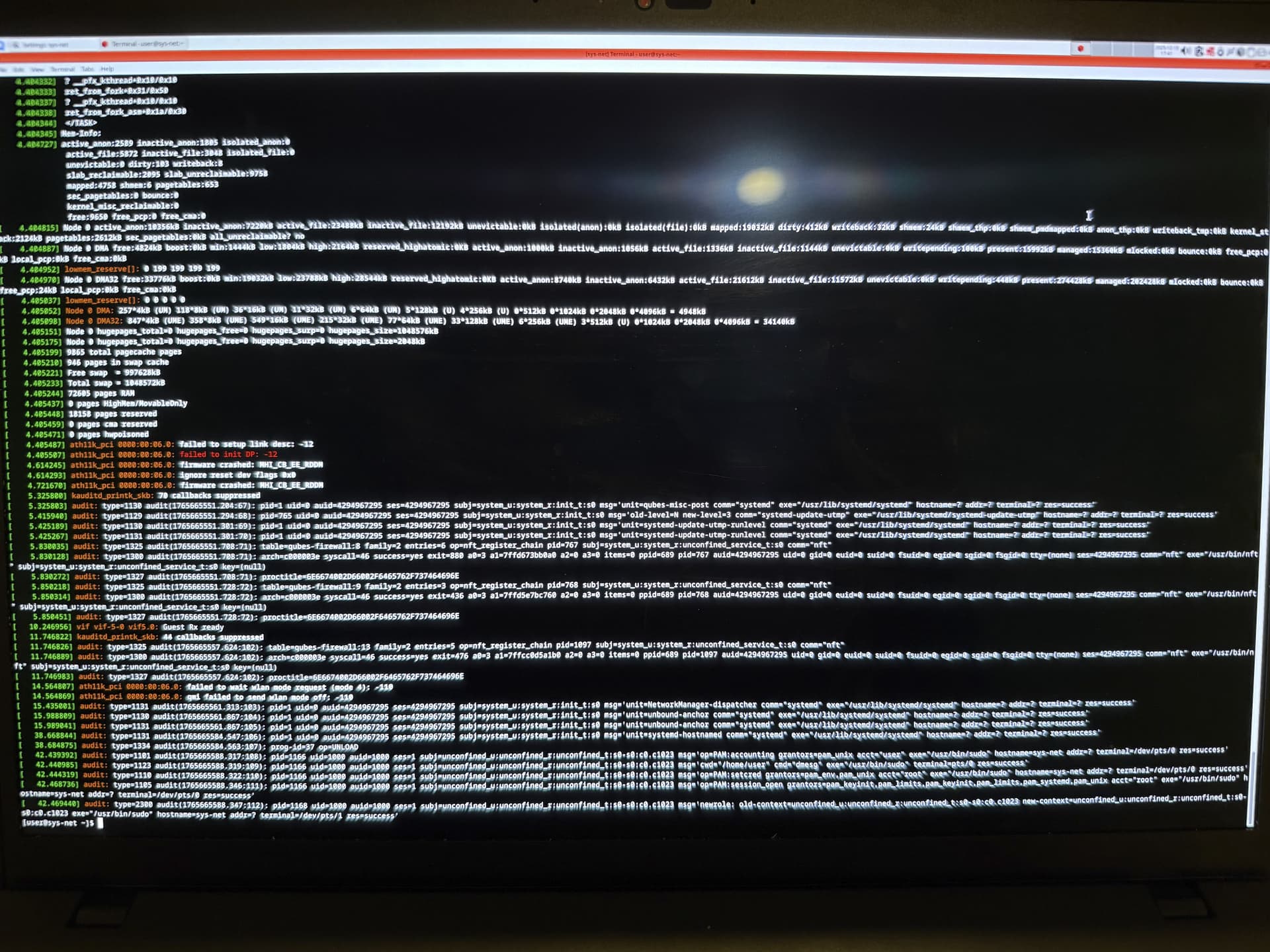
Open a terminal on sys-net and type there: sudo dmesg
Do you see may be some errors on the logs?
Not fully supported by Fedora, but look like they work on fix driver issue with that model:
atheros-firmware-20251125-1.fc43 - Fedora Packages
WCN685x another name of Qualcomm FastConnect 6900.
Did you use Fedora 42/43 as a template for sys-net?
Yes, the template used for sys-net is fedora42-xfce. What should I do?
Hi! I don’t have experiece with that wifi chip but you can see from the dmesg img 2 things:
- that there is a kernel task dump
- that the wifi kernel driver, ath11k, reports that the firmware loaded to the wifi radio has crashed.
I don’t know if If you already have this wifi card working in linux. If yes then (if there is no “problem related to Xen”) you may be able to have it working with a newer kernel/firmware version. I don’t know how to guide you to that, though.
Maybe this is related Help with Lenovo Thinkpad P14s Gen4 AMD - #13 by skyhawk
I noticed you mentioned attaching your adapters to sys-firewall. They aren’t supposed to be there. They must be in sys-net and sys-net is an HVM for reason.
If your sys-net starts normally, it’s pretty sure a driver issue as mentioned above.
Going into sys-net terminal and doing a dmesg and lspci -v would help as you can see the currently loaded drivers and any error messages. You have correctly done the dmesg already which does seem to show a driver error.
Considering all VMs use the same kernel, switching to a different template shouldn’t make a difference. My advice would be to connect to Internet via the Ethernet and update your kernel if you haven’t done that.
(updating Dom0 should update it). If you need an even later kernel, you can try enabling the testing repo.
But best of all - try a Live Linux distro, something with the latest kernel 6.18.X. If your Wi-Fi doesn’t work on it, it means it just isn’t supported yet.
I don’t know about your concrete laptop, but most laptops have their Wi-Fi installed as replaceable modules, so if possible I’d advise you to look into swapping it. On most laptops, it should be just a few screws and then you remove the antenna connections, unscrew the adapter, screw the new adapter and put the antenna connections back. If you haven’t done it before, definitely look for video tutorial.
I had the same problem many years ago and only that helped.
Meanwhile, if choose to wait for hardwarw support, you could use a USB based Wi-Fi adapter.
I booted Kali off of a USB and my Wi-Fi works there.
Ethernet works on Qubes.
Check the Kernel version of Kali then.
uname -a
Also:
sudo lspci -v and dmesg plus lsmod.
Note: @joe.blough is correct that sometimes older Kernels work better and drivers stop working on newer ones. Had the same issue with a Wi-Fi adapter. Also on that note I remember long ago on Qubes I had to manually put in the .ko file because the driver was missing for some reason on a newer Kernel
Good thing is your issue sounds certainly solvable. Worst case you might need to fiddle a bit with the kernel.
Kali is bad choice for such test, it’s rolling distro and based on debian, While Qubes based on stable Fedora.
Run livecd of Fedora 41 or 42.
I just remembered now what fixed it for me when I had a similar problem years ago. Actually the Wi-Fi adapter I had had a firmware file, a blob. Which curiously was included with one kernel but not the other.
If it works with Kali Linux, take care to look through the kernel modules and firmware files. If you find rhe correct one you can then copy it inside your net-vm to test. Using modprobe you can unload and reload the Wi-Fi driver.
I am not sure it’s this, but sounds quite likely.
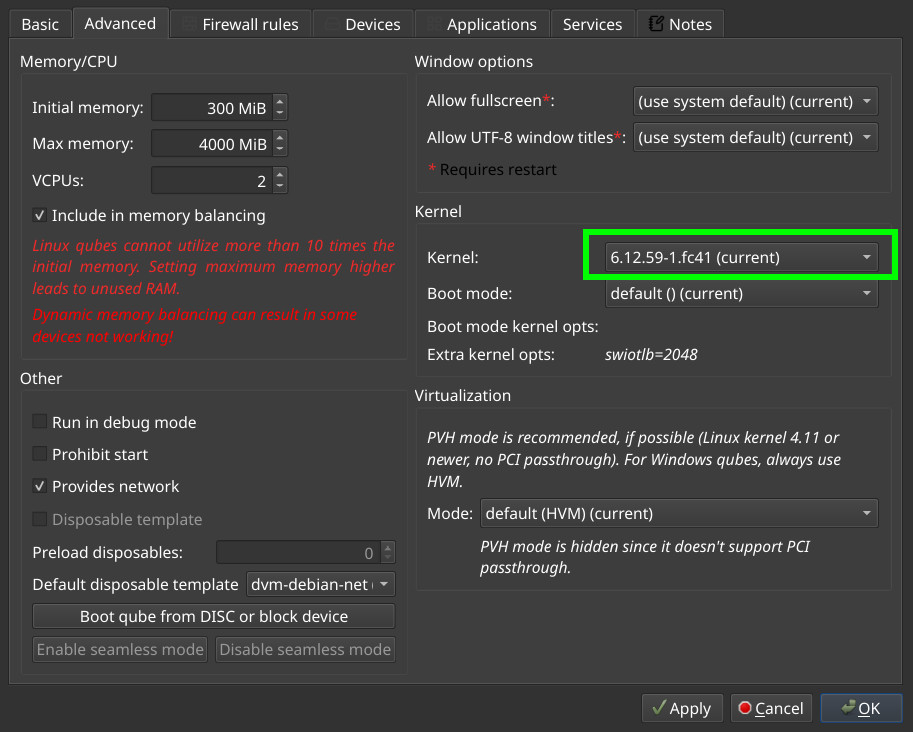
I ran Live Fedora 42 and my Wi-Fi adapter worked there. The kernel version is 6.14.0. How would I install 6.14.0 on Qubes OS (since I know it’s not in kernel-qubes-vm or qubes-dom0-unstable)?
Based in your previous replies, it seems highly likely that it’s the firmware missing and not the kerne driver being defective. Since the firmware is a blob file independent of the kernel, I think you could in theory grab the firmware file from your Live Fedora and then put it inside the running sys-net.
(this step can be tricky, one way would be to save it to a USB drive so you can then push into sys-usb and copy it to sys-net from there).
The way I’d do it to validate my hipothesis:
In Qubes:
0. install pciutils inside sys-net
- do a
lspci -vinside the sys-net to get the name of the wifi driver(driver in use), let’s call it DRIVERNAME - Boot Fedora
- find the firmware file on the fedora(rpm -qa | grep fwname) or otherwise look for the file find with
find - Boot Qubes again
- Put the file inside sys-net in the appropriate location
- Run
modprobe -r DRIVERNAMEto unload driver - Run
modprobe DRIVERNAMEto load the driver again - Run dmesg to verify results
Depending on the location of the firmware you’d need steps on how to persist it or so.
Alternatively, it could be that the firmware is packaged, so that it could directly be installed inside the template VM you use for sys-net.