---
layout:
  'hcl'
type:
  'Notebook'
hvm:
  'yes'
iommu:
  'yes'
slat:
  'yes'
tpm:
  '2.0'
remap:
  'yes'
brand: |
  LENOVO
model: |
  20S1S8FV04
bios: |
  N2XET44W (1.34 )
cpu: |
  Intel(R) Core(TM) i5-10310U CPU @ 1.70GHz
cpu-short: |
  FIXME
chipset: |
  Intel Corporation Comet Lake-U v1 4c Host Bridge/DRAM Controller [8086:9b61] (rev 0c)
chipset-short: |
  FIXME
gpu: |
  Intel Corporation CometLake-U GT2 [UHD Graphics] [8086:9b41] (rev 02) (prog-if 00 [VGA controller])
gpu-short: |
  FIXME
network: |
  Intel Corporation Comet Lake PCH-LP CNVi WiFi [8086:02f0]
  Intel Corporation Ethernet Connection (10) I219-LM [8086:0d4e]
memory: |
  7817
scsi: |

usb: |
  2
certified:
  'no'
versions:
  - works:
      'FIXME:yes|no|partial'
    qubes: |
      R4.3-rc4
    xen: |
      4.19.3
    kernel: |
      6.12.59-1
    remark: |
      FIXME
    credit: |
      FIXAUTHOR
    link: |
      FIXLINK
Remarks
The resulfs of a quick test with Qubes 4.3.0-rc4
- The Ethernet device requires no-strict-reset parameter, without that it fails to start. So the default install will drop an error, Which is misleading, as it is just a result of the non-starting sys-net…
But works after fixing it manually.
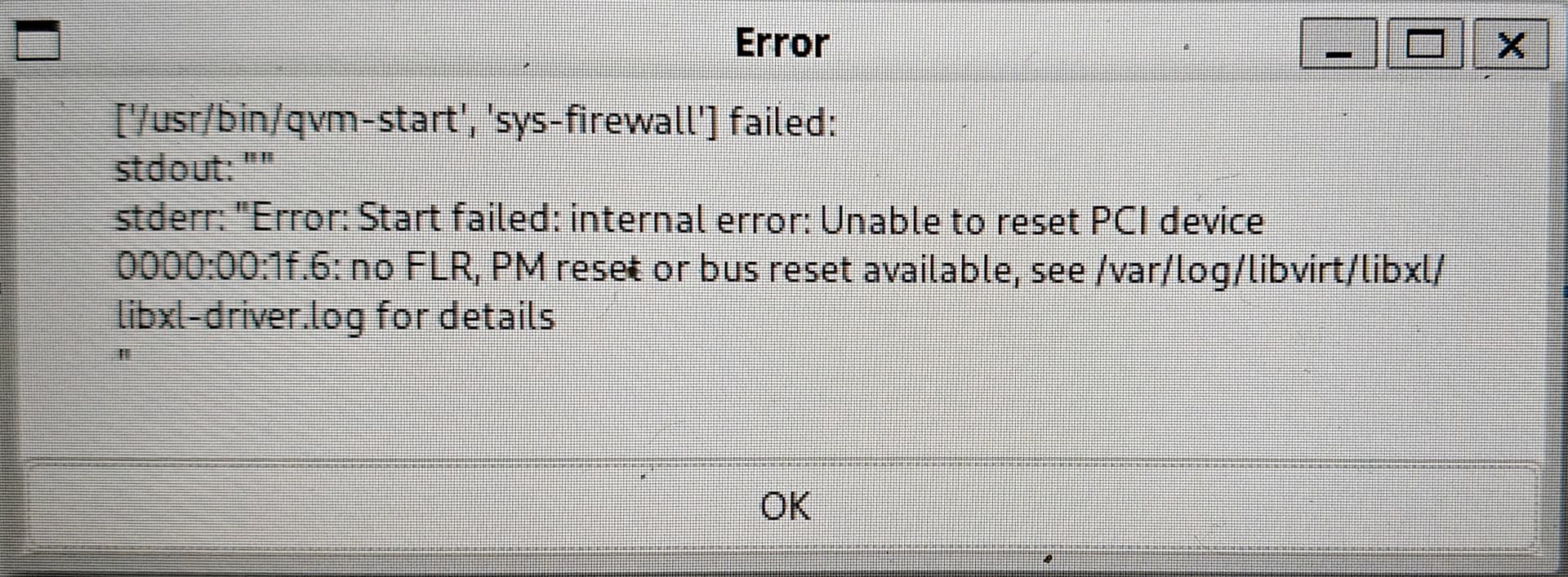
Also keep in mind, that:
- the SD card reader (PCI device) remains in dom0 by default, unless disabled in BIOS, or manually attached to a Qube. (like sys-usb)
- Thunderbolt related PCI devices are still in dom0, not sure if it is needed for the Docking station to work - needs more testing.
The ThinkPad USB-C Dock (Gen2) works, and besides the standard USB Hub, it is also providing:
- power source for the Laptop

- dedicated USB keyboard and Mouse ports - ending up in sys-usb
- Ethernet port - ending up in sys-usb
- DP and HDMI external monitor ports (via USB-C DP alt mode)
- headphone output - not tested, but as it is also ending up in sys-usb I would not expect to be working out of the box.
Attachments
Qubes-HCL-LENOVO-20S1S8FV04-20251221-045639.yml (907 Bytes)
