---
layout:
  'hcl'
type:
  'notebook'
hvm:
  'yes'
iommu:
  'yes'
slat:
  'yes'
tpm:
  'unknown'    # but is enabled ...
remap:
  'yes'
brand: |
  Micro-Star International Co., Ltd.
model: |
  GT76 Titan DT 9SG
bios: |
  E17H1IMS.10D
cpu: |
  Intel(R) Core(TM) i9-9900K CPU @ 3.60GHz
cpu-short: |
  8 Cores/16threads , 3.6Ghz - 5.0Ghz
chipset: |
  Intel Corporation 8th/9th Gen Core 8-core Desktop Processor Host Bridge/DRAM Registers [Coffee Lake S] [8086:3e30] (rev 0d)
chipset-short: |
  FIXME
gpu: |
  Intel Corporation CoffeeLake-S GT2 [UHD Graphics 630] [8086:3e98] (rev 02) (prog-if 00 [VGA controller])
  NVIDIA Corporation TU104M [GeForce RTX 2080 Mobile] [10de:1e90] (rev a1) (prog-if 00 [VGA controller])
gpu-short: |
  Optimus , but disableable
network: |
  Realtek Semiconductor Co., Ltd. Killer E3000 2.5GbE Controller (rev 03)
  Intel Corporation Wi-Fi 6 AX200 (rev 1a)
memory: |
  65353
scsi: |
  Apacer AS350 512 Rev: 1A0
usb: |
  4
versions:


works:
  - SHUTDOWN:yes , works well
  - SLEEP:yes, works well
  - REBOOT:no, always stuck, need to poweroff manually  !!
  - since 4.1.1 UEFI works
  - SIGNAL conferencing (cam via sys-usb) works well … but my TELEGRAM video (and time counter) gets stuck when the other party starts sending video (press START VIDEO) … it resumes when the other party stops sending video … tested in the same qube as SIGNAL and via sys-firewall, sys-net and sys-vpn. Same in F34 as F36
qubes: |
    R4.1
  xen: |
    4.14.5
  kernel: |
    5.15.76-1

  remark:
  - running KDE plasma
  - "smt=on sched-gran=core" , therefore 16threads are reported instead of usual 8 cores ..really great performance jump,  usually 12 virtual machines running paralel smoothly.
  - SD card reader was attached directly to dom0 , therefore I masked it by rd.qubes_hide_all_usb rd.qubes.hide_pci=40:00.0" and attached to sys-usb
   - Optimus works well .... never tested NVIDIA drivers (since I dont want any proprietary code running on my computer) ... this notebook has a capability of disable optimus and running nvidia solo, but not tested (for such , just press right CTRL-SHIFT-left ALT-F2 in BIOS)

credit: |
    Wilhelm
  link: |
    FIXLINK

---
Remarks
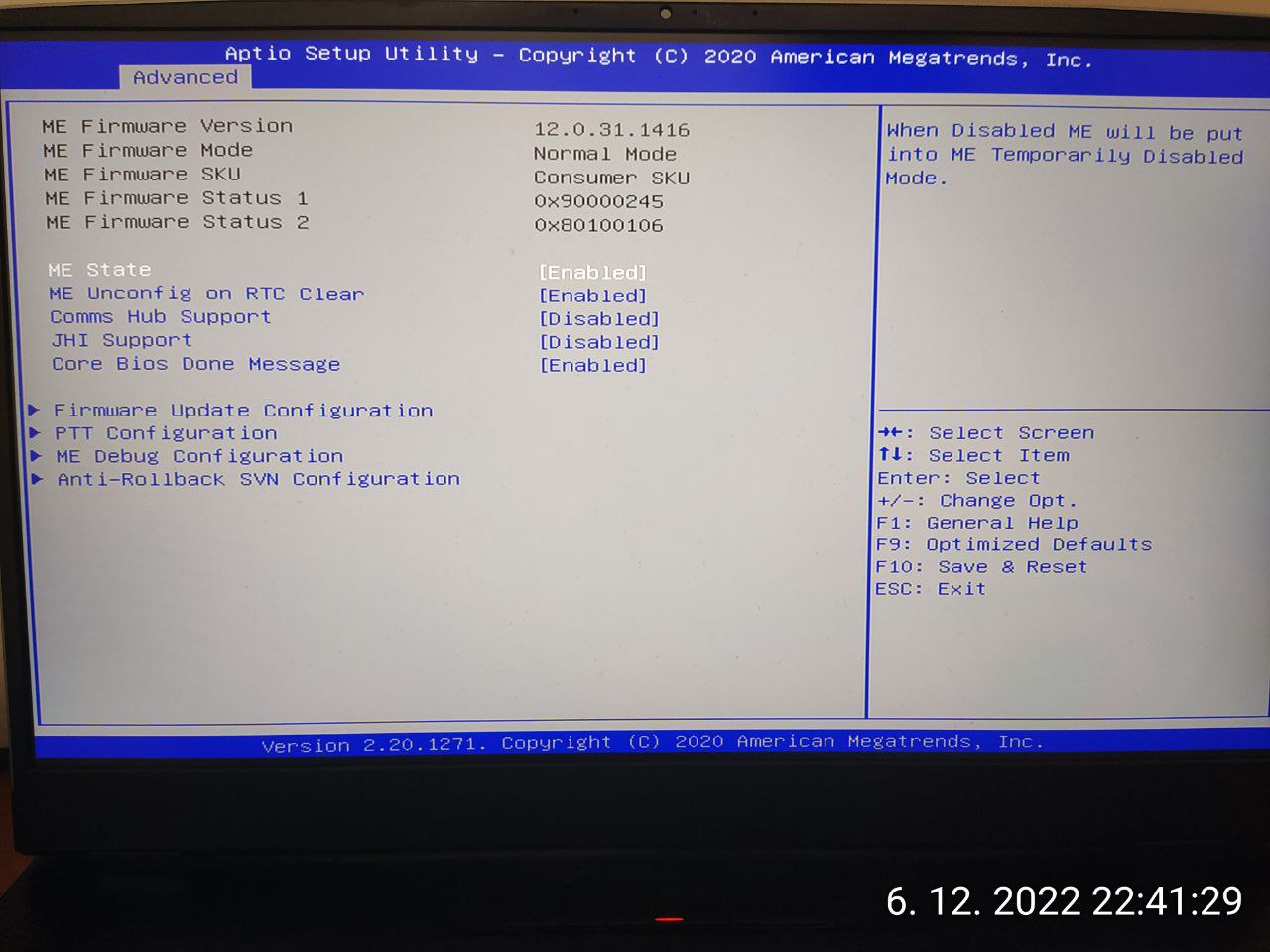
SEC: Intel ME can be disabled in BIOS (just press right CTRL-SHIFT-left ALT-F2 in BIOS).

Attachments
- Qubes-HCL-Micro_Star_International_Co___Ltd_-GT76_Titan_DT_9SG-20221202-232257.yml (1.0 KB)
- Qubes-HCL-Micro_Star_International_Co___Ltd_-GT76_Titan_DT_9SG-20221202-232458.cpiogz (13.5 KB) (need to rename file extension to ‘cpio.gz’)