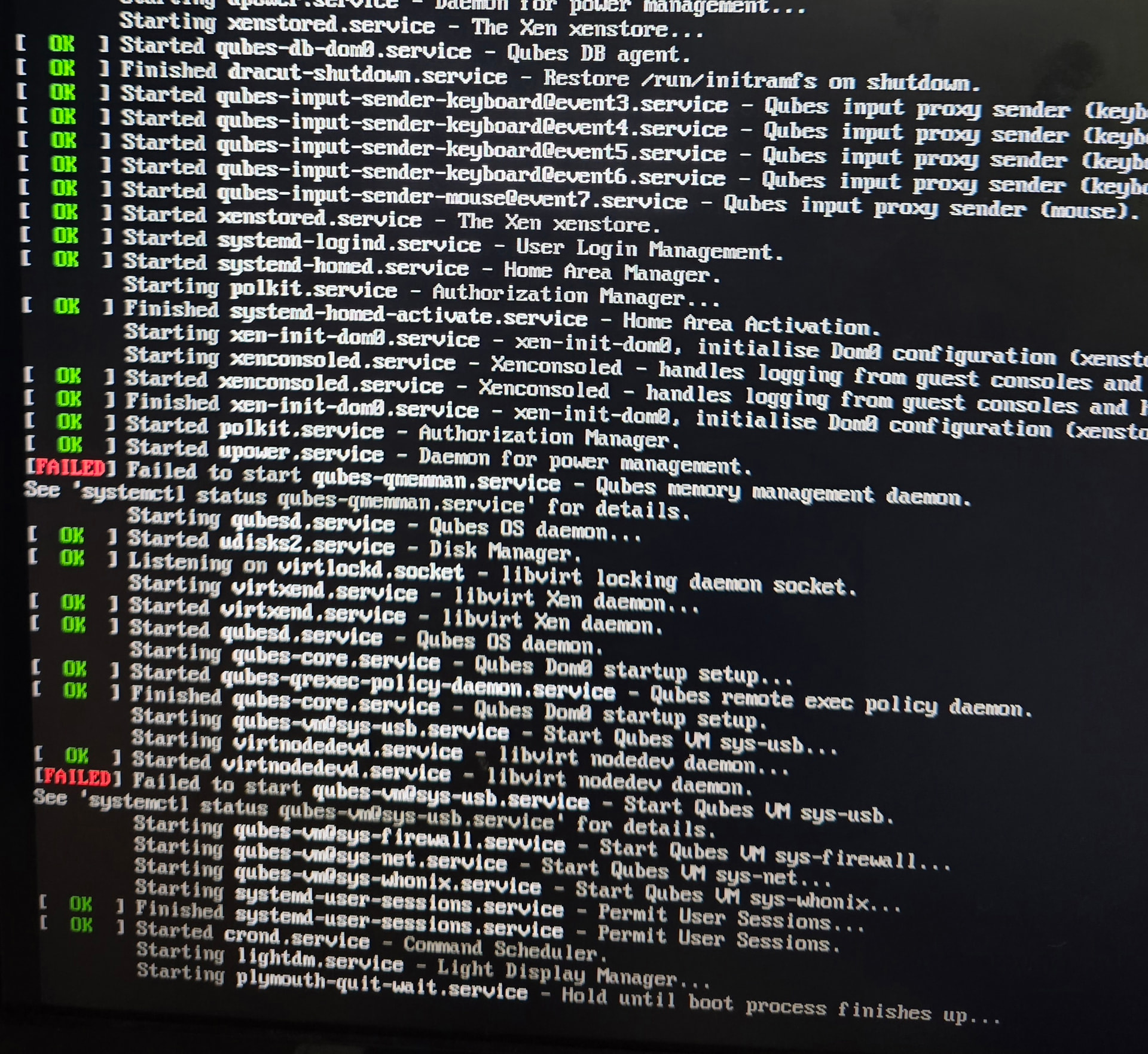
I did an update on Dom0 this morning and saw a message after creating a temp volume that it was out of space. It then failed to start any VM’s to update any templates, and after a reboot I was left with a system that would not boot.
I saved the messages from that failed update but I can’t access the system to retrieve them, obviously. I am starting preparations to do a full reinstall unless anyone has a way forward.
Total honesty: I never tried troubleshooting this problem before, but I think reinstall is not necessary…
I hope others will give advice but first of all:
Make a photo of those error messages! (Doh… you already did! It’s here on the forum.)
It seems like at least some of the system has booted. qubesd and some other good stuff is running… but no sys-usb and no GUI, it seems
Does your keyboard work? Can you do Ctrl-Alt-F2 to get a text login, and connect to Dom0?
If no keyboard, then you may need to let dom0 use the USB directly… It probably needs some changes in the grub screen. Let us know if you need help with that!
Then, the question is “how to free up some space?”
Also, “what do you see when you look at those ```systemctl status``` commands in the output?
Connecting a second keyboard to dom0 didn’t help. No joy. it does not respond to any keyboard control keys that I can find.
Its not dom0 diskspace, but rather a temporary volume it created for something during the update process. I think that volume was for storing drivers or boot info during that install. After the update failed I checked the dom0 diskspace before rebooting and everything looked fine so I did a restart expecting it to at least come back up and give me a command line, but this system seems hung.
I also had errors this morning with the update of dom0. I got a transaction failed but my machine rebooted fine. If someone can help me find the actual failed transactions that might help some one
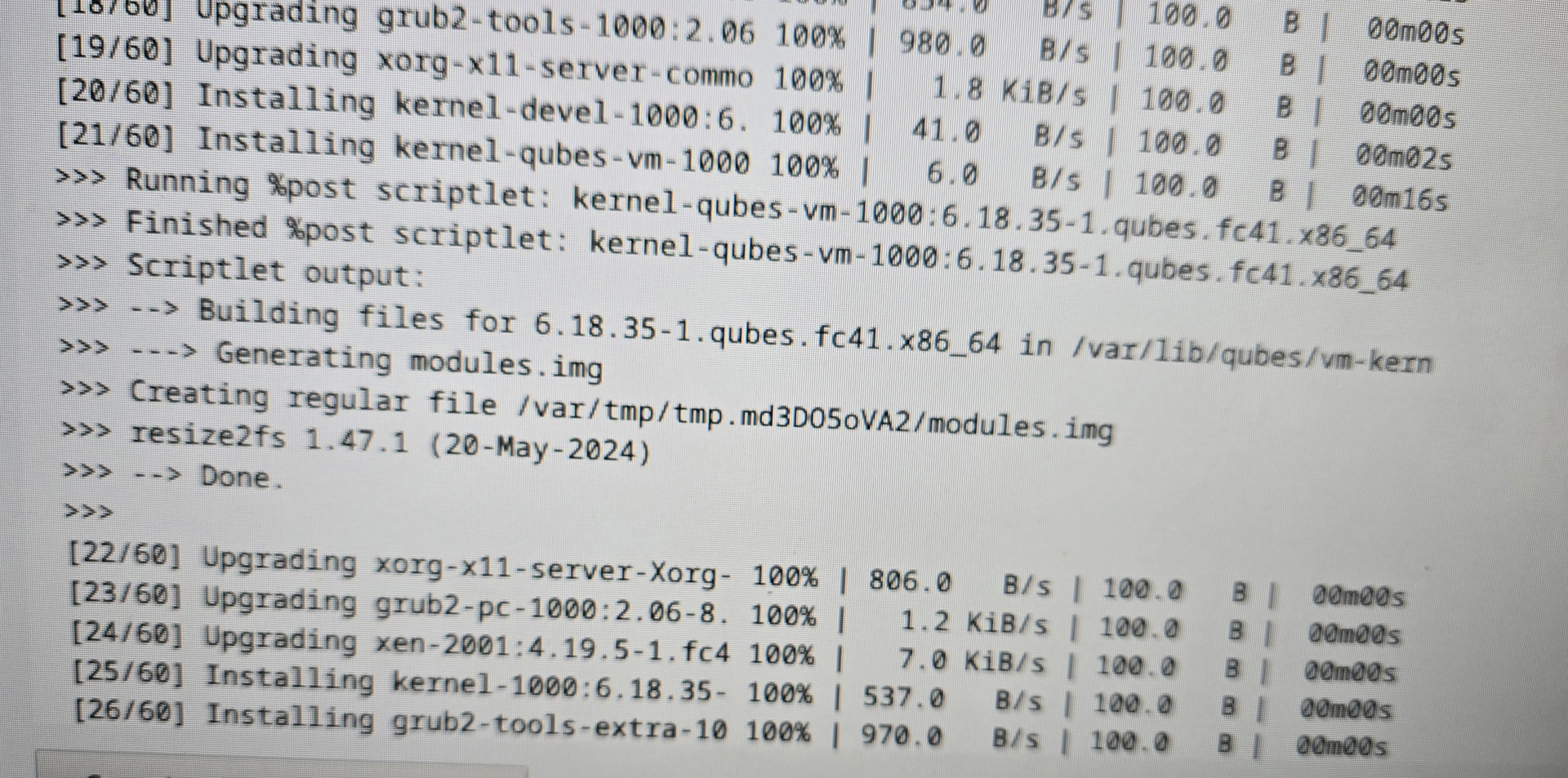
The below is the same step that broke my system this morning. I reinstalled qubes from scratch, and updated it again, and it was the /var/tmp/.. modules.img step that somehow ran out of space. My system still had about 4TB of free space at the time, so I have no clue how this would even happen.
Probably a good idea to avoid restart if you have failed dom0 updates.
For getting more space:
Try this: sudo journalctl --disk-usage
If it shows a lot of space is used by the journal, then there are some journalctl commands to delete some of the old logs. For example, to remove (or clean) everything except the most recent gigabyte:
sudo journalctl --vacuum-size=1G
If it creates enough space, then try the update again.
I found the problem. The SSD started to fail during the update and when it made the temproary image device it got marked read only and thus it could not write to it and assumed it was out of space.