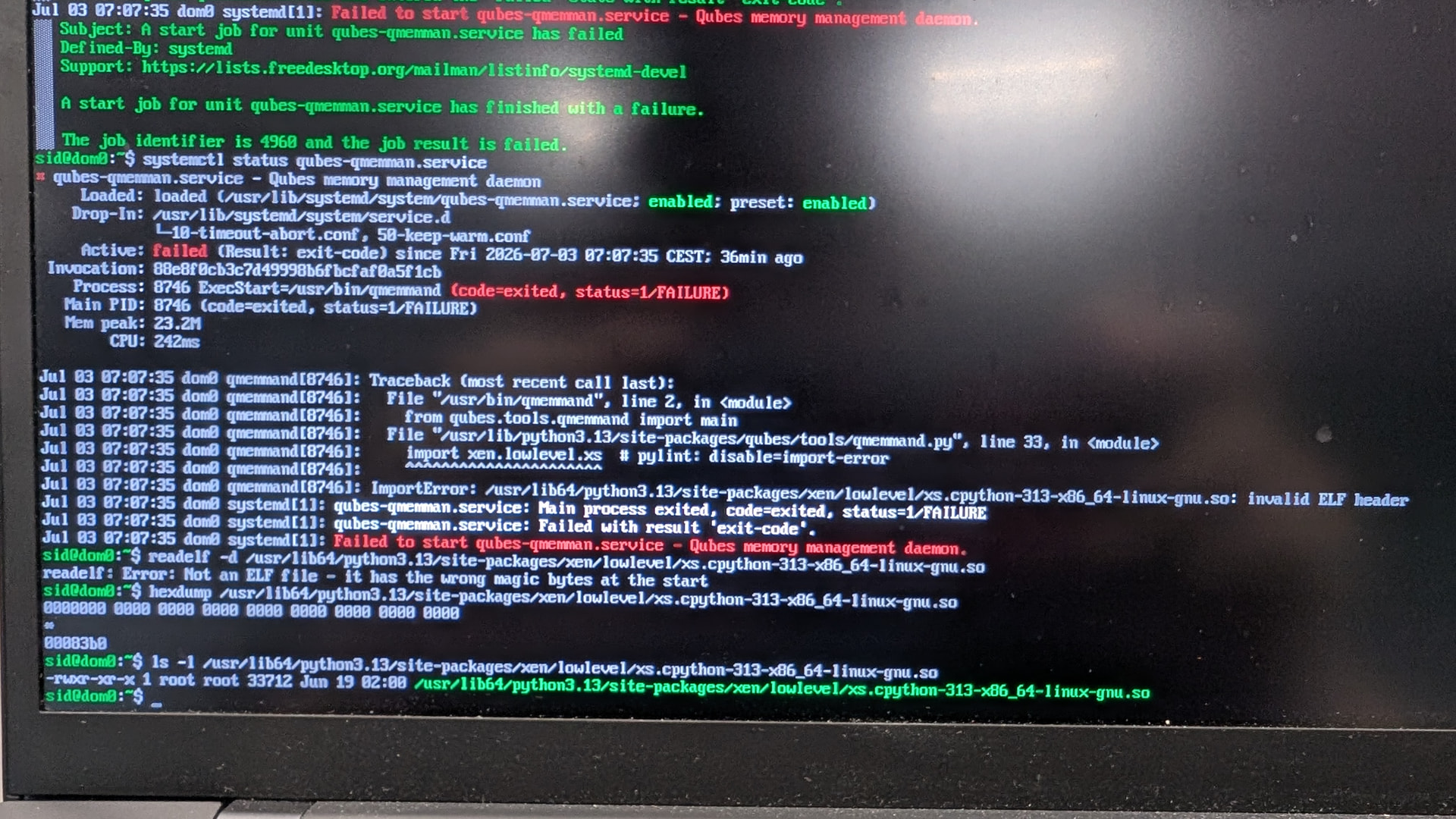
I can think of a few example steps to possibly rescue your system, but please be careful with your data, and recognize what you are doing to prevent data loss.
Prepare a fedora live USB stick, with a fresh vmm-xen rpm package in it ( you might download it from Qubes official repo ). Take care with the ways to create such a media, to minimize security risks. Also make sure to download the right version of vmm-xen.
Boot up your device with the live USB stick.
Find and unlock your luks volume. Potential useful commands include lsblk and cryptsetup luksOpen /dev/nvmeXnXpX xxx.
Activate dom0 volume group. Potential useful commands include vgchange -ay.
Mount the dom0 root directory and some runtime directories. Potential useful commands include mkdir -p /mnt/sysimage, mount /dev/mapper/qubes_dom0-root /mnt/sysimage.
Mount some necessary runtime directories. Potential useful commands include mount --bind /dev /mnt/sysimage/dev. Do the same with /proc and /sys.
Enter chroot and call rpm to reinstall the broken package. Potential useful commands include chroot /mnt/sysimage /bin/bash and rpm -Uvh --replacepkgs --force ......./vmm-xen-xxx.rpm.
Exit chroot, umount the directories, and lock the LVM and luks volumes.
Please note that these steps are only examples. Make sure to analyze carefully based on your specific situation.
The file is provided by python3-xen-4.19.4-9.fc41.x86_64. You can verify this by unpacking or using rpm -qf command to find which package provides the file.
I apologize for giving inaccurate information.
Or you could just replace that exact file ( and hope other files are fine ) , to avoid running rpm in chroot in case something went wrong.
My main problem was that I didn’t have a recent enough backup and had some important work that I didn’t want to lose. I ended up fixing the qubes-qmemman.service start failure by copying /usr/lib64/python3.13/site-packages/xen/lowlevel/xs.cpython-313-x86_64-linux-gnu.so from a fresh install on another computer. This only enabled the domU qubes to start. Xfce remained broken. Using Ctrl+Alt+F2 I was able to trigger a backup by command line. After that I did a fresh install and I increased the root lvm to 60G using this guide before restoring the backup: Guide how to increase `dom0` free disk space to avoid problems with big templates and backups @augsch thank you for your help, btw!
OK, thank you very much for your quick response. That’s my situation as well. I have important documents that aren’t backed up, and I’d like to try to find a way to access my desktop.
Could you please explain in detail the procedure for copying the file from another computer and adding it to the computer that won’t boot?
If this works partially as it did for you but Xfce doesn’t work, what commands can I use to back up my standalone VMs via the command line from the dom0 terminal?
Could you please explain in detail the procedure for copying the file from another computer and adding it to the computer that won’t boot?
This is only a rough sketch:
Install Qubes on a separate machine
Prepare a USB drive for data transfer
On dom0: qvm-copy-to-vm sys-usb /usr/lib64/python3.13/site-packages/xen/lowlevel/*.so
Copy the two *.so files to the USB drive
Boot a live Linux on the broken Qubes machine
Similar commands from @augsch : Find and unlock your luks volume. Potential useful commands include lsblk and cryptsetup luksOpen /dev/nvmeXnXpX xxx.
Activate dom0 volume group. Potential useful commands include vgchange -ay.
Mount the dom0 root directory and some runtime directories. Potential useful commands include mkdir -p /mnt/sysimage, mount /dev/mapper/qubes_dom0-root /mnt/sysimage.
If this works partially as it did for you but Xfce doesn’t work, what commands can I use to back up my standalone VMs via the command line from the dom0 terminal?
Also a rough sketch:
If you are stuck on login manager, switch to console with Ctrl+Alt+F2
Login
Make sure that essential VMs are running, e.g., by xentop
Attach your backup USB drive
Find out which block device it is: qvm-run -p sys-usb 'lsblk'
Create mount point: qvm-run -p sys-usb 'sudo mkdir -p /mnt/backup'
Mount the backup drive: qvm-run -p sys-usb 'sudo mount /dev/<blkdevice> /mnt/backup'
Create the backup: qvm-backup --verbose --dest-vm sys-usb --encrypt --compress /mnt/backup