Hi, after installation I’ve got this message and I cannot connet to internet:
Qube Status: sys-net
Qube sys-net has failed to start: internal error: unable to reset PCI device
XXXX:XX:XXX: no FLR , PM reset or bus reset avaiable.
Can you help please, thank you
Hi @nfly85,
as mentioned in PCI troubleshooting — Qubes OS Documentation
- Go to the sys-net VM settings
- Go to Devices
- Make sure the device is in the right field
- Click “Configure strict reset for PCI devices”
- Select the device, click OK and apply
Hi murdock, I went to ‘devices’ and there I cannot select anything, neither to the left nor to the right, I can’t select ‘Configure strict reset for PCI devices’, everything is gray and unselectable.
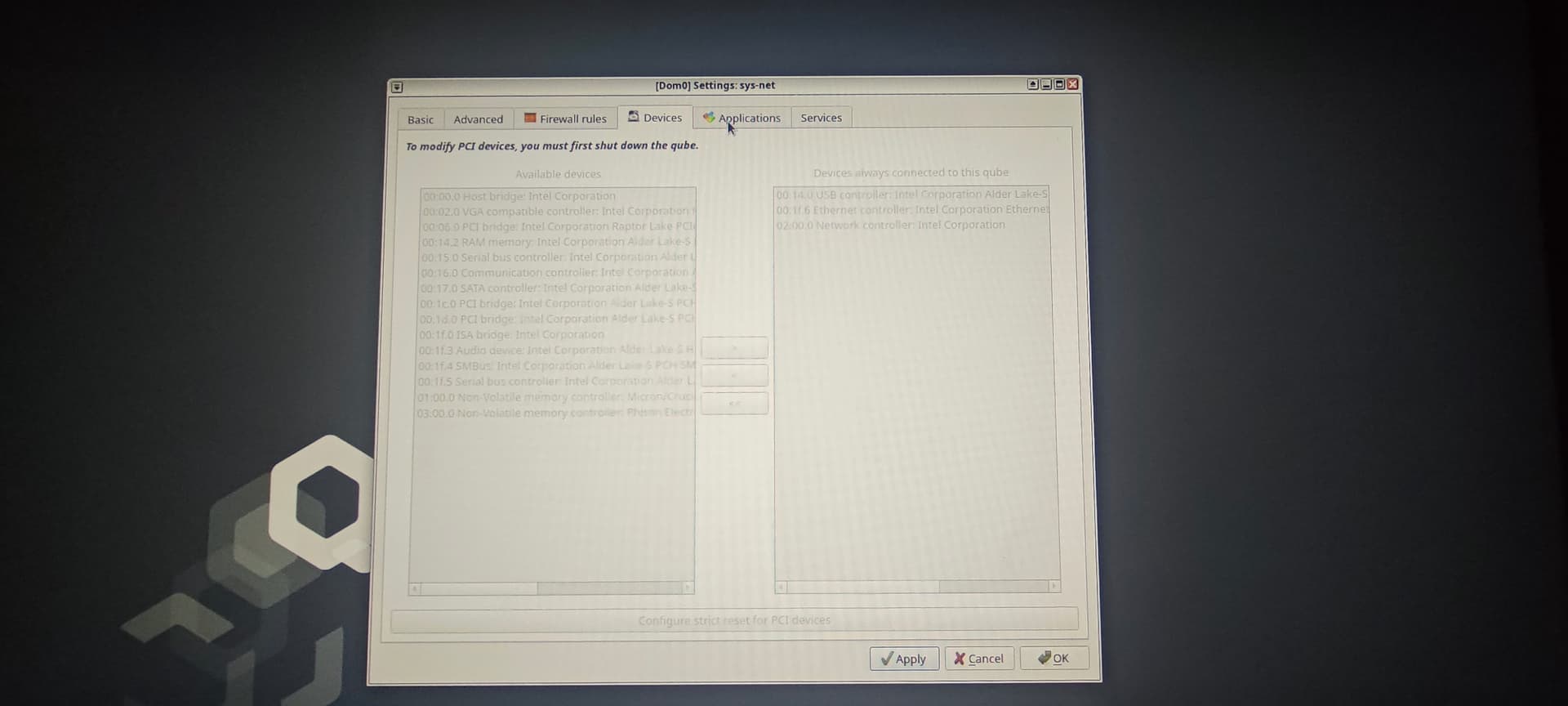
‘To modify PCI devices, you must first shut down the qube.’ I can read there, I can’t shut down the sys-net qube if I don’t shut down sys-firewall and for shut down the sys-firewall I must shut down first the sys-whonix; if I do so everything is going to stop like for example the mouse. So what I do? Let me know, thanks.
Your mouse is stop working? You have an USB mouse and no dedicated USB qube? Hmm…
So if your mouse is not working, you can configure that on dom0 comandline also:
Aside: from a dom0 terminal you can force shutdown of a qube without also shutting down qubes that depend on it:
[user@dom0 ~]$ qvm-shutdown --force sys-net
Generally the system is resilient in that after starting the qube back up things downstream will just work again.
(But: it looks like your sys-net is also handling USB, so in this case you probably shouldn’t do this without planning ahead as you’ll lose input like you said.)
I’m sorry, I didn’t tell you that I have an Intel WiFi 7 BE200, could be that the problem?
I’m not sure whether the model of card is workable or not (guess: probably ok), but @murdock’s suggestion above I think is a good first step to trying to resolve your issue, based on what the PCI troubleshooting link says.
The complication for you is that if you shutdown sys-net to make the configuration change, you lose input, as you don’t have a separate sys-usb qube so sys-net is doing USB stuff in addition to networking. There is probably a clever way to work around this. But, since this is a new installation probably the simplest thing to do is install Qubes again, this time enabling the option that creates sys-usb (as this is a choice during installation).
After reinstall you will likely have the same networking issue. But this time you will be able to follow @murdock’s steps as you will be able to shutdown sys-net without losing input.
I did it, I’m now on Qubes 4.3, I wanted to try a new version but I still have the same problem, I think is the Intel WiFI card BE200 (WiFi 7).
Try running:
[user@dom0 ~]$ qvm-shutdown --force sys-net
And after that,
Hi @nfly85, problem seems to be the support for that card in the several operating systems, that your sys-net qube is based upon.
That problem was discussed here several times (for example see Intel Wi-Fi 7 BE200 - Working? - #15 by marmarek).