Hi,
Im on a fresh install and want to configure my display setup. I have a laptop with a 1920 x 1080 Display and 2 additional 4K displays.
All displays are recognized by the OS.
When I go to System Settings → Display I see that all 3 Displays are stacked on top of each other and the top left corner being on the same spot for every display. That means my 2 4K displays show exactly the same and my 1920 x 1080 Laptop screen shows the top right quarter of the other displays.
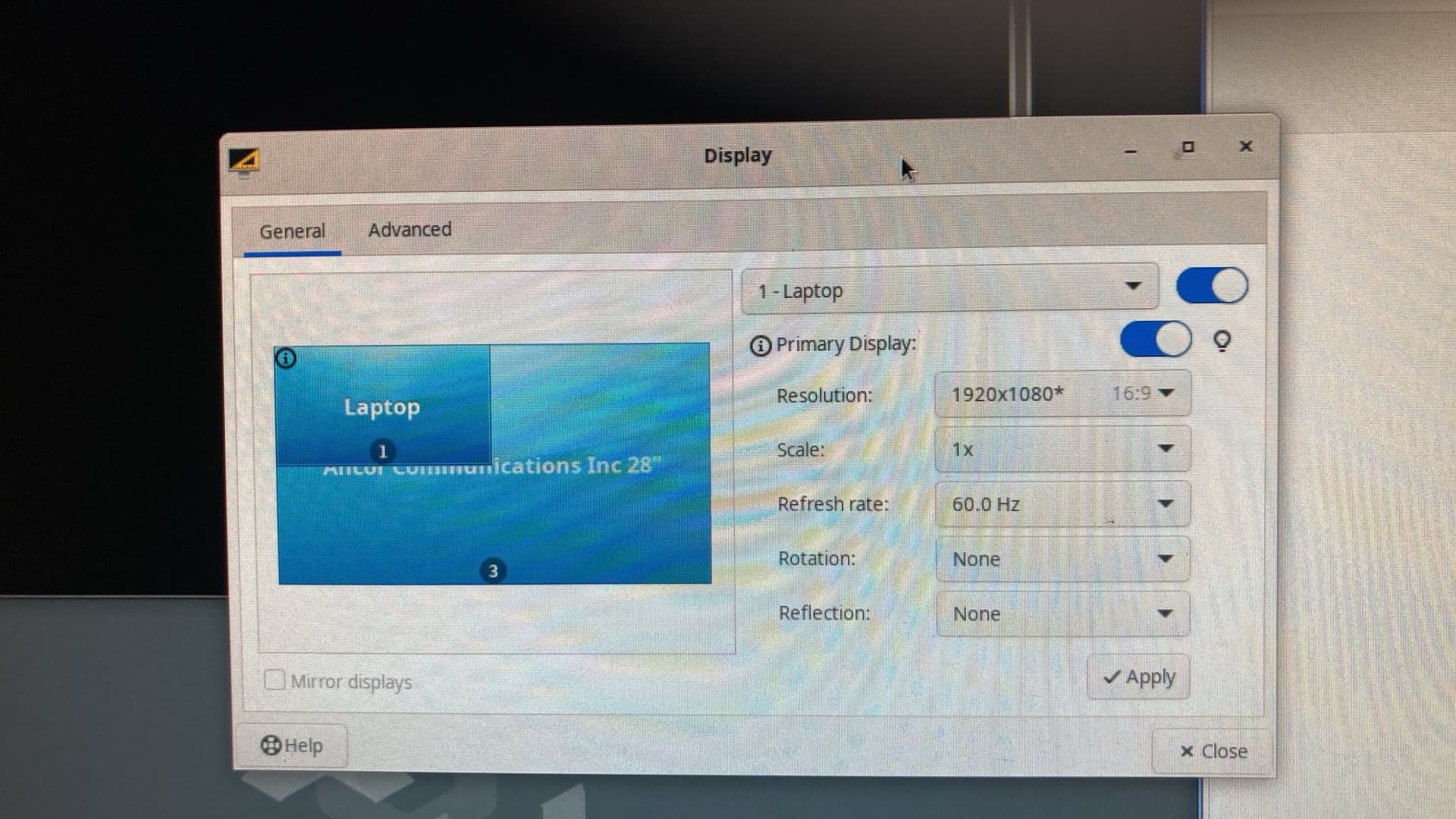
I want to set up the configuration so that my laptop screen ist left, then my 1st 4K screen and then the second 4K screen. When I try to move the screens in the config menu they don’t move. How is this supposed to work?
Can I change that using cli somehow?
I already increased the minimum video ram but that did not seem to be the issue.
thanks in advance