Disp-VM starts and goes down a few moments later

I have a problem that occurred a few weeks ago and was only resolved by completely reinstalling the Whonix system and its clones.

This problem has now reappeared in a clone since today after the Whonix update and looks like this:

When you call up a disp, it immediately goes down a few seconds later without the window being visible.

Simply removing the Disp template and reinstalling it is of no use; the error must therefore lie somewhere in the update from the Gateway or the Workstation or in Qubes.

Now I will reinstall the entire Whonix system, create the clone, update it, and see what happens.

EDIT with new error:

In the attempt to completely eliminate the Whonix clone with qvm-purge, a new template suddenly appears with the name “dummy,” which is supposedly intended to serve as the basis for “sys-whonix-clone.” This template cannot be removed. Renaming the dependencies also does not lead to a better result.

I suspect that the “purge” command processes in the wrong order and causes a conflict. It is probably better to delete all VMs of a clone or even the original one individually rather than using the purge command.

Generally, the clone function seems to have a lot of bugs that only appear in specific situations.

What is the reason for that? Definitely a very annoying error that causes a lot of work.

Thank you for your opinions.

How are you calling the qube? Where are you clicking or typing exactly?

Completely normal: I call it either in the app-menu from the whonix-disp-vm (NOT from the template!) or from the disp-vm-icon I have on the desktop-screen. The problem occurred two months ago and only a complete reinstallation of the entire workstation could fix it.

I can confirm a similar problem happening when I open links in disposable qube. I have qubes-open-with-dvm set as the browser for my email qube. When clicking on the link sometimes it opens disposable Mullvad browser and closes after a few seconds. It seems to happen on similar links. I can open a disposable manually and copy the link and then it works. The problematic sites seem to be using cludflare captcha but that possibly could be irrelevant. I have no idea why a qube would autoshutdown like that.

That definitely has nothing to do with the Cloudflare CAPTCHA.

  • Post the Whonix template version and what the last update changed.
  • Turn on debug mode for the disposable template (You must replace with your template name):
    dom0: qvm-prefs <dvm-template> debug on
  • Reproduce the failure
  • !!! You need to note the name of the disposable, because it’s random.
  • at dom0 do: sudo journalctl -b -u qubesd --no-pager > ~/qubesd-journal.txt
  • Then, in dom0, post these files. Replace dispXXXX with the name of the disposable that crashed.
    • /var/log/xen/console/guest-dispXXXX.log
    • /var/log/qubes/guid.dispXXXX.log
    • /var/log/qubes/qrexec.dispXXXX.log
    • ~/qubesd-journal.txt

PS: How to copy from dom0 — Qubes OS 4.3.1 documentation

Check your mimeapps.list settings in the dvm that gets opened. Could be some sort of recursion happening that shuts down the dvm.

Here is my analysis:

Strangely, everything was fine since the last reinstallation of Qubes-Whonix. NOW, I just installed the latest Tor Browser update earlier, and then both the latest update for the gateway template and the workstation, and the problem is back, but only with the original and not with the clone.

Anon-whonix can be accessed without any issues.

I am trying to follow the suggestions of “queen” and “qub411.”

  1. I have Q 4.3.2 and whonix-18 and generally update to the latest version.

  2. I have in dom0

sudo journalctl -b -u qubesd --no-pager > ~/qubesd-journal.txt

executed.

3 a) Then I have I /var/log/xen/console/guest-dispXXXX.log

called.

In the folder, there are only logs of the previously called functional disps, once in the form

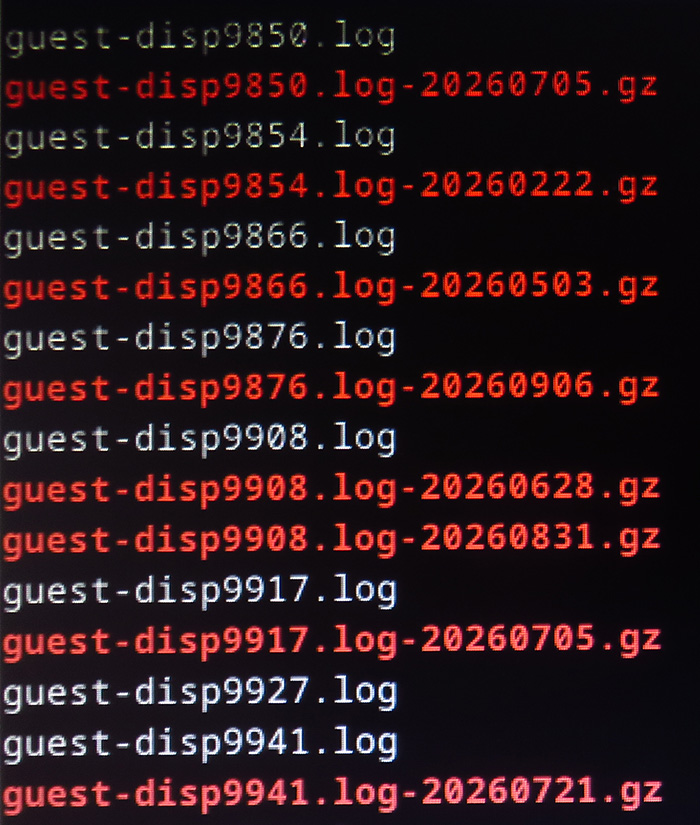
“guest-dispXXXX.log” (white text) and below in the form “guest-dispXXXX.log-YYYYYYYY.gz” (in red text, which cannot be opened, with “cat” only showing garbled characters, so it’s encrypted).

The strange thing: While the logs of the called and non-startable disps are present and the log of the white file can also be accessed, the red one with the gz. extension is not available for the non-startable disps. See this picture with the example disp9927:

However, some logs of the previously active disps cannot be accessed with cat either. I don’t see any logical system there.

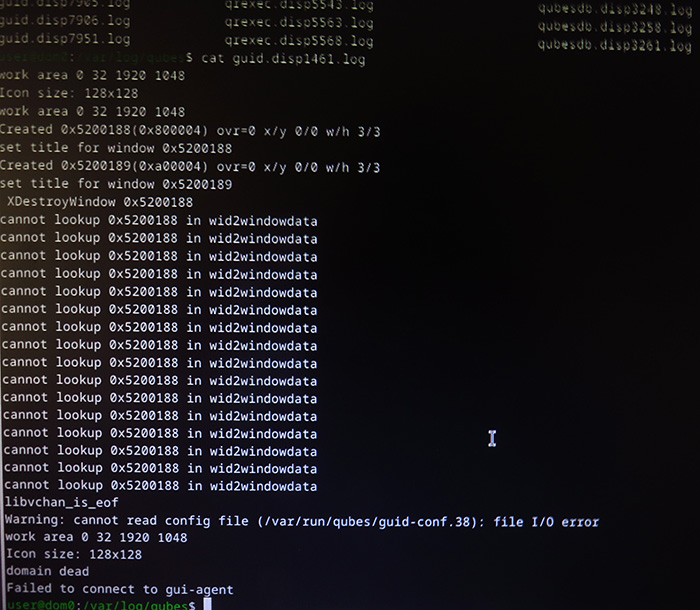
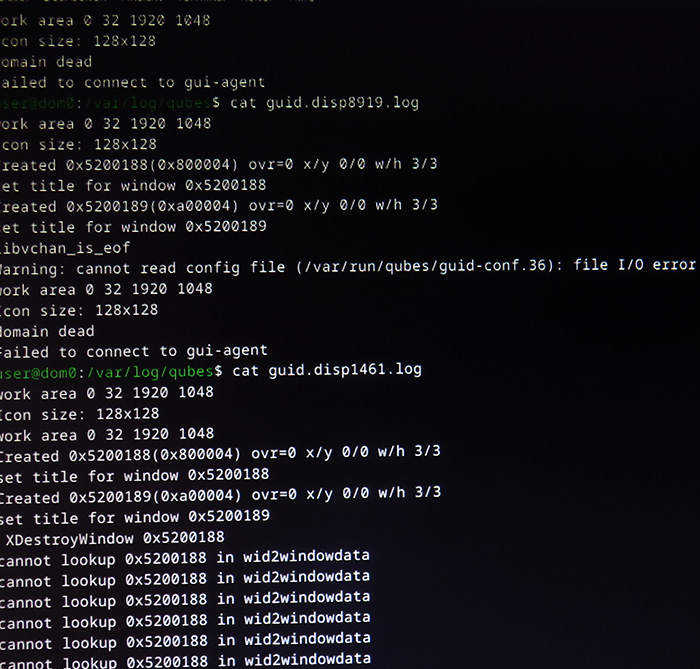
3b) Then I accessed /var/log/qubes/guid.dispXXXX.log, here using the example of the crashed disps 8919 and 1461. I accessed the logs with “cat,” took a screenshot, and am posting it here:

Both disps strangely result in a different picture, even though both crashed immediately after being called.

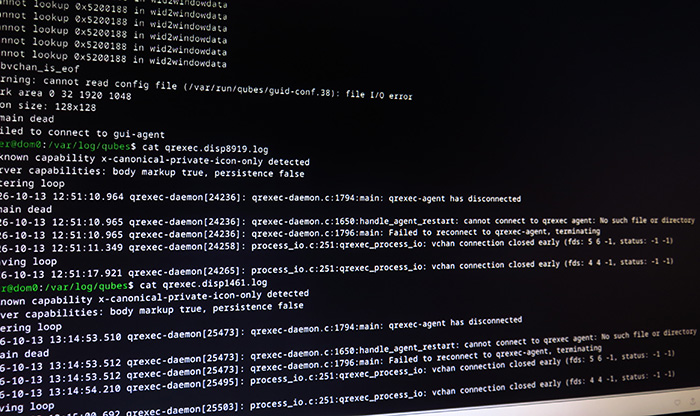
3c) The same applies to “/var/log/qubes/qrexec.dispXXXX.log”. See screenshot (I also tried to access the log here):

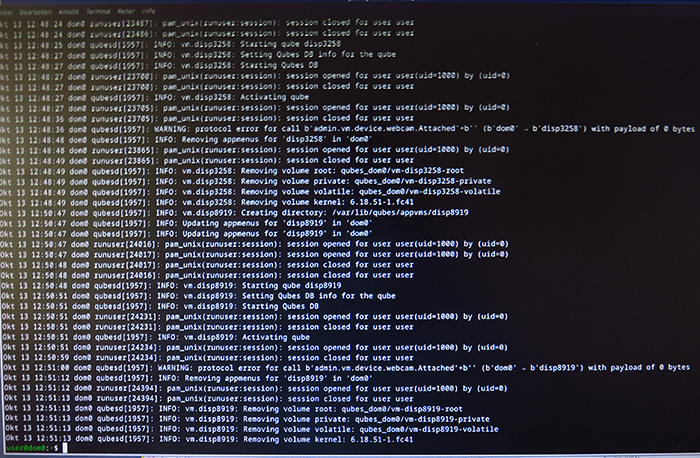
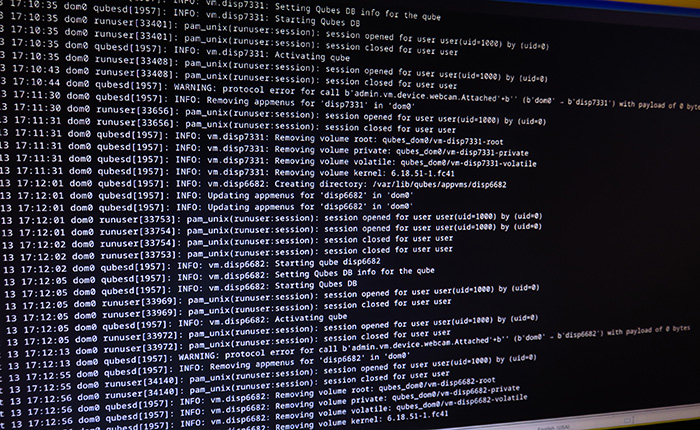
  1. The cat call from ~/qubesd-journal.txt yielded the following, which I captured with a screenshot, once from this afternoon and once from earlier, to reproduce it again:

The disp number “8919” was definitely one that turned off immediately after being called.

From this, I would conclude that there is either a problem with the kernel or with qrexec, as I remember that qrexec was updated in Whonix. But then the problem should also appear in the clone, and that is not the case so far.

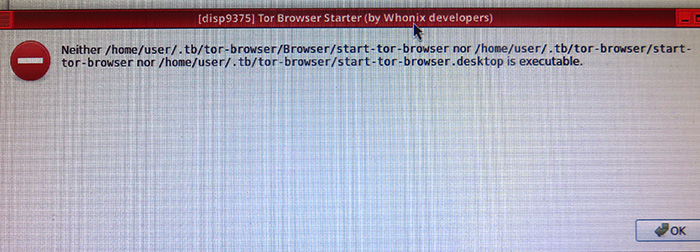
Then I did another experiment. Normally, I call a disp with the Tor browser. Earlier, I called the whonix-disp with the disp manager. Strangely, it started and the file manager appeared. When I then tried to launch the Tor browser from the app menu of the disp, the following message appeared and then the disp crashed again:

Another attempt to call the disp with “Systemcheck” led to a larger error message, but it only appeared for a very short time, so I couldn’t take a photo, and then the disp disappeared again.

Maybe these images and explanations will help clarify things. I suspect a connection with today’s updates. What do you think?
I was going to recommend you to open a thread on the Whonix forums, but you seems to already have done so:

I think it is best to proceed there to get your issue solved. A recommendation is to update the templates and then restart its descendants, there might be a bug that has been fixed.


The .gz files are archives generated by logrotate so the .log file doesn’t become too big. Share the .log of the disposable in question, at the Whonix forum.

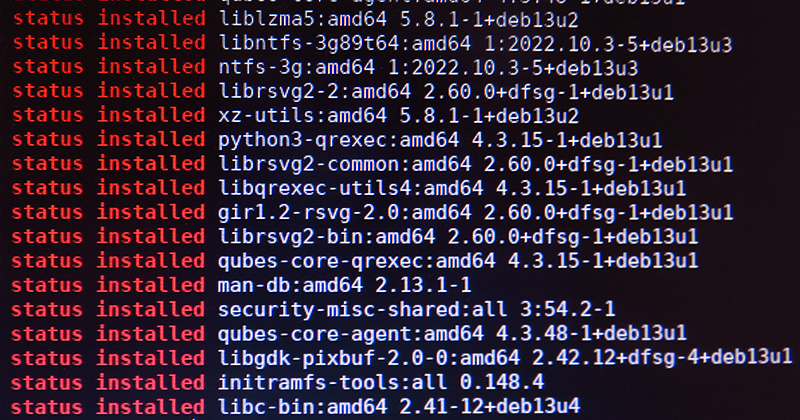
Yes, I agree, though I´m not sure whether it´s a qubes- or whonix-problem. But for better discuss and understanding, please see the following photo with the last whonix-workstation-updates before the problem had occured. Perhaps this will give us more information to solve the problem: